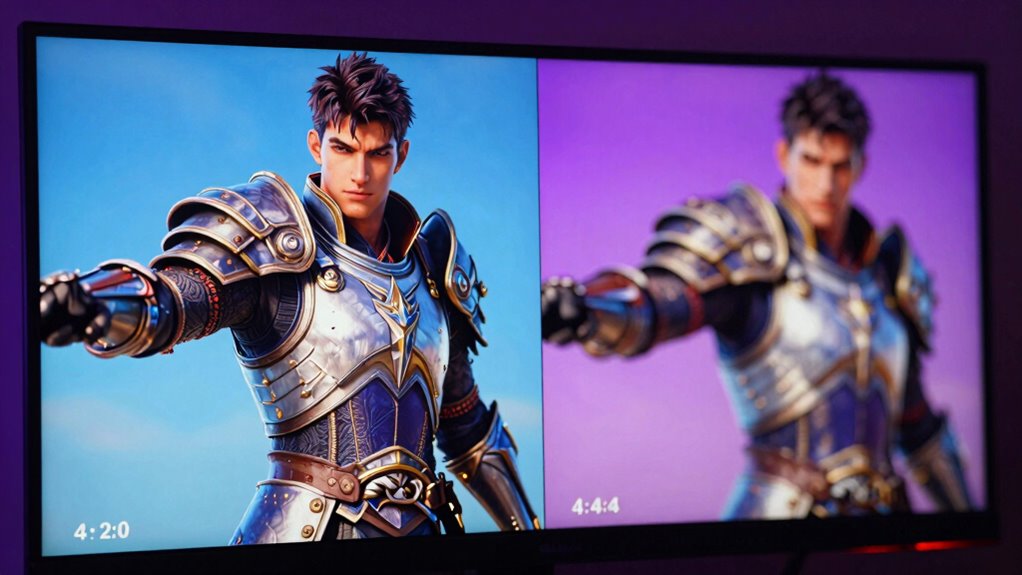

If you’re choosing between chroma 4:2:0 and 4:4:4 for gaming, understand that 4:4:4 provides richer and more precise color detail, making visuals more vibrant and sharp—especially in fast-paced or detail-heavy scenes. In contrast, 4:2:0 compresses color info to save bandwidth, which can cause color smearing or less clarity. Opting for 4:4:4 is ideal for high-end setups or competitive gaming if you want maximum fidelity; otherwise, 4:2:0 is more common for streaming. Keep going to find out how this impacts your gaming experience.
Key Takeaways
- 4:4:4 preserves full color detail, offering sharper images and better color accuracy, ideal for high-quality gaming visuals.
- 4:2:0 reduces color information, potentially causing color smearing and less precise color transitions in fast-paced scenes.
- Choosing 4:4:4 enhances immersion and object clarity but demands higher bandwidth and compatible hardware.
- 4:2:0 is more compatible with streaming and standard devices, providing efficiency at the cost of some color fidelity.
- For competitive or high-end gaming, 4:4:4 delivers superior visual detail, while 4:2:0 balances performance and compression.

Have you ever wondered how different chroma subsampling formats affect your video quality? Understanding chroma 4:2:0 versus 4:4:4 is essential, especially when you’re aiming for the best visual experience. At its core, chroma subsampling deals with color compression, which reduces the amount of color information stored in a video. This process helps save bandwidth and storage but can impact visual clarity. When you choose between 4:2:0 and 4:4:4, you’re fundamentally deciding how much color detail is preserved. With 4:2:0, the color information is heavily compressed, meaning the chroma data is sampled at a lower rate than the luminance. This reduction results in less color detail, which is often noticeable in scenes with fine color gradients or subtle hues. On the other hand, 4:4:4 maintains full color information for each pixel, offering richer, more accurate color reproduction. For gamers, this difference can be significant, especially in titles with vibrant environments or detailed textures, where color accuracy enhances immersion. Recognizing color fidelity and how it impacts your gaming experience helps you make more informed choices about your display settings.
When visual clarity is your priority, 4:4:4 provides a sharper, more precise image with less color bleeding or artifacts. You’ll notice crisper edges and more faithful color transitions, making it easier to distinguish objects and details in fast-paced or visually complex scenes. Conversely, 4:2:0 can introduce slight color smearing or banding, particularly when images are compressed or streamed at lower bitrates. While 4:2:0 is widely used in streaming services and broadcast formats because it reduces file sizes and bandwidth requirements, it often sacrifices some color fidelity for efficiency. If you’re gaming on a high-end monitor or engaging in competitive play where every detail counts, opting for 4:4:4 can give you an advantage by delivering the most accurate and vibrant visuals possible. However, keep in mind that not all hardware supports full chroma 4:4:4 playback smoothly, and it demands higher bandwidth and processing power. Your choice ultimately depends on your setup, what you prioritize—whether it’s reducing data load or maximizing visual fidelity—and the kind of gaming experience you want. Recognizing the trade-offs between these chroma subsampling formats helps you make informed decisions about your display settings, ensuring you get the best possible clarity for your gaming environment. So, when you’re adjusting your video settings, remember that understanding how chroma compression impacts color detail can make a noticeable difference in your overall visual experience.
Top picks for "chroma color detail"
Open Amazon search results for this keyword.
As an affiliate, we earn on qualifying purchases.
Frequently Asked Questions
How Do Chroma 4:2:0 and 4:4:4 Affect Video Editing?
When you choose chroma 4:4:4 over 4:2:0 during video editing, you get better color accuracy and editing precision. This means you can see more detailed and vibrant colors, making it easier to fine-tune your work. Chroma 4:4:4 retains full color information, which is essential for high-quality post-production, while 4:2:0 may cause color bleeding and less accuracy, affecting your final output.
Which Setting Is Better for Streaming Gameplay?
For streaming gameplay, you should choose 4:2:0 because it balances color accuracy and streaming bandwidth. While some might think 4:4:4 offers better color detail, it demands more bandwidth, which can cause lag or buffering during your stream. 4:2:0 reduces data load, ensuring smoother performance without sacrificing too much color quality. This way, your viewers get good visuals, and your stream stays reliable.
Can Changing Chroma Settings Improve VR Experience Quality?
Changing chroma settings can improve your VR experience quality by enhancing color accuracy without sacrificing bandwidth efficiency. Opting for 4:4:4 chroma delivers richer, more precise colors, making visuals more vivid and immersive. If your hardware supports it, switching to higher chroma settings can boost your overall VR enjoyment, providing sharper details and better realism. Just remember, higher chroma can demand more bandwidth, so confirm your setup can handle it smoothly.
Do Different Display Types Handle These Chroma Formats Differently?
Different display types handle chroma formats differently, impacting your color accuracy and overall experience. For example, high-end monitors and TVs with advanced hardware optimization can better process 4:4:4 chroma, offering sharper images and more vibrant colors. In contrast, screens with limited hardware support may struggle with 4:2:0, resulting in less precise detail. Always check your display’s capabilities to guarantee peak color fidelity and performance.
Are There Any Compatibility Issues With Older Monitors?
Think of your monitor as a vintage camera lens—some might struggle to capture all the vibrant details. Older monitors often face compatibility issues with higher chroma formats like 4:4:4, which demand more display bandwidth. These display limitations can cause color discrepancies or reduced image quality. To prevent surprises, check your monitor’s specs and verify it supports the color depth you want, or you might end up with a blurry picture.
Conclusion
So, now that you know the difference between chroma 4:2:0 and 4:4:4, you can make a smarter choice for your gaming setup. Remember, sticking with 4:4:4 is like having a hologram in your living room—crisp and detailed. But if you’re more of a casual gamer or on a budget, 4:2:0 still gets the job done. Whether you choose to go full Jedi or keep it simple, understanding these settings helps you level up your visual experience.