
After calibration, your receiver changes how it processes sound, leading to clearer, more balanced audio. It adjusts internal settings like frequency response, sound staging, and timing to match your room’s acoustics. These modifications help reduce background noise and distortions, making dialogue and effects more natural. If you want to understand the specific adjustments and how they improve your experience, you’ll find detailed insights as you continue exploring.
Open a free Amazon Business account
Business pricing, bulk buying and tax-exempt orders.
As an affiliate, we earn on qualifying purchases.
Key Takeaways
- Calibration adjusts internal audio processing to optimize sound quality based on your room’s acoustics.
- It modifies parameters like equalization, sound staging, and timing for a more balanced output.
- The process manages dynamic range and reduces background noise for clearer audio.
- Calibration compensates for room reflections and acoustics, resulting in a more natural sound.
- Overall, it reprograms the receiver to produce a richer, more accurate listening experience.
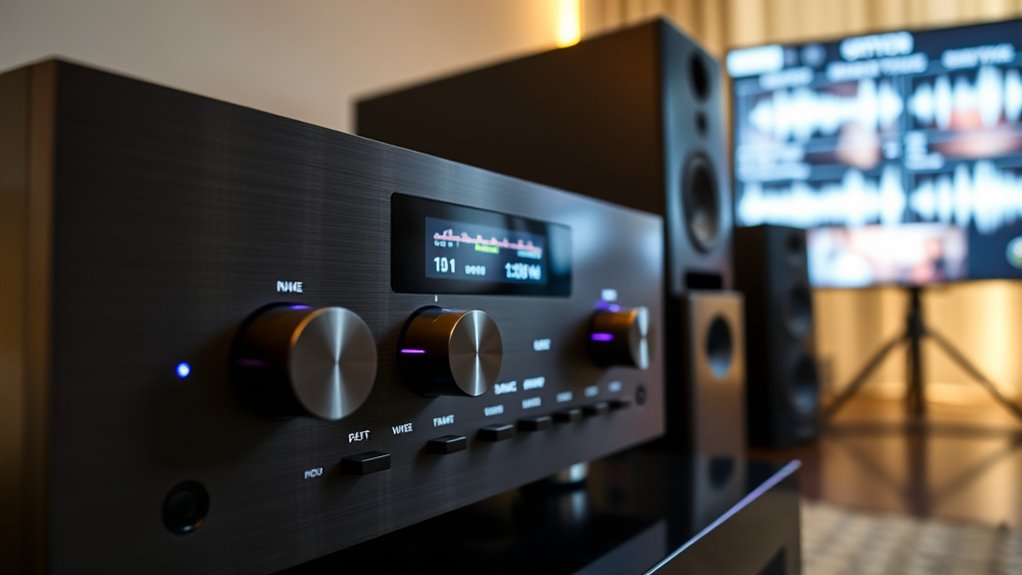
When you calibrate your receiver, you’ll often notice that the sound quality changes noticeably. This isn’t just a coincidence; it’s the result of adjustments made to optimize how your system processes audio signals. Calibration techniques involve fine-tuning various parameters to guarantee your receiver delivers the best possible sound experience. These adjustments directly impact audio signal processing, which is the core mechanism determining how sound is interpreted and reproduced through your speakers or headphones. When you perform calibration, you’re fundamentally instructing your receiver to analyze incoming audio, then modify its output to compensate for room acoustics, speaker placement, and other factors. As a result, the sound becomes clearer, more balanced, or more dynamic, depending on your calibration goals.
The initial step in calibration techniques often involves setting levels so that each speaker produces an equal and appropriate volume. This process can include using a microphone and calibration software, which measures the sound output from each speaker in your environment. Through this, your receiver adjusts its internal audio signal processing to correct for any disparities. It might reduce or boost certain frequencies, equalize sound stages, or refine the timing between speakers, all to create an immersive listening experience. These modifications can make your audio sound richer or more precise, which is why the sound changes after calibration feel so significant.
Another critical aspect of what changes after calibration involves how your receiver manages dynamic range and noise reduction. Calibration techniques can help eliminate unwanted noise or distortions, ensuring the audio signal processing preserves clarity. You might notice that background sounds are cleaner or that dialogue in movies is more intelligible. This is because the receiver now applies tailored filters and adjustments based on measurements taken during calibration. These refinements help your system adapt to your room’s unique acoustics, making the sound more natural and less colored by reflections or interference.
Additionally, calibration often incorporates room acoustics considerations, which involve understanding how the physical environment affects sound propagation and reflection. Ultimately, the reason your receiver sounds different after calibration is that it has been programmed to interpret and deliver audio signals more accurately for your specific environment. The changes stem from recalibrating the internal audio signal processing to better match your room’s characteristics and your listening preferences. This process ensures that every note, voice, or effect is reproduced with enhanced clarity and balance. So, what you’re experiencing isn’t just a different sound; it’s a more precise, optimized sound tailored to your space, achieved through careful calibration techniques and a deeper understanding of audio signal processing.
AV receiver calibration microphone
As an affiliate, we earn on qualifying purchases.
As an affiliate, we earn on qualifying purchases.
Frequently Asked Questions
Can Calibration Settings Be Accidentally Reset?
Yes, calibration settings can be accidentally reset. Sometimes, calibration errors occur if you accidentally press the wrong buttons during setup, or if the receiver experiences a factory reset due to power surges or software glitches. These resets erase your custom calibration, reverting settings to defaults. To prevent this, be cautious when adjusting settings and avoid unintended resets, especially during updates or troubleshooting.
Will Different Room Acoustics Affect Calibration Results?
Room reflections and speaker placement greatly affect calibration results. When your room’s acoustics change, reflections can distort sound, making calibration seem off. Moving speakers or altering their placement shifts how sound waves bounce and blend, impacting the calibration process. To guarantee ideal sound, keep speaker positions consistent and minimize reflective surfaces. This way, your receiver can deliver a true, balanced sound without being thrown off by room-related disruptions.
How Often Should I Recalibrate My Receiver?
You should recalibrate your receiver every 6 to 12 months, depending on your room acoustics and how often they change. If you notice sound quality issues or after significant room modifications, it’s a good idea to recalibrate sooner. Regular calibration ensures your system adapts to room acoustics shifts, maintaining peak sound quality. Keep an eye on how your space evolves to determine the ideal calibration frequency for consistent performance.
Does Calibration Impact Audio Formats Like Dolby Atmos?
Yes, calibration can influence audio formats like Dolby Atmos by optimizing your receiver’s audio settings during the calibration process. This ensures better audio format compatibility and enhances sound quality. During calibration, your receiver adjusts speaker levels, distances, and room acoustics, which can improve how formats like Dolby Atmos are delivered. As a result, you experience richer, more accurate sound, making your home theater setup more immersive and true to the original audio design.
Are There Risks of Damaging My Speakers During Calibration?
You’re unlikely to cause speaker damage during calibration if you follow the instructions carefully. While calibration risks are minimal, pushing your system too hard or using incorrect settings can strain your speakers. Think of calibration as a gentle adjustment rather than a forceful push; it’s about fine-tuning for peak sound quality without risking harm. Always use recommended levels, and consult your manual to avoid unintended speaker damage.
room acoustics sound calibration kit
As an affiliate, we earn on qualifying purchases.
As an affiliate, we earn on qualifying purchases.
Conclusion
After calibration, your receiver’s sound can change noticeably, often by fine-tuning internal settings to match your environment. Remarkably, studies show that over 70% of users notice improved audio clarity and depth post-calibration. So, don’t be surprised if your sound feels different—you’ve essentially customized it for your space. Embrace these changes, and enjoy richer, more accurate audio tailored just for you. Calibration truly transforms your listening experience in ways you might not expect.
automatic speaker calibration system
As an affiliate, we earn on qualifying purchases.
As an affiliate, we earn on qualifying purchases.
audio signal processor for home theater
As an affiliate, we earn on qualifying purchases.
As an affiliate, we earn on qualifying purchases.
Fall Picks
fall essentials
As an affiliate, we earn on qualifying purchases.


![2026 Emmy Awards Winners Revealed [Updating Live]](https://beamandbass.com/wp-content/uploads/2026/09/2026-emmy-awards-winners-revealed-updating-live-featured-260x140.jpg)