
To clean your screens and delicate surfaces without damage, use gentle solutions like water with a small amount of dish soap or a dedicated screen cleaner, sprayed onto a microfiber cloth. Avoid harsh chemicals, excessive pressure, or spraying directly onto devices. Gently dust with soft brushes or compressed air and wipe carefully. Keeping these tips in mind helps protect your surfaces and extend their lifespan—explore more techniques to keep your items pristine and damage-free.
Key Takeaways
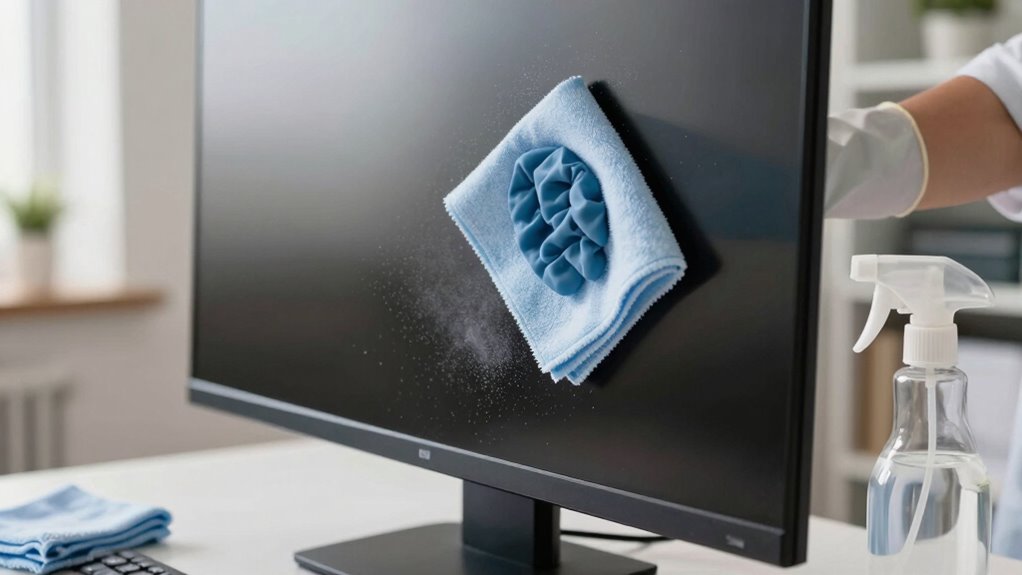
- Use a soft microfiber cloth dampened with water or a gentle, screen-safe cleaner to wipe screens gently.
- Spray cleaning solutions onto cloths, not directly on screens, to prevent moisture from seeping into edges.
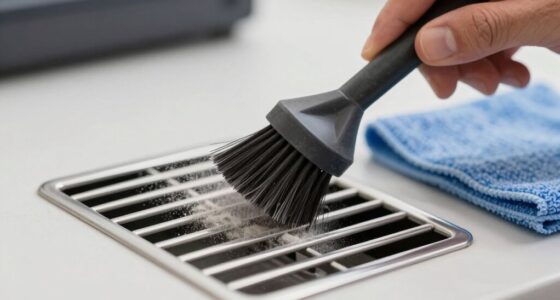
- Dust surfaces with a soft brush or compressed air, sweeping in one direction to lift particles without scratching.
- Avoid harsh chemicals like ammonia, alcohol, or abrasive cleaners that can damage sensitive surfaces.
- Regularly clean and rinse cloths to prevent dust transfer and maintain gentle, effective cleaning.

Golf Simulator Projector Cover - Floor Mounted Enclosure with Cooling Fan for Optimal Protection of Outdoor Golf Simulation Projectors - Compatible with Leading Golf Simulators and Projectors
✅【Economical Solution】The Golf Simulator Projector Cover offers a budget-friendly alternative to ceiling installations, allowing you to easily position...
As an affiliate, we earn on qualifying purchases.
Choosing Gentle Cleaning Products for Screens and Surfaces

When cleaning screens and surfaces, selecting gentle products is essential to prevent damage. Harsh chemicals can strip away coatings, cause discoloration, or leave residues that attract more dirt. Instead, opt for mild solutions like a mixture of water and a small amount of gentle dish soap or a dedicated screen cleaner. Avoid ammonia, alcohol, or abrasive cleaners, which are too harsh for delicate surfaces. Always choose products labeled safe for electronic screens or sensitive materials. Using the right cleaning agents helps maintain the integrity and clarity of your screens, prolonging their lifespan. Additionally, choosing environmentally friendly and energy-efficient cleaning products supports sustainable practices and reduces environmental impact. Being aware of contrast ratio and other display specifications helps you understand how to care for your projector screens properly, ensuring optimal image quality over time. To further protect your surfaces, consider using microfiber cloths that are designed to clean gently without scratching.

Projector Dust Cover for Ceiling Video Projector at Home or Outdoor Installation, Waterproof Dustproof Protection Case, 14"x14"x 9"
Ultimate Protection: waterproof cover protects your video projector from dust, scratches, and water damage or other possible factors...
As an affiliate, we earn on qualifying purchases.
Proper Techniques for Dusting and Wiping

After choosing gentle cleaning products, applying proper dusting and wiping techniques helps guarantee your screens stay clear and undamaged. Use a soft, lint-free cloth and avoid excessive pressure. When dusting, gently sweep in one direction to lift particles without scratching the surface. For wiping, lightly dampen the cloth with water or a mild cleaner, then wipe in smooth, even strokes. Always start from the top and work downward to prevent dirt from settling on cleaned areas. Keep the cloth clean and avoid using abrasive materials. Regularly change or rinse the cloth to prevent spreading dust. Remember, gentle motions and minimal moisture protect your screen’s surface while effectively removing dust and smudges. Incorporating smart‑home integrations can also help automate and optimize your cleaning routines for better maintenance. Additionally, understanding surface materials can guide you in choosing the right cleaning methods to avoid damage. Being aware of AI-powered cleaning devices can further enhance your home maintenance by automating routine cleaning tasks and ensuring consistent care. Utilizing connected cleaning tools can streamline your routine and maintain surfaces more efficiently.

Projector Dust Cover,Projector Cover Outdoor Case Protective,Dust-Proof,UV-Resistant,Moisture-Proof,Fit for Ceiling Video Mounted Equipment Enclosure Oxford,Cloth Drawstring(13.7" X 13.7" X 8.6")
【Projector Dust Cover Material and Design】: Mainly made of waterproof elastic Oxford cloth, with a sturdy and durable...
As an affiliate, we earn on qualifying purchases.
Tools and Materials That Protect Your Finishes

Using the right tools and materials is essential to safeguard your finishes while cleaning your screens. Soft, non-abrasive cloths and gentle cleaning solutions help prevent scratches and damage. By choosing protective cleaning tools, you guarantee your screens stay clear and well-maintained. Additionally, understanding financial literacy can help you make informed decisions about purchasing the best cleaning supplies that offer value and protection. Being aware of cost-effective cleaning strategies ensures you select supplies that balance quality and affordability, prolonging the lifespan of your surfaces. Incorporating proper maintenance practices can further enhance the longevity of your screens and finishes over time. Selecting appropriate hair styling products that suit your surfaces can also prevent buildup and residue that may harm delicate finishes. Considering product reviews can guide you toward highly-rated cleaning tools that are both safe and effective for your surfaces.
Protective Cleaning Tools
Protective cleaning tools are essential for safeguarding your screen’s finish during the cleaning process. Using the right tools prevents scratches and damage while ensuring effective cleaning. Consider placing a soft microfiber cloth over your finger or cleaning tool to add a protective layer. Use a gentle brush to dislodge dust from crevices without scratching. Employ a plastic spatula or credit card to carefully lift stubborn debris without scraping the surface. Additionally, keeping a lint-free cloth handy helps avoid lint transfer. These tools work together to minimize direct contact with abrasive surfaces, reducing the risk of damage. By choosing and using protective tools properly, you guarantee your screen remains pristine and scratch-free after every clean.
Gentle Cleaning Materials
Choosing the right cleaning materials plays a key role in maintaining your screen’s finish. Use soft, microfiber cloths that are gentle yet effective at trapping dust and dirt without scratching surfaces. Avoid abrasive sponges or rough textiles, which can damage delicate coatings. For cleaning solutions, opt for plain distilled water or a mixture of water and a tiny amount of mild dish soap. Never use harsh chemicals, alcohol, or ammonia-based cleaners, as they can strip or discolor finishes. Microfiber cloths are reusable and gentle, making them ideal for regular cleaning. If needed, add a few drops of gentle cleaning solution to dampen the cloth. Proper cleaning techniques help preserve your screen’s appearance while ensuring a thorough, damage-free clean. These gentle materials help preserve your screen’s appearance while ensuring a thorough, damage-free clean.

Projector Dust Cover,Fit for Ceiling Mounted Projector and Universa Projector Waterproof,Dust-Proof, UV-Resistant Cover Oxford Cloth,Dimensions13.7" x 13.7" X 8.6"
Projector dust cover: Protect the projector surface from damage. Keep the projector clean and prevent it from being...
As an affiliate, we earn on qualifying purchases.
Common Cleaning Mistakes to Avoid

One common mistake people make when cleaning screens is applying too much pressure or using harsh materials, which can cause scratches or damage. Instead, you should handle screens gently and use soft cleaning tools. Avoid using paper towels or rough cloths that can scratch the surface. Don’t spray cleaning solutions directly onto the screen; instead, apply them to a cloth first. Also, steer clear of excessive moisture, as it can seep into edges and cause damage. Using proper cleaning techniques helps maintain the longevity of your screens and prevents costly repairs to protect your screens. Additionally, understanding proper cleaning materials can further reduce the risk of surface damage and prolong the life of your devices. Being aware of air purifier maintenance dos and don’ts can help ensure your electronic devices stay clean without accidental harm. Maintaining a consistent cleaning routine with the right techniques is essential for preserving screen quality over time. Consulting trusted gold IRA providers can help ensure your investments are secure and well-managed.
Maintaining Electronics and Delicate Items Safely

To keep electronics and delicate items in good condition, you need to handle them with care and follow proper maintenance steps. Always power off devices before cleaning, and disconnect them from power sources to prevent any damage. Use a soft, lint-free cloth dampened slightly with water or a gentle cleaning solution—never harsh chemicals or abrasive materials. Avoid applying liquids directly to screens or electronics; instead, spray the cleaner onto the cloth. Gently wipe surfaces without pressing too hard, especially around ports and vents. For small crevices, use a soft brush or compressed air to remove dust. Regularly inspect cables and connectors for wear, and store items in a safe, dry place when not in use. Proper handling and gentle cleaning guarantee your electronics stay functional and damage-free. Understanding the importance of nanotechnology can also promote overall well-being and reduce reliance on harsh chemicals for health maintenance. Incorporating preventative maintenance practices can extend the lifespan of your devices and ensure they operate efficiently over time. Additionally, being aware of material sensitivities can help you select the right cleaning methods for different surfaces and finishes. Furthermore, paying attention to dust accumulation can prevent overheating and improve device performance.
Tips for Long-Term Surface Preservation

Maintaining the appearance of your surfaces over time requires consistent care and proper techniques. To preserve their look and integrity, focus on gentle cleaning methods and protective measures. Use soft cloths and avoid harsh chemicals that can degrade finishes. Regularly dust to prevent buildup that can cause scratches or dullness. Apply protective wax or sealants if appropriate, creating a barrier against dirt and moisture. Keep surfaces out of direct sunlight to prevent fading or warping. Use coasters, mats, or pads to reduce damage from spills or heat. Maintain a stable humidity level to prevent warping or cracking. Incorporating seasonal maintenance checklists can help you stay on top of cleaning and upkeep tasks. Additionally, understanding surface materials can guide you in selecting the most suitable cleaning methods. Being aware of environmental factors such as temperature and humidity can further protect your surfaces from long-term damage. By implementing these strategies, you extend the life of your surfaces and keep them looking pristine for years.
Frequently Asked Questions
How Often Should I Clean My Electronic Screens?
You should clean your electronic screens at least once a week to keep them clear and functioning properly. Use a soft, lint-free cloth and avoid harsh chemicals. Gently wipe the surface without applying too much pressure. If needed, dampen the cloth slightly with water or a screen-safe cleaner. Regular cleaning prevents dust buildup, reduces glare, and keeps your device looking new without risking damage.
Can I Use Household Cleaners on Delicate Surfaces?
You shouldn’t use household cleaners on delicate surfaces; imagine pouring harsh chemicals onto a fragile glass sculpture—damage is inevitable. Instead, opt for a soft microfiber cloth and a gentle, screen-safe cleaner or a mixture of water and a tiny drop of dish soap. Gently wipe the surface, avoiding excessive pressure, to preserve its clarity and prevent scratches. This keeps your screens looking pristine without risking harm.
What Are the Best Natural Alternatives for Cleaning Screens?
You should try using a mixture of equal parts distilled water and white vinegar or a gentle dish soap diluted in water. Spray it lightly onto a microfiber cloth, not directly on the screen, and wipe gently. Avoid harsh chemicals or abrasive materials, as they can damage the surface. This natural approach effectively removes dirt and smudges without risking scratches or residue buildup.
How Do I Remove Stubborn Grime Without Damaging Surfaces?
Imagine gently coaxing stubborn grime off a delicate canvas. You’ll want a soft cloth dampened with a mixture of mild dish soap and warm water—think of it as a whisper rather than a shout. Gently wipe the surface, avoiding excessive pressure. For tougher spots, let the solution sit briefly before softly buffing away the grime. Always test a small area first to keep your surface pristine and damage-free.
Are There Specific Drying Techniques to Prevent Streaks or Scratches?
To prevent streaks or scratches when drying, use a soft, lint-free cloth like microfiber and gently pat the surface instead of rubbing. Avoid air drying, which can leave spots. Work in a circular motion for even drying, and guarantee the cloth is slightly damp—not wet—to minimize streaks. Regularly change or wash the cloth to prevent dirt from causing scratches. This careful approach keeps your surfaces pristine and damage-free.
Conclusion
By choosing gentle cleaners, using proper techniques, and selecting the right tools, you create a delicate dance that preserves your surfaces’ beauty. Think of your cleaning routine as a gentle breeze, softly brushing away dust without disturbing the surface’s integrity. With careful attention, your screens and finishes stay vibrant and intact, like a pristine lake reflecting the sunlight. Keep this mindful approach, and your surfaces will continue to shine brightly, year after year.