Moving your router just six feet can considerably improve your streaming quality by reducing interference from objects like walls or electronics. A small shift can boost signal strength and coverage, helping prevent buffering and slow loads. Elevating the router and avoiding metal or electronic clutter nearby also helps. If you keep struggling with buffering, exploring how strategic placement and network solutions can make a difference will give you even better results.
Key Takeaways
- Moving the router six feet can reduce interference from nearby objects, improving signal strength for streaming.
- Slight adjustments in placement help avoid obstacles like thick walls or electronic clutter that weaken Wi-Fi signals.
- Elevating the router and placing it in an open space enhances coverage and reduces buffering issues.
- Small position changes can optimize the router’s line of sight to streaming devices, ensuring a stronger connection.
- Proper placement minimizes signal interference, resulting in smoother streaming and fewer buffering interruptions.
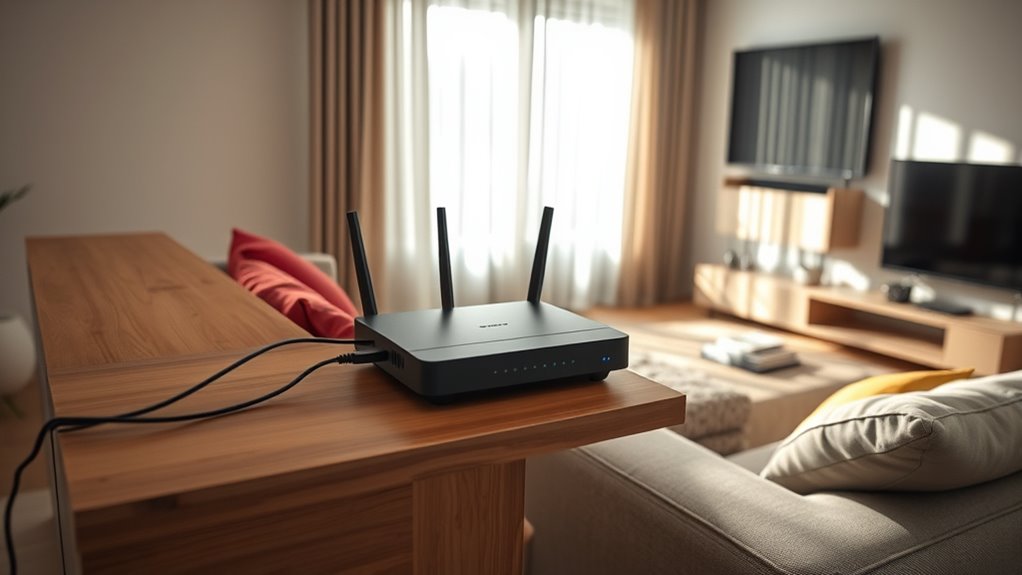
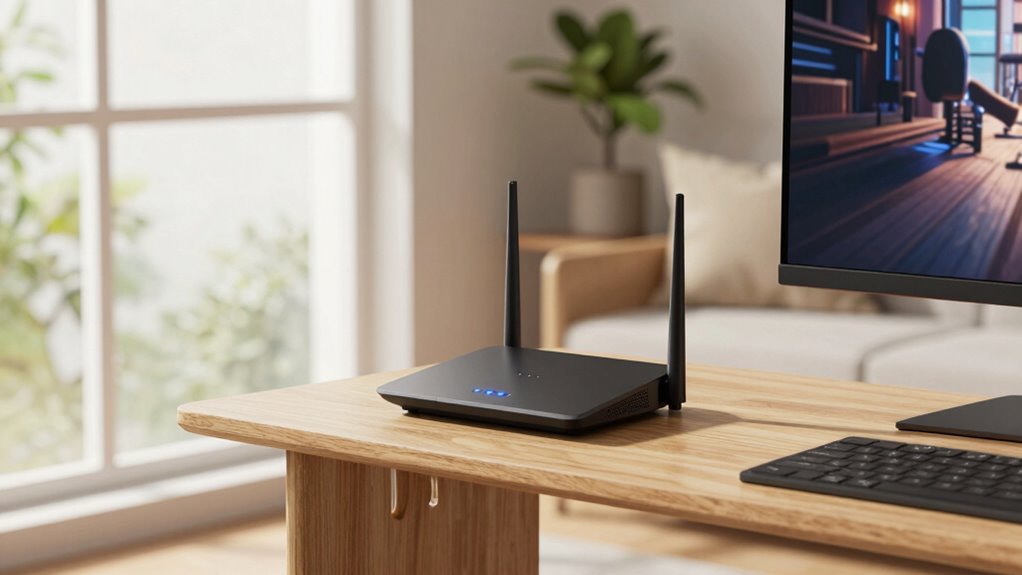
To guarantee smooth streaming, you need to place your router in the right spot. Location is vital because a poorly positioned router can cause buffering, slow load times, and frustrating interruptions. One effective way to improve your Wi-Fi signal is by understanding how to optimize its placement. If you’re dealing with dead zones or weak signals, consider how your router’s position impacts coverage. Moving it just six feet can sometimes make a significant difference, especially if you’re currently placing it near thick walls or electronic clutter. Proper placement also helps reduce signal interference**, which can degrade Wi-Fi performance and streaming quality. Many people overlook the benefits of mesh networks for streaming. These systems consist of multiple nodes that work together to blanket your entire home in reliable Wi-Fi. Unlike traditional routers, mesh networks eliminate dead zones by dynamically routing data through the fastest path, which means less buffering and smoother streaming. If your home has a large footprint or multiple floors, investing in a mesh network might be the best solution. It guarantees your device stays connected to a strong signal, no matter where you are in the house. Another simple fix is Wi-Fi extenders. These devices boost your existing signal by rebroadcasting it to areas with poor coverage. Placing a Wi-Fi extender in the right spot—closer to your streaming device and router—can drastically improve your connection quality. Just be mindful of their placement; positioning an extender too far from the router can weaken the signal rather than strengthen it. Ideally, place extenders halfway between your router and the streaming device, avoiding obstructions like thick walls or metal objects that can interfere with the signal. When positioning your router, avoid placing it near large metal objects, microwaves, or cordless phone bases, as these can cause interference. Elevating your router on a shelf or high furniture helps broadcast the signal more evenly across your space. Keep it out in the open rather than tucked away in a cabinet or behind furniture. If you’re in a multi-story home, placing the router centrally on the main floor often yields the best coverage upstairs and downstairs. Sometimes, just a slight adjustment**—moving your router six feet—can avoid interference from nearby electronics and improve signal strength. Pair this simple move with the strategic use of mesh networks or Wi-Fi extenders for peak performance. These tools complement proper placement and ensure your streaming stays smooth, buffering-free, and reliable. Remember, a well-placed router combined with modern network solutions makes a noticeable difference in your streaming experience.
Frequently Asked Questions
Does Router Placement Affect Streaming Quality on Multiple Devices?
Yes, router placement impacts streaming quality on multiple devices. When you position your router away from interference sources like thick walls or electronic devices, you improve the signal range. This reduces buffering and lag, especially when multiple devices connect. Moving your router just a few feet can considerably enhance your Wi-Fi strength, ensuring smoother streaming across all your devices. Proper placement maximizes signal range and minimizes interference, boosting overall performance.
How Can I Tell if My Router Needs Repositioning?
You can tell if your router needs repositioning by checking for interference sources nearby, like cordless phones or microwaves, which weaken signal strength. If your devices experience buffering or slow speeds, move the router about 6 feet away from these sources and observe if the connection improves. Also, use a signal strength app to see if the placement boosts your Wi-Fi coverage, ensuring a stronger, more reliable connection for streaming.
Are There Specific Furniture or Materials That Block Wi-Fi Signals?
Did you know that furniture interference can cut your Wi-Fi signal strength by up to 50%? Certain materials, like thick wood, metal, or concrete, are notorious for signal blocking materials. Large metal furniture, mirrors, or dense bookshelves can create significant signal interference, weakening your connection. To improve Wi-Fi, keep your router away from these materials and avoid placing it behind heavy furniture. This simple step boosts your signal and reduces buffering.
Can Router Placement Improve Streaming on Smart TVS?
Yes, placing your router properly can substantially improve streaming on your smart TV. By reducing wireless interference and boosting signal strength, you’ll get a smoother experience. Keep your router in a central, open spot, ideally around 6 feet away from walls or large objects. This placement minimizes obstacles and interference, ensuring a stronger, more reliable connection for streaming. Adjusting your router’s position is a simple way to enhance your smart TV’s performance.
Is There a Best Height for Placing My Router?
Surprisingly, there’s no one-size-fits-all “best” height for your router. The key is the *optimal placement*, which often means placing it higher—like on a shelf or wall—so signals can spread evenly. Avoid placing it on the floor or in enclosed spaces. Think of your router as a lighthouse—higher placement helps it broadcast better, reducing dead zones and buffering issues for your streaming.
Conclusion
By simply moving your router six feet, you’re giving your signal a fresh breath of air—like nudging a ship away from shallow waters into open seas. This small shift can clear the fog of buffering, letting your streaming experience flow smoothly like a gentle river. Think of it as tuning a fine instrument; a tiny adjustment makes all the difference. So, give your router a little room to breathe, and enjoy glitch-free streaming adventures.