
To keep dialogue clear during your Oscars watch party amid chatting, focus on strategic speaker placement—keep speakers at ear level, evenly spaced, and away from furniture or corners. Adjust lighting with layered options to reduce glare while maintaining visibility. Arrange seating to face the TV directly and keep pathways clear. Testing sound levels beforehand helps balance dialogue and background noise. If you keep these tips in mind, you’ll create a lively yet clear environment for everyone to enjoy.

Get audio and creator gear delivered free with Prime
- Fast, free delivery on millions of items
- Prime Video, Amazon Music and more included
- Member-only deals all year
Key Takeaways
- Place speakers at ear level, directed toward seating, and evenly spaced for balanced sound.
- Arrange lighting with layered, dimmable lights to reduce glare and enhance visibility.
- Position seating to face the TV directly, minimizing obstructions and ensuring clear sightlines.
- Use consistent speaker height and angle, avoiding furniture and corners to prevent sound muddiness.
- Test audio levels and setup in advance to optimize dialogue clarity before the event.

Hosting an Oscars watch party is a fun way to celebrate Hollywood’s biggest night with friends and family. But as the room fills with chatter, laughter, and the excitement of the show, it’s important to guarantee everyone can clearly hear the broadcast and each other. The first step is paying attention to speaker placement. You want your speakers positioned strategically around the room—ideally, at ear level and directed toward the seating area. Placing speakers too close together can cause sound muddiness, while spacing them evenly ensures balanced audio that fills the space without dead spots. If you’re using multiple speakers, keep them at a consistent height and angle, so sound disperses evenly across the room. For ideal clarity, avoid putting speakers behind furniture or in corners, as this can distort sound and make dialogue hard to follow. Proper speaker placement can significantly improve audio clarity and ensure everyone stays engaged with the show.
Alongside speaker placement, your lighting arrangement plays a vital role in creating an environment conducive to conversation and viewing. You want the room to be bright enough for guests to see each other clearly but not so illuminated that it washes out the screen. Use layered lighting—combine dimmable overhead lights with softer table or floor lamps. Position lamps behind or to the sides of seating areas to prevent glare on the TV screen, which can interfere with viewing. Consider using adjustable lighting options, so you can dim the lights during the show and brighten them afterward for mingling. Avoid harsh, direct light aimed at the television or your guests’ faces, as this can create glare and make it difficult to see the screen clearly.
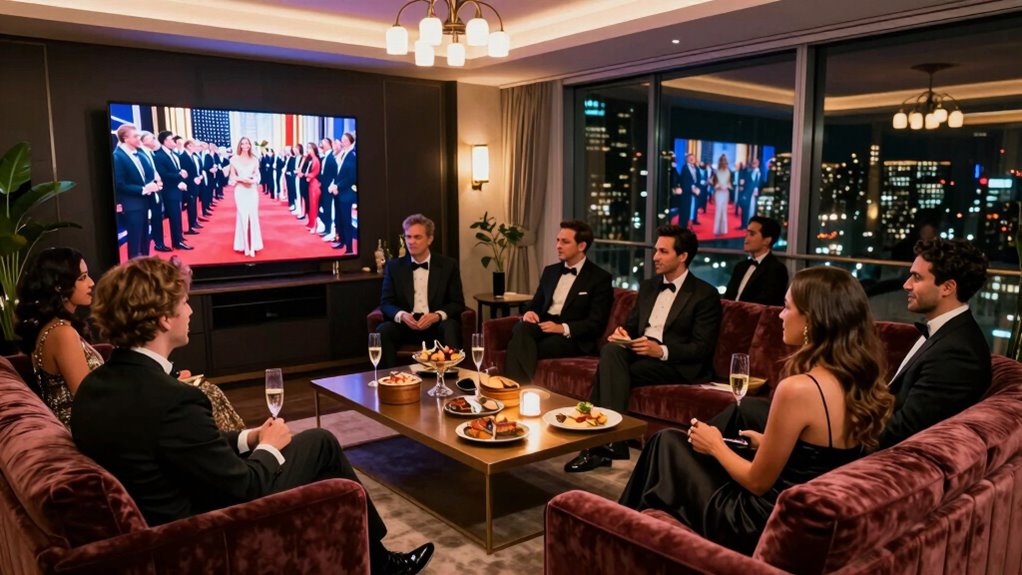
In addition to speaker placement and lighting, think about the overall room layout. Arrange seating to face the TV directly, minimizing obstructions that could block audio or visuals. Keep pathways clear so guests can easily move around without knocking over drinks or bumping into furniture. Use area rugs or carpets to absorb sound and reduce echo, making speech more intelligible. If you’re concerned about volume levels, test your setup beforehand and adjust the sound settings to find a balance where dialogue is clear but the overall atmosphere remains lively.
bookshelf speakers for living room
As an affiliate, we earn on qualifying purchases.
As an affiliate, we earn on qualifying purchases.
Frequently Asked Questions
How Can I Improve Sound Clarity in a Noisy Environment?
To improve sound clarity in a noisy environment, start by adding acoustic panels to absorb excess sound and reduce echo. Use soundproof curtains over windows to block outside noise and minimize distractions. Position speakers carefully and consider using directional microphones if you’re speaking. These steps help create a clearer audio environment, ensuring everyone can hear and engage without straining, even in a lively room.
What Equipment Is Best for a Large Viewing Room?
You should invest in a high-quality surround sound system with strategically placed speakers around the room. Position the front speakers at ear level, just outside the screen, and place surround speakers slightly behind and to the sides for immersive audio. Use a receiver with ample power to fill the large space, ensuring clear dialogue and rich sound. Proper speaker placement enhances clarity and creates an engaging viewing experience for everyone.
How Do I Reduce Echo and Background Noise?
To reduce echo and background noise, start by installing soundproof curtains, which absorb sound and block outside noise. Add acoustic panels to your walls to further dampen echoes and improve sound clarity. Arrange the panels strategically around the room, especially on reflective surfaces like bare walls or ceilings. Combining these two solutions creates a more acoustically treated environment, ensuring everyone can hear and enjoy the conversation without distractions.
What Are the Best Seating Arrangements for Clear Dialogue?
Did you know that ideal speaker placement can improve speech clarity by up to 60%? To guarantee clear dialogue, arrange seats in a semi-circle facing the speakers, so everyone’s close enough for easy hearing. Prioritize seating comfort to keep guests engaged and minimize movement. Keep speakers at ear level and avoid placing them behind obstacles. This setup balances comfort and sound, making conversations effortless amid the excitement.
How Can I Minimize Distractions From Talking During the Event?
You can minimize distractions by encouraging guests to mute microphones when they’re not speaking, reducing background noise. Additionally, suggest everyone use headphones, which helps focus on the conversation and cuts down on ambient sounds. Remind guests to stay attentive and avoid unnecessary talking during key moments. These small steps create a more engaging experience, ensuring everyone can enjoy the event without constant interruptions or distractions.
As an affiliate, we earn on qualifying purchases.
Conclusion
To guarantee your Oscars watch party is a hit, prioritize clear dialogue by minimizing background noise and arranging seating thoughtfully. Did you know that 78% of guests say they enjoy the event more when they can easily follow conversations? By creating an environment that promotes clarity, you’ll keep everyone engaged and connected. So, plan ahead, keep conversations flowing smoothly, and make this Oscar night unforgettable for all your guests.
As an affiliate, we earn on qualifying purchases.
As an affiliate, we earn on qualifying purchases.
Halloween Picks
halloween
As an affiliate, we earn on qualifying purchases.