
To track your projector’s lamp hours, access the device’s menu or use dedicated software if available. Keep an eye on the lamp hour counter, which indicates how long the bulb has been in use. Most lamps last around 2,000 to 3,000 hours, so watching for nearing this limit helps prevent dimming or failure. Continuing will reveal tips to predict dimming and extend your lamp’s lifespan effectively.
Key Takeaways
- Access the projector’s menu or software to check the current lamp hour count regularly.
- Understand the manufacturer’s recommended maximum hours (typically 2,000–3,000) for timely replacements.
- Monitor for signs of dimming or flickering, which indicate the lamp is nearing the end of its lifespan.
- Keep environmental conditions optimal and clean filters to help extend lamp life before replacement is needed.
- Replace the lamp promptly when approaching the maximum hours to maintain image quality and prevent failure.
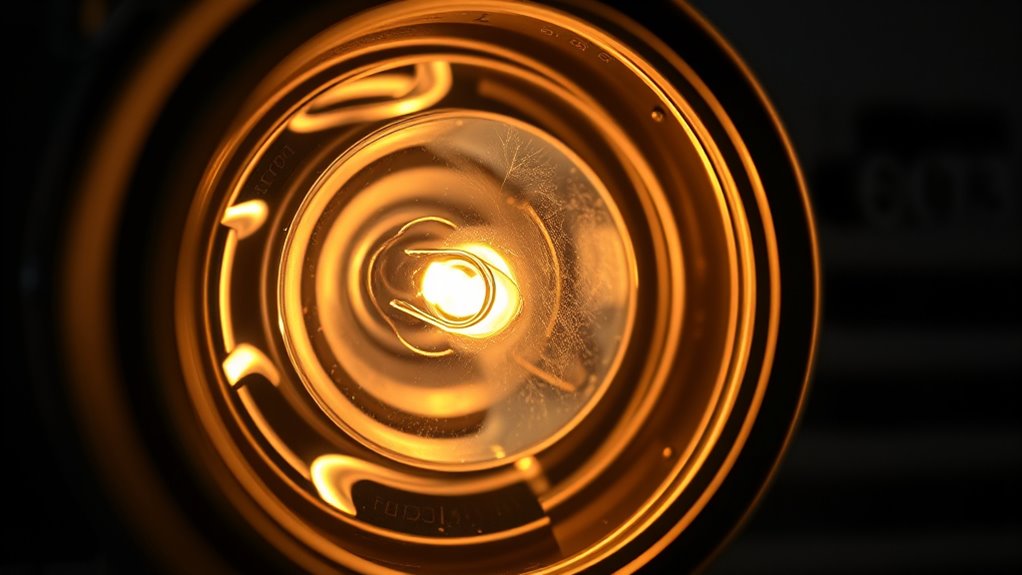
Understanding projector lamp hours is essential for maintaining your projector’s performance and longevity. When you’re running your projector, the lamp is working tirelessly to produce bright, clear images. Over time, this lamp experiences wear and tear, which gradually reduces its brightness and effectiveness. Tracking lamp hours helps you gauge when it’s nearing the end of its lamp lifespan, so you can plan for replacements before the projector’s image quality diminishes noticeably. Ignoring this can lead to unexpected dimming or even sudden shutdowns, disrupting your presentations or entertainment. By keeping a close eye on lamp hours, you guarantee your projector continues to operate smoothly and reliably. Regularly monitoring lamp hours also helps ensure optimal projector maintenance and prevents premature failures. Most projectors have a built-in counter that tracks the hours the lamp has been in use. You can usually access this information through the projector’s menu system or via dedicated software if your device supports it. Regularly checking these readings helps you stay proactive about maintenance. When the lamp approaches the manufacturer’s recommended maximum hours—often around 2,000 to 3,000 hours—you’ll want to contemplate replacement tips for a seamless transition. For example, cleaning the air filters and ensuring proper ventilation can extend the lamp’s life slightly, but ultimately, replacing the lamp at the right time is vital. Waiting too long risks dimming, flickering, or complete failure, which can be inconvenient and costly. Knowing the lamp lifespan is also important because it guides your expectations and budget planning. Most lamps have a specified lifespan, but actual hours can vary depending on usage patterns, environmental conditions, and the type of projector. If you notice your projector’s image gradually losing brightness even before reaching the maximum hours, it might be a good idea to substitute the lamp sooner rather than later. Proper replacement tips include turning off the projector and allowing it to cool down completely before handling the lamp. When installing a new lamp, handle it with gloves or a clean cloth to avoid contamination, which can shorten its lifespan. Also, ensure the lamp is securely fitted and that the projector’s settings are correctly adjusted to optimize performance.

COOBAN ELPLP96 /V13H010L96 Replacement Projector Lamp Bulb with Housing for Epson VS250 VS355 VS350 EX5260 EH-TW650 EB-S41 Powerlite Home Cinema 2150 /Powerlite Home Cinema 1060 2100 660 760 760HD
Life:Increasing the brightness of the bulb seems to be an easy task,The most difficult thing to break through…
As an affiliate, we earn on qualifying purchases.
As an affiliate, we earn on qualifying purchases.
Frequently Asked Questions
How Accurate Are Projector Lamp Hour Counters?
Your projector’s lamp hour counter is generally quite accurate, but its accuracy can vary based on the lamp counter design and maintenance impact. Some counters may drift over time or reset incorrectly if maintenance isn’t performed properly. To guarantee reliable readings, regularly check and reset the counter after replacing the lamp, and follow the manufacturer’s guidelines. This helps you better predict lamp wear and plan timely maintenance, extending your projector’s lifespan.
Can Lamp Hours Be Reset After Replacement?
Yes, you can perform a lamp reset after replacement to accurately track usage. Most projectors allow you to reset the lamp hours through the menu system, ensuring future hours are counted from zero. This lamp reset helps you monitor replacement tracking effectively, giving you a clear view of your new lamp’s lifespan. Just follow your projector’s instructions to reset the lamp hours after installing a new bulb.
Do Different Projector Brands Track Hours Differently?
Yes, different projector brands track hours differently by using brand-specific tracking systems and manufacturer indicators. You’ll find that some brands offer detailed lamp hour data via built-in menus, while others rely on proprietary software or external tools. This variation means you should always consult your projector’s manual or manufacturer guidelines to understand how your specific model tracks lamp hours, ensuring accurate maintenance and ideal performance.
How Do Environmental Factors Affect Lamp Lifespan?
Environmental impact and maintenance practices notably influence your projector lamp lifespan. Exposure to high temperatures, dust, or humidity accelerates wear, causing your lamp to dim sooner. Regular cleaning, proper ventilation, and using the projector in a controlled environment help extend its life. By maintaining good practices, you minimize environmental stress, reducing the frequency of replacements and ensuring consistent performance over time.
Is There a Way to Extend Lamp Life Beyond Hours?
You can extend your lamp’s life by practicing proper lamp maintenance and adhering to recommended replacement intervals. Regular cleaning, avoiding frequent on-off cycles, and using eco-mode can help prolong the lamp’s lifespan. By following these proactive practices, you reduce wear and worry, ensuring your projector performs perfectly longer. Remember, timely replacements at recommended intervals prevent damage and maintain peak brightness, making sure your projector stays bright and beautiful for as long as possible.

DR.PREPARE Projection Alarm Clock, Adjustable Projection Focus, Wireless Indoor Outdoor Temperature Humidity Monitor, 180° Projector, Snooze, Weather Forecast, Dual Alarms for Bedroom, Heavy Sleeper
[180° Projection & Adjustable Focus] The projection alarm clocks for bedrooms fits right in on your nightstand to…
As an affiliate, we earn on qualifying purchases.
As an affiliate, we earn on qualifying purchases.
Conclusion
Remember, keeping an eye on your projector lamp hours helps you avoid unexpected dimming and costly replacements. It’s easy to overlook, but staying proactive guarantees your images stay bright and clear, saving you frustration and money. Don’t let fear of the unknown hold you back—by tracking those hours, you’re taking control of your projector’s lifespan. With just a little attention, you’ll enjoy vibrant presentations and peace of mind, knowing you’re prepared for whatever comes next.
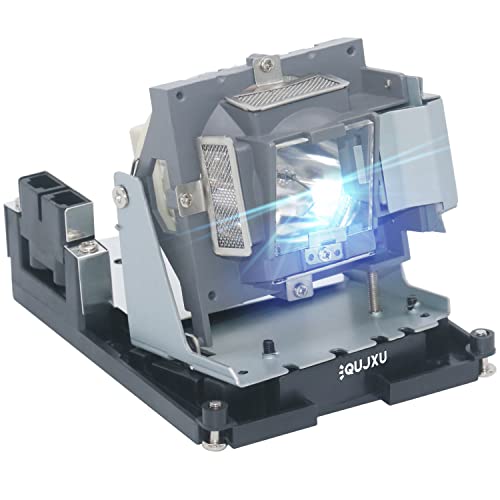
QUJXU BL-FU310B Replacement Lamp Bulb for OPTOMA EH500 X600 Projector lamp Bulb
☑ Premium Quality, High Brightness, Long Life Replacement Projector Lamp, Easy to install.
As an affiliate, we earn on qualifying purchases.
As an affiliate, we earn on qualifying purchases.

Litance ELPAF32 Replacement Projector Air Filter for Epson V13H134A32 PowerLite Home Cinema 1060 2040 2030 1040 880 VS240 VS230 VS330 660 730HD 2045 VS260 VS220 740HD 760HD EB-S41 V210 640 500 Filter
Litance Replacement Projector Air Filter for Epson: ELPAF32 / V13H134A32
As an affiliate, we earn on qualifying purchases.
As an affiliate, we earn on qualifying purchases.