
TL;DR
In 2026, building your own AI workstation isn’t always cheaper anymore. Prebuilts offer validated thermals, quick deployment, and strong support, but customization and control remain advantages of DIY. The best choice depends on your needs, budget, and expertise.
Picture this: you’re ready to dive into AI training or inference, but the decision looms — build your own machine or buy one ready to roll. It used to be simple: build was cheaper, buy was faster. But today, everything’s shifted. The shortage of GPUs, RAM, and SSDs has skyrocketed prices for DIY parts, making prebuilt options more tempting than ever.
This article breaks down what really matters—cost, time, control, and support—and shows you how to pick what’s best for your AI journey in 2026. Whether you’re a hobbyist, researcher, or small studio, understanding the latest tradeoffs can save you time, money, and headaches.
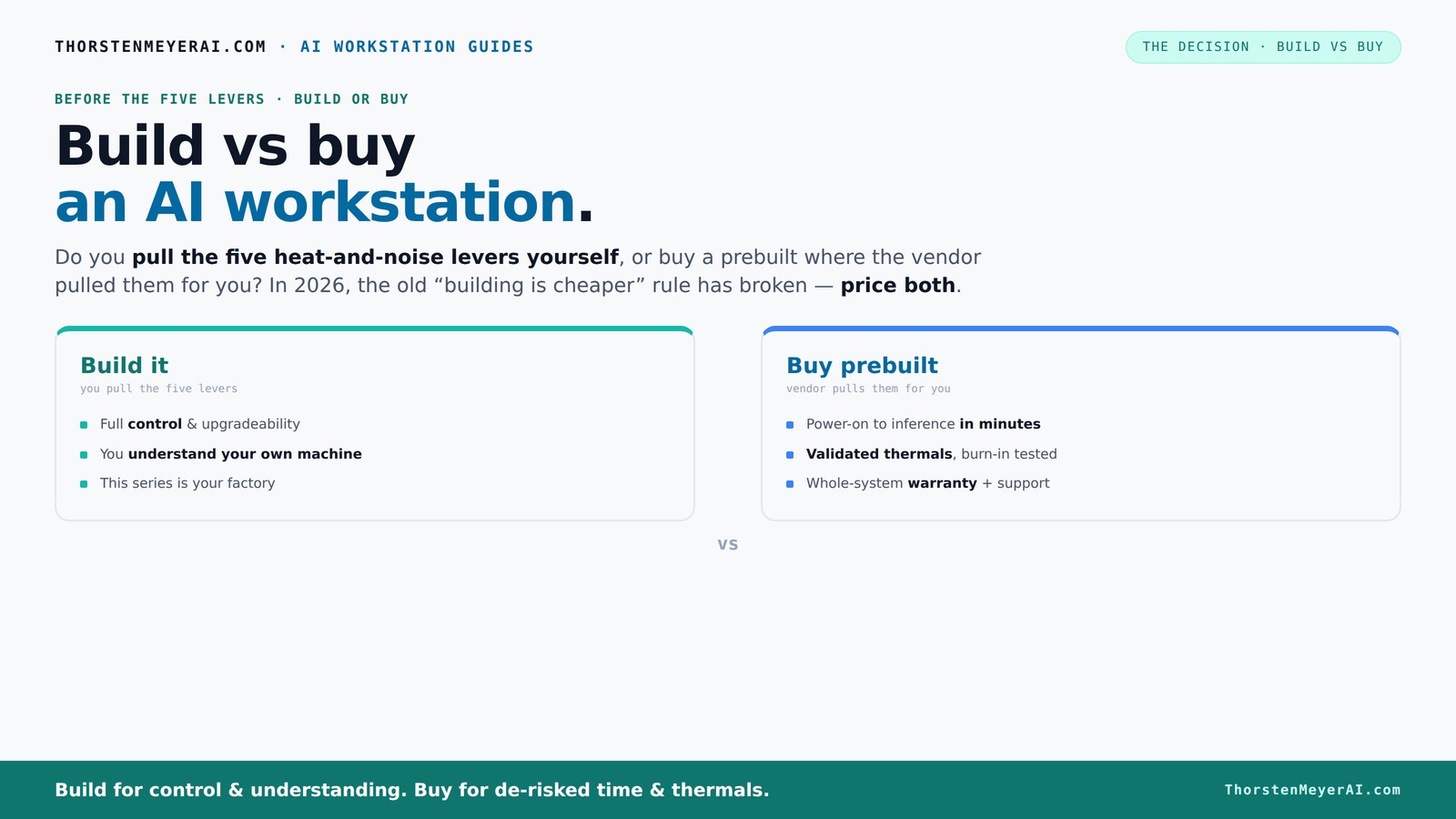
Build vs buy
an AI workstation.
The real question behind this whole series: do you pull the five heat-and-noise levers yourself, or buy a prebuilt where the vendor pulled them for you? And in 2026, the old “building is cheaper” rule has broken. Match your situation in Part 3.
Key Takeaways
- Component shortages in 2026 have raised DIY build costs, sometimes making prebuilts more affordable or comparable. You can also explore comparing build vs buy options to see what fits your needs.
- Prebuilt workstations offer validated thermals, support, and quick deployment, ideal for time-sensitive projects.
- Building your own system provides maximum control over components, cooling, noise, and future upgrades.
- Always price both options for your specific configuration to avoid surprises — market shifts can change the game.
- Your choice depends on your technical skill, need for flexibility, and how fast you want to start working on AI models.
As an affiliate, we earn on qualifying purchases.
Why the old build vs buy rule no longer applies in 2026
Building your own AI workstation used to be a no-brainer for saving cash. Today, the story is different. Component shortages and price spikes have pushed DIY costs up by 20-30%, especially for GPUs and fast RAM. Meanwhile, prebuilt vendors like Lambda, Puget, and BIZON bulk-buy components, allowing them to offer systems at prices once reserved for DIY.
For example, a high-end AI rig with a top-tier GPU, 128GB RAM, and fast SSDs that used to cost around $2,500 now often hits $3,000 or more if you build it yourself, while prebuilt options can sometimes come in under that, with support included.
So, the age-old wisdom — "build cheaper, buy faster" — no longer holds. You need to price both options now, not assume one is always better.
Implication-wise, this shift means that for many users, the traditional advantage of DIY — cost savings — has diminished or disappeared. It forces a reevaluation: is the control and customization worth the extra effort, or does the convenience of a prebuilt outweigh the cost difference? The tradeoff now hinges more on time and reliability than just price.
high performance GPU for AI training
As an affiliate, we earn on qualifying purchases.
As an affiliate, we earn on qualifying purchases.
The five levers: thermal management and noise control in AI workstations
Building or buying isn’t just about parts. It’s about how you manage heat, noise, and stability during hours-long AI training. These five levers are your secret weapons:
- Undervolt the GPU
- Match the cooler to your GPU
- Optimize case airflow
- Fine-tune fan curves
- Place the system for optimal cooling
Prebuilt vendors handle all five at the factory — testing, tuning, and validating thermal performance. This means their systems are designed with thermal efficiency in mind, reducing risks of overheating, thermal throttling, and excessive noise. For example, BIZON guarantees up to 30% lower noise and temps with their tuned systems, tested under full load for hours before shipping.
When building yourself, you take on the challenge of mastering these levers. Proper thermal management directly impacts system stability, longevity, and your ability to push hardware to its limits without overheating. For instance, undervolting reduces heat and power consumption, enabling quieter operation and potentially extending component lifespan. Matching coolers and optimizing airflow are tradeoffs: high-performance cooling can be noisy or bulky but keeps components cooler under load, which is critical for sustained AI workloads. Fine-tuning fan curves allows you to balance noise and thermal performance, but it requires a good understanding of hardware behavior and patience. Missteps here can lead to thermal throttling or noisy systems, reducing productivity and hardware lifespan.
In essence, thermal and noise management are critical to maximizing your AI system’s performance and reliability. Prebuilts often come with these optimizations baked in, saving you time and guesswork, while DIY builds offer the opportunity for tailored solutions—if you have the expertise and patience to dial them in.
As an affiliate, we earn on qualifying purchases.
When buying makes sense: plug-and-play, support, and proven reliability
If your priority is getting started fast, a prebuilt AI workstation often wins. It arrives with the OS, drivers, and AI frameworks like CUDA, PyTorch, and TensorFlow already installed. Just power on, connect, and start training or inference within minutes. Learn more about voice-over techniques and AI tools for AI workflows.
Support is another big plus: vendors run extensive burn-in tests, confirm no thermal throttling, and stand behind their systems with warranties—sometimes up to 5 years. These measures ensure that the system performs reliably from day one, reducing downtime and troubleshooting, which is especially critical in professional or time-sensitive environments. For instance, Lambda’s systems are tested under full load, ensuring your AI model runs smoothly without surprises.
This reliability means you can focus on your work rather than hardware issues—saving time and reducing frustration. The tradeoff? Less control over component choices and upgrade paths, which could limit flexibility for future customization or expansion.
In summary, prebuilt systems are ideal for users who need dependable, ready-to-go hardware with minimal fuss, especially when uptime and support are priorities. They reduce the risk of hardware incompatibilities or failures during critical projects, making them a compelling choice for professionals.
As an affiliate, we earn on qualifying purchases.
When building your own AI workstation is the right move
If you enjoy tinkering or need a highly customized setup, building your own system still makes a lot of sense. It allows you to pick exactly the CPU, GPU, RAM, and storage tailored to your AI workload. Want 2 TB of NVMe SSDs or a water-cooled GPU? You can do that.
Plus, the control over thermals and noise is unmatched. For example, a hobbyist who loves quiet computing might undervolt and fine-tune cooling to create a near-silent machine for deep learning experiments at home.
However, this path demands time, patience, and a good understanding of hardware compatibility. Mistakes like mismatched power supplies, BIOS misconfigurations, or choosing incompatible components can cause delays, instability, or hardware damage. The tradeoff is that you gain the ability to precisely tailor your system’s performance and noise profile, which can be critical for specialized workloads or environments where every decibel and degree matters. For tips on building a custom AI workstation, see build vs buy guides.
Cost comparison: build vs buy — what does the latest data say?
Here’s a side-by-side comparison of build vs buy costs and benefits to help you decide.ide comparison based on 2026 data:
| Feature | Build Your Own |
|---|---|
| Component Costs (GPU, CPU, RAM, SSD) | ~$2,000–$3,000, depending on parts |
| Time & Effort | 20+ hours for sourcing, assembly, and testing |
| Warranty & Support | Limited, depends on individual parts |
| Thermal Optimization | Up to you; depends on skill |
In contrast, prebuilt systems typically cost between $2,500–$3,500, often including support and warranty services. The setup time is significantly reduced—usually minutes to a few hours, thanks to pre-installed software and streamlined assembly. The key insight here is that, due to current market conditions, the cost advantage of DIY has shrunk or reversed. While building offers customization, the added effort and risk may not justify the marginal cost savings, especially considering the potential for troubleshooting and component mismatches.
Moreover, prebuilt systems come with thermal and noise tuning already optimized, saving you from the trial-and-error process that DIY builds often entail. This comparison underscores that, in 2026, the decision is less about cost alone and more about balancing effort, expertise, and the value of support and reliability.
Future-proofing your AI workstation: upgradeability and flexibility
Building your own system often means easier upgrades. You can swap out GPUs, add more RAM, or replace storage as your needs grow. For example, a researcher might start with a single high-end GPU and later add another for multi-GPU training. This flexibility allows your workstation to evolve with your projects, potentially extending its useful life and adapting to new AI models or hardware innovations.
Prebuilt systems are improving, but some vendors use proprietary parts or limit upgradability to maintain thermal and power specs. This can restrict your ability to upgrade components without voiding warranties or replacing the entire system. For instance, some prebuilt workstations may not support adding extra GPUs or upgrading RAM beyond a certain point, which could hinder long-term scalability.
If long-term flexibility and evolving hardware are priorities, building your own system offers clear advantages. It enables you to tailor your upgrade path, ensuring your AI workstation remains relevant as technology advances. Conversely, if you prefer a system that’s optimized out of the box with minimal fuss, a prebuilt might suffice, but at the expense of future expandability.
Final thoughts: which path fits your AI goals in 2026?
Choosing between build and buy hinges on your specific needs. Want a machine you can tweak and upgrade over years? Building might be best. Need quick deployment, guaranteed support, and validated thermals? Prebuilt is the way to go.
Remember, today’s market shifts mean always price both options for your exact setup. The best choice depends on your technical comfort, budget, and how critical uptime is for your AI work.
In the end, your AI workstation is a tool. Whether you build or buy, make sure it’s tuned to your workflow, so you can focus on what matters — creating and experimenting.
Frequently Asked Questions
Is it cheaper to build or buy a prebuilt AI workstation?
Today, the costs are closer than ever. Due to component shortages, prebuilts often match or beat DIY prices, especially when considering the time and troubleshooting costs of building your own.How do I know if a prebuilt system is reliable for AI workloads?
Look for vendors that perform extensive testing, like burn-in under full load, and offer solid warranties. Check reviews and specifications to see if they validate thermals and noise levels for sustained AI tasks. These measures ensure the system will perform reliably under heavy workloads, reducing unexpected downtime and hardware failures that can disrupt your projects.Can I upgrade a prebuilt AI workstation later?
It depends. Some vendors use proprietary parts, limiting upgrade options, while others design for easy upgrades. Always verify the upgrade policy before purchasing to ensure your system can evolve with your needs without costly replacements or warranty issues.What specs should I prioritize for AI workstations?
GPU VRAM is critical—aim for at least 16GB for larger models. Also, prioritize high-speed RAM (128GB if possible), fast PCIe SSDs, and a power supply that can handle multi-GPU setups. These components directly impact training speed, model complexity, and overall system responsiveness, influencing how effectively you can develop and deploy AI models.When does building your own system make more sense than buying?
If you want maximum control, customization, or plan to upgrade over years, building is better. For quick deployment, support, and guaranteed thermal performance, prebuilts often win. The choice depends on your technical skill, project scope, and whether you value flexibility over convenience.Conclusion
In 2026, the classic battle between build and buy has evolved. Your decision should hinge on what matters most—speed and support, or control and customization.
Picture your ideal AI workstation: is it a factory-tuned, plug-and-play powerhouse, or a carefully crafted, upgrade-ready machine? Whichever path you pick, make it tailored to your goals, so your AI projects never get bottlenecked by hardware.