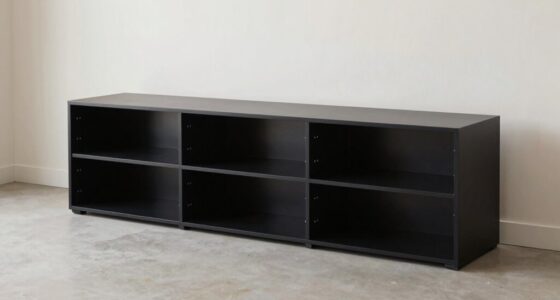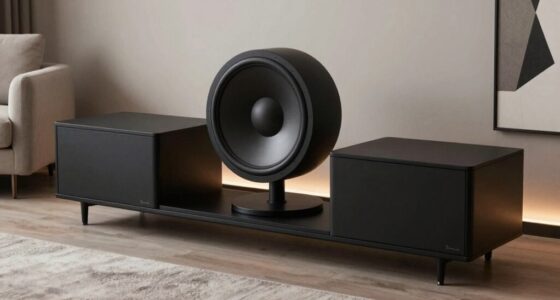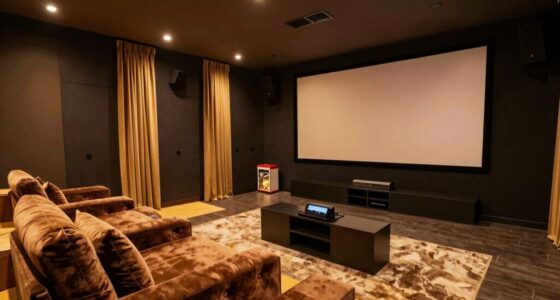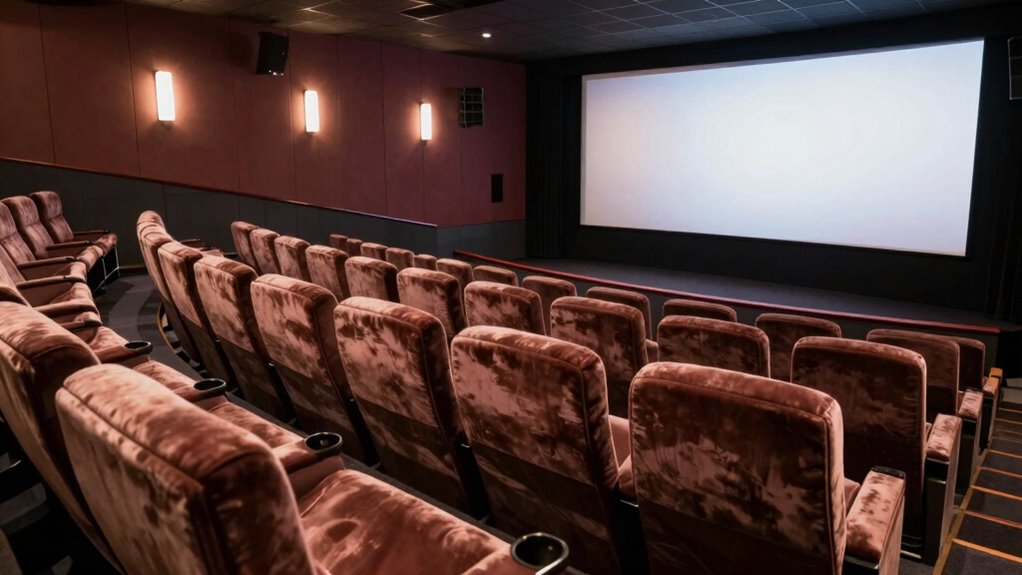

To create a premium viewing experience, focus on the perfect viewing angle. Position your monitor so it’s at eye level and directly in front of you to improve clarity, colors, and contrast. Adjust the stand or tilt to match your natural line of sight, reducing eye strain and glare. Good lighting also enhances visual comfort. When setup is optimized, every seat feels premium. Keep exploring to discover how small tweaks can make a big difference in your viewing comfort.
Listen free for 30 days with Audible
Thousands of audiobooks and originals — cancel anytime.
As an affiliate, we earn on qualifying purchases.
Key Takeaways
- Position monitors at eye level to ensure sharp visuals and reduce glare for a premium viewing experience.
- Use adjustable stands to customize height and tilt for optimal ergonomic comfort.
- Align screens with your natural line of sight to enhance clarity and minimize eye fatigue.
- Optimize lighting to eliminate glare and reflections, complementing the perfect viewing angle.
- Regularly adjust monitor angles for personalized comfort, making every seat feel luxurious and immersive.
When it comes to enjoying movies or gaming on your screen, the ‘Perfect Viewing Angle’ rule can make all the difference. This principle isn’t just about comfort; it’s about optimizing your entire visual experience. The key lies in understanding how ergonomic design and visual clarity work together to create a seamless, immersive environment. By positioning yourself correctly, you reduce strain on your eyes, neck, and back, allowing you to stay engaged longer without discomfort. The ergonomic design of your setup plays an essential role here—adjustable stands, swivel features, and height options ensure you can find that ideal angle effortlessly. When your monitor or screen aligns with your natural line of sight, you’re less likely to experience glare or distortion that can hinder clarity. This alignment enhances visual clarity, making every detail sharp and vibrant, whether you’re watching a movie or playing a game.
You might not realize it, but the right viewing angle can also influence how well you perceive color, contrast, and depth. When your screen is tilted or positioned incorrectly, colors can seem dull, and contrast can be washed out, diminishing the overall quality of your viewing experience. By adhering to the ‘Perfect Viewing Angle’ rule, you guarantee that the image you see is as intended—bright, crisp, and true to life. This precise positioning minimizes eye fatigue, which often results from squinting or straining to see details. The smarter your setup, the more natural your viewing experience feels, making your entertainment sessions more enjoyable and less tiring. Proper ergonomic monitor positioning can also help prevent long-term discomfort or strain, supporting better overall health during extended viewing or gaming sessions. Additionally, ensuring your setup promotes ergonomic design can contribute to maintaining good posture and reducing the risk of repetitive strain injuries over time. Incorporating adjustable components and proper placement can also optimize your visual ergonomics, ensuring your setup adapts to your unique space and needs. For example, selecting the right lighting conditions can further enhance your visual comfort and clarity. Furthermore, keeping your workspace well-lit and free from glare sources enhances the benefits of your optimal viewing angle, making your setup even more effective.
Furthermore, maintaining the correct angle helps you stay focused and alert. When you’re comfortable and clearly see everything on the screen, your brain doesn’t have to work overtime to interpret blurry or distorted images. This clarity boosts your reaction times and overall performance, especially during gaming. It’s about creating a space where every seat feels premium, regardless of where you sit. With simple adjustments—like tilting your monitor slightly upward or downward, or repositioning your seat—you can achieve that perfect balance between ergonomic comfort and visual excellence. The goal is to make every viewing session feel natural, effortless, and visually stunning. By following the ‘Perfect Viewing Angle’ rule, you turn an ordinary setup into a personalized, premium experience that keeps you immersed and comfortable from start to finish.
As an affiliate, we earn on qualifying purchases.
Frequently Asked Questions
How Is the Perfect Viewing Angle Determined?
You determine the perfect viewing angle by considering your screen height and viewer distance. Ideally, the screen should be at eye level, so your neck stays comfortable, and the viewer distance should be about 1.5 to 2.5 times the screen’s diagonal size. This setup minimizes neck strain and guarantees ideal image clarity, making every seat feel premium. Adjusting these factors helps you enjoy a balanced, immersive viewing experience.
Does Room Lighting Affect the Optimal Viewing Position?
Yes, room lighting affects the ideal viewing position. Ambient lighting can cause glare on your screen, making it harder to see details clearly. To improve your viewing experience, position yourself where you avoid direct light reflections and reduce glare. Adjusting curtains or using softer, indirect lighting helps, ensuring your eyes stay comfortable and your view remains crisp, so every seat feels just as premium regardless of lighting conditions.
Can This Rule Be Applied to Outdoor Screens?
Yes, you can apply the perfect viewing angle rule to outdoor screens. To improve outdoor visibility, position the screen so that your line of sight minimizes screen glare from sunlight or reflections. Adjust the angle to reduce glare and enhance brightness, ensuring you get a clear view regardless of your seating position. This way, everyone enjoys ideal viewing, even in bright outdoor settings, making your outdoor screen experience more comfortable and enjoyable.
Are There Specific Tools to Measure the Perfect Angle?
Yes, you can use tools like a digital angle finder or inclinometer to measure the perfect viewing angle. These tools help you adjust your outdoor screens for ideal screen calibration, ensuring the angle aligns with your viewing distance. By accurately measuring the angle, you’ll enhance visibility and comfort for everyone. Properly calibrated angles make outdoor screens more enjoyable, whether you’re watching movies or presentations.
How Often Should Seating Arrangements Be Adjusted for Optimal Viewing?
You should adjust seating arrangements whenever you notice discomfort or aesthetic imbalance, ensuring everyone enjoys ideal viewing and comfort. Regular tweaks keep seating aligned with the perfect viewing angle, maintaining seating comfort and aesthetic balance. Coincidentally, this proactive approach enhances the overall experience, making each moment more engaging. Frequent adjustments foster a sense of care and attentiveness, transforming ordinary spaces into inviting, premium environments where everyone feels valued and comfortably immersed in the view.
As an affiliate, we earn on qualifying purchases.
Conclusion
By understanding the ‘perfect viewing angle’ rule, you can transform any seating into a front-row experience. Think of your seat as the captain’s chair on a ship, guiding your view smoothly across the entire voyage. When you choose your spot wisely, every scene becomes a masterpiece, and every moment feels like the spotlight’s on you. So, set sail with this rule in mind, and enjoy a truly premium viewing experience wherever you sit.
As an affiliate, we earn on qualifying purchases.
As an affiliate, we earn on qualifying purchases.
Flea & tick season Picks
flea and tick prevention
As an affiliate, we earn on qualifying purchases.