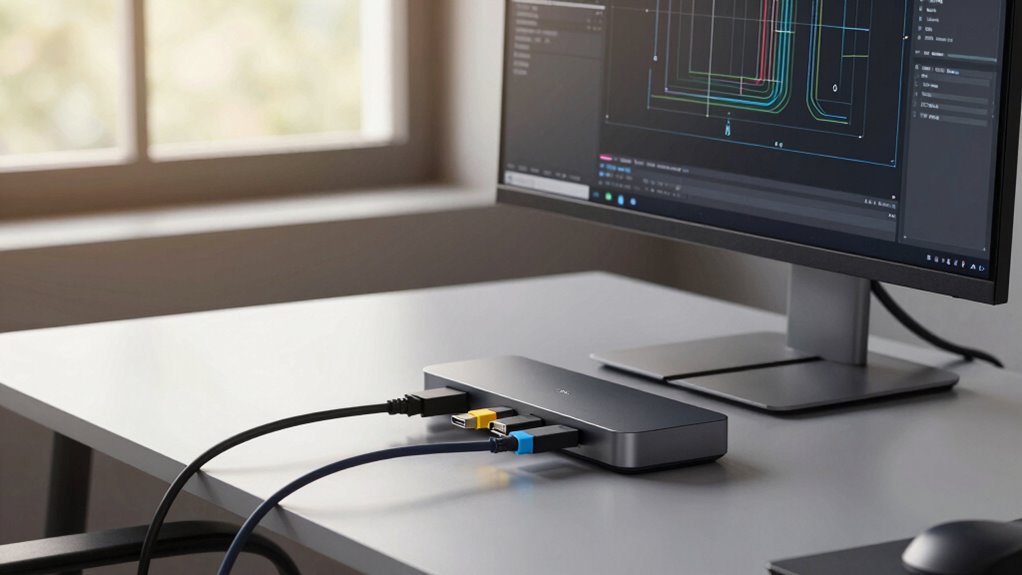

If you’re running out of inputs, start by mapping out all your sources to identify overlaps and priorities. Use switching matrices or smart routing devices to manage multiple signals efficiently, automating source selection based on your rules. Cloud infrastructure can help improve setup and control remotely. Prioritize key sources and set fallback options to guarantee continuous operation without constant cable swaps. Keep reading to discover advanced strategies for seamless input management.
Listen free for 30 days with Audible
Thousands of audiobooks and originals — cancel anytime.
As an affiliate, we earn on qualifying purchases.
Key Takeaways
- Use switching matrices and smart routing devices to dynamically manage multiple sources without physical cable swaps.
- Prioritize critical sources and set automatic switching rules for seamless source management.
- Leverage cloud infrastructure for scalable, remote control of routing setups.
- Implement fallback options to ensure continuous operation despite source issues.
- Map out signal paths in advance to optimize routing, prevent bottlenecks, and reduce manual intervention.

Proper digital signal routing involves more than just connecting devices; it requires strategic planning. You need to determine the best paths for your signals to flow, avoiding bottlenecks or signal degradation. This means mapping out your input sources and understanding how they interact within your setup. When you set up a clear routing plan, you minimize the need for manual intervention, saving time and reducing the chance of mistakes. Additionally, digital signal routing often includes switching matrices or smart routing devices that can automate source selection based on predefined rules. This automation enhances efficiency—especially in complex environments where multiple sources are active at different times. European cloud infrastructure can further optimize your setup by providing reliable and scalable routing solutions. Implementing source prioritization is crucial when your inputs are limited and you can’t afford to have multiple devices compete for attention. For instance, in live production or recording environments, certain feeds must take precedence over others. By assigning higher priority to critical sources, your system can automatically switch to the most relevant input without requiring manual changes. This not only saves valuable time but also prevents accidental disruptions. Furthermore, with intelligent prioritization, you can configure fallback options—if the primary source drops out, the system smoothly switches to a secondary one, ensuring continuous operation.
As an affiliate, we earn on qualifying purchases.
Frequently Asked Questions
What Are the Best Tools for Managing Multiple Input Sources?
You should use input labeling and source labeling tools to manage multiple sources effectively. Label each input clearly, so you can easily identify and switch between them without confusion. Digital solutions like control systems or app-based mixers also help automate source management. This way, you avoid constant cable swaps, save time, and maintain a clean setup. Consistent labeling ensures you quickly find the right source during live or recorded sessions.
How Can I Automate Input Switching Efficiently?
You can automate input switching by setting up automatic switching features on your devices, which detect new sources and switch seamlessly. Use source detection technology that recognizes when a device is active and triggers the switch without your intervention. Integrate control systems or smart switches that automate this process, ensuring smooth progressions. This way, you avoid manual cable swaps and keep your setup running efficiently with minimal effort.
What Are Common Mistakes When Planning Input Sources?
You often make the mistake of underestimating input overload, leading to clutter and confusion. Failing to plan for source redundancy causes disruptions if a device fails or disconnects. To avoid these errors, guarantee you assign dedicated inputs for critical devices and incorporate backup sources. Regularly review your setup, and don’t forget to leave room for expansion. This proactive planning helps maintain smooth operation and prevents the chaos of last-minute cable swaps.
How Do I Prioritize Input Sources for Different Scenarios?
In a busy conference room, you might prioritize input sources by establishing a source hierarchy. For example, during a presentation, prioritize the laptop for slides, then secondary devices like a camera or tablet. You should assess each scenario’s needs, assigning input prioritization accordingly. This way, you guarantee the most critical sources are always accessible, minimizing cable swaps, and streamlining your setup. Always adapt your source hierarchy based on the event’s requirements.
Can Hardware Solutions Reduce the Need for Manual Input Changes?
Hardware automation can considerably reduce your need for manual input changes by streamlining source management. With automated switchers and intelligent control systems, you can seamlessly switch between sources without physically reconnecting cables. This not only saves time but also minimizes errors. By investing in reliable hardware solutions, you ensure smooth operation, better source management, and a more efficient setup, allowing you to focus on your content rather than constant technical adjustments.
smart routing device for AV signals
As an affiliate, we earn on qualifying purchases.
As an affiliate, we earn on qualifying purchases.
Conclusion
Think of your sources like a well-stocked toolbox—you want to have the right tools ready when you need them. By planning your inputs carefully, you avoid the chaos of constant cable swaps, keeping your setup smooth and efficient. With a solid plan, you’ll navigate your connections like a seasoned sailor steering through calm waters. Stay ahead of the storm, and your workflow will stay steady, giving you more time to focus on what truly matters.
automatic source switcher for HDMI
As an affiliate, we earn on qualifying purchases.
As an affiliate, we earn on qualifying purchases.
control system for multiple inputs
As an affiliate, we earn on qualifying purchases.
As an affiliate, we earn on qualifying purchases.
NFL season / tailgating Picks
team gear
As an affiliate, we earn on qualifying purchases.




![2026 Emmy Awards Winners Revealed [Updating Live]](https://beamandbass.com/wp-content/uploads/2026/09/2026-emmy-awards-winners-revealed-updating-live-featured-260x140.jpg)