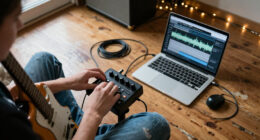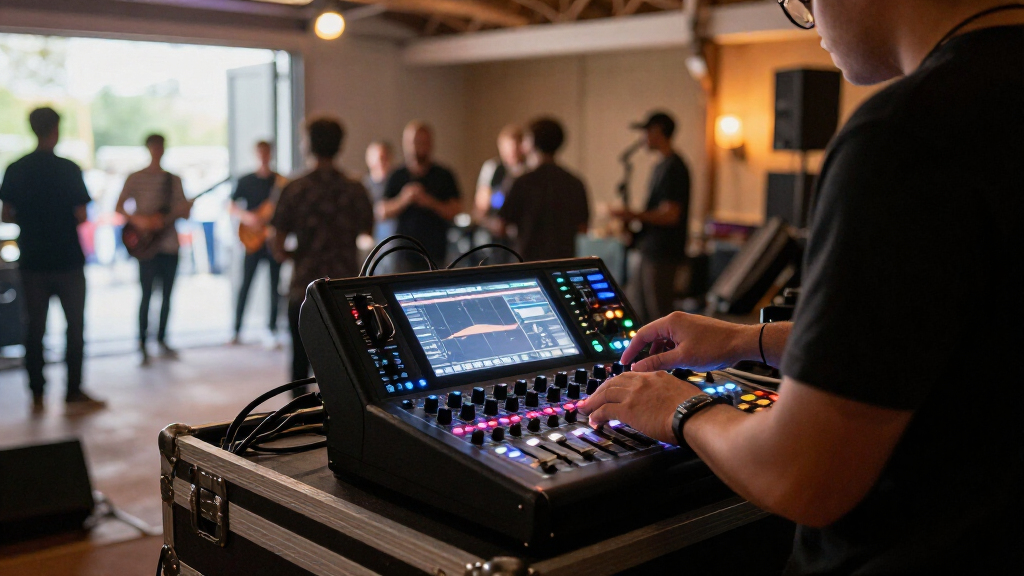

For most small-to-mid-sized live rigs, I’d start with the Behringer X32 Compact: it pairs substantial channel capacity with hands-on fader control. The Behringer X AIR XR18 is a strong alternative when saving stage space matters more than having a built-in control surface, while the Soundcraft Ui16 suits crews that want to mix from phones or tablets. These mixers differ sharply in how they’re operated, how much input capacity they offer, and how much setup a show requires. I compare those tradeoffs across all nine options so you can match a mixer to your venue, crew, and stage plot. Read on for the full breakdown and buyer guidance.

Get audio and creator gear delivered free with Prime
- Fast, free delivery on millions of items
- Prime Video, Amazon Music and more included
- Member-only deals all year
Complete the kit


Key Takeaways
- Control style is the biggest dividing line: the X32 Compact and Producer put physical controls at the mixer, while the XR18 and Ui16 depend on external devices for mixing.
- The X32 family offers the most room to grow: the X32, X32 Compact, and X32 Producer share a 40-input, 25-bus platform, but their console layouts suit different space and workflow needs.
- Small footprint does not always mean easy operation: rack-style mixers can save stage space, but they require a dependable tablet or computer workflow and a plan for connection failures.
- The XR18 and Ui16 favor compact remote mixing over console-style control: each fits space-conscious setups, though buyers should compare their input needs, routing workflow, and preferred control method before choosing.
- Bundles and creator-focused features address different needs: XLR cables or headphones can help complete a setup, while the Mackie DLZ Creator XS is a better fit for simpler creator-led workflows than a larger band mix.
| Yamnweo MD-14 14-Channel Professional Audio Mixer |  | Best for Built-In Effects and Playback | Channels: 14 | DSP effects: 99 | Display: LED | VIEW LATEST PRICE | See Our Full Breakdown |
| Alto TMD16 16-Channel Digital Mixer with Bluetooth |  | Best for Hands-On Compact Control | Channels: 16 | Faders: 100 mm capacitive touch | Processing: Parametric EQ, compression, 16-preset FX engine | VIEW LATEST PRICE | See Our Full Breakdown |
| Behringer X32 Compact 40-Input Digital Mixing Console with 4 25-Foot XLR Microphone Cables |  | Best for Complex Live Productions | Input channels: 40 | Mix buses: 16 | Microphone preamps: 16 programmable Midas preamps | VIEW LATEST PRICE | See Our Full Breakdown |
| Behringer X32 Producer 40-Input, 25-Bus Digital Mixing Console |  | Best Rack-Mountable Production Mixer | Input channels: 40 | Buses: 25 | Mic preamps: 16 programmable MIDAS-designed | VIEW LATEST PRICE | See Our Full Breakdown |
| Mackie DLZ Creator XS Digital Mixer Bundle with Headphones and XLR Cables |  | Best for Small Speech-Led Live Setups | Channels: 14 | Display and control modes: 7-inch touchscreen; Easy, Enhanced, and Pro | Automatic mixing: AutoMix for up to two microphones | VIEW LATEST PRICE | See Our Full Breakdown |
| Behringer X32 Compact 40-Input, 25-Bus Digital Mixing Console Bundle with Headphones and XLR Cables |  | Best for Touring Connectivity | Channel processing: 40 channels | Buses: 25 | Mic preamps: 16 Midas-designed programmable | VIEW LATEST PRICE | See Our Full Breakdown |
| Soundcraft Ui16 Remote-Controlled 16-Input Digital Mixer |  | Best for Multi-Device Remote Control | Channels: 16 | Control connections: Wi-Fi and Ethernet | Remote devices: Up to 10 phones, tablets, or computers | VIEW LATEST PRICE | See Our Full Breakdown |
| Behringer X AIR XR18 18-Channel, 12-Bus Digital Mixer | 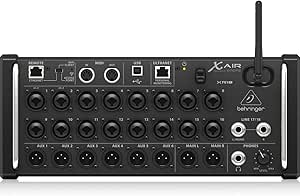 | Best Compact Stage Box | Channels: 18 | Buses: 12 | Mic preamps: 16 programmable Midas-designed | VIEW LATEST PRICE | See Our Full Breakdown |
| Behringer X32 40-Input, 25-Bus Digital Mixing Console |  | Best for Hands-On Live Mixing | Inputs: 40 channels | Buses: 25 | Mic preamps: 32 programmable Midas-designed | VIEW LATEST PRICE | See Our Full Breakdown |
| compact digital mixers for live sound | Weight | Channels |
|---|---|---|
| Yamnweo MD-14 14-Channel Profe | — | 14 |
| Alto TMD16 16-Channel Digital | 5.45 kg | 16 |
| Behringer X32 Compact 40-Input | 49.6 pounds | — |
| Behringer X32 Producer 40-Inpu | 25.1 pounds | — |
| Mackie DLZ Creator XS Digital | 7.1 pounds | 14 |
| Behringer X32 Compact 40-Input | 48.9 pounds | — |
| Soundcraft Ui16 Remote-Control | — | 16 |
| Behringer X AIR XR18 18-Channe | 7.1 pounds | 18 |
| Behringer X32 40-Input | — | — |
More Details on Our Top Picks
Yamnweo MD-14 14-Channel Professional Audio Mixer
The Yamnweo MD-14 is a feature-heavy choice for small live setups that benefit from onboard effects and simple music playback. Its 99 DSP effects, nine-band EQ, and noise reduction give users several ways to shape a mix without adding external processors, while Bluetooth and USB playback offer convenient backing-track options. Compared with the Alto TMD16, it gives up two channels and the Alto’s touch-fader workflow, but offers a much larger stated effects selection. That flexibility comes with a physical penalty: at 18 pounds and roughly 20 inches across, it is less compact and portable than the Alto. I’d shortlist it for a fixed venue or a DJ rig that needs many onboard effects; gigging buyers prioritizing lighter transport should look elsewhere.
Pros:- 14 independently controlled input channels suit small bands and event setups.
- 99 built-in DSP effects provide a broad range of onboard processing.
- Bluetooth and USB playback support convenient backing-track playback.
- Nine-band EQ, 48V phantom power, and noise reduction add useful sound-shaping tools.
Cons:- At 18 pounds and nearly 20 inches wide, it is cumbersome for frequent transport.
- Corded power limits placement where a suitable outlet is unavailable.
Best for: Small venues and DJs who want multiple inputs, extensive onboard effects, and Bluetooth or USB playback in a powered mixer.
Not ideal for: Musicians who frequently carry their mixer between gigs or need a lighter, more compact surface; the 18-pound body is bulky beside the Alto TMD16.
- Channels:14
- DSP effects:99
- Display:LED
- Connectivity:Bluetooth, USB
- Equalizer:9-band
- Phantom power:48V
- Inputs and outputs:XLR input; RCA and XLR outputs
- Dimensions and weight:16.1 × 19.9 × 5.5 inches; 18 pounds
Our verdict“Choose the MD-14 for a stationary small-stage or DJ setup that values extensive onboard effects over lighter transport.”
Alto TMD16 16-Channel Digital Mixer with Bluetooth
The Alto TMD16 makes the strongest case here for a portable mixer that still feels like a conventional control surface. Its 100 mm capacitive touch faders and dedicated encoders give operators direct control, while built-in EQ, compression, and effects reduce the need to pack extra processing gear. USB audio and Bluetooth add practical recording, streaming, and app-control options. Compared with the Yamnweo MD-14, it has two more channels and a lighter stated weight, but its 16-preset FX engine is far less extensive than the Yamnweo’s 99 effects. It also lacks Wi-Fi, so remote control depends on Bluetooth. I’d favor it for gigging musicians who want tactile mixing in a compact metal chassis; larger productions may outgrow its channel count.
Pros:- 100 mm capacitive touch faders and dedicated encoders support direct, hands-on adjustments.
- Built-in EQ, compression, and effects reduce reliance on external processing.
- USB audio interface and Bluetooth support recording, streaming, and app control.
- Metal chassis and a 5.45 kg weight suit regular transport.
Cons:- The 16-channel limit may not cover larger bands or complex event inputs.
- Remote control relies on Bluetooth; Wi-Fi connectivity is not listed.
- The 16-preset effects engine offers less variety than the Yamnweo MD-14’s 99 effects.
Best for: Gigging bands and small live-sound operators who want tactile faders, onboard dynamics, and USB recording in a relatively portable mixer.
Not ideal for: Large ensembles needing more than 16 channels, or operators who need Wi-Fi-based remote control beyond Bluetooth range.
- Channels:16
- Faders:100 mm capacitive touch
- Processing:Parametric EQ, compression, 16-preset FX engine
- Connectivity:Bluetooth, USB
- Audio interface:USB
- Inputs and outputs:XLR input; XLR output
- Dimensions:15 × 16.9 × 4.3 inches
- Weight:5.45 kg
Our verdict“Pick the TMD16 if tactile control and a lighter gigging format matter more than a large channel count or extensive effects library.”
Behringer X32 Compact 40-Input Digital Mixing Console with 4 25-Foot XLR Microphone Cables
The Behringer X32 Compact earns its place for productions where a small mixer’s input count and routing would be limiting. With 40 inputs, 16 mix buses, and 16 programmable Midas preamps, it can handle a much denser stage setup than the Alto TMD16 or Yamnweo MD-14. Seventeen motorized faders and built-in stereo and mono effects support repeatable live workflows, and the included four 25-foot XLR cables help outfit a basic stage. The tradeoff is substantial: at 49.6 pounds, this is far less convenient to move than the X32 Producer, which is listed at 25.1 pounds, and it is not a compact carry-in choice despite its name. I’d reserve it for installed rigs or crews that need its capacity and can manage the load.
Pros:- 40 inputs and 16 mix buses handle substantially more complex setups than the 14- and 16-channel options here.
- 16 programmable Midas preamps provide configurable mic inputs for live sources.
- Seventeen motorized faders support repeatable scene and channel workflows.
- Includes four 25-foot XLR microphone cables and built-in stereo and mono effects engines.
Cons:- At 49.6 pounds, it is much heavier than the X32 Producer and unsuitable for easy solo carrying.
- Corded electric power is required.
- Its broader production capacity may be unnecessary bulk for small, simple live rigs.
Best for: Small production companies and venues mixing large bands, multiple monitor feeds, and complex input lists from a fixed or crew-managed position.
Not ideal for: Solo musicians and mobile operators who need a genuinely lightweight mixer; its 49.6-pound weight makes routine transport difficult.
- Input channels:40
- Mix buses:16
- Microphone preamps:16 programmable Midas preamps
- Faders:17 motorized
- Audio conversion:24-bit, 44.1/48 kHz
- Dynamic range:114 dB
- Internal effects:8 true-stereo and 16 mono effects engines
- Weight:49.6 pounds
- Included cables:Four 25-foot XLR male-to-female microphone cables
Our verdict“Choose the X32 Compact when a complex live production needs 40 inputs and multiple buses and transport weight is manageable.”
Behringer X32 Producer 40-Input, 25-Bus Digital Mixing Console
The Behringer X32 Producer offers a more transport-conscious route to large-system mixing than the X32 Compact. It retains 40 input channels, 25 buses, and 16 programmable MIDAS-designed preamps, then adds a 32 × 32-channel USB interface for multichannel recording and DAW work. Its rack-mountable design and 25.1-pound weight make it easier to integrate into a touring or installed setup than the 49.6-pound X32 Compact, though it remains much heavier than the Alto TMD16. The 17 motorized faders, talkback section, and broad connection set suit operators managing a full live rig as well as studio sessions. This is not the simplest choice for a small stage: buyers with modest input needs may find its scale and workflow excessive.
Pros:- 40 input channels and 25 buses support complex live routing.
- Sixteen programmable MIDAS-designed preamps and 17 motorized 100 mm faders support detailed console workflows.
- 32 × 32-channel USB audio interface supports multichannel computer recording.
- Rack-mountable design and lower listed weight distinguish it from the X32 Compact.
Cons:- At 25.1 pounds, it is still far heavier than the Alto TMD16 for frequent carry-in gigs.
- Its broad routing and control set may be more involved than small live setups require.
- Corded electric power limits use away from mains power.
Best for: Touring engineers, venues, and project studios that need extensive routing, multichannel USB recording, and a rack-mountable console.
Not ideal for: Small bands or solo performers seeking an uncomplicated, lightweight mixer; its 40-channel architecture and 25.1-pound weight add capacity they may not use.
- Input channels:40
- Buses:25
- Mic preamps:16 programmable MIDAS-designed
- Faders:17 motorized, 100 mm
- USB audio interface:32 × 32-channel USB 2.0
- Outputs:8 XLR outputs
- Additional connections:6 line inputs/outputs, phones connector, talkback section with XLR mic input
- Dimensions:19.29 × 19.92 × 6.42 inches
- Weight:25.1 pounds
Our verdict“Choose the X32 Producer if you need large-console routing and multichannel USB recording in a rack-mountable format.”
Mackie DLZ Creator XS Digital Mixer Bundle with Headphones and XLR Cables
The Mackie DLZ Creator XS is the most approachable pick here for speech-led live sound, streaming, or recording. Its 7-inch touchscreen, three control modes, and Mix Agent setup assistant give newer operators a guided path into mixer functions, while AutoMix can help balance up to two microphones. That makes it more purpose-built for interviews, presentations, and small hosted streams than the Alto TMD16, whose tactile faders better suit hands-on band mixing. The DLZ Creator XS also includes headphones and two XLR cables, useful additions for a compact setup. Its 14 channels and 7.1-pound weight are not as portable as a very small tabletop unit, and AutoMix’s two-microphone limit narrows its use for larger panels or ensembles. I’d choose it for controlled, speech-focused sessions rather than a full band mix.
Pros:- Easy, Enhanced, and Pro modes let operators choose a level of control that suits their experience.
- Mix Agent setup assistance helps configure the mixer for a session.
- AutoMix can manage levels for up to two microphones.
- Bundle includes Turnstile Audio headphones and two XLR microphone cables.
Cons:- AutoMix is limited to two microphones, restricting its benefit for larger panels and ensembles.
- At 7.1 pounds, it is heavier than a very small desktop mixer.
- Its touchscreen-led workflow is less directly fader-focused than the Alto TMD16.
Best for: Podcast hosts, streamers, and small event presenters who need guided setup and automatic balancing for up to two microphones.
Not ideal for: Live bands or panel operators with more than two voices needing automatic level management, or buyers who want long-throw physical faders like those on the Alto TMD16.
- Channels:14
- Display and control modes:7-inch touchscreen; Easy, Enhanced, and Pro
- Automatic mixing:AutoMix for up to two microphones
- Audio format:24-bit, 48 kHz
- Connectivity:USB 2.0 HS, 2 combo jacks, 1/4-inch stereo jacks, 1/8-inch stereo jack
- Main outputs:Balanced/unbalanced 1/4-inch
- Headphone outputs:Two stereo headphone jacks
- Weight:7.1 pounds
- Bundle includes:Turnstile Audio TAPH100 headphones and two XLR microphone cables
Our verdict“Pick the DLZ Creator XS for guided, speech-focused live sessions with one or two microphones, not for larger band mixes.”
Behringer X32 Compact 40-Input, 25-Bus Digital Mixing Console Bundle with Headphones and XLR Cables
The X32 Compact bundle suits live rigs that need substantial routing and stage connectivity, but its 48.9-pound weight makes it less compact to move than the 7.1-pound XR18. Its 16 Midas-designed mic preamps, 25 buses, and dual AES50 ports give a band, theater, or venue room to handle complex inputs and expand a connected system. Eight stereo effects engines add processing without requiring separate effects units. The included headphones and two 25-foot XLR cables are useful setup extras, though the headphone specifications are not provided. Unlike the XR18, this is a physical console rather than a tablet-controlled stage box, but its weight and feature set call for more transport planning and operator familiarity.
Pros:- Dual AES50 ports support expanded digital stage connectivity.
- Twenty-five buses and 40-channel processing suit complex live routing.
- Eight true-stereo effects engines provide onboard processing flexibility.
- Bundle includes two 25-foot XLR cables and closed-back headphones.
Cons:- At 48.9 pounds, it is substantially less portable than the XR18.
- The included headphones’ technical specifications are not listed.
- Its extensive routing and processing may take time to learn.
Best for: Touring bands, theaters, and venues that need AES50 expansion, hands-on console control, and extensive bus routing.
Not ideal for: Solo performers or small crews prioritizing a lightweight, quickly packed mixer; the 48.9-pound console adds transport and setup demands.
- Channel processing:40 channels
- Buses:25
- Mic preamps:16 Midas-designed programmable
- Inputs:16 XLR
- Outputs:8 XLR
- Networking:Dual AES50 ports
- Internal effects:8 true-stereo engines (16 mono)
- Weight:48.9 pounds
- Bundle contents:Turnstile Audio TAPH100 closed-back headphones; two 25-foot XLR cables
Our verdict“Choose this bundle for a live rig that needs console-based control and AES50 expansion, not for frequent lightweight transport.”
Soundcraft Ui16 Remote-Controlled 16-Input Digital Mixer
The Ui16 is a strong fit for small venues where the operator needs to adjust the mix from different spots in the room. It supports control from as many as ten phones, tablets, or computers over Wi-Fi or Ethernet, giving it a broader device-control approach than the XR18, which relies on an iPad or Android tablet. Built-in dbx, DigiTech, and Lexicon processing, plus three dedicated FX buses, help keep routine live mixing tasks inside the unit. Its rack-mountable design can suit a fixed install or a carefully packed mobile rig. The tradeoff is that it needs corded power, so it is not a self-powered portable mixer, and buyers should check that its control setup fits their network and workflow.
Pros:- Remote control supports up to ten devices across several operating systems.
- Wi-Fi and Ethernet offer two control connection options.
- Integrated dbx, DigiTech, and Lexicon processing reduces reliance on external effects.
- Three dedicated FX buses support separate effects routing.
Cons:- Requires corded power and cannot run on a built-in battery.
- Remote operation depends on a suitable Wi-Fi or Ethernet connection.
- The provided specs do not detail the physical input and output counts.
Best for: Small venue sound operators and bands who want multiple crew members to control a rack-mounted mixer from phones, tablets, or computers.
Not ideal for: Performers who need battery-powered operation or prefer a conventional mixer with built-in physical faders.
- Channels:16
- Control connections:Wi-Fi and Ethernet
- Remote devices:Up to 10 phones, tablets, or computers
- Power:Corded
- Form factor:Rack-mountable
- Dedicated FX buses:3
- Processing:dbx, DigiTech, and Lexicon
Our verdict“Pick the Ui16 when flexible multi-device remote control matters more than battery operation or a hands-on fader surface.”
Behringer X AIR XR18 18-Channel, 12-Bus Digital Mixer
At 7.1 pounds, the XR18 is the most portable fit here for crews who want substantial input capacity without carrying a console. Its 16 programmable Midas-designed mic preamps and 12 buses make it more capable for a full band than a basic small-format mixer, while the X32 Compact offers 25 buses and a physical control surface for more involved console workflows. The XR18 instead depends on an iPad or Android tablet for mixing, so buyers need a compatible device and should be comfortable managing sound remotely. Built-in tri-mode Wi-Fi can simplify setup, and the 18 × 18 USB interface allows multichannel recording alongside live use. The automatic gain-sharing feature is described as requiring future firmware, so I would not choose it on the assumption that feature is ready now.
Pros:- Weighs 7.1 pounds, making it easier to transport than the X32 Compact.
- Sixteen programmable Midas-designed mic preamps support a substantial live input setup.
- Built-in tri-mode Wi-Fi supports direct tablet control.
- 18 × 18 bidirectional USB interface supports multichannel recording.
Cons:- Mixing requires an iPad or Android tablet rather than onboard faders.
- Automatic microphone gain-sharing is listed as requiring future firmware.
- Corded power limits use away from a suitable power source.
Best for: Gigging bands and small production crews who need a lightweight mixer with multichannel USB recording and tablet-based control.
Not ideal for: Operators who require physical faders or do not have an iPad or Android tablet available for control.
- Channels:18
- Buses:12
- Mic preamps:16 programmable Midas-designed
- Connectivity:USB and built-in tri-mode Wi-Fi
- USB interface:18 × 18 bidirectional
- Output connectors:XLR and TRS
- Power:Corded electric
- Weight:7.1 pounds
Our verdict“Choose the XR18 for a portable, tablet-controlled band rig with multichannel recording, and skip it if you need hands-on faders.”
Behringer X32 40-Input, 25-Bus Digital Mixing Console
The full-size X32 makes the most sense when an operator wants a physical fader surface and enough connections for a larger live setup. Its 32 programmable Midas-designed mic preamps exceed the X32 Compact bundle’s 16, while its 25 motorized faders support quick adjustments and scene changes from the console. Sixteen XLR outputs and a 32-channel audio interface also give it a broader listed I/O and recording setup than the compact bundle. Those strengths come with a less portable footprint, and the extensive feature set takes time to learn. Some multi-channel networking options require a separately swappable expansion card. Compared with the lighter XR18, the X32 prioritizes direct surface control and extensive I/O over easy transport.
Pros:- Thirty-two programmable Midas-designed mic preamps support larger input setups.
- Twenty-five motorized faders help with mix adjustments and scene management.
- Sixteen XLR outputs provide extensive connection options.
- Built-in 32-channel audio interface supports multichannel computer recording.
Cons:- The full console is less convenient to transport than the 7.1-pound XR18.
- Its extensive features may require significant time to learn.
- Some multi-channel networking options require a separately swappable expansion card.
Best for: Live engineers and venues that need a full hands-on surface, 32 mic preamps, and extensive outputs for complex shows.
Not ideal for: Small touring crews or solo operators who prioritize low weight, a compact footprint, or simple tablet-only operation.
- Inputs:40 channels
- Buses:25
- Mic preamps:32 programmable Midas-designed
- Faders:25 motorized, 100 mm
- Outputs:16 XLR
- Audio interface:32-channel
- Additional connections:6 line inputs/outputs, 2 headphone connectors, talkback section
- Remote control:iPad and iPhone
Our verdict“Choose the X32 when a hands-on surface and extensive live I/O matter more than compact transport or a short learning curve.”
How We Picked
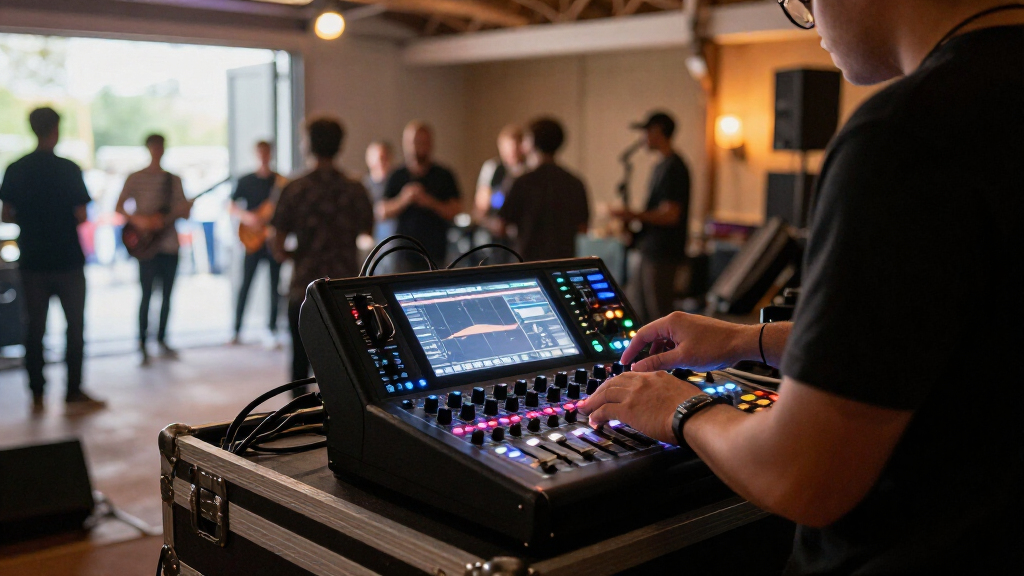
I ranked these compact digital mixers for live sound by how well their capacity, control method, and physical format fit real show workflows. I gave more weight to usable live input capacity, practical mixing access, and routing headroom than to feature counts alone. I also looked at whether a mixer is a self-contained console or a remote-controlled unit, since that choice affects setup, monitoring, and what happens if a control device or network connection fails.
The X32 Compact leads for its balance of console-style control and substantial capacity; the X32 Producer and full X32 remain compelling when their form factors fit a buyer’s space and workflow. The XR18 and Ui16 rank well for compact remote operation, but their reliance on external control keeps them behind picks with onboard controls for crews that need tactile access. The Alto TMD16, Yamnweo MD-14, and Mackie DLZ Creator XS serve more specific needs, so I weigh their fit for the stated live-sound use rather than assuming that a smaller or more specialized mixer suits every band. Bundles are judged by their included accessories, not as a substitute for the mixer’s core capabilities.
Factors to Consider When Choosing Compact Digital Mixers For Live Sound
Before choosing a compact mixer, I’d map the show rather than start with a feature list. A good fit depends on who will mix, how many sources need independent control, and whether the setup can tolerate an app- or network-dependent workflow. These factors help prevent paying for capacity you won’t use—or buying a small unit that becomes a bottleneck at the next gig.
Count Inputs for the Whole Show
Count every source that needs its own channel: microphones, instruments, playback, talkback, and any spare inputs you rely on when a stage plot changes. Don’t use the number of performers as a shortcut; one performer may need several channels, while a small acoustic act may need only a few. Leave some headroom for guest musicians or extra microphones instead of planning around a fully occupied mixer. Also check what the advertised input figure actually describes, since total inputs, mic preamps, and simultaneously usable channels are not always interchangeable. A larger channel count can bring more routing options, but it may also mean a larger console and a more involved setup. Choose capacity around your likely shows, not a hypothetical festival rig.
Choose Between Faders and Remote Control
A built-in control surface gives the operator direct access to faders and physical controls, which can be helpful when a mix needs quick adjustment under pressure. A remote mixer can reduce the equipment footprint and let the engineer walk the room while listening to the mix from different positions. The tradeoff is reliance on a compatible phone, tablet, or computer and a reliable control connection. Before buying a remote unit, decide who brings the control device, how it will be mounted or charged, and what the fallback plan is if it disconnects. Don’t assume an app-driven workflow is automatically simpler for volunteers or rotating crews. Match the interface to the people who will mix the show, not just to the rack space available.
Plan for Routing and Monitor Mixes
Input count alone won’t tell you whether a mixer can handle a demanding live setup. Think through how many separate monitor mixes the performers need, whether effects need their own sends, and how playback or recording fits into the signal path. More buses and flexible routing can make a mixer useful as a band’s setup changes, but only if the operator can configure and recall those paths reliably. A common mistake is to compare channel totals while overlooking outputs and independent mixes. Write down the sources and destinations before shopping, including stage monitors, front of house, and any recording feed. That simple map can reveal whether a compact unit has enough routing headroom.
Account for Setup, Network, and Backup Needs
Remote-controlled mixers add a setup step: the control device and its connection must be ready before soundcheck can proceed smoothly. Consider where the mixer will sit, how the operator will connect, and whether other venue networks or wireless equipment could complicate control. For critical shows, plan a backup device or a wired control option when the mixer supports it, and keep a basic show file or scene backup somewhere accessible. A compact chassis can make transport easier, but it does not remove the need for cable management, power planning, and a repeatable setup routine. Test the full control arrangement at rehearsal instead of discovering problems at the venue. Reliability comes from the whole system, not the mixer alone.
Buy Only the Accessories That Solve a Problem
Bundles can save setup time when they include items you genuinely need, such as XLR cables or headphones. They can also add gear you already own or components that don’t suit the length and layout of your stage. Check the exact bundle contents and compare them with your existing kit before treating accessories as added value. Headphones are useful for cueing and checking sources, but they do not replace loudspeaker checks or monitor planning. Prioritize the mixer’s inputs, control method, and outputs first; accessories should support that choice rather than drive it. If the included items would sit unused, a mixer-only configuration may make more sense.
Leave Room for the Crew and the Venue
A mixer that fits the band’s input list may still be a poor match for the room or crew. A volunteer-run community venue may benefit from a familiar, direct control surface, while a touring engineer may prefer a compact remote unit that can be placed where it is useful. Consider whether the mixer will live in a rack, move between venues, or stay installed, and check that its controls and connections suit that arrangement. Also think about who will build scenes, label channels, and maintain the setup after the first show. A feature-rich unit can create more work if no one has time to learn its workflow. Choose the least complicated mixer that still covers the real show requirements and likely near-term changes.
Frequently Asked Questions
Should I choose an X32-style console or a rack-style remote mixer for a small venue?
I’d choose based on who operates the mixer and how much direct control the venue needs. An X32-style console provides physical controls at the unit, which can suit a fixed position or crews who prefer hands-on mixing. A rack-style remote model can save space and let an engineer adjust the mix from around the room, but it adds reliance on a control device and connection. For a venue with rotating volunteers, direct access may reduce setup friction. For a space-conscious setup with a dedicated operator, remote control may be a better fit.
Is an 18-channel mixer enough for a live band?
It can be, but the channel label alone won’t settle the question. Count microphones, instrument feeds, playback, talkback, and any sources that need separate processing or control. A band with a compact stage plot may fit comfortably, while a larger drum setup or multiple vocalists can use channels quickly. Leave spare capacity for guest performers and changing venues if you want the mixer to last beyond one fixed setup. Check the usable mic inputs and routing options as well as the headline channel count.
Can I mix a live show from a phone or tablet without a control surface?
Yes, remote mixers are designed around control from an external device, and that can be useful for making adjustments while listening in different parts of the room. The tradeoff is that the device, app, and connection become part of the mixing system. Keep a charged backup device or a practical wired fallback when available, and test the control setup before show day. A phone can work for basic adjustments, but a larger screen may make channel visibility and detailed operation easier. If tactile faders are important to your crew, a remote-only design may not be the right match.
Do I need 40 inputs if my current band uses fewer channels?
Not necessarily. A larger input platform can accommodate expanded stage plots, extra monitor or playback needs, and future changes, but unused capacity adds little if your shows remain small and straightforward. Compare the full X32 models by their physical layout and control workflow rather than treating their shared input capacity as the deciding factor. A smaller mixer can be easier to transport and set up when its inputs and outputs cover the job. I’d pay for headroom when you expect a larger band, changing acts, or more complex routing—not just because the number is bigger.
What should I check before buying a mixer bundle?
Read the included-items list and confirm cable type, quantity, and length, along with the exact headphone or other accessory model. Then compare those items with your current kit and the distances between your stage, mixer, and performers. Short cables may be useful in a rack but unsuitable for a spread-out stage, and duplicate accessories can add clutter without solving a setup problem. Judge the mixer itself on its inputs, control method, and routing before weighing bundle contents. A bundle is most useful when its accessories fill a specific gap in your live rig.
Conclusion
For a balanced combination of console-style control and live input capacity, I’d choose the Behringer X32 Compact as the best overall. The Behringer X AIR XR18 is my best value-style pick for a space-conscious rig that works well with remote control, while the full Behringer X32 is the best premium choice for buyers who want the X32 platform and a larger console format. Beginners should favor the mixer whose control method they can operate confidently; the Soundcraft Ui16 is a sensible remote-control option for a simpler setup, while those who want physical controls should look toward the X32 Compact or Producer. For a creator-led workflow, the Mackie DLZ Creator XS fills a more specialized role; for a larger live rig, compare the X32 Producer and full X32 against the Compact’s layout. Choose by stage plot, operator, and setup routine first, then use accessories and extra capacity as tie-breakers.