
If your TV keeps switching inputs unexpectedly, the culprit is often HDMI-CEC settings or stray signals from connected devices. These gremlins can cause your TV to interpret signals incorrectly, especially when devices like game consoles or streaming boxes turn on or off. Turning off CEC or disconnecting certain devices can help stop the switches. If you want to find out more about resolving these issues, keep exploring solutions that target these hidden causes.
Key Takeaways
- HDMI-CEC signals from connected devices can unintentionally trigger input switches if misconfigured or stuck.
- Faulty or interfering remote controls may send accidental commands causing frequent input changes.
- Automatic input switching can occur when devices like game consoles turn on and send CEC commands.
- Disabling HDMI-CEC in device settings often stabilizes input selection and prevents unwanted switches.
- Firmware updates and proper cable connections help resolve handshake issues that lead to input switching gremlins.
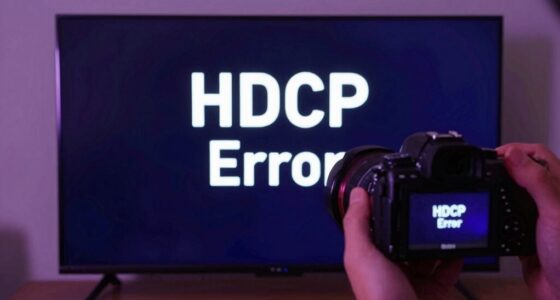
If your TV keeps switching inputs unexpectedly, it can be frustrating and confusing. One common cause is issues with HDMI handshake, which is the process that ensures your devices communicate correctly when connected via HDMI cables. When this handshake fails, your TV might mistake signals from connected devices or even from other sources, causing it to switch inputs automatically. This often happens if a device isn’t properly recognizing the signal, or if there’s a mismatch in HDCP (High-bandwidth Digital Content Protection) protocols. Additionally, remote control signals can sometimes trigger unintended input changes. If your remote control is corrupted or if there’s interference, it might send accidental commands that tell your TV to switch inputs, even if you didn’t press any buttons.
Another factor that contributes to this problem is HDMI-CEC (Consumer Electronics Control). Many modern TVs and connected devices support CEC, which allows them to communicate and control each other through a single remote or command. While this feature adds convenience, it can also lead to unwanted input switching. For example, when you turn on a connected device like a game console or Blu-ray player, CEC may automatically switch your TV to that device’s input. Sometimes, CEC signals can be misinterpreted or get stuck, causing your TV to flip between inputs without your input or even on a whim. This often occurs if the devices are incompatible or if their CEC settings are not configured properly. Moreover, some devices allow you to customize or disable CEC features, which can help prevent these issues.
To troubleshoot, start by checking your remote control. Remove the batteries or turn off the remote entirely to see if input switching stops. Interference from nearby electronic devices or even faulty remotes can send stray signals that trigger your TV. Next, examine your HDMI connections and ensure all cables are securely plugged in. A loose or damaged HDMI cable can disrupt the handshake process, leading to erratic input changes. It’s also worth disabling HDMI-CEC on your TV and connected devices to see if that stabilizes the input selection. Many TVs allow you to turn off CEC in the settings menu, which often resolves the problem if CEC signals are causing the switches.
Sometimes, firmware updates from your TV or connected device manufacturers fix bugs related to HDMI handshake and CEC issues. Check for updates and install them if available. If you’ve gone through these steps and the problem persists, it might be worth resetting your TV to factory settings or consulting the device manuals for more specific troubleshooting steps. Ultimately, understanding how HDMI handshake and remote control signals interact can help you identify the root cause of the input switching gremlins and restore stability to your viewing experience. Additionally, smart home automation setups can sometimes interfere with your TV’s input controls if integrated improperly.
Frequently Asked Questions
Can Firmware Updates Fix Input Switching Issues Permanently?
Firmware fixes can often resolve input switching issues permanently by improving input stability and addressing bugs. When you update your TV’s firmware, it typically includes bug fixes and performance enhancements that can stop your TV from switching inputs unintentionally. Make sure to keep your firmware current, as manufacturers regularly release updates to fix gremlins like CEC conflicts, ensuring smoother input management and reducing the need for manual adjustments.
Do All TVS Have CEC and Auto-Input Features?
Like keys to a hidden door, CEC and auto-input features open seamless device compatibility, but not all TVs have them. Some models embrace these features, making your setup smooth, while others lack this magic. You need to check your TV’s specifications to see if it supports CEC and auto-input, as their availability varies. Not every TV offers these features, so verify before expecting effortless input switching.
How Do I Identify Which Device Is Causing Input Switching?
To identify which device causes input switching, start by turning off all connected devices. Then, turn them on one by one, observing your TV for input source identification changes. This process helps with device detection, letting you pinpoint the culprit. If the switch occurs unexpectedly, check your TV’s input list or menu, which may show recent device activity. This way, you can troubleshoot and disable the problematic device or CEC feature.
Is There a Way to Disable CEC Without Losing Device Control?
Imagine you want to disable CEC without losing device control; you can often do this in your TV settings. For example, turning off CEC in your LG TV’s menu disables input switching while maintaining basic device control. To do this, locate the CEC or Simplink option and toggle it off. Keep in mind, this disables automatic input switching but generally preserves remote control functions for connected devices.
Why Does My TV Switch Inputs Randomly at Night?
Your TV switches inputs randomly at night likely due to remote control interference or automatic features like CEC. Sometimes, stray signals from other devices or remote controls can trigger input changes. To fix this, try power cycle troubleshooting by unplugging your TV for a few minutes, then plugging it back in. Also, disable CEC if possible, to prevent unintended input switches caused by device communication.
Conclusion
Understanding why your TV keeps switching inputs helps you regain control over your entertainment. It’s like taming a restless beast—once you identify the cause, such as CEC or auto-input settings, you can tame the gremlins and restore peace. Don’t let these tech quirks rule your viewing experience. Instead, take charge, adjust the settings, and remember: sometimes, the simplest fix can turn chaos into calm. Your perfect viewing moment is just a setting away.