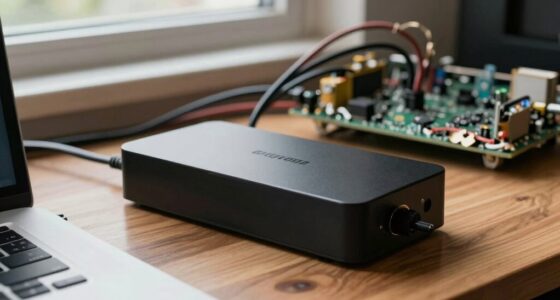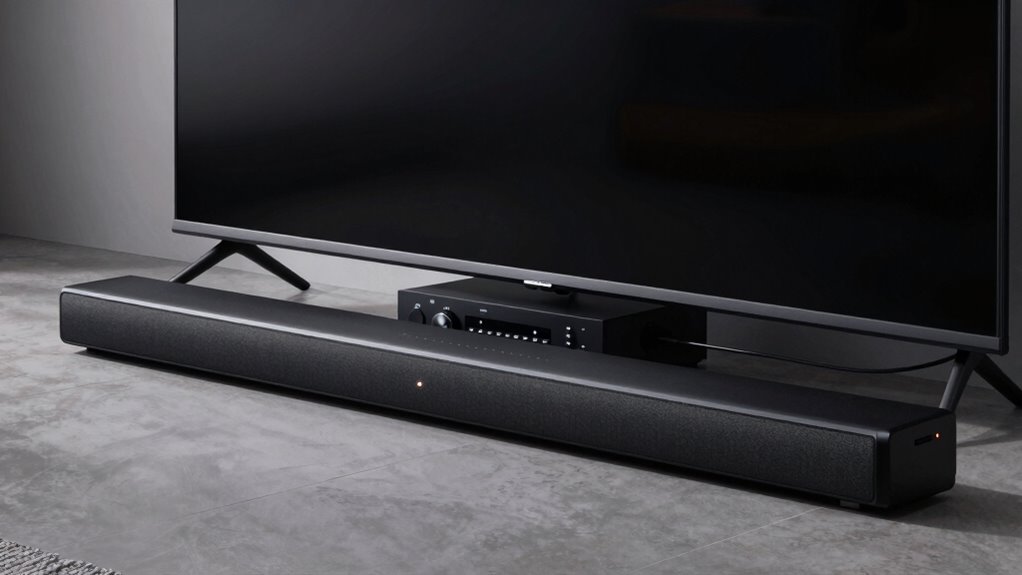

Pass-through on soundbars and receivers means these devices can send audio and video signals to other equipment without changing or processing them much. It allows you to enjoy high-quality content, like Dolby Atmos or 4K video, with minimal setup. Your device stays connected and active even when it’s off or in standby, keeping everything seamless. If you want to understand how this feature works and why it’s useful, there’s more to explore.

Get audio and creator gear delivered free — and shop member deals
- Fast, free delivery on millions of items
- Access to Prime Big Deal Days deals on October 6–7
- Prime Video, Amazon Music and more included
Key Takeaways
- Pass-through allows audio and video signals to flow through devices without significant processing or alteration.
- It enables seamless connection of multiple devices, like gaming consoles or streaming boxes, to your soundbar or receiver.
- Pass-through functions often remain active even when devices are powered off or in standby mode.
- HDMI pass-through supports advanced audio formats such as Dolby Atmos and DTS:X for immersive sound.
- Proper configuration of HDMI control features ensures pass-through remains active during device standby, simplifying setup.

If you’re setting up a home theater system, understanding pass-through on soundbars and receivers is crucial. Pass-through refers to a device’s ability to transmit audio and video signals from one source to another without altering or processing them considerably. This feature is especially important when you want to enjoy high-quality content without adding extra steps or complicated connections. When it comes to soundbars and receivers, pass-through lets you connect your devices seamlessly, ensuring you get the best audio and video experience with minimal hassle.
One key aspect to contemplate is HDMI configurations. Many modern devices support HDMI pass-through, allowing you to connect multiple devices like gaming consoles, Blu-ray players, and streaming boxes to your receiver or soundbar. The HDMI ports on these devices often have specific configurations—such as HDMI ARC (Audio Return Channel) or eARC—that enable pass-through of high-definition audio formats, including Dolby Atmos and DTS:X. Properly setting up HDMI configurations means you can enjoy immersive sound without needing separate audio cables. It also simplifies your setup by reducing clutter and making it easier to switch between sources.
Power management plays a crucial role in pass-through functionality, too. When your device is turned off or in standby mode, good power management ensures that pass-through features remain available without consuming unnecessary power. Some soundbars and receivers automatically switch into a low-power state but still allow pass-through signals to pass through, so your TV can display content while the audio is handled separately. This feature is useful when you want to keep your system ready for quick viewing or listening, without wasting energy. Effective power management also helps prevent overheating and prolongs the lifespan of your equipment, maintaining consistent performance over time.
In addition, understanding how pass-through interacts with your device’s power management settings can help you optimize your setup. For example, enabling specific HDMI control features like CEC (Consumer Electronics Control) can streamline power and source switching, making your system more intuitive. When configured correctly, pass-through remains active even when devices are in standby mode, so you don’t have to power everything off completely to keep the connection alive. This ensures smooth operation, whether you’re switching between streaming content or gaming.
Moreover, integrating high-quality projectors with your home theater system and ensuring compatibility with pass-through features can greatly enhance your viewing experience. When configured properly, pass-through allows your projector to receive both audio and video signals efficiently, providing a seamless entertainment setup. When these elements are properly set up, you get a user-friendly, high-quality home theater experience that’s easy to operate and reliable over time. It’s all about making sure your audio and video signals flow effortlessly, giving you the best possible entertainment with minimal fuss.
As an affiliate, we earn on qualifying purchases.
Frequently Asked Questions
Can Pass-Through Support All Audio Formats?
Pass-through doesn’t support all audio formats; its compatibility depends on the device. Some devices handle high-resolution audio formats like Dolby Atmos or DTS:X, while others only support basic stereo or Dolby Digital. To guarantee seamless device synchronization and the best audio experience, check your device’s audio format compatibility. If a format isn’t supported, you might experience limited sound quality or no audio at all through pass-through.
Is Pass-Through Compatible With Gaming Consoles?
Yes, pass-through is compatible with gaming consoles. It allows you to connect multiple devices in a multi-device setup, so your gaming console can transmit audio and video signals through your soundbar or receiver without interruptions. HDMI switching makes this even easier, letting you switch between your console, TV, and other devices seamlessly. This setup ensures you enjoy high-quality audio and video while gaming without hassle.
Does Pass-Through Affect Audio Quality?
Pass-through generally doesn’t affect audio quality if your equipment is well-designed. For example, a gamer using a soundbar with pass-through might notice slight audio delay, but picture quality remains sharp. High-quality pass-through guarantees your device transmits 4K video without degradation, so you won’t see a drop in picture clarity. Overall, if your setup is compatible, pass-through maintains both audio fidelity and picture quality seamlessly.
How Do I Set up Pass-Through Correctly?
To set up pass-through correctly, first check your devices’ HDMI standards to guarantee compatibility. Connect your source to the receiver or soundbar’s HDMI input, then link the output to your display. Make sure your devices support the same HDMI version for ideal signal transfer. Enable pass-through mode in the device settings, and verify that your system recognizes the signal. This way, you get seamless audio and video, maintaining quality and compatibility.
Can Pass-Through Be Used With Multiple Devices Simultaneously?
Think of pass-through like a highway, but it can handle multiple lanes—yes, you can connect multiple devices at once. In a multi-device setup, pass-through allows signals from different sources to flow seamlessly through your sound system. Just keep in mind, good cable management keeps this highway smooth, preventing congestion and confusion. With careful planning, your setup becomes a symphony of connected devices, all working harmoniously through your soundbar or receiver.
As an affiliate, we earn on qualifying purchases.
Conclusion
Understanding pass-through helps you connect your devices seamlessly, enjoy your content effortlessly, and optimize your home theater experience. It’s about clarity in connection, simplicity in setup, and quality in sound. When you grasp what pass-through truly means, you empower yourself to make smarter choices, simplify your setup, and elevate your entertainment. Remember, pass-through isn’t just a feature—it’s the key to a smoother, more immersive audio and video experience that keeps you connected and satisfied.
4K HDMI switch with pass-through
As an affiliate, we earn on qualifying purchases.
As an affiliate, we earn on qualifying purchases.
home theater receiver with HDMI ARC
As an affiliate, we earn on qualifying purchases.
As an affiliate, we earn on qualifying purchases.
Fall Picks
fall essentials
As an affiliate, we earn on qualifying purchases.