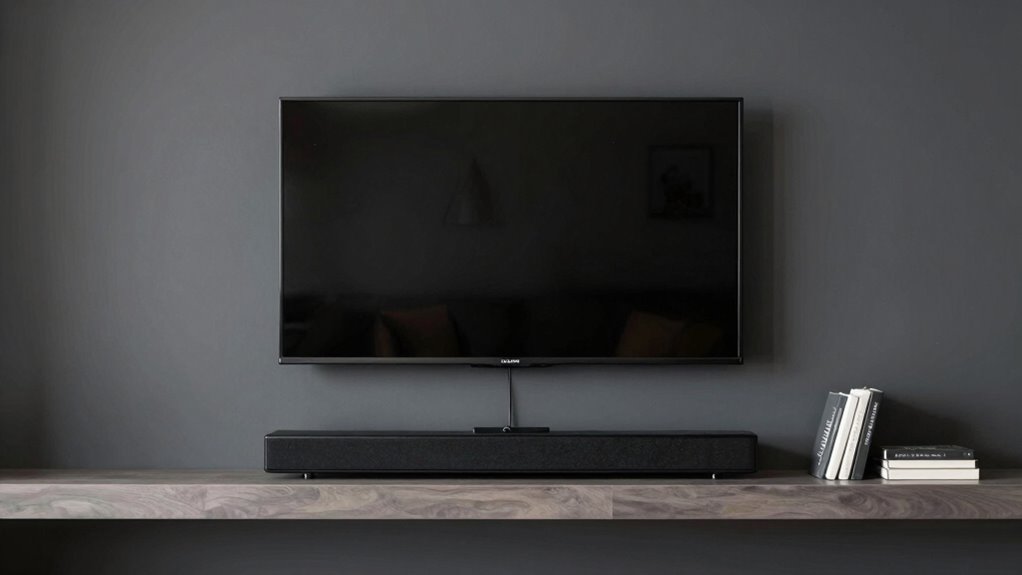
To keep your wall-mounted TV and soundbar looking clean, plan cable routes carefully and use cable management solutions like raceways, clips, or conduit. Mount your TV close to the wall and choose brackets with integrated cable management to hide wires. Run cables through the wall safely or use sleek covers to conceal them along walls and baseboards. Regularly check your setup and adjust as needed for a tidy, professional appearance—more details will guide you through every step.
Key Takeaways
- Use a single, concealed cable pathway to connect the TV and soundbar for a clutter-free look.
- Mount the soundbar directly below the TV with matching brackets or shelves for alignment.
- Choose slim, flat HDMI and audio cables to hide behind walls or along surfaces easily.
- Implement cable management solutions like raceways or clips to keep wires organized and out of sight.
- Regularly inspect and adjust cables to prevent sagging, tangling, or disconnections for a clean setup.

Ever wondered how to keep your wall-mounted TV and soundbar looking sleek and functioning perfectly together? The key lies in effective cable management and smart mounting techniques. When you’re aiming for a clean, clutter-free look, how you handle your cables makes all the difference. Start by planning your setup carefully. Measure the distances from your outlets to your desired mounting spots, and consider the length of your cables. Using cable management solutions like raceways, clips, or conduit helps conceal wires and keeps them organized. These tools prevent cables from tangling or sagging, which not only looks better but also reduces wear and tear over time.
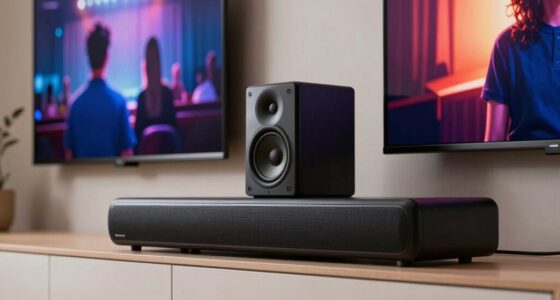
Next, focus on mounting techniques that ensure both your TV and soundbar are securely attached, while also facilitating a tidy appearance. When mounting your TV, use a quality bracket that allows for cable routing behind the TV, hiding wires within the wall if possible. This approach minimizes visible clutter and creates a seamless look. For the soundbar, consider wall-mounting it directly beneath the TV using a compatible bracket or shelf. Some mounting kits come with integrated cable management features, making it easier to hide cords behind the wall or along the mount.
If you decide to run cables through the wall, ensure you have the right tools and follow safety guidelines. You might need a stud finder, wall cutout tools, and electrical wiring knowledge. When done properly, this method keeps everything out of sight, giving your entertainment area a polished appearance. Otherwise, if you prefer simpler solutions, cable sleeves or covers can be run along the wall or baseboard, concealing multiple cables together. Incorporating cable management solutions into your setup can further streamline the process and improve overall aesthetics.
Another tip is to choose the right type of cables. Thin, flat HDMI cables are easier to hide and can be tucked along the wall’s edges. Use cable ties or Velcro straps to bundle excess wiring and prevent loose loops. Regularly check and adjust your cable management system to prevent sagging or accidental disconnections. Incorporating Biodiversity principles into your setup, such as choosing eco-friendly materials, can also contribute to sustainable living practices.
Ultimately, combining thoughtful mounting techniques with effective cable management will help you achieve a sleek, professional look for your wall-mounted TV and soundbar. It’s about planning ahead, using the right tools, and paying attention to details. When everything is neatly organized and securely mounted, you’ll enjoy your entertainment system not just for its performance, but also for its clean, stylish appearance.

HomeMount TV Cord Hider for Wall Mounted TV – Cable Management Kit to Hide TV Wires Behind The Wall – Includes 2 Cable Manager Brackets, and Thicker Hold Opener for Easy Install (White)
- Easy 20-Minute Installation: Quick DIY setup with included tools
- Fits Multiple Cables: Holds 4 large HDMI cables comfortably
- Compatible with Various Walls: Suitable for 12-18mm plaster and wood walls
As an affiliate, we earn on qualifying purchases.
As an affiliate, we earn on qualifying purchases.
Frequently Asked Questions
Can I Install a Soundbar Without Professional Help?
Yes, you can definitely do a DIY installation of a soundbar, but it depends on your comfort level with electronics and tools. Follow the manufacturer’s instructions carefully, and use the right mounting hardware. However, if you’re unsure or want a polished look, calling professional assistance might be a good idea. They guarantee proper placement and wiring, avoiding potential damage or safety issues.
How Often Should I Clean My Wall-Mounted TV and Soundbar?
You should clean your wall-mounted TV and soundbar at least once a month. Dust accumulation and screen smudges love to gather, turning your sleek setup into a dusty mess or a fingerprint gallery. Ironically, ignoring these tiny offenders makes your viewing experience less vibrant. Use a soft microfiber cloth and gentle cleaner to keep everything crystal clear, ensuring your tech stays as spotless as your desire for perfect picture quality.
Are There Specific Wall Mounts for Better Cable Management?
Yes, there are specific wall mounts designed for better cable management. Look for adjustable mounts with concealed wiring options to hide cables neatly behind the wall. These mounts allow you to route wires through channels or grommets, creating a clean, professional look. Choosing an adjustable mount also helps you position your TV and soundbar perfectly, making installation easier and ensuring your setup stays tidy and accessible.
What Safety Precautions Are Needed During Installation?
During installation, prioritize electrical safety by turning off power sources before handling any wiring. Make certain the wall mount is securely anchored to support the TV and soundbar, preventing accidents. Use proper tools and follow manufacturer instructions carefully. Check mounting stability regularly, especially if you notice any wobbling. Avoid overloading circuits, and keep cables organized to prevent tripping hazards. These precautions protect both your equipment and your safety.
How Do I Troubleshoot Connectivity Issues Between TV and Soundbar?
Did you know that 60% of connectivity issues stem from cable compatibility or wireless interference? To troubleshoot your TV-soundbar connection, first check if your cables are compatible and securely plugged in. If you’re using wireless, make certain there’s no interference from other devices like Wi-Fi routers or cordless phones. Try restarting both devices and updating their firmware. If problems persist, test with different cables or reposition your wireless devices to improve signal strength.

Cable Clips Nail in Cable Clips 100 Pcs 8mm Flat Ethernet Cable Wall Clips Cable Tacks Coax Cable Clip Speaker Wire Clips Cable Nails for Cords Cat5/Cat5e/Cat6/Cat7 RJ45 Cord Clips
- Premium Material: Made of durable plastic and hardened nails
- Strong Bearing Capacity: Resistant to corrosion and aging
- Sturdy Design: One-piece construction with long nails
As an affiliate, we earn on qualifying purchases.
As an affiliate, we earn on qualifying purchases.
Conclusion
Keeping your wall-mounted TV and soundbar looking sleek and working seamlessly isn’t hard when you stay proactive with regular cleaning and proper cable management. Did you know that poor cable organization can reduce sound quality by up to 30%? By investing a little time now, you guarantee your entertainment setup remains both visually appealing and functional. A tidy space not only looks better but also enhances your overall viewing experience—so take these simple steps and enjoy crisp sound and clear picture every time.

in Wall Cable Management Kit for TV & Soundbar – Cord Hiding for Wall, Hide TV Wires When Mounting, Includes Power & Low Voltage Cable Management, Includes Hole Saw Drill Attachment for Install
- Easy DIY Installation: Setup in less than 30 minutes
- Complete Kit Included: All necessary components for installation
- Neatly Conceal Cables: Hide wires inside walls for a clean look
As an affiliate, we earn on qualifying purchases.
As an affiliate, we earn on qualifying purchases.

Delamu Cord Hider, 157in Wire Covers for Cords on Wall, Premium Cable Hider Cord Covers for Wires, Cable Management Wire Hiders for TV, Cable Raceway Kit, W0.95 H0.55in, White
- Flame Retardant Material: UL94 V-0 rated, safer plastics
- Easy Snap Installation: Upgraded snap structure for quick setup
- Neat Cable Organization: Hides and organizes 2-4 wires neatly
As an affiliate, we earn on qualifying purchases.
As an affiliate, we earn on qualifying purchases.