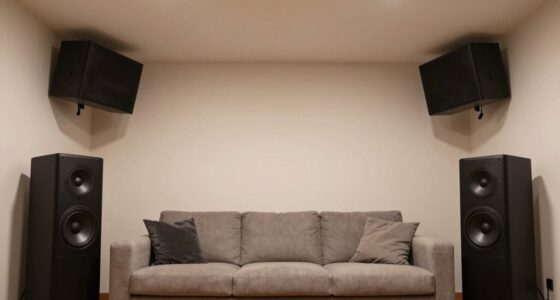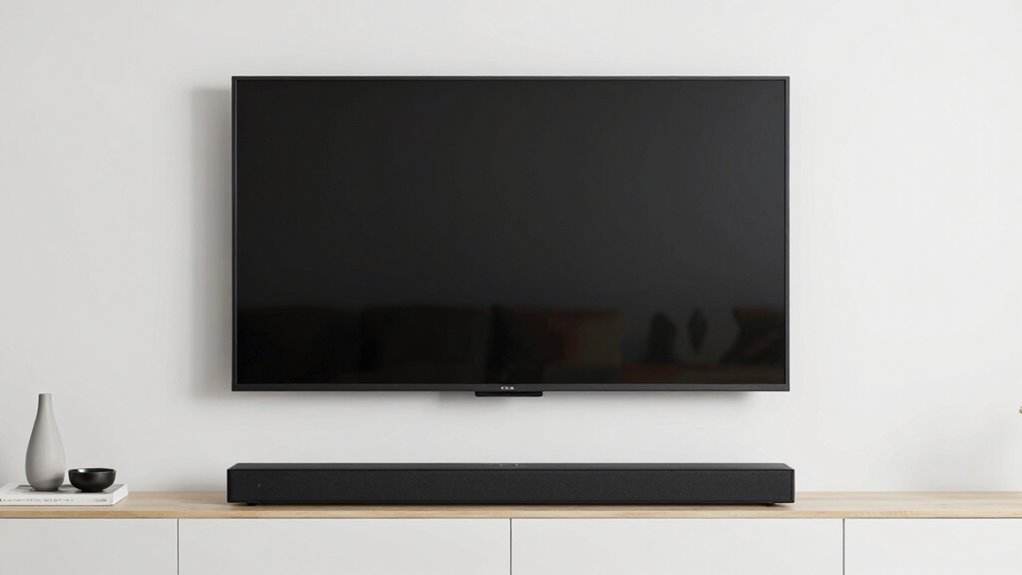

To prevent your soundbar from fighting with your TV, position it close to eye level, either directly underneath or slightly in front of the screen. Make sure it’s not blocking your view or furniture, and avoid placing it too high or low. Keep it away from walls or corners to avoid sound distortion. Adjust the angle toward your seating area for better sound clarity. Want to learn more about perfect placement? Keep exploring these tips.

Get audio and creator gear delivered free — and shop member deals
- Fast, free delivery on millions of items
- Access to Prime Big Deal Days deals on October 6–7
- Prime Video, Amazon Music and more included
Key Takeaways
- Position the soundbar at eye level or slightly below the TV for visual harmony and optimal sound direction.
- Place the soundbar directly underneath or just in front of the TV to create a seamless visual flow.
- Ensure the soundbar is not blocked by furniture, maintaining clear sound dispersion toward the seating area.
- Use stands or wall mounts to prevent obstruction and align the soundbar with the TV for aesthetic coherence.
- Adjust the soundbar angle toward the main seating area for better sound clarity and to avoid visual distraction.
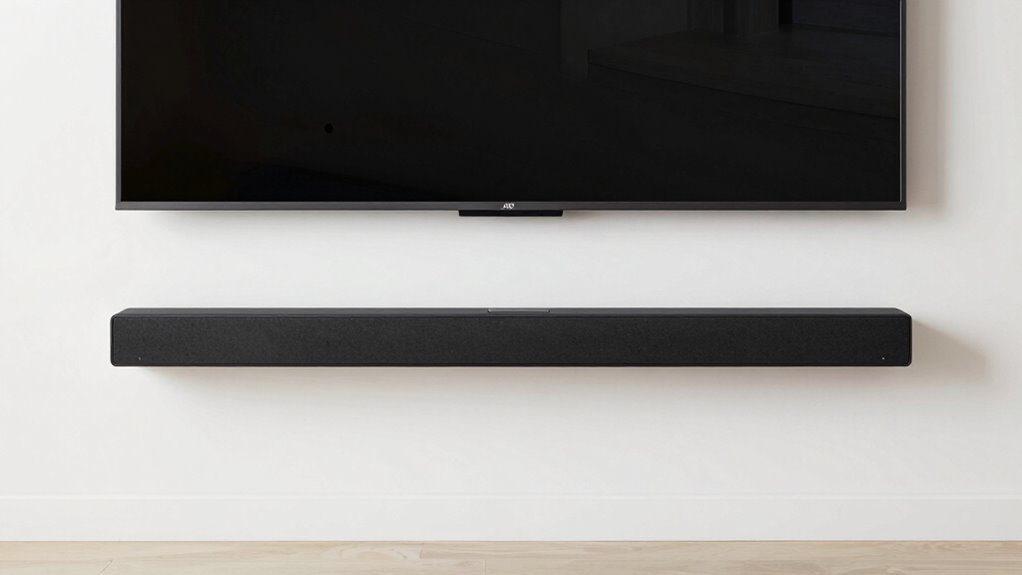
When setting up a soundbar, it’s essential to position it carefully so it complements your TV rather than competes with it visually or acoustically. Proper speaker placement is key to achieving balanced sound and avoiding a cluttered look. Ideally, you want the soundbar to be as close to eye level as possible, which helps direct audio toward your ears rather than bouncing off walls or furniture. If your TV sits on a stand, placing the soundbar directly underneath or slightly in front of it creates a natural visual harmony. For wall-mounted TVs, mounting the soundbar just below the screen typically works best. Keep in mind that the goal is to create a seamless visual flow, so avoid placing the soundbar too high or too low, which can disrupt the aesthetic and sound quality.
Room acoustics play a significant role in how sound travels and how you perceive audio. Hard surfaces like glass, tile, or hardwood floors tend to reflect sound, leading to echo or muddiness. Soft furnishings such as curtains, carpets, or upholstery absorb sound, helping to produce clearer audio. When positioning your soundbar, consider these room characteristics; a placement that works well in a carpeted living room might need adjustment in a room with many reflective surfaces. To optimize acoustics, avoid placing the soundbar directly against a wall or inside a corner, as this can cause sound distortion or bass boominess. Instead, leave some space behind or around the speaker to allow sound waves to disperse naturally. Additionally, room acoustics can be improved by adding rugs or wall treatments that diffuse sound reflections, enhancing overall audio clarity. Proper sound dispersion techniques can also help in achieving a more balanced and immersive listening experience. Experimenting with different placements and using measurement tools can help identify the optimal sound for your specific setup. Incorporating proper placement techniques can significantly improve your listening experience.
Additionally, think about the layout of your furniture. If your seating area is off to one side, angle the soundbar slightly toward the main listening position to improve sound directionality. Use stands or wall mounts if necessary, ensuring the soundbar isn’t blocked by objects or furniture. Experiment with placement by listening to the sound from your usual viewing spot, adjusting until you find a position that offers balanced audio and minimal visual distraction. Remember, the goal is to create a cohesive setup where the soundbar enhances your viewing experience without drawing undue attention or causing sound imbalance. By paying attention to speaker placement and room acoustics, you can enjoy richer, clearer sound that complements your TV perfectly.
As an affiliate, we earn on qualifying purchases.
Frequently Asked Questions
Can I Mount a Soundbar on the Wall Above the TV?
Yes, you can wall mount a soundbar above your TV. For proper soundbar positioning, make sure the wall mount is sturdy and aligns with your TV’s height for ideal audio. Use a compatible wall mounting kit, and consider the soundbar’s speaker orientation. Keep in mind that mounting above the TV might affect audio clarity, so test the sound quality after installation and adjust the angle if needed for the best listening experience.
What Size Soundbar Is Best for My TV?
Think of your TV as a stage and the soundbar as the supporting cast. The best size for your soundbar depends on your TV’s size, ensuring balanced sound and aesthetic harmony. For ideal soundbar placement, choose a size that complements your TV’s width—generally, a soundbar about two-thirds the width of your TV works well. Always consider TV compatibility to avoid overpowering or underwhelming audio.
How Do I Hide Cables Between the TV and Soundbar?
To hide cables between your TV and soundbar, use cable management solutions like adhesive clips, cable raceways, or cord covers. These tools help keep your cables neatly concealed, enhancing aesthetic concealment and preventing clutter. Secure the cables along the back of your TV stand or wall, ensuring they’re out of sight. This clean setup improves your space’s look and reduces the risk of accidental disconnections or damage.
Is It Better to Place the Soundbar Below or Above the TV?
Placing the soundbar below the TV is like setting the stage for perfect harmony. Ideal placement guarantees clear speaker alignment, giving you rich, immersive sound that matches your screen’s visuals. Position it just slightly in front of or below the TV for the best experience. Above the TV can work, but it risks misalignment and muffled audio. Trust your ears and eyes to find that sweet spot.
Can I Connect Multiple Devices to My Soundbar Simultaneously?
Yes, you can connect multiple devices to your soundbar simultaneously, especially if it has wireless connectivity options like Bluetooth or Wi-Fi. Make sure your soundbar supports device compatibility for all your gadgets, such as smartphones, tablets, and TVs. Use input ports or wireless pairing features to switch between devices easily. This setup allows you to enjoy seamless audio from multiple sources without constantly disconnecting and reconnecting.
As an affiliate, we earn on qualifying purchases.
Conclusion
By carefully placing your soundbar, you guarantee it complements rather than competes with your TV. Think of it like a well-choreographed dance—each element working in harmony. Keep it centered and aligned, avoiding clutter or blocking key visuals. Remember, a good setup isn’t just about aesthetics; it’s about creating an immersive experience. When everything’s in its right place, both sound and sight come together seamlessly—proving that a balanced setup truly makes the whole picture better.
As an affiliate, we earn on qualifying purchases.
As an affiliate, we earn on qualifying purchases.
Fall Picks
fall essentials
As an affiliate, we earn on qualifying purchases.