TL;DR
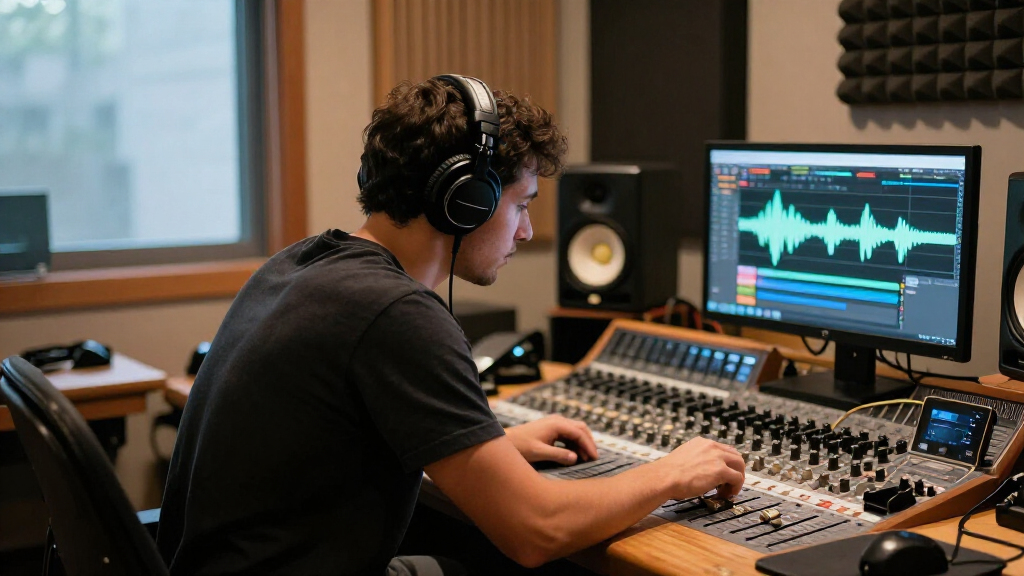
Studio headphones can help with mixing when speakers are unavailable, your room is untreated, or you need to work quietly. Choose a comfortable pair with a predictable tonal balance, then learn its sound and check important decisions on speakers, earbuds, or other familiar systems because headphones change how you hear bass and stereo space.
A mix that sounds huge in your headphones can shrink on speakers the next morning. That surprise is common because headphones separate left and right channels, while speakers send sound across the room to both ears.

Get audio and creator gear delivered free with Prime
- Fast, free delivery on millions of items
- Prime Video, Amazon Music and more included
- Member-only deals all year
Studio headphones can help with mixing, especially when speakers are unavailable, your room is untreated, or you need to work quietly. But the word “studio” does not certify a neutral sound. You’ll get more from headphones when you choose for your space and listening habits, learn their tonal character, and check key choices elsewhere.
This guide covers open-back and closed-back designs, frequency response, comfort, amplification, and translation. You’ll also get a practical routine for checking a mix without turning headphone listening into guesswork.
Choose open backs for quiet sessions when leakage won’t be a problem; choose closed backs for recording, noisy rooms, and shared spaces.
Treat frequency response measurements as useful clues, then account for fit, ear shape, seal, and pad condition.
Try headphones with your own interface or device before buying an amplifier; impedance alone does not settle the question.
Check bass, panning, and reverb on speakers, earbuds, or a familiar pair because headphones widen stereo separation.
Prioritize comfort, repairable parts, and a sound you know over price or the word “studio.”
Choose open-back or closed-back headphones for your space
Open-back headphones suit quiet mixing sessions because their earcups let air and sound pass through, while closed-back headphones isolate better for recording or shared rooms. The right design depends on where you work: a spacious presentation can help during a long edit, but sound leaking from open backs can spill into a microphone.
Imagine you’re recording a singer in the same room where you’re monitoring. Closed backs keep the click track and backing vocals from bleeding into the mic, and they reduce distractions from a fan or nearby conversation. Later, when the room is quiet and you’re balancing a guitar mix, open backs may feel less boxed in. They still leak sound, so they’re a poor match for a sleeping household or a live microphone.
Semi-open models sit somewhere between the two, but the label doesn’t promise a specific amount of isolation or a particular sound. Treat it as a design clue, then read reviews and try the headphones in the place you’ll use them. A pair that works beautifully at a silent desk may be frustrating beside a noisy computer.
Pick the headphone design for your room and task first; the best-sounding option on paper can be the wrong tool beside a microphone.
Both designs can help with mixing. Closed backs make it easier to focus in noisy spaces, while open backs may suit quiet sessions where a more airy feel is comfortable. Neither removes the need to check your mix on another system.
Products Worth Considering

Logitech MX Keys S Combo Wireless Keyboard and Mouse, Graphite

Bose TV Speaker (2nd Gen) Compact Soundbar

Apple Watch Series 11 GPS + Cellular, 46mm Jet Black Aluminum Case with Black Sport Band (M/L)
As an affiliate, we earn on qualifying purchases.
Read frequency response without chasing a perfect curve
Frequency response describes how strongly headphones reproduce different parts of the sound range, from low bass to high treble. For mixing, a predictable balance helps you hear whether a kick is too heavy, a vocal is sharp, or cymbals are taking over. An exciting bass boost can make everyday listening fun while hiding a thin low end in your mix.
Suppose your headphones add extra low bass. You may turn down the kick and bass guitar until the track feels restrained everywhere else. On laptop speakers, that same mix can sound weak. The opposite happens with a headphone dip: if a range sits too quietly in your ears, you might push it until it jumps out on other systems.
Measurement graphs can show broad peaks and dips, and measurement-based reviews make comparisons easier. Still, one response curve cannot tell you everything. Fit, ear shape, pad wear, and the seal around your ears affect the sound. A worn pad that no longer seals well may change bass response, just as a loose cup can shift the sound each time you move your head.
Look for trustworthy measurements and listen to familiar tracks you know across speakers, earbuds, and your headphones. If a reference vocal consistently sounds too bright in one pair, learn that tendency instead of assuming every recording needs the same EQ correction. A reasonably smooth, familiar sound is usually more helpful than an exaggerated presentation that flatters every song.
Use comfort and fit to protect your focus
Comfort matters because headphone mixing can stretch across hours, and a sore head changes how long you can listen with care. Weight, clamping force, earcup depth, heat, and headband pressure all affect whether a pair stays comfortable. A well-measured headphone that pinches after 30 minutes may be a poor fit for finishing an album.
Try a pair for more than the first few minutes if you can. A narrow earcup may press on your ears, while a tight headband can leave a hot spot on the crown of your head. If you work through a long vocal edit, that pressure can nudge you toward hurrying and making decisions just to take them off.
Fit also affects sound. A loose seal can reduce bass, especially on closed-back models, and glasses can create a small gap under the pads. For example, you might hear a solid kick when sitting still, then get less low end when the cups shift as you turn to reach your keyboard. Recheck fit before you treat a tonal change as a mix problem.
Replaceable pads and cables can extend a headphone’s useful life. Check whether the maker sells replacements and whether the cable detaches; a frayed cable should not force you to replace a otherwise comfortable pair. Your best reference is the one you can wear consistently, hear consistently, and keep in good shape.
Check the source before buying a headphone amplifier
Impedance alone does not tell you whether you need an amplifier. Headphone sensitivity, your interface or device’s output voltage, and your preferred listening level all affect how loud and clean the signal gets. Many headphones work from laptops and audio interfaces, while some higher-impedance or less-sensitive models may not reach a useful level from every source.
Try your intended setup before assuming you need another box. If a pair gets comfortably loud with room to spare from your audio interface, an external amp may add little for your work. If it struggles to reach a moderate level or sounds strained, check the headphone’s sensitivity and your interface’s specifications before choosing an amp that can supply enough output.
Use a familiar track to test at your usual working level rather than cranking the volume to impress yourself. A loud signal can seem clearer and fuller, so a quick audition at high volume may lead you toward a setup you won’t want to use for a full session. Give your ears regular breaks, too.
Keep listening levels moderate. Sustained loud listening risks hearing damage and can make mix judgments less reliable as fatigue builds. If you’re tempted to turn the volume up to hear detail, pause and check the source level, pad condition, or fit first. Clicks, hiss, and harshness don’t require a punishing volume to notice.
Make headphone mixes translate with a repeatable check
Cross-checking makes headphone mixing more dependable because headphones and speakers present stereo and bass differently. Headphones send left and right signals straight to their respective ears; speakers let each ear hear both speakers, and the room changes what reaches you. That’s why a reverb tail or wide guitar can feel dramatic in headphones and less balanced in a room.
Use this short process when you finish a rough mix. For example, a producer balancing a vocal at midnight can make the main decisions in headphones, then check the next morning on small speakers and earbuds before committing to a wide chorus or deep bass boost.
- Start with a familiar reference track. Listen at a moderate level and notice its bass, vocal position, and stereo width.
- Mix in short passes. Set broad balance first, then check details such as clicks, harsh consonants, and edits.
- Check mono and center elements. Listen for a lead vocal, kick, and bass that feel stable rather than oddly distant or overpowering.
- Switch systems. Try speakers, earbuds, or a familiar consumer pair, and write down the biggest difference you hear.
- Return to the mix with one question. If the bass disappears on speakers, adjust that balance and repeat the check.
Some engineers use crossfeed or headphone correction software to adjust tonal balance or make headphone stereo feel more speaker-like. Correction profiles depend on accurate measurements and a fit close to the one measured. They can support your judgment, but they cannot reproduce your room or replace checks on other systems.
Buy for a reliable sound, not the biggest price tag
A higher price does not guarantee better mixing performance. A familiar, comfortable pair can be more useful than an expensive model you don’t know how to interpret. The product label “studio” is a category, not a certification of neutral sound, so compare the headphone’s sound, fit, durability, and intended use rather than relying on branding.
Consider a home producer choosing between a costly open-back pair and a less expensive closed-back pair. If the producer records vocals in the same room, isolation and low leakage may matter more than a spacious feel. If the producer mostly edits quietly, comfort and a tonal balance they understand may carry more weight.
| What you need | What to check | Why it matters |
|---|---|---|
| Quiet recording | Closed-back seal and low leakage | Less backing-track sound reaches the microphone |
| Long mixing sessions | Comfort, weight, and replaceable pads | Good fit supports steady listening and longer use |
| A device with limited output | Sensitivity and interface output | Impedance alone won’t predict usable volume |
| Useful correction | Profile availability and fit match | Software depends on the headphone and how you wear it |
Measurement databases and reviews help you spot broad response differences and distortion, but they can’t predict comfort or your personal perception. Wireless models work for casual checks, though Bluetooth processing, latency, battery needs, and codec behavior can complicate a primary wired reference. If a model supports wired use, that can make monitoring simpler and more predictable.
Frequently Asked Questions
Can you mix an entire song on headphones?
Yes, if you learn how your headphones sound and regularly check the mix elsewhere. Pay special attention to bass balance, panning, stereo width, and reverb, which can feel different on speakers.
Are open-back or closed-back headphones better for mixing?
Open backs often suit quiet mixing rooms, while closed backs isolate better for recording and shared spaces. Open backs leak sound, so they can spill into a nearby microphone.
Do you need a headphone amplifier?
Not always. It depends on the headphones’ sensitivity, their impedance, your interface or device output, and the level you want. Try your actual setup and check whether it reaches a comfortable level cleanly.
Can headphone correction software make any headphones neutral?
Correction software can reduce some tonal differences when it has a suitable profile for your headphone. It cannot fix poor fit, distortion, inconsistent seal, or the difference between headphone and speaker stereo.
Why does my mix sound different on speakers?
Speakers send sound through a room, and each ear hears both speakers. Headphones separate left and right channels more completely, so stereo width, bass, and reverb can seem different when you switch systems.
Conclusion
Choose headphones you can wear comfortably, drive cleanly from your setup, and learn through familiar reference tracks. Then make cross-checking part of the mix: headphones help you hear details, while other systems reveal whether those choices hold up.
A mix should travel beyond the quiet space between your ears. Give it one last listen on the speakers or earbuds your listeners might use.