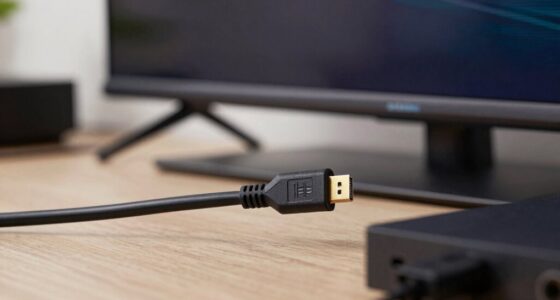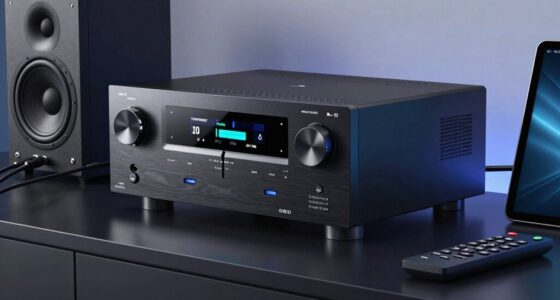
To reduce noise and prevent future confusion, make cable separation a routine habit by organizing and labeling your cables clearly. Keep power, audio, and data cables separate to minimize electromagnetic interference and signal degradation. Use clips, ties, or sleeves to create dedicated paths, reducing tangled wires and accidental disconnections. Consistently checking and maintaining your setup keeps everything organized and easy to identify. Keep going to discover more tips for effective cable management that strengthen your setup.

Get audio and creator gear delivered free with Prime
- Fast, free delivery on millions of items
- Prime Video, Amazon Music and more included
- Member-only deals all year
Key Takeaways
- Keep audio, power, and data cables separated to minimize electromagnetic interference and reduce noise.
- Use cable organizers or sleeves to maintain clear, distinct pathways for different cable types.
- Label cables clearly to prevent confusion and ensure quick identification during troubleshooting.
- Avoid bundling cables tightly to reduce signal degradation and maintain optimal performance.
- Regularly check and adjust cable separation to prevent future clutter and accidental disconnections.

Keeping your cables separated might seem like a small habit, but it can considerably improve your device longevity and safety. When you practice good wire management, you prevent cables from tangling or rubbing against each other, which reduces wear and tear over time. This simple step makes it easier to identify and access individual cables when needed, saving you time and frustration. Clutter reduction plays a significant role here—by keeping cables neatly separated, your workspace stays organized, making it easier to troubleshoot issues or replace devices without disturbing the entire setup.
Keeping cables separated reduces wear, saves time, and keeps your workspace organized for easier troubleshooting and device access.
Separating your cables also minimizes noise caused by interference. When cables are bundled or tightly packed, electromagnetic interference can occur, especially with audio and data cables. This interference manifests as unwanted noise, static, or degraded signal quality. By intentionally keeping cables apart, you create physical barriers that help reduce this interference, ensuring clearer audio, faster data transfer, and more reliable connections. This is particularly important if you work with sensitive equipment or enjoy high-quality sound. Proper cable separation habits can also help you maintain consistent performance over time. Additionally, understanding electromagnetic interference can help you further optimize your setup for peak performance.
Another benefit of maintaining a cable separation habit is preventing future confusion. Over time, tangled cables can look alike, and it becomes difficult to tell which cable belongs to which device. When you keep cables separated and properly labeled, you avoid unplugging the wrong one or mistakenly disconnecting a critical connection. This clarity saves you from unnecessary troubleshooting and potential damage caused by pulling on the wrong cable. Implementing organized cable management can further reinforce these benefits by making your setup more intuitive and accessible.
Practicing effective wire management involves more than just separating cables; it includes utilizing cable clips, sleeves, or ties to keep them organized. These tools help maintain a dedicated path for each cable, preventing accidental disconnection or damage. Proper routing also reduces strain on connectors, extending their lifespan. When cables are managed properly, you also prevent trip hazards and accidental pulls that could disconnect devices or cause electrical issues. Additionally, understanding the importance of cable separation habits can help you develop consistent routines that reinforce safe and efficient setups. Incorporating regular checks into your routine ensures your cables remain well-organized and functional. Regular maintenance can also help identify potential issues before they become major problems.
Adopting the cable separation habit might require a bit of initial effort, but the long-term benefits are worth it. You’ll notice a tidier workspace, fewer technical problems, and improved device performance. Plus, with less clutter and interference, your setup becomes more efficient and safer. By making wire management a priority, you’re not just keeping your cables neat—you’re actively protecting your devices, boosting their lifespan, and ensuring smoother operation. Small habits like these can make a big difference, especially when it comes to extending the life and performance of your technology.
Products Worth Considering

DJI Osmo Mobile 8 Phone Gimbal with Mic Mini Transmitter, Infinity Black

Samsung Galaxy Tab A11 8.7-Inch Wi-Fi Tablet, 64GB, 4GB RAM, 90Hz, Gray, with 20W Charger

Logitech MX Master 4 Ergonomic Wireless Mouse with Haptic Feedback, Graphite
As an affiliate, we earn on qualifying purchases.
Frequently Asked Questions
How Often Should I Recheck My Cable Separations?
You should recheck your cable separations every few months to guarantee ideal cable management and setup optimization. Regularly inspecting your cables helps prevent tangling, reduces noise, and avoids future confusion. If you notice any shifts or looseness, take a moment to reorganize and separate cables properly. Consistent maintenance keeps your workspace tidy, improves airflow, and ensures your system stays running smoothly without unexpected issues.
Does Cable Separation Affect Signal Strength?
If you keep cables properly separated, you’ll notice better signal integrity because it reduces interference. For example, a home studio owner once grouped audio and power cables together, causing noise issues. By rechecking and maintaining good separation, interference mitigation improved, boosting sound clarity. So, yes, cable separation directly affects signal strength—less interference means cleaner, more reliable signals, especially in setups with multiple cables running close together.
Can Cable Separation Prevent All Types of Noise?
Cable separation can substantially reduce some types of noise, especially electromagnetic interference and crosstalk. By keeping cables apart, you minimize electromagnetic interference from nearby devices, which helps prevent noise issues. It also reduces crosstalk between cables, resulting in clearer signals. However, it can’t prevent all noise sources, such as power line noise or internal electronic interference. Proper cable management, shielding, and grounding are also essential for thorough noise reduction.
What Tools Are Best for Organizing Cables?
Imagine a tidy workspace where every cable whispers its secrets, yet no noise disrupts your focus. To achieve this, use cable management tools like Velcro straps, cable clips, and cable sleeves. Power cords stay organized and out of sight, preventing tangles and confusion. These tools make organizing cables effortless, keeping your workspace clean and efficient. With the right approach, you’ll eliminate clutter and enjoy a seamless, noise-free environment.
Is Cable Separation Necessary for Small Setups?
For small setups, cable separation isn’t strictly necessary, but it’s beneficial if you want to keep things organized. By managing cable length and guaranteeing compatible connector types, you reduce clutter and minimize interference. Shorter cables help prevent tangling, and matching connector types ensures a cleaner, more efficient setup. While small setups might not demand strict separation, adopting these practices saves you time and hassle as your system evolves.
Conclusion
By adopting the cable separation habit, you’re not just organizing wires—you’re weaving a clear path through potential chaos. Think of it as planting seeds of order that grow into a quiet, clutter-free space, making future troubleshooting a breeze. When you keep cables apart, you prevent noise and confusion from taking root. So, start separating those cables today, and watch how smoothly your tech environment thrives—like a well-orchestrated symphony in perfect harmony.