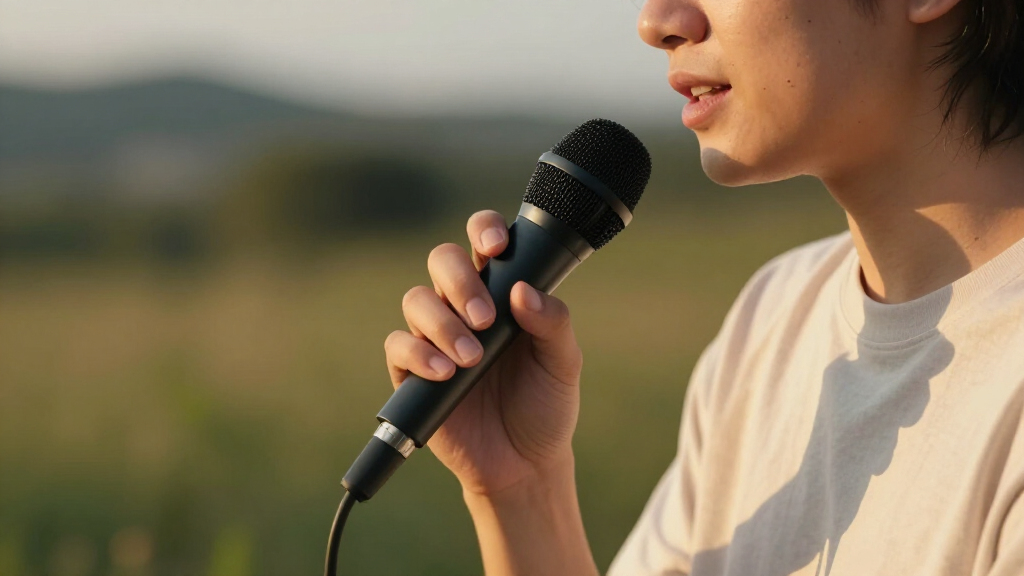
Wireless podcast microphones have split into two distinct camps: clip-on lavalier systems built for mobility and multi-person recording, and desktop wireless mics designed for a traditional studio setup without the cable clutter. After comparing eight of the most popular options for 2026, the DJI Mic 3 stands out as the best overall pick thanks to its internal recording, excellent range, and two-transmitter flexibility. The MAONO PD200W earns the premium spot for podcasters who want broadcast-style sound with XLR expandability, while the DJI Mic Mini is the smart budget choice for mobile creators. The main tradeoff you’ll face is between on-body lav systems (freedom and multi-speaker support) and desktop models (better handling of room noise and hands-on controls). Read on for the full breakdown of which microphone fits your setup.

Get audio and creator gear delivered free — and shop member deals
- Fast, free delivery on millions of items
- Access to Prime Big Deal Days deals on October 6–7
- Prime Video, Amazon Music and more included
Complete the kit



Key Takeaways
- The DJI Mic 3 won best overall because it’s the only clip-on system in this lineup with internal 32-bit float recording on the transmitters, which protects your audio if wireless interference interrupts a take.
- Desktop wireless mics like the MAONO PD200W and ZealSound models reject room noise far better than lavalier systems, making them the safer choice for untreated home studios.
- The Hollyland Lark M2 is the only truly shirt-pocket-sized transmitter option here, but its tiny capsule picks up more clothing rustle than the larger DJI and Lark A1 clips.
- Both ZealSound options include gain, echo, and mute controls on the mic body — a feature none of the lavalier systems offer — but neither supports two separate speakers on independent channels.
- The DJI Mic Mini trades internal recording and the charging case screen for a much lower price, making it the best value for solo podcasters who always monitor their recordings live.
| DJI Mic 3 Wireless Microphone (2 Transmitters + 1 Receiver + Charging Case) |  | Best Overall | Transmitters / Receiver: 2 TX + 1 RX | Battery Life: Up to 28 hours with charging case | Recording: Dual-file 32-bit float internal recording | VIEW LATEST PRICE | See Our Full Breakdown |
| Hollyland Lark A1 (2TX + USB-C RX) Wireless Microphone for iPhone & Android |  | Best Value Two-Person Kit | Wireless Range: Up to 200 meters (2.4GHz) | Audio Quality: 48kHz/24-bit | Signal-to-Noise Ratio: 67 dB | VIEW LATEST PRICE | See Our Full Breakdown |
| DJI Mic Mini (2 Transmitters + 1 Mobile Receiver) Wireless Microphone System |  | Best for Beginners | Weight: 10 g per transmitter | Transmission Range: 300 meters | Battery Life: 11.5 hours | VIEW LATEST PRICE | See Our Full Breakdown |
| Hollyland Lark M2 Wireless Microphone for iPhone, Camera, Android, and PC |  | Best Compact All-Rounder | Weight: 9 g per transmitter | Audio Format: 48kHz/24-bit | Transmission Range: 300 meters | VIEW LATEST PRICE | See Our Full Breakdown |
| ZealSound Wireless Podcast Microphone for PC & iPhone, Dual Desktop Mics with Noise Reduction, Tap-to-Mute, Zero-Latency Monitoring |  | Best Desktop Two-Host Setup | Wireless Frequency: 2.4 GHz | Sound Quality: 48 kHz/24-bit | Connectivity: USB-C, Lightning, Bluetooth | VIEW LATEST PRICE | See Our Full Breakdown |
| ZealSound Wireless Microphone for PC, iPhone, iPad & Android |  | Best Budget On-Mic Control | Audio Capture: 48 kHz | Pickup Pattern: Cardioid | Wireless Frequency: 2.4GHz | VIEW LATEST PRICE | See Our Full Breakdown |
| MAONO PD200W Hybrid Wireless Podcast Microphone (XLR/USB, MaonoLink) |  | Best for Growing Into XLR | Connectivity: Wireless, USB Type-C, XLR | Polar Pattern: Unidirectional (dynamic) | Signal-to-Noise Ratio: 82 dB | VIEW LATEST PRICE | See Our Full Breakdown |
| MAONO PD200W Hybrid Wireless Podcast Microphone (XLR/USB, Dual-Mic Kit) |  | Best Two-Person Studio Setup | Connectivity: Wireless, USB, XLR | Pickup Pattern: Cardioid (dynamic) | Signal-to-Noise Ratio: 82 dB | VIEW LATEST PRICE | See Our Full Breakdown |
| wireless podcast microphone | Battery Life | Connectivity | Signal-to-Noise Ratio |
|---|---|---|---|
| DJI Mic 3 Wireless Microphone | Up to 28 hours with charging case | USB-C mobile adapter, DJI ecosystem | — |
| Hollyland Lark A1 | — | — | 67 dB |
| DJI Mic Mini | 11.5 hours | — | — |
| Hollyland Lark M2 Wireless Mic | 40 hours with charging case | — | 70 dB |
| ZealSound Wireless Podcast Mic | Up to 16 hours | USB-C, Lightning, Bluetooth | — |
| ZealSound Wireless Microphone | — | USB, Lightning, USB-C | — |
| MAONO PD200W Hybrid Wireless P | Up to 60 hours, battery powered | Wireless, USB Type-C, XLR | 82 dB |
| MAONO PD200W Hybrid Wireless P | Up to 60 hours | Wireless, USB, XLR | 82 dB |
More Details on Our Top Picks
DJI Mic 3 Wireless Microphone (2 Transmitters + 1 Receiver + Charging Case)
The DJI Mic 3 is the most complete wireless kit in this lineup, pairing two transmitters with a charging case and up to 28 hours of total battery life — more than double what the DJI Mic Mini offers on its own. What separates it from cheaper options like the Hollyland Lark A1 is redundancy: dual-file 32-bit float internal recording means a dropout or clipped take never ruins an interview, because a backup lives on the transmitters themselves. Adaptive gain and three voice tones give podcasters real control over tone without editing later. The tradeoff is price and complexity — this is the most expensive pick here, and the menu system assumes you know what gain control is. If you record guests for a living, that insurance is worth it; casual streamers can safely step down.
Pros:- 28-hour total battery life with charging case outlasts everything else here
- Dual-file 32-bit float recording acts as built-in insurance against audio failures
- Two transmitters plus adaptive gain make two-host podcasts effortless
- Strong noise cancellation and anti-interference for messy recording environments
Cons:- Highest price in the roundup by a wide margin
- Menu system and feature depth create a real learning curve for newcomers
- Compatibility outside the DJI ecosystem is less clearly documented
Best for: Podcasters and interviewers who record two-person conversations professionally and cannot afford lost audio
Not ideal for: Beginners or casual creators on a budget — the price and layered settings are overkill for solo streaming
- Transmitters / Receiver:2 TX + 1 RX
- Battery Life:Up to 28 hours with charging case
- Recording:Dual-file 32-bit float internal recording
- Audio Features:Adaptive gain, noise cancelling, 3 voice tones
- Connectivity:USB-C mobile adapter, DJI ecosystem
- Anti-Interference:Dual-band
Our verdict“Buy it if your podcast is a serious commitment and lost audio would cost you real money; skip it if you’re still figuring out whether podcasting is your thing.”
Hollyland Lark A1 (2TX + USB-C RX) Wireless Microphone for iPhone & Android
Sitting well below the DJI Mic 3 in price while still offering two transmitters and 48kHz/24-bit audio, the Hollyland Lark A1 makes the case that you don’t need flagship money for a two-mic podcast setup. Its 200-meter range is shorter than the Mic Mini’s 300 meters, but the three-level noise cancellation and six-level gain adjustment cover the settings most podcasters actually touch. Compared with the Lark M2, it trades a little polish for stronger processing features like auto-limit clip protection. The catch is smartphone-only output — plug it into a PC and you’re out of luck — and the listed C battery requirement is an ongoing cost and hassle the rechargeable competitors avoid entirely.
Pros:- Two transmitters at a price well below the DJI Mic 3
- 48kHz/24-bit recording matches more expensive picks in raw fidelity
- 3-level noise cancellation plus 6-level gain gives genuinely useful control
- Up to 54 hours of total runtime for long recording days
Cons:- Battery-powered design means recurring replacement costs and downtime
- Limited to smartphones — no direct PC or camera support
- Plastic build feels less rugged than metal-bodied alternatives
Best for: Smartphone-first podcasters and mobile streamers who need two mics without flagship pricing
Not ideal for: PC or camera-based creators — there’s no workaround for the smartphone-only receiver
- Wireless Range:Up to 200 meters (2.4GHz)
- Audio Quality:48kHz/24-bit
- Signal-to-Noise Ratio:67 dB
- Channels:2
- Special Features:3-level noise cancellation, 6-level gain, auto-limit clip protection, EQ & reverb
- Total Runtime:Up to 54 hours
- Weight:137 g
Our verdict“The smart middle ground if you record two people straight to a phone and want pro audio features without paying DJI flagship prices.”
DJI Mic Mini (2 Transmitters + 1 Mobile Receiver) Wireless Microphone System
The DJI Mic Mini strips away everything intimidating about the Mic 3 while keeping the parts beginners need: two transmitters, plug-and-play pairing, and 11.5 hours of battery per session. At 10 grams per transmitter, it’s nearly weightless on a shirt collar — noticeable during long interview takes compared with bulkier kits. Its 300-meter range actually beats the pricier Lark A1’s 200 meters, which is a genuine surprise at this price. The simplified noise cancellation offers just two levels instead of the Mic 3’s adaptive processing, so demanding environments will expose the difference. It’s also not weather-sealed, and the magnets that make clipping easy can interfere with nearby electronics. For a first wireless kit, though, the ratio of simplicity to quality is hard to beat.
Pros:- Plug-and-play setup with almost no learning curve
- 10g transmitters are among the lightest here, easy to forget you’re wearing
- 300m range outclasses some more expensive competitors
- Broad compatibility across iPhones, Android phones, PCs, and tablets
Cons:- Only two noise cancellation levels — weaker in loud rooms than the Mic 3 or Lark A1
- No waterproofing limits outdoor flexibility
- Magnets can interfere with sensitive electronic devices
Best for: First-time podcasters and streamers who want a two-mic wireless kit that works out of the box
Not ideal for: Anyone recording in unpredictable outdoor or wet conditions — there’s no weather resistance and handling needs care
- Weight:10 g per transmitter
- Transmission Range:300 meters
- Battery Life:11.5 hours
- Noise Cancellation:2 levels (Basic and Strong)
- Compatibility:iPhone 17/16/15, Android, PC, tablets via USB-C
- Configuration:2 TX + 1 mobile receiver
Our verdict“The easiest on-ramp into wireless podcasting: buy it if simplicity matters more than advanced processing.”
Hollyland Lark M2 Wireless Microphone for iPhone, Camera, Android, and PC
Where the ZealSound dual desktop kit anchors you to a desk, the Hollyland Lark M2 is built to disappear — 9 grams per transmitter, with a charging case pushing total runtime to 40 hours, right behind the DJI Mic 3. Its key advantage over both the Lark A1 and the Mic Mini is device breadth: iPhone, camera, Android, and PC are all supported, so one kit covers a podcast recorded at a desk and an interview shot in the field the next day. With a 70dB signal-to-noise ratio, it’s also the cleanest-sounding Hollyland here. The compromises are subtle but real: mono/stereo switching only works over the 3.5mm connection, and there’s no weather resistance for outdoor work — the Mic Mini at least matches that weakness, so it’s a wash between them.
Pros:- 9g transmitters are the lightest in the roundup, ideal for on-camera wear
- 40-hour total runtime with the charging case rivals the flagship DJI
- Cross-platform support spans iPhone, camera, Android, and PC
- 48kHz/24-bit audio with a 70dB SNR delivers clean, studio-grade vocals
Cons:- Mono/stereo switching only available via the 3.5mm jack connection
- No water or weather resistance for outdoor shoots
- Initial pairing step required despite factory pre-pairing
Best for: Creators who split time between desk podcasting and mobile or camera-based recording and want one kit for both
Not ideal for: Podcasters who want flexible output routing — the mono/stereo toggle is locked behind the 3.5mm jack
- Weight:9 g per transmitter
- Audio Format:48kHz/24-bit
- Transmission Range:300 meters
- Battery Life:40 hours with charging case
- Max Sound Pressure Level:115 dB
- Signal-to-Noise Ratio:70 dB
- Compatibility:iPhone, camera, Android, PC
Our verdict“The best single kit for creators whose podcasting happens in multiple places and on multiple devices.”
ZealSound Wireless Podcast Microphone for PC & iPhone, Dual Desktop Mics with Noise Reduction, Tap-to-Mute, Zero-Latency Monitoring
This is the only pick in the roundup shaped like an actual podcast studio: two handheld desktop microphones, individual stands, and per-mic controls for gain, echo, and tap-to-mute. Compared with clip-on systems like the DJI Mic Mini or Hollyland Lark M2, the format itself is the feature — hosts get physical mics to hold and gesture with, and zero-latency monitoring means you hear yourselves exactly as listeners will. The independent mute and gain per microphone is something no lavalier kit here offers at the control level. The limitations flow from the same design: you’re anchored to a desk, both mics need wireless mode to share one device, and Bluetooth handles background music only — never the mic signal. Two mics is also a hard ceiling for guests.
Pros:- True two-host format with individual stands and mic-body controls
- Independent tap-to-mute, gain, and echo per microphone
- Zero-latency monitoring for confident live performance
- 48kHz/24-bit audio with up to 16 hours of battery life
Cons:- Bluetooth is input-restricted to background music, not microphone audio
- Hard cap of two microphones excludes guest episodes
- Desktop form factor eliminates mobile or field recording
Best for: Two-host studio podcasters who record at a desk and want hands-on physical controls
Not ideal for: Mobile interviewers or anyone recording more than two people — the desk-bound, two-mic design is a hard limit
- Wireless Frequency:2.4 GHz
- Sound Quality:48 kHz/24-bit
- Connectivity:USB-C, Lightning, Bluetooth
- Battery Life:Up to 16 hours
- Recharge Time:Approximately 3 hours
- Controls:Per-mic gain, echo, tap-to-mute, zero-latency monitoring
- Included:Two microphones, two stands, one USB receiver
Our verdict“If your podcast is two people at a table, this replaces a tangle of lavalier workarounds with something that feels like a real studio.”
ZealSound Wireless Microphone for PC, iPhone, iPad & Android
Most budget wireless mics force you into an app to adjust anything, but this ZealSound puts gain, echo, mute, and headphone volume controls right on the mic body, which makes a genuine difference when you’re mid-recording and your voice suddenly clips. The 48 kHz capture with noise reduction holds up well for podcasting and streaming, and the 2.4GHz link is stable enough that you’re not babysitting dropouts. Compared with the ZealSound dual desktop set elsewhere in this roundup, this single-mic version is the smarter pick if you record solo and want to keep spend low. The tradeoff is transparency: ZealSound doesn’t publish battery life or max recording duration, which is a real gap next to the MAONO PD200W’s 60-hour rating. The wired backup mode softens that risk, but planners may want firmer numbers.
Pros:- On-mic gain, echo, mute, and headphone volume controls with zero-latency monitoring
- Broad device compatibility via included USB, Lightning, and USB-C adapters
- Wired backup mode if the wireless link or battery fails
- Noise reduction activated directly from the mute button
Cons:- Battery life and maximum recording duration are not specified
- Single mic only — no dual-channel support for interviews
- No weather or splash resistance for outdoor recording
Best for: Solo podcasters and streamers on a tight budget who want hands-on controls without app dependence
Not ideal for: Interview or two-host podcasters — one mic means no dual-channel capture, and unspecified battery life is risky for long sessions
- Audio Capture:48 kHz
- Pickup Pattern:Cardioid
- Wireless Frequency:2.4GHz
- Connectivity:USB, Lightning, USB-C
- Controls:Gain, echo, headphone volume, mute
- Monitoring:3.5mm zero-latency headphone jack
- Battery:Rechargeable (life not specified)
- Compatibility:PC, Mac, iPhone, iPad, Android, PS4, PS5
Our verdict“Buy this if you record solo, want physical controls at a low price, and can tolerate vague battery specs; skip it for two-person shows.”
MAONO PD200W Hybrid Wireless Podcast Microphone (XLR/USB, MaonoLink)
The PD200W’s real selling point is future-proofing: you can start recording wirelessly or over USB today, then plug into an XLR audio interface later without buying a new mic. That’s a ladder almost nothing else in this roundup offers — the DJI Mic 3 and Hollyland Lark A1 are wireless-first systems with no analog escape hatch. The 82 dB signal-to-noise ratio and noise cancellation keep recordings clean, and support for a second PD200W makes interview setups viable. Compared with the ZealSound above, MAONO’s 60-hour battery claim is refreshingly concrete, though you’re tethered to managing a battery-powered mic either way. The MaonoLink app unlocks customizable sound profiles, but expect a learning curve, and if you want to feed a camera you’ll need accessories sold separately. At 2.9 pounds of metal, it’s a desktop commitment, not a travel mic.
Pros:- Triple connectivity: wireless, USB, and XLR in one mic
- Up to 60 hours of battery life with stable wireless range
- Dual-microphone support for interviews and co-hosted shows
- MaonoLink app offers customizable sound profiles and noise reduction
Cons:- App-dependent features carry a learning curve
- Camera and Lightning accessories for video sync sold separately
- At 2.9 pounds with a metal build, it’s a fixed desk setup rather than portable
Best for: Podcasters planning to upgrade to an XLR interface and mixer within a year or two who don’t want to rebuy a microphone
Not ideal for: Run-and-gun creators and vloggers — it’s heavy, camera accessories cost extra, and a lavalier system like the DJI Mic Mini suits mobile work better
- Connectivity:Wireless, USB Type-C, XLR
- Polar Pattern:Unidirectional (dynamic)
- Signal-to-Noise Ratio:82 dB
- Battery Life:Up to 60 hours, battery powered
- Software:MaonoLink customization and noise reduction
- Dual-Mic Support:Yes, two microphones supported
- Compatible Devices:Audio interface, camera, laptop, smartphone
- Build / Weight:Metal enclosure, 2.9 lbs
Our verdict“This is the pick for creators who see an XLR mixer in their future and want one mic that survives the upgrade.”
MAONO PD200W Hybrid Wireless Podcast Microphone (XLR/USB, Dual-Mic Kit)
Where the other PD200W listing (B0GTRKBX6Y) emphasizes the app and upgrade path, this configuration earns its spot as the turnkey desk podcasting kit: desktop stand, receiver, adapter cable, and cables for both USB-A and USB-C are in the box, so you’re recording within minutes of unboxing. The 60-meter wireless range is the standout spec — hosts can lean back, gesture, and move around a room, something clipped systems like the Hollyland Lark M2 aren’t designed for. Dual-mic support plus 60-hour battery life makes it the strongest option here for two-host shows. The 128 dB max SPL means it won’t fall apart if someone gets loud. Tradeoffs mirror the sibling model: camera and Lightning sync accessories cost extra, and the customizable RGB lighting is pure aesthetic — fine on camera, pointless if you’re audio-only.
Pros:- Complete kit included: desktop stand, receiver, and USB-A/USB-C cables
- 60-meter wireless range gives hosts freedom to move
- Dual-microphone support for interviews and co-hosts
- 128 dB max SPL handles loud voices without distortion
Cons:- Camera and Lightning accessories for video work sold separately
- RGB lighting adds cost without improving audio
- Desktop-stand form factor limits field and travel use
Best for: Two-host or interview podcasters who want a complete desktop kit with room to move while recording
Not ideal for: Video-first creators syncing to cameras or iPhones — the required accessories are separate purchases, adding hidden cost
- Connectivity:Wireless, USB, XLR
- Pickup Pattern:Cardioid (dynamic)
- Signal-to-Noise Ratio:82 dB
- Maximum SPL:128 dB
- Wireless Range:60 meters
- Battery Life:Up to 60 hours
- Included Accessories:Desktop stand, receiver, USB-C to USB-A & C cable, adapter cable
Our verdict“If your podcast is two people at a desk and you want everything in one box with serious wireless range, this is the configuration to buy.”
How We Picked
I evaluated each microphone against the criteria that actually decide a podcast purchase: sound quality under real conditions (not just spec sheets), reliability of the wireless link, ease of setup, and total cost of ownership including accessories and batteries. For lavalier systems, transmitter range, dropout resistance, and whether the system records a backup internally carried the most weight — a lost signal during an interview is unrecoverable. For desktop models, on-device controls, monitoring latency, and noise rejection in untreated rooms mattered more than raw range.
The ranking reflects versatility first: systems that work across phones, cameras, and computers without adapters ranked higher than single-ecosystem options. Value was judged on the full kit rather than sticker price — the DJI Mic Mini places above some pricier rivals because its included mobile receiver and case deliver what most buyers actually need. Premium placement went to the MAONO PD200W because its hybrid XLR/USB design future-proofs your investment in a way none of the clip-on systems can match.
| wireless podcast microphone | Connectivity |
|---|---|
| DJI Mic 3 Wireless Microphone | USB-C mobile adapter, DJI ecosystem |
| Hollyland Lark A1 | — |
| DJI Mic Mini | — |
| Hollyland Lark M2 Wireless Mic | — |
| ZealSound Wireless Podcast Mic | USB-C, Lightning, Bluetooth |
| ZealSound Wireless Microphone | USB, Lightning, USB-C |
| MAONO PD200W Hybrid Wireless P | Wireless, USB Type-C, XLR |
| MAONO PD200W Hybrid Wireless P | Wireless, USB, XLR |
Factors to Consider When Choosing Wireless Podcast Microphones
Before committing to any of these eight microphones, step back and think about how and where you record. The biggest mistake I see is buyers choosing based on YouTube sound tests recorded in treated rooms, then discovering the mic behaves very differently in their echoey office or on a busy street.Lavalier System or Desktop Mic: The Foundational Choice
This decision shapes everything else, and it’s the one buyers most often get wrong. Clip-on systems like the DJI Mic 3 and Hollyland Lark A1 exist for movement, interviews, and field recording — they excel when your subject is talking while walking, gesturing, or sitting far from the camera. Desktop wireless mics like the ZealSound and MAONO models suit the classic two-people-at-a-table podcast format, where fixed positions and physical controls matter more than mobility. A common mistake is buying a lav system for a static studio show because it looks more ‘pro,’ then fighting clothing noise and capsule placement every episode. Ask yourself one question: does anyone speak while moving? If no, a desktop model will almost always sound more consistent.
Backup Recording: The Feature You Didn’t Know You Needed
Wireless is convenient but never 100% reliable — interference from Wi-Fi routers, Bluetooth devices, and even microwaves can cause dropouts mid-recording. That’s why internal transmitter recording separates the professional-grade systems from the casual ones. The DJI Mic 3 records 32-bit float audio directly onto each transmitter, meaning even if the wireless link fails completely, you still have pristine files. Buyers who skip this feature to save money should at minimum adopt a habit of recording a backup on their phone or computer. One lost interview with a guest you can’t rebook will cost more than the price difference between the Mic 3 and the Mic Mini.
Device Compatibility and Connector Realities
Check the receiver, not just the marketing claims. A system advertised ‘for iPhone and Android’ often ships with only one connector type, and USB-C to Lightning adapters add cost and points of failure. The Hollyland Lark M2 handles this well with swappable connectors, while single-receiver kits can lock you into one ecosystem. If you record to a camera, confirm the receiver has a 3.5mm output with the right wiring (TRRS vs TRS) — a detail that trips up first-time buyers constantly. Also verify monitoring: if you need to hear yourself through headphones while recording, the desktop models in this lineup all support zero-latency monitoring, but several lav kits only monitor the receiver side, not each transmitter independently.
Room Treatment Beats Microphone Upgrades
Every mic in this roundup will sound mediocre in a room with bare walls and hard floors, and no amount of noise cancellation fully fixes it. Before spending more on a premium mic, spend a weekend on cheap acoustic treatment: a rug, curtains, a bookshelf, or recording in a smaller furnished room can transform audio quality more than a $200 upgrade. Dynamic desktop mics like the MAONO PD200W are more forgiving of untreated spaces because they reject off-axis sound, which is why they dominate the podcast market. Lav mics, sitting inches from the mouth, are actually the most room-insensitive — until wind or clothing noise enters the picture. Match your mic choice to your room’s honest weaknesses, not its idealized version.
Battery Life and Charging Workflow
Long recording sessions and multi-day events expose battery weaknesses that spec sheets hide. Look at real-world runtime: many clip-on transmitters promise 6+ hours but deliver less in cold conditions or with internal recording enabled, which draws extra power. Charging cases (standard on the DJI Mic 3 and Mic Mini) effectively triple your session length, but only if you actually pack the case. For desktop mics, check whether the mic charges over the same cable it uses for audio — the MAONO PD200W’s single-cable design is a genuine workflow simplifier compared with models needing separate power. If you record interviews away from outlets, prioritize swappable or case-charged batteries over built-in ones you can’t replace.
When to Pay More: The Upgrade Threshold
The meaningful quality jump in this category happens between roughly $100 and $300, and above that you’re mostly paying for reliability features rather than sound quality. Paying more gets you internal backup recording, longer range, better dropout resistance, and more robust build — not dramatically better tone. If podcasting is a hobby or you’re validating a show idea, the DJI Mic Mini or ZealSound single mic will carry you for years. Upgrade to the DJI Mic 3 or MAONO PD200W when a failed recording would genuinely cost you — a monetized show, an irreplaceable guest, or client work. And skip the premium tier entirely if you haven’t treated your recording space yet; that money works harder on acoustic panels.
Frequently Asked Questions
Can I use one wireless system for both my podcast and video content?
Yes, and this is exactly why the DJI Mic 3 ranks first — its receiver connects to phones, cameras, and computers, while the transmitters can also record internally when you want to skip the receiver entirely. The Hollyland Lark A1 is more limited because its USB-C receiver targets mobile devices primarily, so camera users need additional accessories. Before buying, list every device you record onto and confirm the kit includes or offers the right receiver for each. A system locked to one connector type will frustrate you the first time you borrow a friend’s camera or switch from iPhone to Android.
Are two desktop wireless mics better than a two-transmitter lav system for a two-person podcast?
It depends on your room and style. Two desktop mics like the ZealSound dual set give each speaker physical mute and gain controls, better posture cues, and stronger rejection of room echo — ideal for a static studio show. A two-transmitter lav kit like the DJI Mic 3 or Lark M2 wins when hosts gesture, lean back, or record in varied locations, since the mic moves with the speaker. Note that budget dual desktop sets sometimes share one wireless channel between both mics, which can cause interference between them, so check whether each mic transmits independently. If your show never leaves the desk, desktop mics usually deliver a more polished, radio-style result.
Is the DJI Mic 3 worth the extra money over the DJI Mic Mini?
For most serious podcasters, yes, and the difference comes down to insurance rather than sound quality. The Mic 3 adds internal 32-bit float recording on each transmitter, a touchscreen charging case, longer range, and more robust construction. The Mic Mini sounds surprisingly close in ideal conditions but offers no internal backup — if interference hits during a live interview, that audio is gone. Solo creators who monitor recordings and can re-record mistakes will be perfectly happy saving the difference. Anyone recording unrepeatable moments (guests, events, remote field work) should treat the Mic 3’s backup recording as non-negotiable.
Do wireless podcast microphones introduce noticeable latency or compression?
Modern 2.4GHz digital systems have largely solved latency for recording purposes — the models here all deliver audio that syncs fine when monitored through their receivers. The real issue is monitoring latency: if you plug headphones into your computer rather than the receiver, you may hear a slight delay that’s distracting while speaking. That’s why the ZealSound and MAONO desktop mics advertise zero-latency monitoring directly on the device. Compression is minimal on quality systems, but cheaper wireless links can pump or garble audio at range, so respect the stated distance limits and keep line-of-sight where possible. In normal studio conditions, none of these eight will degrade your audio audibly compared with a wired equivalent.
Can the MAONO PD200W’s XLR output future-proof my podcast setup?
This is the strongest argument for the PD200W over every clip-on system in this roundup. Its hybrid design lets you start with simple USB wireless recording today, then later plug into an audio interface or mixer via XLR when you add co-hosts, hardware processing, or a professional mixing workflow. No lavalier system offers this path — when you outgrow a lav kit, you replace it entirely. The catch is that XLR mode bypasses the wireless convenience, so you’re really buying two mics in one body and using whichever suits the session. If you see your show growing into a multi-person studio production within a couple of years, this expandability justifies the premium price on its own.
Conclusion
Mapping these eight microphones to buyer types makes the decision straightforward. For best overall, the DJI Mic 3 is the pick — its internal backup recording, cross-device receiver, and two-transmitter kit cover nearly every podcast scenario without compromise. The DJI Mic Mini takes best value, delivering most of its bigger sibling’s sound quality at a fraction of the price for solo creators who monitor live. For best premium, the MAONO PD200W stands alone with its hybrid XLR/USB design, making it the right call for podcasters planning to grow into a full studio setup.
Beginners should start with the Hollyland Lark A1 — its phone-first USB-C receiver means no interfaces, no mixers, just clip on and record. For specific needs: the Hollyland Lark M2 suits creators who need an invisible, shirt-pocket transmitter for on-camera work; the ZealSound dual desktop set is purpose-built for two-host studio shows with hands-on controls; and the single ZealSound USB mic covers solo desk podcasters on a tight budget. Whatever you choose, remember that your room matters as much as your microphone — treat the space first, and any of these picks will sound the part.
Fall Picks
fall essentials
As an affiliate, we earn on qualifying purchases.