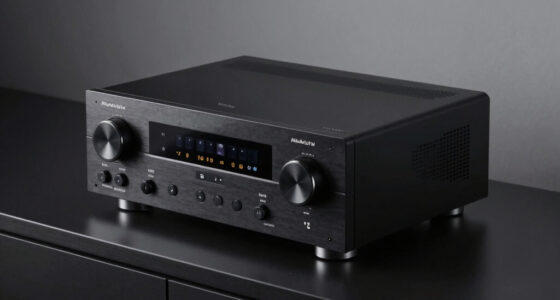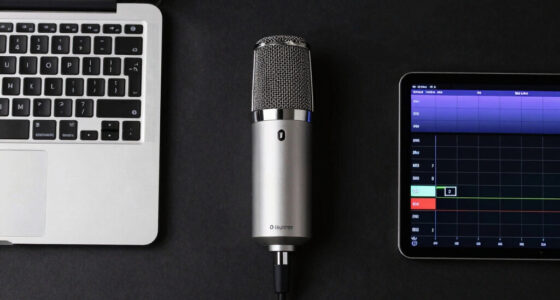
The best wireless studio monitor speakers deliver a flat, trustworthy frequency response while letting you stream from your laptop, phone, or tablet without a tangle of cables. My top pick is the Edifier MR3, which balances Bluetooth convenience with genuinely mix-worthy accuracy and front-panel tuning controls. The PreSonus Eris 3.5 stands out as the strongest choice for pure accuracy at a desk-friendly size, while the Mackie CR3.5BT wins on connectivity flexibility with its multiple wireless and wired input options. The main tradeoff in this category is between mixing accuracy and casual listening enjoyment — some of these pairs flatter music beautifully but hide mixing flaws, which is fine for gaming or media consumption but risky for production work. Size and desk placement matter too, since 3.5-inch woofers dominate this list and behave differently depending on how close you sit. Keep reading for the full breakdown of which pair fits your setup, your budget, and your actual use case.

Get audio and creator gear delivered free — and shop member deals
- Fast, free delivery on millions of items
- Access to Prime Big Deal Days deals on October 6–7
- Prime Video, Amazon Music and more included
Key Takeaways
- The Edifier MR3 earned best overall because it was the only model in this lineup that paired Bluetooth streaming with the acoustic tuning controls (high/low trim, desk cut) normally reserved for wired-only studio monitors.
- The PreSonus Eris 3.5 and Ortizan C7 split the difference between accuracy and lifestyle appeal: the Eris prioritizes a flatter response for mixing, while the C7 leans warmer and fuller for gaming, streaming, and casual listening.
- Only three of the seven models (MR3, Mackie CR3.5BT, Ortizan C7) actually offer Bluetooth — the M-Audio BX3, PreSonus Eris 3.5 base model, and Edifier R1280T are wired-only, so ‘wireless’ in this category often means adding a separate adapter.
- The Edifier R1280T is the weakest fit for the studio-monitor promise here — it’s tuned as a bookshelf hi-fi speaker with a warm, bass-forward character that flatters music but hides low-mid problems in a mix.
- At the 3.5-inch size class that dominates this roundup, expect honest mids and tight but limited bass below ~70Hz; anyone mixing bass-heavy genres should plan on adding a subwoofer regardless of which pair they choose.
| Ortizan C7 Powered Studio Monitors, Pair, White |  | Best Budget Wireless Pick | Speaker type: Powered studio monitor | Quantity: Pair | Mid-bass driver: 3.5-inch carbon fiber | VIEW LATEST PRICE | See Our Full Breakdown |
| M-Audio BX3 3.5-Inch Wired Studio Monitors, Pair |  | Best Starter Kit for New Producers | Speaker configuration: 1 active speaker and 1 passive speaker | Woofer: 3.5-inch black Kevlar | Tweeter: Natural silk dome | VIEW LATEST PRICE | See Our Full Breakdown |
| Ortizan C7 Powered Studio Monitor Speakers, Pair, Bluetooth 5.3, Black |  | Best Wireless Connectivity for the Money | Model: C7 | Quantity: Pair | Bluetooth: Version 5.3 | VIEW LATEST PRICE | See Our Full Breakdown |
| PreSonus Eris 3.5 Powered Studio Monitors, Stereo Pair |  | Best Overall | Quantity: Stereo pair | Amplification: 50 watts | Woofer: 3.5-inch woven composite | VIEW LATEST PRICE | See Our Full Breakdown |
| Edifier MR3 Powered Studio Monitor Speakers with Bluetooth |  | Best Premium Sound Flexibility | Frequency response: 52 Hz–40 kHz | RMS output: 18 W × 2 | Peak SPL: 92.5 dB | VIEW LATEST PRICE | See Our Full Breakdown |
| Edifier R1280T Powered Bookshelf Speakers |  | Best Analog-Only Value | Speaker type: Powered bookshelf speakers | Configuration: 2.0 stereo | Tweeter: 13 mm silk dome | VIEW LATEST PRICE | See Our Full Breakdown |
| Mackie CR3.5BT Bluetooth Studio Monitors, Pair |  | Best Hybrid Pick for Studio and Streaming | Speaker type: Powered studio monitors | Quantity: Pair | Connectivity: Bluetooth, RCA, TRS | VIEW LATEST PRICE | See Our Full Breakdown |
| wireless studio monitor speaker | Tweeter | Inputs | Quantity |
|---|---|---|---|
| Ortizan C7 Powered Studio Moni | 0.75-inch silk dome | — | Pair |
| M-Audio BX3 3.5-Inch Wired Stu | Natural silk dome | 1/4-inch, 1/8-inch, and RCA | — |
| Ortizan C7 Powered Studio Moni | 0.75-inch silk dome | USB, RCA, 3.5 mm AUX, 6.35 mm TRS balanced | Pair |
| PreSonus Eris 3.5 Powered Stud | 1-inch silk dome | Balanced TRS, RCA, front-panel auxiliary | Stereo pair |
| Edifier MR3 Powered Studio Mon | — | Balanced TRS, RCA, AUX | — |
| Edifier R1280T Powered Bookshe | 13 mm silk dome | Two AUX inputs; 3.5 mm or dual RCA | — |
| Mackie CR3.5BT Bluetooth Studi | — | — | Pair |
More Details on Our Top Picks
Ortizan C7 Powered Studio Monitors, Pair, White
The white Ortizan C7 makes the most sense for buyers who want wireless convenience without paying a premium. Unlike the M-Audio BX3, which forces you to run cables between desk and speakers, this pair streams over Bluetooth 5.3 while still offering balanced TRS inputs and USB audio through a built-in 24-bit DAC — a combination the BX3 can’t match at any price. The front headphone output is a genuinely useful touch for late-night editing sessions. Compared with the PreSonus Eris 3.5, the C7 gives up published power and frequency-response specs, which means you’re trusting your ears rather than data sheets. That opacity is the real tradeoff here: casual listeners will be satisfied, but anyone mixing critically may want documented performance numbers before committing.
Pros:- Bluetooth 5.3 plus USB, RCA, AUX, and balanced TRS inputs cover nearly every source
- Built-in 24-bit DAC improves USB audio from computers
- Both speakers are powered, unlike single-amp passive designs
- Front-panel headphone output for private monitoring
Cons:- No published power output or frequency-response specifications
- 3.5-inch drivers limit low-end extension for bass-heavy work
Best for: Students and home-office users who want tidy, cable-free desktop audio with occasional mixing duties
Not ideal for: Engineers who need verified frequency-response and power specs before trusting a monitor for mixing decisions
- Speaker type:Powered studio monitor
- Quantity:Pair
- Mid-bass driver:3.5-inch carbon fiber
- Tweeter:0.75-inch silk dome
- DAC:24-bit
- Connectivity:Bluetooth 5.3, USB, RCA, 3.5 mm AUX, 6.35 mm TRS
- Headphone output:Front panel
- Color:White
Our verdict“A sensible wireless-first desktop pair for casual producers and listeners who value connectivity over certified specs.”
M-Audio BX3 3.5-Inch Wired Studio Monitors, Pair
The M-Audio BX3 stands out as the most complete beginner package in this lineup — cables, foam isolation feet, and MPC Beats software arrive in the box, so a first-time producer can be making music within minutes of unboxing. The 120W rating and Kevlar woofers give it more headroom on paper than the Ortizan C7, and the front-panel EQ dials plus a Left/Right position switch let you tailor the pair to an awkward desk setup, something the PreSonus Eris 3.5 handles only through its rear tuning controls. The tradeoff is structural: only one speaker is active, so the second is passive and wired to the first, which limits placement and means a single amp drives both channels. There’s no Bluetooth either — this is a wired, desk-bound tool by design.
Pros:- Includes cables, foam feet, and MPC Beats software out of the box
- High and Low EQ dials allow desk-specific sound shaping
- Left/Right Active Speaker Position switch adds setup flexibility
- Front-panel AUX input and headphone jack keep sources within reach
Cons:- Only one speaker is powered, limiting placement and channel separation
- No wireless connectivity of any kind
Best for: First-time producers who want monitors, cables, feet, and DAW software bundled together
Not ideal for: Anyone wanting a wireless desktop setup — the hardwired passive design restricts placement
- Speaker configuration:1 active speaker and 1 passive speaker
- Woofer:3.5-inch black Kevlar
- Tweeter:Natural silk dome
- Cabinet material:MDF with bass reflex design
- Power:120W
- Inputs:1/4-inch, 1/8-inch, and RCA
- Front-panel connections:1/8-inch AUX input and headphone output
- Controls:High/Low EQ dials; Left/Right Active Speaker Position switch
- Included software:MPC Beats
Our verdict“The best value for beginners building a first wired production desk, provided cables running across the workspace aren’t a dealbreaker.”
Ortizan C7 Powered Studio Monitor Speakers, Pair, Bluetooth 5.3, Black
This black edition of the Ortizan C7 is functionally the same speaker as the white version — Bluetooth 5.3, a 24-bit DAC, balanced TRS inputs, and a front headphone jack — so the choice between them comes down purely to aesthetics on your desk. Where it earns a separate slot is against the Mackie CR3.5BT: the C7 black adds USB audio with its own DAC, giving computer users a cleaner digital path than Bluetooth alone can provide. That said, the same caveat applies here as with its white sibling: no published power or frequency-response figures, while the Edifier MR3 openly lists a 52 Hz–40 kHz range. If transparent, documented performance matters to you, the MR3 is the stronger pick; if connection flexibility at a lower cost is the priority, this C7 holds its own.
Pros:- Bluetooth 5.3 streaming alongside USB, RCA, AUX, and balanced TRS inputs
- Built-in 24-bit DAC delivers cleaner computer audio than Bluetooth alone
- Both speakers powered for true stereo amplification
- Front-panel headphone output for silent monitoring
Cons:- No power or frequency-response specifications published
- 0.75-inch tweeter is smaller than the 1-inch units in rivals like the Edifier MR3
Best for: Buyers matching a dark desk setup who want Bluetooth plus USB digital audio in one pair
Not ideal for: Detail-obsessed mixers who rely on published frequency-response data to make buying decisions
- Model:C7
- Quantity:Pair
- Bluetooth:Version 5.3
- DAC:Built-in 24-bit
- Mid-bass driver:3.5-inch carbon fiber
- Tweeter:0.75-inch silk dome
- Inputs:USB, RCA, 3.5 mm AUX, 6.35 mm TRS balanced
- Output:Front-panel headphone output
- Color:Black
Our verdict“Choose this over the white C7 purely for looks, and over the BX3 for wireless freedom — just accept the missing spec sheet.”
PreSonus Eris 3.5 Powered Studio Monitors, Stereo Pair
The PreSonus Eris 3.5 takes the top spot because it’s the most honest monitor in this group: 50 watts of stated amplification, a published 80 Hz–20 kHz frequency range, and genuine acoustic tuning controls — the combination of transparency and adjustability that the Ortizan C7 pairs lack entirely. While it skips Bluetooth (the Mackie CR3.5BT covers that niche), its balanced TRS, RCA, and front auxiliary inputs handle every common studio and consumer source, and the front headphone jack mirrors the Ortizan convenience. Compared with the M-Audio BX3, both Eris speakers are individually powered, so you get cleaner channel separation and freer placement. The limitation to accept is the modest 80 Hz low end — bass-heavy genres will miss the bottom octave that the Edifier MR3 reaches down to at 52 Hz, so a subwoofer may eventually join your shopping list.
Pros:- Published power and frequency-response specs you can plan a setup around
- High- and low-frequency acoustic tuning adapts the pair to different rooms
- Both speakers fully powered for proper stereo placement
- Balanced TRS plus RCA and front AUX inputs cover studio and consumer gear
Cons:- 80 Hz low-frequency limit leaves the deepest bass untouched
- No Bluetooth connectivity despite the wireless focus of this category
Best for: Home producers and podcasters who want flat, tunable, professionally specified monitors for daily mixing
Not ideal for: Wireless-first listeners — there’s no Bluetooth, so every source needs a cable
- Quantity:Stereo pair
- Amplification:50 watts
- Woofer:3.5-inch woven composite
- Tweeter:1-inch silk dome
- Frequency range:80 Hz–20 kHz
- Inputs:Balanced TRS, RCA, front-panel auxiliary
- Headphone jack:Front panel
- Acoustic controls:High- and low-frequency tuning
Our verdict“The most trustworthy all-around monitoring choice here — just pair it with a sub if your work depends on deep bass.”
Edifier MR3 Powered Studio Monitor Speakers with Bluetooth
The Edifier MR3 is the pick for listeners who refuse to choose between monitoring accuracy and casual enjoyment. Its 52 Hz–40 kHz Hi-Res certified range beats both the PreSonus Eris 3.5 (80 Hz floor) and the Ortizan C7 (undisclosed) on paper, reaching deeper bass and more airy treble than anything else in this batch. The clever part is the Music, Monitor, and Custom listening modes with app-based EQ — flip to Monitor for honest mixing, back to Music for streaming — while Bluetooth multipoint lets a phone and laptop stay connected simultaneously, something the Ortizan pairs don’t offer. The honest tradeoff: at 18 W RMS per side, it won’t fill a large room the way the 50-watt Eris can, and its performance reputation is still unproven compared with long-established rivals like the Eris line.
Pros:- Hi-Res certified 52 Hz–40 kHz frequency response, the widest in this lineup
- Bluetooth multipoint keeps two devices connected at once
- Switchable Music, Monitor, and Custom modes with app-based EQ
- MDF cabinets and balanced TRS inputs for serious and casual sources alike
Cons:- Only 18 W RMS per speaker limits maximum output in bigger spaces
- Newer model with a shorter track record than established rivals like the Eris 3.5
Best for: Dual-purpose desktop users who mix by day and stream music by night from a small room
Not ideal for: Anyone monitoring in a larger room — the modest 18 W per channel output limits playback volume
- Frequency response:52 Hz–40 kHz
- RMS output:18 W × 2
- Peak SPL:92.5 dB
- Drivers:3.5-inch mid-low drivers and 1-inch tweeters
- Inputs:Balanced TRS, RCA, AUX
- Bluetooth:Multipoint connection
- Additional output:Headphone output
- Listening modes:Music, Monitor, and Custom
- Cabinet material:MDF
Our verdict“The best-specified wireless monitor here for small-room creators who want one pair for work and play, short of room-shaking volume.”
Edifier R1280T Powered Bookshelf Speakers
Here’s the honest caveat first: the R1280T has no Bluetooth at all, which puts it at odds with the wireless theme of this roundup. So why does it still earn a slot? Because at this price, the sound-per-dollar argument is hard to beat, and buyers who stream through a DAC, audio interface, or smart TV get two simultaneous AUX inputs — a genuine convenience the single-input Ortizan C7 can’t match. The silk dome tweeter and 4-inch driver produce a warmer, more forgiving signature than the Mackie CR3.5BT’s flatter monitor tuning, which makes long listening sessions easier on the ears. Tone adjustments run deeper too, with separate bass and treble controls plus a remote, rather than Mackie’s single tone knob. The tradeoff is total: no wireless streaming, no Bluetooth convenience, and the vinyl-wrapped MDF feels less premium than Edifier’s own MR3.
Pros:- Two simultaneous AUX inputs let you keep a DAC and a phone dock connected without swapping cables
- Separate bass and treble controls plus a remote give real tone shaping, not just volume
- Warm, relaxed sound signature suits long casual listening sessions
- Undercutting most monitors in this roundup on price while including accessories
Cons:- No Bluetooth or any wireless connectivity — the odd one out in a wireless roundup
- Wood-effect vinyl on MDF looks less refined than the finishes on the Edifier MR3 or PreSonus Eris 3.5
- Full-range 4-inch driver lacks the dedicated woofer/tweeter separation of true studio monitors
Best for: Listeners who already own a DAC, interface, or streaming source and want warm, adjustable sound at a low price
Not ideal for: Anyone who wants cable-free streaming from a phone or laptop — these have no wireless capability whatsoever
- Speaker type:Powered bookshelf speakers
- Configuration:2.0 stereo
- Tweeter:13 mm silk dome
- Driver:4-inch full-range
- Inputs:Two AUX inputs; 3.5 mm or dual RCA
- Controls:Remote control; side panel volume, bass, and treble
- Cabinet material:MDF with wood-effect vinyl finish
Our verdict“Buy these only if your source gear already handles streaming, because the sound quality punches above the price but the wireless features simply don’t exist.”
Mackie CR3.5BT Bluetooth Studio Monitors, Pair
The CR3.5BT is the most flexible connector in this lineup, offering Bluetooth alongside RCA and TRS inputs, which means one pair of speakers can serve a mixing desk and a phone without touching a cable. Compared with the Ortizan C7, Mackie’s TRS inputs make it a legitimate partner for an audio interface, while its single tone knob is simpler — though cruder — than the Edifier R1280T’s separate bass and treble dials. The standout detail is the desktop/bookshelf placement switch, which compensates for boundary reinforcement when speakers sit close to a wall, something none of the other entries here offer. The bundled isolation pads and cables save a second shopping trip, too. The compromises are real: 50 watts of output and 3.5-inch woofers mean modest low-end reach, and like every powered monitor here, they still need a corded power connection.
Pros:- Bluetooth plus RCA and TRS inputs handle both casual streaming and interface-driven production
- Desktop/bookshelf placement switch corrects bass buildup from near-wall positioning
- Isolation pads and multiple cables included in the box, saving accessory purchases
- Balanced TRS inputs reduce noise when connected to professional audio gear
Cons:- Single tone knob is a blunt instrument compared with the R1280T’s separate bass and treble controls
- 50W total output and compact woofers limit volume and low-frequency extension
- Requires corded power and offers no water resistance for flexible placement
Best for: Home producers and desktop creators who bounce between an audio interface and Bluetooth streaming and want both to sound right
Not ideal for: Anyone needing deep bass or high volume — the 3.5-inch woofers and 50W output run out of low-end headroom quickly
- Speaker type:Powered studio monitors
- Quantity:Pair
- Connectivity:Bluetooth, RCA, TRS
- Maximum output power:50 watts
- Woofer diameter:3.5 inches
- Tweeter diameter:1 inch
- Dimensions:7.1 × 5.5 × 8.1 inches
- Included accessories:Isolation pads, 1/8-inch to 1/8-inch cable, 1/8-inch to RCA cable, speaker wire
- Warranty:1 year
Our verdict“This pair makes the most sense for a single desk that has to do double duty as a production station and an everyday Bluetooth speaker setup.”

How We Picked
My ranking starts with one question: does this speaker behave like a studio monitor, or like a lifestyle speaker wearing the label? I weighed frequency response honesty first — monitors are supposed to reveal flaws, not flatter them — then judged how well each pair translates mixes to other systems. From there I evaluated the wireless experience itself: Bluetooth codec support, connection stability, and whether the wireless input coexists cleanly with wired sources. Front-panel controls, input selection, and desktop placement compensation (desk-boundary EQ switches) separated models designed for real production desks from generic desktop speakers.
Practical factors rounded out the scoring: build quality at each price point, connectivity flexibility (TR/XLR vs. RCA only), warranty length, and whether the pair includes the cables you need on day one. I also considered who each model is genuinely for — a bedroom producer mixing nightly has different needs than a gamer or content creator who mostly streams audio. That’s why the ranking isn’t strictly ‘best sound first’; it reflects fit-for-purpose, and each entry names who should skip it.
| wireless studio monitor speaker | Quantity |
|---|---|
| Ortizan C7 Powered Studio Moni | Pair |
| M-Audio BX3 3.5-Inch Wired Stu | — |
| Ortizan C7 Powered Studio Moni | Pair |
| PreSonus Eris 3.5 Powered Stud | Stereo pair |
| Edifier MR3 Powered Studio Mon | — |
| Edifier R1280T Powered Bookshe | — |
| Mackie CR3.5BT Bluetooth Studi | Pair |
Factors to Consider When Choosing Wireless Studio Monitor Speakers
Before pulling the trigger on any pair of wireless studio monitor speakers, a few category-wide realities will shape whether you end up happy with your purchase. These are the factors that separated the winners from the compromises in this roundup.Wireless Convenience vs. Mixing Accuracy
The single biggest tension in this category is that Bluetooth convenience and mix accuracy pull in opposite directions. Bluetooth audio is compressed and adds latency, which is fine for referencing tracks and casual listening but introduces subtle artifacts you might mistakenly ‘fix’ in a mix. The smart workflow most producers land on is wireless for playback and reference, wired for tracking and mixing — so a pair with both Bluetooth and balanced TRS/XLR inputs gives you the best of both worlds. Models that force you to choose one or the other (wired-only monitors like the PreSonus Eris 3.5, or Bluetooth lifestyle speakers with only RCA inputs) lock you into a compromise. The mistake I see most often is buyers paying extra for wireless on a pair they’ll end up hardwiring anyway, or buying wired-only monitors and then dongling a Bluetooth receiver into a cheap DAC. Decide up front which listening mode matters more to you, and buy accordingly.
Driver Size and What Bass Response You Can Honestly Expect
Almost everything in this roundup sits in the 3-to-4-inch woofer class, and that comes with a hard physical limit: you will not hear accurate bass below roughly 60–70Hz. That’s not a flaw in any particular model — small woofers simply can’t move enough air. What this means practically is that mixes made solely on small monitors can have bass problems that only appear in your car or on headphones. The buyers this affects most are anyone producing hip-hop, EDM, or any bass-forward genre. If that’s you, budget for a subwoofer later or treat the small pair as a mid-range reference alongside quality headphones. Buyers who mostly podcast, edit video, or listen to music can ignore this entirely — 3.5-inch monitors are genuinely excellent for those jobs. Also pay attention to woofer material and port design: a rear-firing port pushed against a wall will boom unnaturally, which is why front-ported designs suit cramped desks better.
Input Connectivity and Future-Proofing
Inputs determine how long your monitors stay useful as your setup grows, and this is where cheap pairs quietly cut corners. An RCA-only input works fine for a computer headphone jack today but picks up noise and doesn’t accept professional gear later. Balanced TRS or XLR inputs reject interference and connect directly to audio interfaces, making them the difference between a starter pair and a keep-for-years pair. Also check how inputs are selected: some monitors auto-switch between Bluetooth and wired, while others require holding a button or unplugging cables, which gets tedious fast. Think about the sources you’ll actually use in year two, not just year one — interface, phone, turntable, TV. A front-panel headphone jack is another underrated convenience; it lets you A/B between speakers and headphones without reaching behind your desk.
Acoustic Tuning Controls and Your Room
Every room colors sound, and desk placement makes it worse — a speaker sitting on a desk against a wall picks up bass buildup that can make mixes sound boomy in your room but thin everywhere else. This is why high/low trim switches and acoustic space controls matter more than most buyers realize. The PreSonus Eris 3.5 and Edifier MR3 both include tuning controls that let you compensate for desk and wall placement, while lifestyle-focused pairs often offer nothing. Without these controls, your only fix is physical: moving the speakers, adding foam isolation pads, or treating the room — all of which cost money or space. My advice is to treat tuning controls as a must-have if your monitors will sit on a desk in an untreated room, which describes the majority of home setups. Skip them only if you have proper stands and a treated space.
Studio Monitor vs. Bookshelf Speaker: The Label Problem
Not everything sold as a ‘studio monitor’ is one, and the marketing in this price range is blurry on purpose. A true monitor aims for a flat, revealing response; a bookshelf hi-fi speaker aims for a pleasant, flattering one. The Edifier R1280T is the clearest example in this roundup — it’s an excellent bookshelf speaker, but its warm, bass-boosted character hides exactly the low-mid mud you’d want to hear when mixing. Neither tuning is wrong; the question is which serves your actual use. If you’re editing podcasts, gaming, or streaming music, the flattering pair might genuinely make you happier. If you’re producing and mixing your own music, the flattering pair will quietly sabotage your work. A quick self-check: if you’ve never compared your mix on three different systems, you’re the buyer who needs the honest monitor, not the pretty one.
True Cost of Ownership: Cables, Stands, and Isolation
The sticker price of the speakers is rarely the full cost of a working setup. Check what’s in the box: some pairs include speaker wire and a 3.5mm-to-RCA cable (the Ortizan and Mackie pairs are good about this), while others assume you already own everything. Then factor in isolation pads or foam wedges, which typically cost a modest amount but meaningfully clean up desk resonance, and possibly desk stands or brackets to get the tweeters to ear height. Cables long enough to reach your listening position matter too — the included interconnect is often too short for anything but a tight desk setup. None of these extras are expensive individually, but they can add a meaningful percentage to a budget pair’s cost. Budget for them from the start rather than discovering them one frustrated week at a time.
Frequently Asked Questions
Can I actually mix music on Bluetooth studio monitors, or do I need a wired connection?
For serious mixing, a wired connection is still the right call. Bluetooth compresses the audio and adds latency, which means what you hear over wireless is slightly altered and slightly delayed relative to your session — fine for listening back to references or streaming, but risky when making EQ and balance decisions. The best approach with the wireless models in this roundup, like the Edifier MR3 or Mackie CR3.5BT, is to use their balanced wired inputs connected to an audio interface while you work, and save Bluetooth for casual listening from your phone. If your monitors will live in a dual role — production rig and living-room-style speaker — this hybrid workflow is exactly why Bluetooth-capable monitors exist. The mistake to avoid is doing final mix decisions purely over a Bluetooth stream.
Do I need a subwoofer with 3.5-inch studio monitors?
It depends entirely on the genres you work in. A 3.5-inch woofer typically rolls off somewhere in the 60–70Hz range, which means kick drum fundamentals are partially audible but sub-bass content from 808s, synths, and bass drops simply isn’t represented. If you mix hip-hop, EDM, or cinematic content, a subwoofer (or a good pair of headphones as a low-end check) is practically a requirement at some point. If you work on podcasts, singer-songwriter material, video editing, or mostly listen for pleasure, the small monitors alone are genuinely sufficient and a sub would add more problems than it solves in a small room. One pattern from this roundup worth noting: models with tuning switches let you dial back the bass boost a small woofer sometimes exaggerates, which helps you judge what little low end the speakers do reproduce more honestly.
What’s the real difference between the wired PreSonus Eris 3.5 and Bluetooth-enabled monitors like the Mackie CR3.5BT?
Beyond the obvious wireless feature, the differences show up in tuning philosophy and input flexibility. The Eris 3.5 is built around accuracy and includes acoustic tuning controls to compensate for desk placement, making it the more mix-focused tool even though it lacks Bluetooth. The Mackie CR3.5BT prioritizes versatility — multiple wired inputs plus wireless streaming — which suits content creators and multi-source setups, but its voicing is slightly more forgiving rather than strictly neutral. If you’re buying primarily to mix and already own an interface, the wired pair plus a cheap Bluetooth receiver can actually be the smarter setup. If your sources change constantly (laptop, phone, TV, console), the Bluetooth-native pair saves daily friction. Neither is better in the abstract; the deciding factor is whether your workflow starts at an interface or at whatever device is in your hand.
Are the Edifier R1280T speakers good enough to double as studio monitors?
They can work in a pinch, but I’d steer anyone mixing regularly toward a true monitor instead. The R1280T is tuned like a hi-fi bookshelf speaker: warm, full, and pleasant, with a bass emphasis that makes music sound inviting but masks the low-mid buildup and mud you need to hear when balancing a mix. The practical consequence is that mixes made on flattering speakers tend to sound thin on neutral systems — you compensate for a bass boost that only exists in your room. If your use case is 80% music enjoyment, streaming, and general desktop audio with occasional light editing, they’re a legitimately enjoyable pair and often cheaper than studio-tuned alternatives. But if ‘studio monitor’ in your search means you’re producing your own tracks, the Edifier MR3 from the same brand is the better-matched tool.
Is the difference between the white and black Ortizan C7 pairs more than just color?
For the models in this roundup, the white and black C7 variants are functionally the same speaker — same drivers, same Bluetooth 5.3, same amplifier — so the choice is purely aesthetic and occasionally price-related depending on which finish a seller discounts. That said, color does have a minor practical angle worth knowing: white cabinets show dust less conspicuously in bright rooms but can pick up yellowing over years of sun exposure, while black blends into most studio setups and hides scuffs better. If you’re choosing between the two, buy whichever finish matches where they’ll live rather than worrying about sound. The more meaningful comparison is between the C7 itself and the other wireless options here — its warmer voicing suits gaming, streaming, and casual listening more than critical mixing, so finish choice matters far less than whether its tuning fits your use case.
Conclusion
After comparing all seven pairs, my recommendations map cleanly to buyer types. For the best overall pick, the Edifier MR3 stands out as the only model that combines genuine studio tuning controls with Bluetooth streaming, making it the most versatile choice for anyone who both produces and listens wirelessly. The PreSonus Eris 3.5 is my best value for accuracy — it delivers the flattest, most mix-trustworthy response per dollar in this lineup, provided you can live without built-in wireless. For the best beginner setup, the Mackie CR3.5BT makes the most sense thanks to its forgiving tuning, multiple input options, and everything-included convenience that removes setup guesswork. The Ortizan C7 is the right call for a specific need: buyers who want a warmer, fuller sound for gaming, streaming, and casual listening rather than critical mixing — pick whichever finish suits your space. Finally, the M-Audio BX3 suits tight budgets and cramped desks where its small footprint and included accessories get you making sound immediately, while the Edifier R1280T earns a spot only for listeners whose priority is enjoyable music playback over honest monitoring. Match the pick to your actual workflow, not the spec sheet, and you’ll end up with a pair that earns its desk space for years.
Fall Picks
fall essentials
As an affiliate, we earn on qualifying purchases.