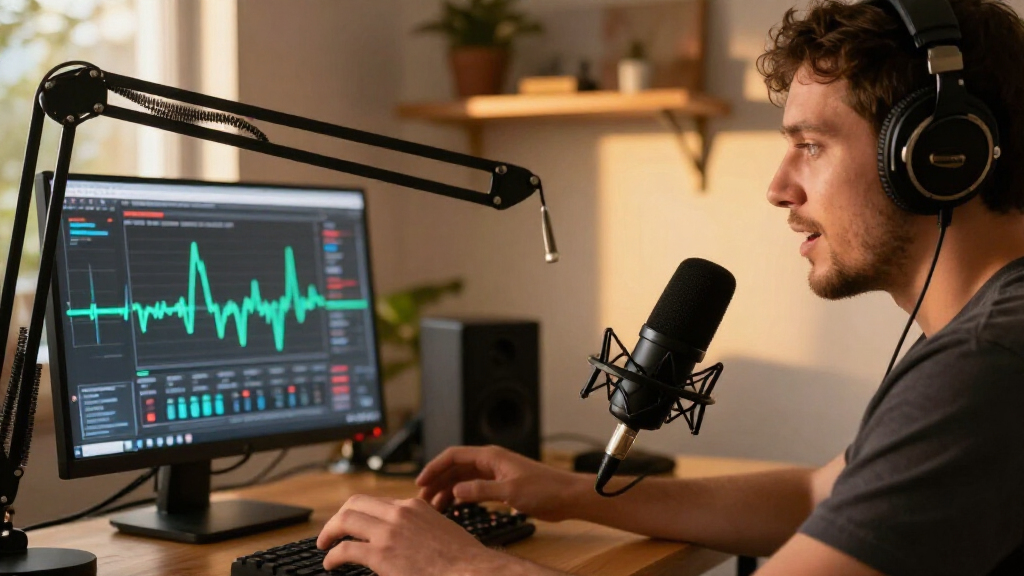

Streamers comparing the Shure MV7+ and Rode PodMic USB are choosing between extra control and a lower-cost route to a broadcast-style setup. Both are dynamic microphones with USB and XLR connections, so either can connect directly to a computer or grow into an audio interface setup later. The MV7+ costs more, but adds features such as onboard digital processing, a touch panel, and a configurable LED display. The PodMic USB keeps the feature set more focused and puts more emphasis on rugged construction and Rode’s companion software. Choose Shure if you want hands-on adjustments and a polished software-free workflow; choose Rode if you want to spend less while keeping both USB and XLR available.

Get audio and creator gear delivered free with Prime
- Fast, free delivery on millions of items
- Prime Video, Amazon Music and more included
- Member-only deals all year

Blue Yeti USB Microphone with Blue VO!CE effects, 4 pickup patterns – Blackout
- ✔ Connectivity: USB
- ✔ Capsule design: Tri-capsule array
- ✔ Pickup patterns: Four selectable patterns

FIFINE T669 Studio Condenser USB Microphone for Recording Podcasting
- ✔ Connectivity: USB
- ✔ Connector types: USB Type-A, USB Type-C
- ✔ Pickup pattern: Unidirectional cardioid

MAONO PD200W Hybrid Wireless Podcast Microphone – Dynamic XLR/USB Mic with Desktop Stand
- ✔ Connectivity: Wireless, USB, XLR
- ✔ Capsule type: Dynamic
- ✔ Pickup pattern: Cardioid
At a Glance
| Criteria | Shure MV7+ | Rode PodMic USB | Winner |
|---|---|---|---|
| Connection options | USB-C and XLR | USB-C and XLR | Tie |
| On-mic controls | Touch controls and configurable LED panel | Fewer direct controls; adjustments through Rode software | A |
| Sound and processing | Voice isolation and onboard digital processing features | Broadcast-style dynamic sound with software processing options | A |
| Room-noise handling | Dynamic design favors close-mic use; placement remains important | Dynamic design favors close-mic use; placement remains important | Tie |
| Build and mounting | Compact body with integrated stand mount | Heavy metal body with integrated pop filter | B |
| Streaming workflow | Shure MOTIV Mix software and direct controls | Rode Central and UNIFY software options | Depends |
| Value | Higher cost buys more built-in control and processing | Lower cost for a durable dual-connection microphone | B |
Blue Yeti USB Microphone with Blue VO!CE effects, 4 pickup patterns – Blackout
For streamers who want one desk microphone to handle more than a solo voice track, Blue Yeti’s four pickup patterns are its clearest advantage. Cardioid is the natural choice for speaking toward the mic, while the other selectable patterns make the same unit more useful for interviews or other shared recording arrangements. FIFINE’s T669 has a simpler unidirectional approach, so it is the more focused choice for a solo streamer who values a bundled arm over changing how the mic hears the room.The Yeti also keeps several adjustments on the microphone: gain, mute, headphone volume, and pattern selection. That can make live sessions easier to manage without reaching for a separate interface. Blue VO!CE adds software effects, but accessing the full feature set requires Logitech G HUB. FIFINE is more immediate as a USB kit, whereas the MAONO PD200W offers more connection routes, including XLR and wireless, for creators building a flexible rig.There are real space and setup costs. The Yeti has a large desktop footprint, and its PC-focused USB design is less adaptable than MAONO’s hybrid connections. Its extra patterns can also be unnecessary if every stream is a single voice at a fixed desk. We rank it first because its combination of pattern choice and accessible controls covers more streaming situations than the other two, provided the buyer has room and is comfortable with software for the expanded effects.
Pros:
- Four pickup patterns adapt to solo streaming, interviews, and other recording arrangements.
- Onboard gain, mute, headphone volume, and pattern controls support hands-on session adjustments.
- Blue VO!CE software adds options for shaping vocals and effects.
- USB connection keeps a PC streaming setup straightforward.
Cons:
- Its large desktop footprint can crowd a compact streaming station.
- Full Blue VO!CE feature access requires Logitech G HUB.
- USB-only connectivity is less expandable than the MAONO PD200W’s XLR and wireless options.
Best for: PC streamers who want onboard controls and the option to record solo voice or multiple participants with one microphone.
Not ideal for: Streamers with little desk space, those seeking wireless or XLR operation, or anyone who wants to avoid companion software for vocal effects.
Bottom line: Choose the Blue Yeti when pattern flexibility and accessible desk controls matter more than a compact footprint or expandable connections.
“Choose the Blue Yeti when pattern flexibility and accessible desk controls matter more than a compact footprint or expandable connections.”
FIFINE T669 Studio Condenser USB Microphone for Recording Podcasting
The T669 is the pick for streamers who want to get a microphone mounted and speaking without assembling a rig piece by piece. Its USB plug-and-play connection is paired with a steel boom arm, shock mount, and double pop filter. That bundle addresses several practical setup needs at once: bringing the mic closer to the speaker, supporting it off the desk, and placing a filter between the capsule and plosive speech. Blue Yeti includes onboard controls and pickup patterns, but this FIFINE kit puts more emphasis on mounting accessories.Its cardioid condenser capsule is aimed at a single speaker, making it a sensible match for a solo streamer at a PC or supported console. The gain knob offers a direct adjustment, and the detachable 8.2-foot cable gives some flexibility in arranging the desk. Compared with the MAONO PD200W, however, the T669 has a narrower workflow: it is USB-centered, has limited mobile support, and is not compatible with Xbox consoles. MAONO is better suited to creators who expect to switch between USB, XLR, and wireless use.The main tradeoff is that the T669’s ready-to-use bundle should not be mistaken for broad versatility. It has a unidirectional pickup pattern rather than the Yeti’s pattern selection, and the supplied information describes it primarily for PC and console use. We rank it as the best starter kit because its accessories directly support a conventional streaming position. Choose it when a complete desk setup is the priority; skip it if you need wireless freedom, XLR expansion, or broader device compatibility.
Pros:
- USB setup is designed for plug-and-play use on compatible computers.
- Includes a steel boom arm, shock mount, and double pop filter.
- Cardioid pickup focuses the setup on a single streaming voice.
- Gain knob and detachable 8.2-foot cable support desk placement and adjustment.
Cons:
- Not compatible with Xbox consoles.
- Limited mobile device support compared with the MAONO PD200W.
- Single unidirectional pattern offers less recording flexibility than Blue Yeti.
Best for: First-time PC streamers who want a USB microphone with a boom arm, shock mount, and pop filters included.
Not ideal for: Xbox users, mobile-first creators, or streamers who need wireless operation, XLR connection, or multiple pickup patterns.
Bottom line: Choose the T669 if you want a straightforward PC streaming kit with its core mounting accessories already included.
“Choose the T669 if you want a straightforward PC streaming kit with its core mounting accessories already included.”
MAONO PD200W Hybrid Wireless Podcast Microphone – Dynamic XLR/USB Mic with Desktop Stand
MAONO’s PD200W is the lineup’s most adaptable microphone if your streaming setup may move or grow. It can connect wirelessly, over USB, or through XLR, covering a compact direct-to-computer setup as well as a compatible mixer or audio interface. That range gives it a different role from the Blue Yeti, which offers more pickup-pattern choices but remains USB-connected, and from the T669, which focuses on a bundled USB desk rig.The dynamic cardioid capsule is designed around close, single-speaker use. For streamers who cannot fully control room noise, this approach may be preferable to the condenser models in this roundup, though placement and the surrounding room still matter. The listing also specifies up to 128 dB SPL handling and an 82 dB signal-to-noise ratio. App control for EQ and reverb gives users another way to shape their voice, while the stated battery life and wireless range suit sessions where a tether would get in the way.Flexibility comes with extra decisions. Wireless operation depends on the receiver and battery, and camera or Lightning accessories for video sync are not included. The desktop stand is also a different mounting approach from FIFINE’s boom arm. For a streamer who simply wants to plug in and start, the T669 is more direct; the Yeti is easier to operate from its onboard controls and offers more pickup patterns. We place MAONO third overall because its broad connection choices serve a narrower set of needs, but for a creator who values movement or an XLR path, those choices can make it the best fit.
Pros:
- Wireless, USB, and XLR connections support several streaming workflows.
- Dynamic cardioid capsule is suited to close, single-speaker use.
- MAONO Link app provides EQ, reverb, and other control options.
- Listed battery life of up to 60 hours and wireless range of 60 metres support untethered sessions.
Cons:
- Camera and Lightning accessories needed for video sync are not included.
- Wireless use adds battery and receiver considerations absent from the USB-only picks.
- Its desktop stand provides a different mounting setup from the T669’s included boom arm.
Best for: Creators who want one dynamic microphone for wireless sessions, USB streaming, and possible XLR integration with compatible gear.
Not ideal for: Buyers who want the simplest fixed USB setup or need camera and Lightning sync accessories included.
Bottom line: Choose the PD200W when wireless movement or an XLR upgrade path is central to your streaming setup.
“Choose the PD200W when wireless movement or an XLR upgrade path is central to your streaming setup.”
As an Amazon Associate we earn from qualifying purchases.
Key Differences
The biggest practical gap is control. The MV7+ puts more adjustment and feedback on the microphone itself, and its digital features can help shape a consistent voice signal without relying on a separate mixer. That suits streamers who want to manage their sound quickly between games, calls, or recording sessions. The PodMic USB offers USB and XLR too, but its direct controls are more limited; users will do more configuration in software or downstream equipment.
For core streaming use, both are dynamic mics designed for close speaking and both can work well in an ordinary room. Neither makes keyboard clatter, fans, or room echo disappear. Positioning close to the mouth and away from noise sources matters more than choosing between these two models. Rode’s lower typical price and substantial metal construction make it attractive for a straightforward, durable setup, while Shure’s premium is easier to justify when the on-mic interface and processing will be used regularly.
Detailed Comparison
Connection options (major difference)
Both microphones provide USB-C for direct computer connection and XLR for a later interface or mixer. This is a tie and a major practical benefit compared with USB-only models: a streamer can start without extra equipment and upgrade the signal chain later. Neither has a meaningful advantage here.
On-mic controls (Shure MV7+ wins — moderate)
The MV7+ wins by a moderate margin. Its touch controls and configurable LED panel make common adjustments and status checks easier without opening a software window. The PodMic USB can be configured through Rode’s software, but offers less direct interaction on the body. This matters most to streamers who change settings during a live session.
Sound and processing (Shure MV7+ wins — moderate)
The MV7+ has the edge for built-in digital processing and voice-shaping convenience, a moderate advantage for users who want a more finished signal with fewer separate tools. The PodMic USB can also be adjusted in Rode software, so it is not limited to a raw signal. Both still depend on mic distance, speaking technique, and room conditions; the Shure’s features do not automatically make every voice sound better.
Room-noise handling (moderate difference)
This is effectively a tie. Both are dynamic microphones suited to close-mic use, which can help keep the voice prominent in a modest home studio. Neither actively cancels room noise, and both can pick up unwanted sounds if placed too far away or aimed poorly. A boom arm, close placement, and sensible gain settings will make a larger difference than the model choice.
Build and mounting (Rode PodMic USB wins — minor)
The PodMic USB wins by a minor to moderate margin for users prioritizing a substantial metal body and integrated pop filter. It is heavy, so a suitable boom arm matters. The MV7+ is also designed for desk or boom-arm use and has a more compact body. Both need a stable mount; included mounting arrangements and accessories can vary by bundle, so check what is in the box.
Streaming workflow (moderate difference)
The winner depends on how you manage audio. Shure is better if you value direct controls and its MOTIV software workflow. Rode is a strong fit if you already use Rode Central or want to explore UNIFY for managing multiple audio sources. Both can operate over USB, and either can feed a broader setup over XLR. Software preferences and compatibility with your streaming platform should guide this choice.
Value (Rode PodMic USB wins — major)
The PodMic USB is the better value for most budget-conscious streamers because it provides both connection types and a durable, broadcast-oriented build at a lower typical price. The MV7+ is worth paying more for when its direct controls, display, and onboard processing replace software or hardware you would otherwise need. If those features will sit unused, the price premium is hard to justify.
Shure MV7+: Pros and Cons
Pros:
- USB-C and XLR support a simple start and a later audio-chain upgrade
- More direct controls and a configurable LED panel
- Built-in digital processing features suit users seeking a controlled voice signal
Cons:
- Costs more than the PodMic USB
- Some advanced features require learning Shure’s software
- Its processing cannot compensate for poor placement or a noisy room
Rode PodMic USB: Pros and Cons
Pros:
- USB-C and XLR at a lower typical price
- Heavy metal construction and integrated pop filter
- Rode software provides options for configuring and managing audio
Cons:
- Fewer adjustments directly on the microphone
- Its weight calls for a sturdy boom arm or stand
- Software controls may be less convenient for quick live changes
Who Should Choose What
Choose Shure MV7+ if:
- You want to change settings or check status from the mic while streaming
- You value built-in processing and Shure’s software workflow
- You will use the extra controls often enough to justify the premium
Choose Rode PodMic USB if:
- You want USB and XLR flexibility while keeping spending lower
- You prefer a substantial metal microphone with an integrated pop filter
- You are comfortable managing settings in Rode software or through an interface
Skip both if: Skip both if you need a small, lightweight travel mic, rely on a distant desk placement, or need strong room-noise reduction without changing your setup. A headset mic or a different mic type may fit better.
Value for Money
The PodMic USB is the stronger value for a typical streamer buying a first serious microphone. It preserves the important growth path—USB now, XLR later—without charging for controls that every user may not need. The MV7+ premium makes sense for people who will use its onboard interface, LED panel, and processing as part of a regular streaming routine. Paying extra solely in expectation of dramatically better sound is less compelling: room treatment, mic placement, and speaking distance can have greater impact on the result.
Final Verdict
For most streamers watching their budget, choose the Rode PodMic USB. It covers direct USB recording and future XLR expansion, has a rugged build, and costs less. Choose the Shure MV7+ if convenient on-mic adjustments and its processing features are worth paying for in your workflow. The deciding factor is control, not connection flexibility or a guaranteed leap in sound quality: both support USB and XLR, but Shure makes more of the setup accessible on the microphone itself.
Frequently Asked Questions
Which is better for a first streaming microphone?
The Rode PodMic USB is the more economical starting point for most users because it has USB and XLR without the MV7+’s higher price. Pick the Shure if you specifically want its direct controls and processing features from day one.
Does either microphone block keyboard noise?
Neither blocks keyboard noise. Both are dynamic mics intended for close speaking, and good placement can help keep the voice prominent. Put the mic close to your mouth, keep the keyboard out of its direct pickup path, and set gain carefully.
Is the Shure MV7+ worth paying more for?
It is worth more for streamers who will use its on-mic controls, LED display, and digital processing regularly. If you plan to leave settings alone and mainly need a USB mic with an XLR upgrade path, the PodMic USB is better value.
Can both microphones connect to an audio interface?
Yes. Both offer XLR as well as USB-C, so either can connect to a suitable audio interface or mixer. Check the interface’s input and gain requirements when planning an XLR setup.