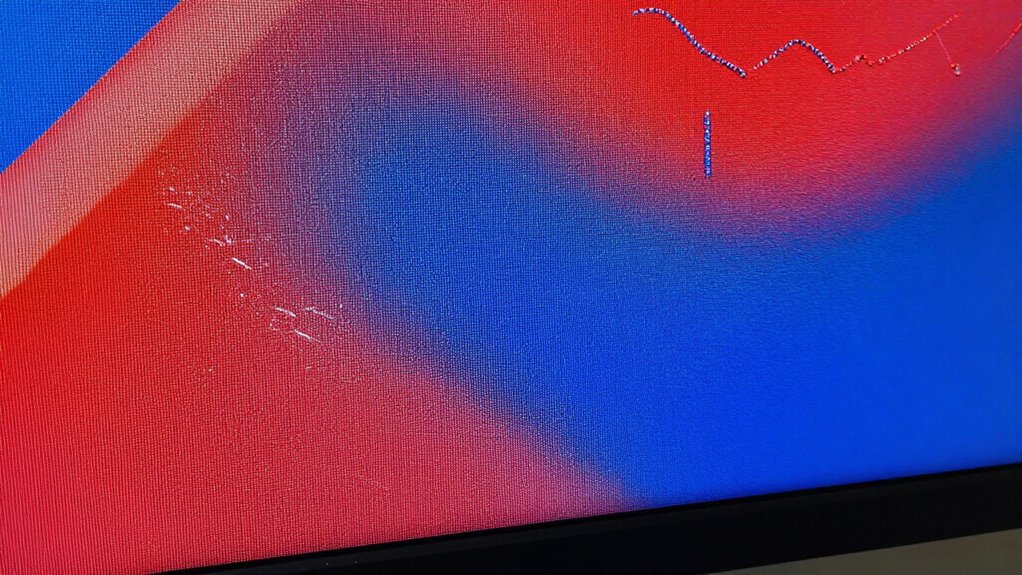
When your screen isn’t properly tensioned, small waves or sags form, causing distortions in the projected image. These waves break up sharpness, making details look blurry or warped. Even slight surface irregularities can markedly reduce picture clarity, especially with high-resolution content. Maintaining the right tension keeps the surface flat and smooth, preserving crispness. If you want to understand how tension impacts image quality and learn ways to improve it, keep exploring this topic.
Key Takeaways
- Waves create surface irregularities that distort light reflection and projection, reducing image sharpness.
- Even minor surface waviness causes light scattering, leading to blurry or warped images.
- Proper tension keeps the screen flat, ensuring precise focus and high image clarity.
- Loose or uneven tension allows waves to form over time, gradually degrading sharpness.
- Maintaining optimal tension preserves surface integrity, preventing distortion and ensuring crisp image quality.
If you want your projection screen to deliver a crisp, clear image, understanding screen tension is essential. When a screen isn’t properly tensioned, waves or sags can form, which directly impact the sharpness of the projected image. These imperfections cause film distortion, making the image appear blurry or warped, diminishing your viewing experience. Maintaining ideal tension ensures that the surface remains flat and smooth, so every detail comes through with clarity. Without proper tension, your screen becomes more prone to developing waves over time, especially with frequent use, which can jeopardize panel durability. A poorly tensioned screen may seem minor at first, but over time, these waves can stretch or weaken the material, reducing the lifespan of the panel. Proper tensioning also helps prevent uneven heat distribution that can lead to warping or damage, extending the overall lifespan of your screen. Achieving the right tension isn’t just about aesthetics; it’s about preserving the quality of your projection. When a screen is too loose, it isn’t just visually unappealing—it also causes inconsistent surface tension. This inconsistency leads to more noticeable film distortion, especially in high-resolution displays or detailed imagery. Conversely, over-tightening the screen can strain the material, risking tears or deformities that compromise its durability. It’s a delicate balance: you want enough tension to keep the surface smooth and taut but not so much that it stresses the panel. Proper tensioning also minimizes the risk of waviness, which tends to amplify film distortion, making images appear fuzzy or distorted at the edges.

Prime-Line L 5884 1/4 In. Corner Mounted Window Screen Tension Spring
- Installation Purpose: Secures aluminum window screens
- Corner Installation Design: Fits into miter-cut corners
- Durable Construction: Made from heat-treated spring steel
As an affiliate, we earn on qualifying purchases.
As an affiliate, we earn on qualifying purchases.
Frequently Asked Questions
How Does Screen Tension Affect the Lifespan of a Display?
Screen tension impacts your display’s lifespan by influencing how quickly it experiences display aging. Proper tension adjustment prevents stress on internal components, reducing wear and tear over time. If tension is too high or too low, it can cause uneven stress, accelerating damage and decreasing longevity. By maintaining ideal tension, you help your display stay sharp longer and ensure it ages gracefully, preserving clarity and functionality over the years.
Can Improper Tension Cause Permanent Damage to Screens?
Yes, improper tension can cause permanent damage to screens. When tension is uneven, it leads to screen deformation, which can warp the panel and compromise its flexibility. Over time, this stress may cause cracks or dead pixels that don’t recover, reducing display quality. To avoid this, make sure the screen is properly tensioned during installation or maintenance, preventing long-term damage and maintaining ideal panel flexibility.
Is There a Way to Measure Screen Tension Accurately?
Yes, you can measure screen tension accurately using calibration techniques and tension measurement devices. First, you’ll need specialized tools like tension meters or strain gauges designed for screens. These devices help you gauge tension levels precisely, ensuring ideal performance. Regular calibration of your measurement tools guarantees accuracy. By following manufacturer instructions for calibration and using proper tension measurement devices, you can maintain ideal screen tension and prevent damage or distortion.
How Does Ambient Temperature Influence Screen Tension?
Ever wonder how ambient temperature affects your screen tension? It does so through thermal expansion, causing the material to stretch or contract. With fluctuating temperatures, your screen’s tension can shift, leading to distorted images or reduced sharpness. To maintain ideal performance, perform regular temperature calibration, adjusting for these changes. By controlling and monitoring temperature, you can guarantee consistent tension and clear visuals, no matter the environment.
Are Certain Screen Materials More Prone to Tension-Related Issues?
Yes, certain screen materials are more prone to tension-related issues. You’ll find that materials like acrylic or polyester often struggle with tension uniformity, which can cause waves or distortions. These materials tend to stretch unevenly, leading to inconsistent sharpness. To minimize tension problems, choose high-quality, flexible materials designed for even tension distribution. Proper installation and regular adjustments also help maintain tension uniformity, ensuring clearer, sharper images.

Mdbebbron 120 inch Projector Screen 16:9 Foldable Anti-Crease Portable Projector Movies Screens for Home Theater Outdoor Indoor Support Double Sided Projection
- Portable and Lightweight: Foldable design for easy transport
- Versatile Usage: Suitable for home, office, outdoor, and more
- Anti-Crease Material: Made of thick, smooth polyester fabric
As an affiliate, we earn on qualifying purchases.
As an affiliate, we earn on qualifying purchases.
Conclusion
So, next time you notice a tiny wave on your screen, remember it’s more than just a small quirk. It’s like a gentle whisper of tension that can subtly influence sharpness, much like how a soft breeze can shift the tiniest leaf. Paying attention to these delicate signals helps you keep your display at its best, ensuring your viewing experience remains crystal clear and undisturbed. Sometimes, it’s the subtle details that make all the difference.
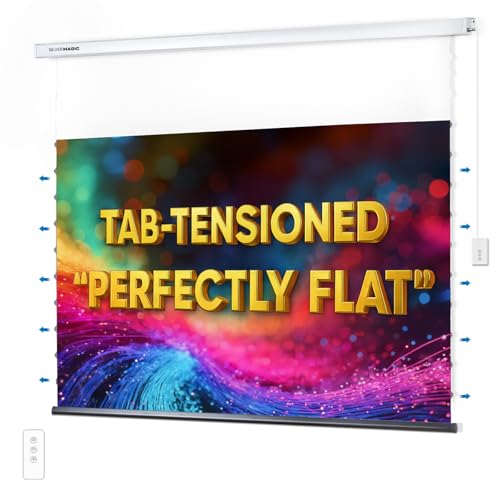
ALR Tensioned Motorized Projector Screen by SilverMagic – Tab Tensioned and Modern Design Gray Screen with White Aluminum case for Home Theater/Living Room/Patio/Office/Classroom – 120 inch 16:9
- Flat Screen with Tension System: Ensures a perfectly flat surface for all projectors
- Enhanced Contrast and Colors: Gray material improves contrast, black levels, and vibrancy
- Modern White Aluminum Case: Sleek design complements home, office, or classroom decor
As an affiliate, we earn on qualifying purchases.
As an affiliate, we earn on qualifying purchases.

LRVAE 2 Pcs Screen Repair Tool, Including Upgrade Rolling Tool and Spline Hook, Easy to Use, Ergonomic Roller Equipped with Bearings for Patio, Porch, RV, Garden Screen and More
- Brand Name: LRVAE
- Package Includes: 2 pcs screen repair tools
- Material: Premium ABS for durability
As an affiliate, we earn on qualifying purchases.
As an affiliate, we earn on qualifying purchases.