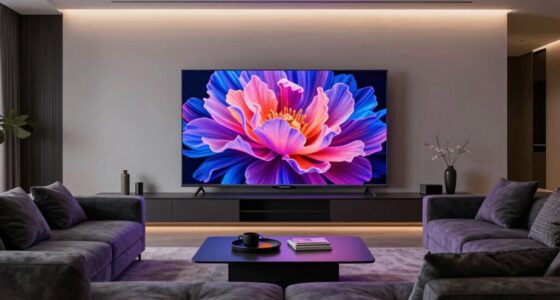
To choose the right aspect ratio, consider what you watch most. For movies, wider ratios like 21:9 create a cinematic feel, while 16:9 suits sports and gaming for natural framing. Ultra-wide screens enhance gaming with broader views, but check compatibility. Modern tech like HDR and high resolutions boost picture quality across all content. If you want to optimize your viewing, understanding these options will help you pick the best setup for your preferences. Keep exploring for more insights.

Get audio and creator gear delivered free — and shop member deals
- Fast, free delivery on millions of items
- Access to Prime Big Deal Days deals on October 6–7
- Prime Video, Amazon Music and more included
Key Takeaways
- Match the aspect ratio to your content: 16:9 for sports, 21:9 for movies, and ultra-wide for immersive gaming.
- Consider compatibility: ensure your devices and games support the chosen aspect ratio to avoid cropping or letterboxing.
- Prioritize visual quality: use HDR and high resolution screens for vibrant, sharp images in movies and gaming.
- Assess your viewing environment: wider ratios enhance cinematic experience, while standard ratios suit casual viewing.
- Balance energy efficiency: select aspect ratios and display technologies that optimize picture quality without excessive power use.
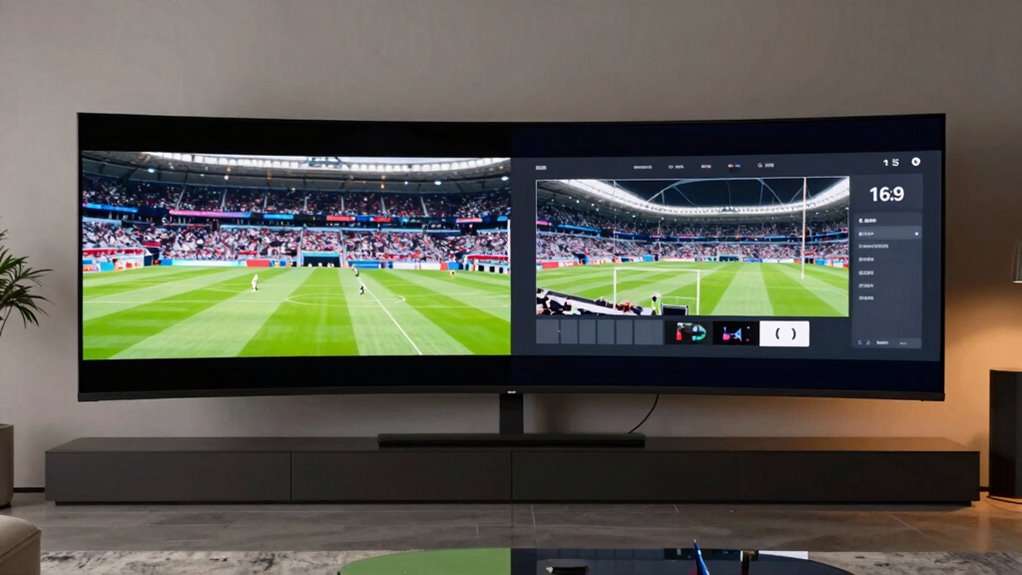
When selecting a screen aspect ratio, understanding how different ratios impact your viewing experience is essential. The aspect ratio determines the shape of your screen, affecting how movies, sports, and games appear. Choosing the right one depends on what you prioritize—whether it’s immersive visuals, clarity, or compatibility with specific content. Modern screens often incorporate HDR technology, which enhances contrast and color precision, making the visual experience more lifelike. When combined with a high screen resolution, HDR technology truly elevates your viewing, especially for movies and high-definition content. For instance, a wider aspect ratio like 21:9 offers a cinematic feel, perfect for movies, providing an expansive view that mimics what you’d experience in a theater. This ratio emphasizes width over height, allowing you to see more of the scene and making action sequences or landscape shots more immersive.
Wider aspect ratios like 21:9 create immersive, cinematic views perfect for movies and landscape scenes.
On the other hand, standard ratios like 16:9 are versatile and widely compatible with most content, including sports broadcasts and gaming. This aspect ratio strikes a balance between width and height, making it ideal for multitasking or watching content that’s primarily produced in this format. When you opt for screens with higher screen resolutions—such as 4K or even 8K—you gain sharper images, which is especially noticeable during fast-paced sports or detailed gaming environments. High resolutions combined with HDR technology ensure that movement remains smooth and visuals vibrant, reducing eye strain and making every detail pop. Additionally, understanding aspect ratio is crucial for selecting a display that best fits your entertainment needs, as it influences how content is framed and viewed. Recognizing content compatibility can help you prevent issues with aspect ratio mismatch or unwanted letterboxing, ensuring a seamless viewing experience. Moreover, being aware of the display technology can help you choose a screen that maximizes visual quality and longevity. Considering energy efficiency can also help reduce your environmental impact while enjoying high-quality visuals.
If you’re into gaming, you might prefer ultra-wide screens, such as 32:9 ratios, which provide a broader field of view. This not only enhances your gaming experience but also offers increased peripheral vision, giving you an edge in competitive play. However, keep in mind that some games and consoles may not support ultra-wide ratios seamlessly, so check compatibility before making a decision. When choosing a screen for sports, consider the aspect ratio that delivers the most natural viewing experience with minimal letterboxing or cropping. Most sports content is produced in 16:9, so sticking with that ratio ensures you see the action as intended, especially if the display is equipped with HDR technology and high screen resolution for crisp, vibrant images.
Being aware of environmental impact and how display technology can affect energy consumption is also an important consideration for environmentally-conscious consumers. Ultimately, your choice of aspect ratio should align with your primary use—whether it’s movies, sports, or gaming—and your preference for picture quality. By paying attention to HDR technology and screen resolution, you’ll guarantee that your content looks stunning, regardless of the aspect ratio you select.
As an affiliate, we earn on qualifying purchases.
Frequently Asked Questions
How Does Aspect Ratio Affect Viewing Comfort?
Aspect ratio directly impacts your viewing comfort by influencing how your eyes perceive images. A suitable aspect ratio enhances color accuracy, making visuals more vibrant and realistic, which reduces eye strain. When the aspect ratio matches your content type, your eyes don’t strain trying to adapt to distorted or awkward screens. This smooth viewing experience minimizes fatigue, helping you enjoy movies, sports, or games longer without discomfort.
Can I Change Aspect Ratio on My Existing Display?
Imagine adjusting a frame to perfectly fit your vision—that’s what aspect ratio customization offers. You can often change it on your existing display through display settings or graphics card options, but make certain your monitor supports this feature for display compatibility. Some screens may have fixed ratios, so check your device’s specifications. With a little tweaking, you can tailor your viewing experience to match your preferred aspect ratio seamlessly.
What Aspect Ratio Is Best for Virtual Reality?
For virtual reality, an aspect ratio close to 1:1 or square (like 1:1) offers the best VR immersion, minimizing visual distortion and creating a more natural feel. Wider ratios, such as 16:9, can cause discomfort or distortion in VR headsets. You should prioritize a display with a high refresh rate and low latency alongside the aspect ratio to enhance your immersive experience and reduce motion sickness.
How Does Aspect Ratio Influence Screen Resolution?
Imagine your screen as a canvas; aspect ratio acts as its frame, shaping how resolution paints its picture. When you choose the right ratio, it enhances color accuracy, making images vibrant and true to life. It also minimizes screen glare, so you see clear details without distraction. By selecting the appropriate aspect ratio, you guarantee your resolution aligns perfectly, delivering a visually immersive experience that feels alive and genuine.
Are Wider Aspect Ratios Better for Gaming?
Wider aspect ratios can enhance your gaming experience by offering a more immersive cinema-like feel, especially for games with expansive landscapes and cinematic visuals. They better match film composition, making gameplay more engaging. However, not all games support ultra-wide screens, and you might need a powerful setup. If you prioritize a cinematic experience and your hardware supports it, wider aspect ratios can markedly improve your gaming enjoyment.
As an affiliate, we earn on qualifying purchases.
Conclusion
Understanding aspect ratios helps you pick the perfect screen for your viewing habits. Did you know that 16:9 has become the most popular, used in over 90% of modern TVs and monitors? This makes it versatile for movies, sports, and gaming alike. By choosing the right aspect ratio, you’ll enjoy a more immersive experience tailored to your favorite content. So, consider your primary use and pick the ratio that enhances your entertainment the most.
As an affiliate, we earn on qualifying purchases.
high resolution computer monitor for gaming
As an affiliate, we earn on qualifying purchases.
As an affiliate, we earn on qualifying purchases.
Fall Picks
fall essentials
As an affiliate, we earn on qualifying purchases.