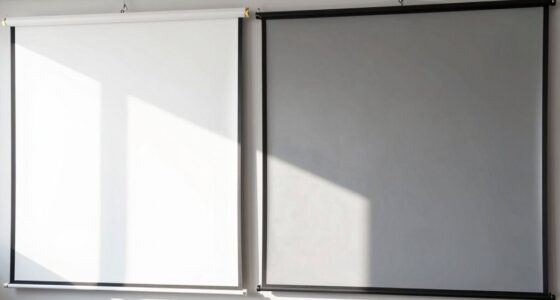
Many first-time projector buyers think that increasing the screen gain will automatically make images brighter and more vibrant. But that’s a common myth. Higher gain screens don’t always mean better picture quality. They can cause glare, reflections, and reduced viewing angles, especially in bright rooms. Brightness depends on many factors like ambient light and calibration, not just gain. If you want to get it right, there’s more to understand—keep going to find out how to choose wisely.
Key Takeaways
- Higher gain screens are often mistaken for automatically providing brighter, better images without considering ambient lighting or calibration needs.
- Excessive gain can cause glare, reflections, and narrow viewing angles, reducing overall picture quality.
- Gain is just one factor; room conditions and proper projector setup are more crucial for optimal image quality.
- First-time buyers may overlook the importance of calibration and environment, relying solely on gain for image brightness.
- Choosing the right gain depends on room lighting and usage, not just the highest gain available.
Many people believe that increasing a projector’s screen gain will automatically produce a brighter, more vibrant image. This misconception can lead first-time buyers to prioritize high-gain screens without fully understanding how gain interacts with other factors like ambient lighting and projector calibration. While a higher gain might seem like a quick fix to boost brightness, it’s not always the best solution. In fact, it can introduce problems such as glare, reduced viewing angles, and decreased image quality if not chosen carefully. The key lies in understanding that screen gain is just one piece of the puzzle, and factors like ambient lighting conditions and proper projector calibration play a much bigger role in achieving a sharp, vivid picture.
Higher gain screens don’t always mean better images; consider ambient light and calibration for optimal picture quality.
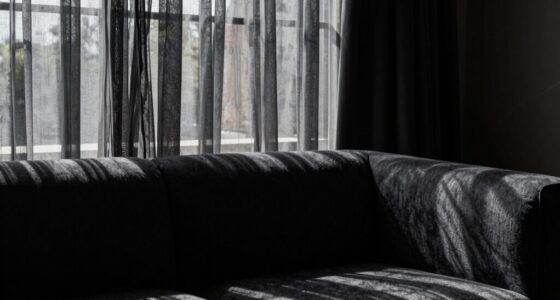
When you’re setting up your projector, it’s tempting to think that a high-gain screen will make the image pop regardless of other elements. But if you don’t take into account ambient lighting, you might end up with a washed-out picture during daytime or in brightly lit rooms. A high-gain screen reflects more light, which can amplify ambient light and make contrast harder to see. Conversely, in darker rooms, a lower-gain screen often produces a more balanced image with richer blacks and better color accuracy. To really maximize picture quality, you need to factor in how your room’s lighting affects the image and choose a screen gain accordingly. Proper room setup is crucial for achieving the best viewing experience. Recognizing the importance of ambient lighting can help you make more informed decisions about your setup. Additionally, understanding the interaction between gain and ambient light can help prevent common viewing issues. Proper projector calibration ensures your image remains consistent and vibrant across different settings and conditions.
Understanding screen gain can help you select the most suitable setup for your specific environment, rather than relying solely on assumptions about brightness.

Projector Screen with Stand, Paris RHÔNE 100-inch Outdoor Indoor Projector Screen 16:9 4K HD PVC, 1.5 Gain Portable Wrinkle-Free Movie Screen for Home Backyard Theater with Carry Bag, Ground Nails
- Premium PVC Projector Screen: Made with cinema-grade 1.5 gain…
- Adjustable Tripod Stand for Indoor & Outdoor Use: Comes with a reinforced aluminum…
- Portable & Easy Setup: Unlike bulky PVC screens, this…
As an affiliate, we earn on qualifying purchases.
As an affiliate, we earn on qualifying purchases.
Frequently Asked Questions
How Does Room Size Affect Screen Gain Choice?
Room size directly impacts your screen gain choice because larger rooms need higher gain screens to guarantee brightness and clarity. If your room is small, a low-gain screen offers better viewing angles and reduces glare, providing a more balanced image. Your choice of screen material also matters; matte finishes minimize reflections, while higher gain screens boost brightness but may reduce viewing angles, so pick based on your room’s size and lighting conditions.
Is Higher Gain Always Better for Image Quality?
Higher gain screens aren’t always better for image quality. While they offer increased brightness, they often reduce viewing angles due to the screen material’s properties. If you prefer wide viewing angles, a lower gain screen might suit you better, offering more consistent images from different positions. Remember, choosing the right gain depends on your room size, projector placement, and your preferred viewing experience, not just brightness.
What Are the Best Screen Gain Options for Dark Rooms?
Think of your screen as a lighthouse in a dark harbor. For dark rooms, choose a matte screen material with low gain, around 1.0 to 1.3, to prevent glare and enhance black levels. Wall color also matters—dark, matte walls absorb stray light, improving contrast. This combo helps your projector’s image shine brightly without washing out details, creating a vivid, immersive viewing experience even in low-light conditions.
How Does Ambient Light Impact Perceived Screen Gain?
Ambient light considerably influences how you perceive screen gain, because it affects screen reflectivity. When there’s more ambient light, a high-gain screen reflects more light, making images appear brighter but potentially causing glare and reducing contrast. Conversely, in darker rooms, lower-gain screens minimize reflectivity, providing clearer images. So, understanding your ambient light conditions helps you choose the right screen gain for ideal viewing, avoiding unwanted reflections and glare.
Can Screen Gain Influence Projector Placement and Setup?
Think of screen gain like adjusting a camera lens—higher gain means brighter images but can affect projection angle and color accuracy. You might need to tweak your projector’s placement, such as lowering the projection angle, to get maximum brightness and color fidelity. For example, a high-gain screen in a bright room can cause glare, so positioning your projector carefully guarantees your images stay sharp, colorful, and properly aligned.

Mdbebbron 120 inch Projector Screen 16:9 Foldable Anti-Crease Portable Projector Movies Screens for Home Theater Outdoor Indoor Support Double Sided Projection
- Portable and Lightweight: Foldable design for easy transport
- Versatile Usage: Suitable for home, office, outdoor, and more
- Anti-Crease Material: Made of thick, smooth polyester fabric
As an affiliate, we earn on qualifying purchases.
As an affiliate, we earn on qualifying purchases.
Conclusion
Don’t let the screen gain myth be a shadow over your decision. Think of your home theater as a garden, where each element—screen size, gain, and setup—is a essential flower. Focusing solely on gain is like watering one flower while neglecting the others. Remember, a balanced garden blooms brightest. Trust your instincts, seek knowledge, and you’ll cultivate a viewing experience that’s truly vibrant—beyond just the surface, into the heart of your space.

datacolor SpyderPro Monitor Calibrator & Screen Color Calibration Tool
- Achieve True Color: Accurate color display for editing and viewing
- Optimize Display Performance: Calibrates various backlight types for consistency
- Enhance Workflow Efficiency: Includes projector calibration and screen analysis tools
As an affiliate, we earn on qualifying purchases.
As an affiliate, we earn on qualifying purchases.
ambient light rejecting projector screen
As an affiliate, we earn on qualifying purchases.
As an affiliate, we earn on qualifying purchases.