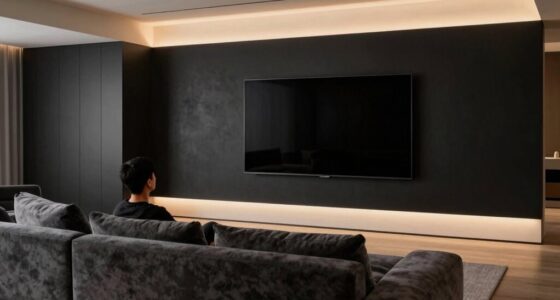
The ‘invisible’ screen door effect happens because, even with 4K resolution, sitting too close makes your eyes see individual pixels, creating a faint grid pattern that gives the image a textured look. The closer you are, the more noticeable this pattern becomes, since your eyes can resolve tiny details that blend together at a greater distance. To minimize this effect, adjusting your viewing position can make a big difference—keep exploring to learn how to optimize your display experience.
Key Takeaways
- High pixel density in 4K screens reduces the screen door effect but may still be visible at close viewing distances.
- Viewing distance significantly impacts the perception of texture; sitting too close reveals the pixel grid.
- The human eye’s resolution limits mean some pixel grid may remain visible despite high resolution.
- Larger screens require increased pixel density to maintain an “invisible” grid at typical viewing distances.
- Optimal setup involves increasing distance or choosing higher PPI displays to minimize visible texture.
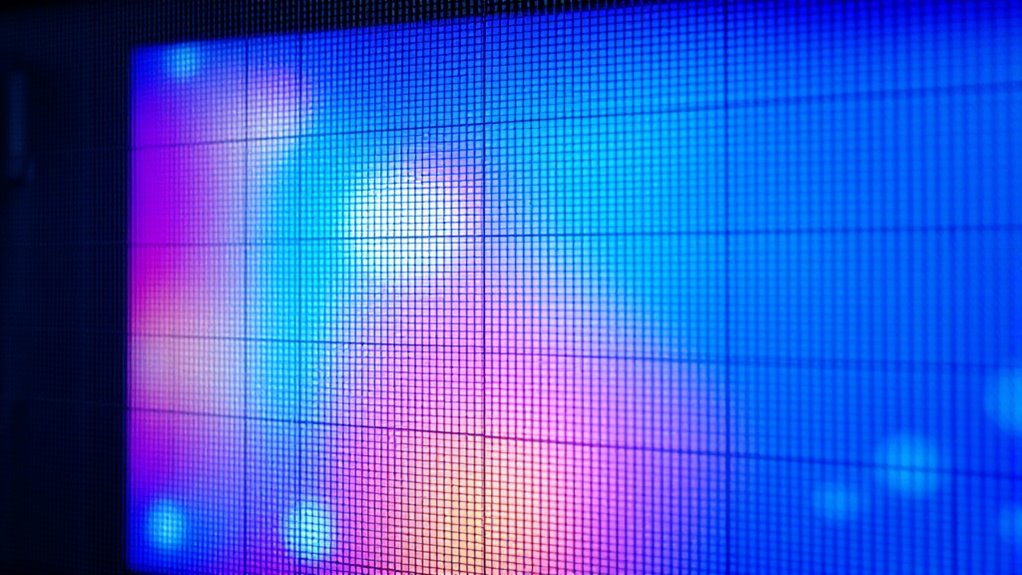
If you’ve ever noticed a faint grid-like pattern when viewing high-resolution screens, you’re experiencing what’s often called the “invisible” screen door effect. This phenomenon occurs because, despite the impressive pixel density of modern displays, the human eye can still perceive the individual pixels at certain viewing distances. Your brain combines these tiny dots into a seamless image, but when you get close enough or when the screen’s pixel density isn’t high enough for your particular viewing distance, the grid becomes noticeable.
Pixel density, measured in pixels per inch (PPI), plays a vital role here. A higher pixel density means more pixels packed into each inch of the screen, making the image appear smoother and more detailed. However, even with 4K screens, which boast around 8.3 million pixels, the perceived clarity depends heavily on how close you sit to the display. When you sit too close, your eyes can distinguish individual pixels, creating that textured, grid-like look. Conversely, sitting farther away reduces the visibility of pixels, helping you experience the full benefit of the high resolution.
Your viewing distance is key to minimizing the screen door effect. Ideally, you want to position yourself at a distance where each pixel merges with its neighbors seamlessly, creating the illusion of a continuous image. For example, with a 4K TV, sitting about 1.5 to 2.5 times the screen’s diagonal size usually offers an ideal viewing experience. At this distance, your eyes can’t resolve the individual pixels, and the image becomes more immersive and smooth. But if you move closer, the pixels become more distinct, and the textured appearance re-emerges, making the screen look less like a high-quality display and more like a grid.
Optimal viewing distance for 4K TVs is 1.5 to 2.5 times the screen’s diagonal size.
Even with advancements in pixel density, the effect persists because of the fundamental limits of human vision. Your eyes can only resolve so much detail at a given distance, and when the pixel density isn’t high enough relative to your viewing distance, the illusion of a seamless image breaks down. Manufacturers continually push for higher pixel densities to combat this, but it’s also about finding the right balance between display size and viewing distance. So, if you notice a grid when watching your favorite 4K content, it’s likely because you’re sitting too close for the pixel density to fully mask the individual pixels, revealing that familiar, almost invisible, grid-like pattern. Additionally, understanding pixel density can help optimize your viewing setup for the best clarity.
Frequently Asked Questions
How Does Screen Door Effect Vary Across Different TV Brands?
You’ll notice the screen door effect varies across TV brands due to differences in panel uniformity and pixel density. Brands with higher pixel density often minimize the texture, making the effect less noticeable. Additionally, better panel uniformity reduces inconsistencies that can enhance the textured appearance. So, when choosing a TV, look for models with high pixel density and excellent panel uniformity to enjoy a clearer, less textured 4K viewing experience.
Can Specific Settings Minimize the Invisible Screen Door Effect?
Did you know that proper calibration can reduce the visible screen door effect by up to 30%? You can minimize this by adjusting settings like contrast, sharpness, and motion smoothing. Focus on calibration tips tailored to your panel technology—OLEDs often need different tweaks than LCDs. Experiment with these options to enhance clarity and make the screen door less noticeable, giving you a more immersive viewing experience.
Does the Effect Impact Gaming or Fast-Moving Content More?
You’ll notice the screen door effect impacts gaming and fast-moving content more because motion blur and higher refresh rates can make the textured pixels more apparent. When playing fast-paced games, low refresh rates can cause the effect to seem more noticeable, while higher refresh rates help minimize it. Adjusting motion blur settings also helps smooth out visuals, making fast motion appear cleaner and reducing the textured appearance.
Are There Advanced Technologies That Eliminate the Screen Door Illusion?
Ever wonder if tech can fully erase the screen door illusion? Advanced displays like OLED enhancement and MicroLED clarity considerably minimize it, making images look almost seamless. These technologies improve pixel density and contrast, reducing visible gaps. While they don’t eliminate the effect entirely, they deliver a much cleaner, more immersive experience. Investing in the latest OLED or MicroLED screens gets you closer to that ‘invisible’ screen door—so your content looks stunningly sharp and textured-free.
How Does Viewing Distance Influence the Perceived Texture?
Your viewing distance considerably impacts perceived sharpness and texture visibility. When you sit closer, you notice more detail and texture, making the screen door effect more apparent. Moving farther away reduces these perceptions, as your eyes can’t distinguish individual pixels as easily. To minimize the textured appearance, maintain a comfortable distance where the image appears sharp and smooth, enhancing your overall viewing experience without the distraction of visible pixel structure.
Conclusion
While 4K technology continues to improve, some viewers might notice subtle hints of texture that linger, like a gentle whisper of detail. It’s almost as if the clarity is softly dressed in a delicate veil, hinting at the next leap forward. Embrace these gentle nuances as a sign that the journey toward perfect visual immersion is ongoing. After all, even the most refined experiences have their quiet moments of evolution, guiding us toward even greater clarity ahead.