TL;DR

Get audio and creator gear delivered free with Prime
- Fast, free delivery on millions of items
- Prime Video, Amazon Music and more included
- Member-only deals all year
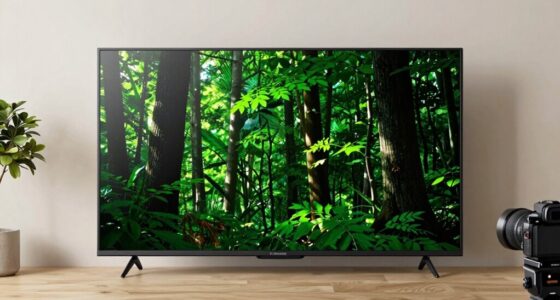
The LG 83-inch OLED evo C6H is the closest listed replacement for the LG C5, while the LG B4, Samsung S90D, and Sony A80L offer different tradeoffs in gaming features, smart platform, and model age. Compare exact model numbers and confirm current pricing, stock, and specifications before buying, because listings can change and the supplied model data does not verify every feature. For an 83-inch set, also measure the room, doorway, mount, and viewing distance before you order.
An 83-inch OLED can turn a movie night into a wall-sized event—but the wrong model can leave you with a gorgeous screen and an annoying mismatch for your room or console. If the LG 83-inch C5 you were considering is difficult to find, you still have several plausible paths without abandoning the size or OLED picture quality.
This guide compares four alternatives: LG’s C6H and B4, Samsung’s S90D, and Sony’s A80L. You’ll see which one is the closest paper match, what the specification gaps mean in everyday use, and what to check before spending up to your $5,000 ceiling. Treat that ceiling as your budget, not as a claim about any model’s current price.
The goal is a useful replacement-buyer guide, not a promise that a particular listing is in stock. Exact configurations, retailer bundles, warranty terms, and prices can change. Check the model number and current seller details before you commit.
The LG 83-inch OLED evo C6H is the closest listed C5 alternative, but verify its exact model number and full specifications.
Do not treat HDMI port count as proof of HDMI 2.1 or assume that every port supports every gaming feature.
Check HDR format, refresh rate, VRR, and smart-TV platform against the devices and services you actually use.
Measure the viewing area, doorway, stair route, console, and mount before arranging delivery of an 83-inch set.
For renewed or older-model listings, confirm condition, warranty, return terms, and current price with the seller.
Start with the closest match to the LG C5
The LG 83-inch OLED evo C6H is the closest listed match to the C5 because the supplied comparison identifies overlap in screen size, 4K resolution, refresh rate, variable refresh rate, and processor. That makes it the natural first model to investigate if you want a similar large-screen LG rather than a different brand’s picture processing or smart-TV system.
The comparison brief lists the C5 as model OLED83C5PUA, with 4K resolution, a 120 Hz native refresh rate, four HDMI 2.1 ports, and PC variable refresh rate up to 144 Hz. For the C6H, the brief lists an 83-inch 4K panel, 120 Hz, and VRR up to 165 Hz, but does not provide a model number or a full port and processor specification. Those missing details matter: don’t assume two generations share every port, feature, or regional configuration just because their headline specs look similar.
Think of choosing a replacement like matching a new car to your old one: the same body size and engine class are a helpful start, but you still check the trim and safety equipment. If you planned to connect a console, PC, soundbar, and streaming box, confirm the C6H’s HDMI layout and supported gaming modes on the exact product page. If you mainly watch films through built-in apps, the closest match may be less important than the interface you prefer.
The C5 appears in the source material as a product that may be discontinued or difficult to find, but that is not proof that every seller has stopped carrying it. Search by its full model number, compare seller and warranty details, and avoid treating a similar product title as a guarantee of identical specifications. When the listing is unclear, ask the retailer to confirm the exact model before you pay.
As an affiliate, we earn on qualifying purchases.
Compare the four alternatives before you choose
The best 83 inch OLED TV under $5000 depends on which features you’ll actually use, not just which model has the newest-sounding name. The table below separates listed facts from unanswered specification questions, so you can see where a quick product-page check is needed.
| Model | What the supplied comparison lists | Best reason to investigate it | Check before buying |
|---|---|---|---|
| LG OLED evo C6H, 83-inch | 4K; 120 Hz; VRR up to 165 Hz; exact model number not supplied | Closest listed match to the C5 across five key categories | Exact model, HDMI ports, processor, HDR formats, and current price |
| LG B4, OLED83B4PUA | 83-inch 4K; response time listed as 0.1 ms; four HDMI ports | LG alternative with a clearly identified model number | HDMI version, refresh rate, VRR, and feature details for the exact set |
| Samsung S90D, 83-inch | 2024 model; 4K; four HDMI ports; a renewed listing appears in the source brief | A Samsung option if you prefer its interface or ecosystem | Condition, seller, return terms, panel and HDR details, and HDMI features |
| Sony BRAVIA XR A80L, 83-inch | 2023 model; 4K Ultra HD; model XR83A80L | A Sony option if you value the brand’s processing and Google TV | Current condition, ports, gaming modes, warranty, and listing accuracy |
This comparison is deliberately cautious. The source brief does not provide a complete, independently verified specification sheet for every model, so the table doesn’t fill gaps with guesses. In particular, a listed count of HDMI ports does not by itself tell you whether every port supports HDMI 2.1 features.
Imagine you have a PlayStation, an Xbox, a soundbar, and a set-top box. Four ports sound like plenty, but the connection standards on those ports decide whether you can use all the gaming features you expect without swapping cables. Write down your devices first, then check each television’s port capabilities against them. A feature you never use shouldn’t decide the purchase; a feature your setup depends on should.
As an affiliate, we earn on qualifying purchases.
Choose the right OLED for films, games, and streaming
OLED’s main draw is pixel-level light control: each pixel produces its own light and can turn off for black, giving dark scenes strong contrast. That makes an OLED especially appealing for a dim-room film, where a star field stays black between bright points instead of looking gray from a backlight. All four options in this guide are described as 83-inch 4K OLED models, but their individual processing, supported formats, and smart platforms still differ.
For gaming, the most useful details are not just the word “OLED.” Check HDMI 2.1, variable refresh rate (VRR), auto low-latency mode (ALLM), and refresh-rate support for the exact model. The supplied information lists the C5 with four HDMI 2.1 ports and PC VRR up to 144 Hz, and the C6H with VRR up to 165 Hz; it does not establish the same details for every alternative. Those figures can be relevant to a gaming PC, but your console and game must also support the mode you want.
Picture formats deserve the same careful check. The general research brief names Dolby Vision, HDR10, and HLG as formats shoppers may encounter, but it does not confirm support for each format on each model in this comparison. If your film service or disc collection relies on a specific HDR format, verify the television’s official specification and your playback device’s output. A format mismatch may not stop the film from playing, but it can change which HDR version you see.
As a practical example, a household that watches dark dramas at night and plays fast-moving games on weekends might prioritize deep blacks, gaming connections, and motion handling. Someone who mostly watches daytime sports in a sunlit room should pay closer attention to brightness and reflections, not just contrast. OLED’s strengths are real, but the room and your habits decide how much those strengths matter.
As an affiliate, we earn on qualifying purchases.
Pick a model that fits your room and viewing habits
An 83-inch television needs more than an empty wall: you need a safe route into the room, a suitable stand or mount, and a viewing distance that feels comfortable. The diagonal measurement does not tell you the set’s full width, height, stand footprint, or boxed dimensions. Check the manufacturer’s measurements for the exact configuration, then measure doorways, stair turns, and the wall before delivery day.
Viewing distance is personal, but you can use a simple test before ordering: mark the screen’s approximate corners with painter’s tape and sit where you normally watch. If the taped rectangle fills your view without making you turn your head to follow action, the size may suit the room. A family replacing a 65-inch set in a long living room may welcome the larger image for subtitles and sports, while the same screen can feel overwhelming in a small bedroom.
Placement also affects picture quality. A bright window opposite the screen can throw reflections across dark scenes, while a lamp behind your sofa may make an OLED’s deep blacks feel less dramatic. Try watching a dark scene at your usual time of day, then check it again with the curtains open. You’ll learn more about your room in five minutes than a generic claim about “great picture quality” can tell you.
Don’t overlook furniture and safety. A wide television can overhang a narrow console, and a heavy screen needs a stand or wall mount rated for its dimensions and weight. If you wall-mount it, use hardware suited to your wall type and mount pattern; get professional help if you’re unsure. Keep cables clear of walkways, and plan enough access to reach the ports you’ll use.
As an affiliate, we earn on qualifying purchases.
Check the listing, model number, and warranty in five steps
Before buying, verify the exact model and seller terms rather than relying on a headline that says “83-inch OLED.” Product pages can mix generations, bundle names, and condition labels, and a refurbished or renewed set is not the same purchase as a new one. Use this short checklist to catch the details that cause the most frustration after delivery.
- Match the model number. Look for the full identifier, such as OLED83B4PUA for the LG B4 or XR83A80L for the Sony A80L. Ask the seller to confirm it if the title and specifications disagree.
- Confirm the screen and resolution. Check that the set is 83 inches and 4K, not a smaller size in the same product family.
- Check the features you need. Verify HDMI version and port count, refresh rate, VRR, HDR formats, and audio connections on the manufacturer’s specification page.
- Read condition and return terms. For a renewed listing such as the S90D option named in the source brief, check who inspected it, what accessories are included, and how returns work.
- Compare the full cost and coverage. Review current price, delivery, installation, warranty, and any service-plan terms. Prices and availability change, so confirm them on the day you buy.
This takes a few minutes and can prevent a costly mismatch. For instance, a listing might use “S90D” prominently while placing “renewed” in smaller text. If you assume it is new, you may misunderstand the condition, warranty, or included accessories. Read the product details as carefully as you read the screen specifications.
Warranty coverage varies by seller, manufacturer, and region, so don’t rely on a broad rule such as “OLEDs usually get one or two years.” Find the written terms for the exact item. If you’re buying a large set as a gift or coordinating delivery around a move, confirm the return window and delivery process before setting the date.
Know what a huge OLED does well—and where it asks for care
An 83-inch OLED gives you excellent dark-room contrast and a broad, immersive image, but it is not automatically the best choice for every room or routine. OLED pixels can produce rich blacks without a conventional backlight shining through the whole panel. In a night scene, that can make a character’s black coat stand out against a dark alley with a clean, dramatic separation.
The tradeoff is that room brightness, reflections, content habits, and price all deserve attention. A very sunny room may make glare more distracting, and a household that leaves a bright news ticker or game interface on for many hours should read the manufacturer’s panel-care guidance. Modern OLEDs include safeguards, but no technology erases every concern. Varying content and using built-in screen-care features are sensible habits; they’re not a reason to panic or a guarantee against every form of wear.
OLED and LED/QLED also solve different problems. OLED is attractive when black level and contrast lead your wish list; some LED-based sets may be better suited to very bright rooms or shoppers who put sustained brightness above black-level performance. The right choice depends on what you watch, how much daylight hits the screen, and whether you value the OLED look enough to accept its tradeoffs.
Picture quality is only one part of ownership. An 83-inch set can need two people to move safely, a sturdy console, and more planning than a smaller television. If you live in an apartment with narrow stairs, measure the packaged dimensions—not only the screen—and ask the retailer how delivery works. That practical detail can matter more than a small difference in a feature list.
Match each alternative to the person who will use it
Choose by use case: the closest specification match is not always the best personal fit. The C6H is the obvious first check for someone who wants a current LG-style replacement and values the listed refresh and VRR overlap. The B4, S90D, and A80L may make more sense if their platform, condition, or verified features better fit your household.
- Start with the LG C6H if you want the closest listed match to the C5. Confirm its exact model, ports, and supported features because the supplied comparison leaves several details open.
- Investigate the LG B4 if you want an LG 83-inch OLED with the listed model number OLED83B4PUA and four HDMI ports. Check the HDMI standard and gaming specifications rather than inferring them from the port count.
- Consider the Samsung S90D if you prefer Samsung’s smart-TV environment or already use compatible devices. The cited option is described as renewed, so condition and warranty deserve extra attention.
- Look at the Sony A80L if you want the Sony model XR83A80L and Google TV. It is identified as a 2023 model in the supplied data, so confirm that the seller’s listing accurately describes its condition and support.
Here’s a concrete scenario: you have a gaming PC and want high refresh-rate support. The C6H’s listed VRR ceiling may catch your eye, but first check that your graphics card, cable, game, and chosen input support the same mode. If you only stream films and watch broadcast sports, that headline number may contribute little to your experience.
Another household may care most about ease of use. If everyone already knows one platform and can find their apps without help, keeping that familiar interface could matter more than a small specification advantage. Make a two-column note—“must have” and “nice to have”—before comparing listings. It keeps a shiny feature from distracting you from the things you use every night.
Frequently Asked Questions
What is the closest alternative to the LG 83-inch C5 OLED?
The LG 83-inch OLED evo C6H is the closest alternative listed in the supplied comparison because it overlaps with the C5 in screen size, resolution, refresh rate, VRR, and processor. The brief does not provide a full C6H specification sheet, so verify the exact model number, HDMI connections, HDR formats, and gaming features before buying.
Is there really an 83-inch OLED under $5,000?
The guide’s target is a $5,000 budget ceiling, but it does not claim that every model currently sells below that amount. Prices and availability vary by seller, condition, and time, so check current listings and include delivery, installation, and warranty costs in your comparison.
Is an 83-inch OLED good for gaming?
It can be a strong fit if the exact model supports the features your console or PC uses, such as HDMI 2.1, VRR, and the refresh rate you need. Confirm those specifications for each input rather than relying on the product-family name. The C5 and C6H figures in the supplied brief do not establish the same capabilities for every alternative.
Should I choose OLED or QLED for a bright living room?
OLED is known for deep blacks and strong contrast, while some LED-based QLED televisions may suit a very bright room better. The right choice depends on window glare, daytime viewing, and how much you value dark-scene performance. If possible, check the screen in lighting similar to your room before deciding.
What should I check before buying a renewed Samsung S90D?
Confirm the condition, seller, included accessories, return window, and written warranty, then verify the exact 83-inch S90D model and its features. “Renewed” describes a different condition from a new set, so read the listing details instead of assuming the products are equivalent.
How do I know whether an 83-inch TV will fit my room?
Check the television’s width, height, stand footprint, and boxed dimensions, then measure the wall, console, doorways, and delivery route. Painter’s tape can mark the screen’s approximate size on your wall, giving you a quick sense of how it will look from your usual seat. Confirm that your stand or mount is rated for the exact set.
Conclusion
Start with the LG C6H if you want the closest listed replacement for the C5, then compare the B4, S90D, and A80L against your real must-haves. Verify model numbers, gaming and HDR features, seller terms, and room measurements before you buy; the exact listing matters as much as the model name.
Make the screen fit your life, not the other way around. Measure first, check twice, and let movie night begin with a picture that fills the wall without filling you with regrets.
Halloween Picks
halloween
As an affiliate, we earn on qualifying purchases.