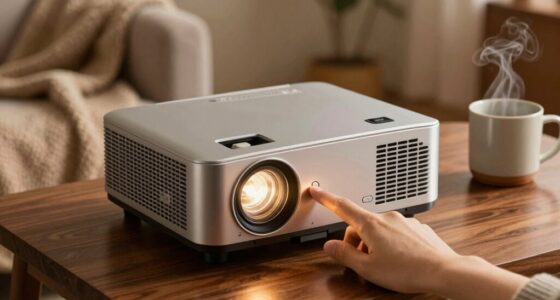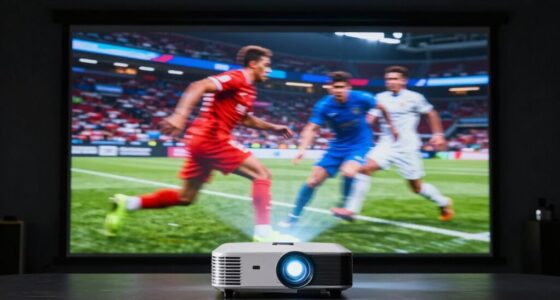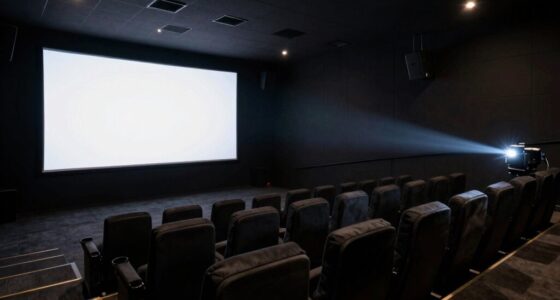
To see if your living room can handle a long-throw projector, measure the space from where you plan to install it to the wall or screen—ideally 10-20+ feet. Check if there’s enough wall or ceiling space for proper placement and if the lighting can be controlled, like with blackout curtains, to prevent washed-out images. Also, confirm your seating allows for good viewing angles without distortion. Keep exploring to discover how to optimize your setup for the best experience.

Get audio and creator gear delivered free — and shop member deals
- Fast, free delivery on millions of items
- Access to Prime Big Deal Days deals on October 6–7
- Prime Video, Amazon Music and more included
Key Takeaways
- Measure available wall-to-projector distance to ensure it matches the projector’s required throw range.
- Check for sufficient wall space behind or near the seating area for proper projection.
- Assess room size to determine if there’s enough space for the projector at the optimal distance.
- Evaluate lighting conditions to see if blackout solutions are feasible for image clarity.
- Ensure the room layout allows for optimal seating alignment and easy projector placement or ceiling mounting.

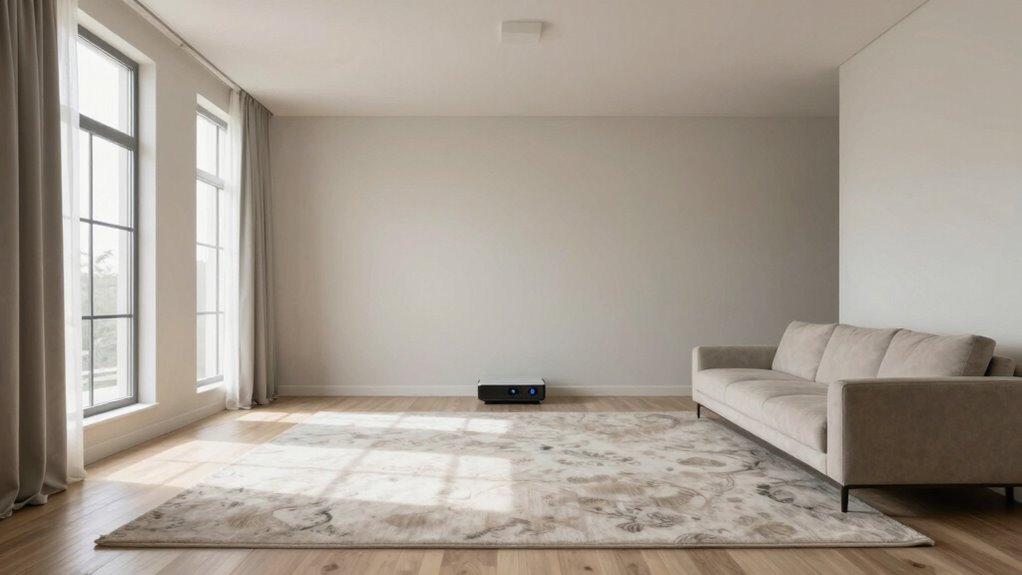
Creating the ideal living room space for long-throw projectors requires careful planning to guarantee your setup delivers clear, vibrant images without sacrificing comfort. The first step is evaluating whether your room can handle the projector’s placement needs. Long-throw projectors typically require a significant distance between the projector and the screen, often ranging from 10 to 20 feet or more, depending on the model. You need to measure your space to confirm it can accommodate this distance comfortably. Think about whether you have enough wall space behind or near your seating area for the projector to be positioned at the appropriate distance. If your room is too small or crowded, the projector might need to be placed in an awkward spot, which could impact both image quality and overall viewing experience.
Assess your room’s size and wall space to ensure proper placement for a long-throw projector.
Next, look at the room lighting conditions. Long-throw projectors generally perform better in rooms with controlled lighting. Natural light from windows can wash out the image, so it’s essential to evaluate how much light enters your space during peak viewing times. Blocking or dimming windows with blackout curtains or blinds can improve image clarity and color vibrancy. Also, evaluate the placement of ambient light sources like lamps or ceiling lights. Bright or direct lighting aimed at the screen can diminish contrast and make details harder to see. You might want to think about installing dimmable lighting or using indirect lighting solutions to create an ideal viewing environment that enhances your projector’s capabilities. Ensuring proper room lighting control can significantly improve your viewing experience. Additionally, considering room acoustics can further enhance sound quality and immersion during viewing.
Another factor to contemplate is the layout of your living room. You should verify that the seating arrangement allows for optimal viewing angles, with enough space for the projector to be correctly aligned with the screen. The projector’s placement isn’t just about distance; it also involves angling the device properly to avoid distortion or keystone effects. Mounting the projector on the ceiling can help achieve precise alignment and save space. Additionally, understanding the room dimensions and how they influence projector placement is crucial to creating a balanced setup.
Finally, think about accessibility and future adjustments. Will you need to access the projector for maintenance or adjustments? Is there enough clearance to change bulbs or reposition the device if needed? Making these considerations ensures your living room can handle a long-throw projector comfortably and effectively, providing you with a cinematic experience that’s both immersive and practical.
long throw projector for living room
As an affiliate, we earn on qualifying purchases.
As an affiliate, we earn on qualifying purchases.
Frequently Asked Questions
Can I Install a Long-Throw Projector in a Small Living Room?
You can install a long-throw projector in a small living room, but it’s challenging. Check your room size and wall texture first; a smaller space needs a clear, unobstructed wall for projection. Smooth, flat walls improve image quality, while textured surfaces can distort it. If space is tight, consider a short-throw projector instead, which is designed for smaller areas and can deliver a great picture without needing a lot of room.
What Are the Best Wall Colors for Projector Visibility?
Like a painter choosing a canvas, you should opt for wall paint that enhances projector visibility through strong color contrast. Matte or semi-matte finishes work best to prevent glare. Light shades like gray, beige, or soft blues provide excellent backgrounds, making images pop without washing out. Avoid overly dark or glossy surfaces, which can diminish clarity. Your goal is a wall color that amplifies contrast and clarity, creating a cinematic experience in your living room.
How Do I Determine the Optimal Projector Placement?
You determine the ideal projector placement by considering your desired screen size and room acoustics. Measure the distance from the projector to the wall to guarantee the image fits your space and matches the screen size you want. Check the room’s acoustics to avoid too much echo or noise, which can affect viewing quality. Adjust the projector’s position accordingly to get a clear, bright image with minimal distortion.
Are Ceiling Mounts Suitable for Long-Throw Projectors?
Like a steady lighthouse guiding ships, ceiling mounts are suitable for long-throw projectors if your ceiling offers durability and support. Look for mounts with adjustable options—tilt, swivel, and extension—to optimize the projector’s position. Make certain your ceiling can handle the weight safely; otherwise, the mount might falter. When installed correctly, a ceiling mount keeps your setup sleek, stable, and perfectly aligned for an immersive viewing experience.
What Lighting Conditions Affect Projector Image Quality?
Your projector image quality is heavily affected by ambient lighting and sunlight interference. Bright ambient lighting, like lamps or ceiling lights, can wash out the image, making it hard to see details. Sunlight interference, especially through windows, reduces contrast and clarity. To improve picture quality, dim or turn off lights during viewing, use blackout curtains, or position your projector where sunlight doesn’t directly hit the screen.
blackout curtains for home theater
As an affiliate, we earn on qualifying purchases.
As an affiliate, we earn on qualifying purchases.
Conclusion
So, now that you know what to check—room size, throw distance, and wall quality—are you ready to transform your living room into the ultimate home theater? Imagine cozy movie nights, crisp images, and immersive sound—all right in your own space. Don’t let uncertainty hold you back. With a little planning, you can create a viewing experience that’s truly spectacular. Are you prepared to bring the big-screen magic home and make every movie night unforgettable?
As an affiliate, we earn on qualifying purchases.
projection screen for long throw projector
As an affiliate, we earn on qualifying purchases.
As an affiliate, we earn on qualifying purchases.
Fall Picks
fall essentials
As an affiliate, we earn on qualifying purchases.