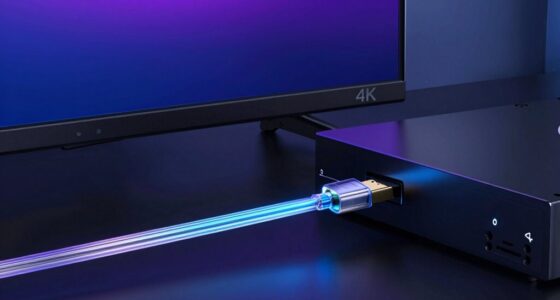
HDMI cables typically perform well up to about 10 feet, but as you extend beyond that, signal quality can start to drop. Over longer distances, you might experience flickering, color issues, or audio dropouts due to signal attenuation and interference. The exact point when problems occur depends on the cable quality and setup. If you want to maintain a reliable connection over longer runs, there are solutions—learn more about how to prevent these issues and ensure top performance.
Key Takeaways
- HDMI cables typically perform reliably up to 10-15 feet; issues may occur beyond 20 feet without proper quality or boosting.
- Signal degradation, causing flickering or color problems, increases with length, especially over 25 feet with standard cables.
- Using low-quality cables over long distances can lead to audio dropouts and fuzzy images due to insufficient shielding.
- Active HDMI cables, extenders, or signal boosters are recommended for runs exceeding 25-50 feet to maintain quality.
- Properly constructed, high-quality cables with good shielding can extend effective HDMI lengths, but beyond recommended limits, performance may still decline.
Understanding HDMI cable length limits is essential to guarantee your devices connect reliably and deliver ideal video and audio quality. When you extend your HDMI runs beyond recommended lengths, you risk experiencing signal degradation, which can cause picture flickering, color issues, or audio dropouts. The key factor here is cable quality—cheaper or poorly manufactured cables are more susceptible to these problems, especially over longer distances. High-quality cables with better shielding and construction can often push these limits further, but even the best cables have their boundaries.
Extending HDMI cables risks signal loss; high-quality cables and boosters help maintain reliable audio and video over longer distances.
As the length of your HDMI cable increases, the signal weakens because of attenuation, a natural phenomenon where the strength of the signal diminishes over distance. This weakening makes it harder for your devices to interpret the data correctly, leading to degraded image and sound quality. For example, a cable that works perfectly at 10 feet may start showing issues at 20 feet if it’s poorly made or lacking adequate shielding. This is why cable quality becomes a critical factor; a well-made cable with good insulation and shielding will better preserve signal integrity over longer runs.
You might think that simply using a longer cable will give you more flexibility, but it often results in compromised performance. When signal degradation occurs, your display may show a fuzzy picture or lose synchronization with the audio. You could also encounter intermittent connection problems or complete failure to transmit signals. These issues are especially prevalent with lower-quality cables, which may lack the necessary bandwidth or shielding to handle longer distances without interference. Signal integrity is a crucial aspect to consider when planning longer HDMI runs to ensure optimal performance.
To avoid these problems, it’s wise to use cables that are rated for longer runs or consider alternative solutions. For instance, active HDMI cables contain built-in electronics that boost the signal, allowing you to run longer distances without sacrificing quality. HDMI extenders or signal boosters can also help, especially if you need to run cables over 25-50 feet or more. In all cases, investing in a high-quality cable designed for longer distances can make a significant difference, reducing the risk of signal degradation and ensuring your devices stay connected with reliable, high-quality audio and video.
Frequently Asked Questions
Can Active HDMI Cables Extend Beyond Typical Length Limits?
Yes, active HDMI cables can extend beyond typical length limits because they use built-in signal boosters. Your choice of cable shielding and connector types improves performance over longer distances, reducing interference and signal degradation. Active cables are especially useful when you need to run HDMI over 25 feet or more, as they maintain high-quality video and audio. Just make certain you select a reputable brand with proper shielding and compatible connectors for maximum results.
Does Cable Quality Affect Maximum HDMI Length?
Think of your HDMI cable as a delicate bridge; its strength depends on quality. Yes, cable quality markedly affects maximum HDMI length. High-quality cables with better cable shielding and durable connector quality resist interference, ensuring signal integrity over longer distances. Conversely, lower-quality cables falter sooner, leading to image loss or flickering. Investing in premium cables pays off by extending reliable transmission, making your setup more robust and future-proof.
Are There Wireless Alternatives for Long HDMI Runs?
Yes, wireless streaming offers a good alternative for long HDMI runs. You can use wireless HDMI transmitters to send signals without cables, making setup easier. However, you should be aware of potential signal interference from other wireless devices, which can cause disruptions. To guarantee a reliable connection, choose high-quality transmitters with strong signals and minimal interference, especially if you’re covering large distances or crowded environments.
How Does HDMI Version Impact Cable Length Restrictions?
Like a master painter choosing the right brush, selecting the correct HDMI version impacts your cable length. Higher HDMI versions, such as 2.1, support longer cable lengths without signal degradation, unlike earlier versions like 1.4. This is because newer versions incorporate advanced features and increased bandwidth, allowing for extended runs. So, upgrading your HDMI version can effectively extend your cable length limit, ensuring high-quality signal transmission over longer distances.
Can Signal Boosters Improve Long-Distance HDMI Connections?
Yes, signal boosters can improve long-distance HDMI connections. They help reduce signal degradation caused by lengthy cable runs and often provide additional power to strengthen the signal. However, you should make certain the booster matches your cable’s specifications and power requirements. Using a quality signal booster can extend your HDMI range effectively, but keep in mind that poor-quality boosters might introduce latency or degrade picture quality.
Conclusion
Knowing the limits of HDMI cable lengths helps prevent signal issues, but it’s not just about distance. Active solutions like powered extenders or fiber optic cables can often push those boundaries without sacrificing quality. Some experts believe long runs always degrade signal, but with the right equipment, you can often go farther than you think. So, before giving up on a long HDMI run, consider these tech options—you might just surprise yourself.