TL;DR

Get audio and creator gear delivered free — and shop member deals
- Fast, free delivery on millions of items
- Access to Prime Big Deal Days deals on October 6–7
- Prime Video, Amazon Music and more included
Wireless microphone systems send audio by radio from a microphone transmitter to a receiver, which connects to a mixer, camera, or recorder. Choose a system by checking local frequency rules, channel needs, gear compatibility, battery life, and real performance in your venue; a sound check and frequency plan matter more than advertised range alone.
A wireless mic can cross a stage in the singer’s hand, then go silent when someone walks between the transmitter and receiver. Wireless microphone systems give you freedom to move, but they still need the right frequencies, batteries, and setup.
This guide explains how the transmitter and receiver work, what separates UHF from 2.4 GHz, and what to check before you buy. You’ll also get a practical setup routine for reducing dropouts in a theater, classroom, or small venue.
Check local frequency rules before buying or using a system in another country.
Match the mic style to the job: handheld for presenters and singers, lavalier or headset for hands-free speaking.
Confirm the receiver’s output and microphone connectors fit your camera, mixer, recorder, or interface.
Plan frequency coordination and test every transmitter along its real route through the venue.
Treat advertised range as a specification to investigate, not a promise of coverage.
How wireless microphone systems get your voice to the speakers
Wireless microphone systems use a radio link to transmit audio from a microphone to a receiver without a cable connecting the two. The transmitter sends the signal; the receiver picks it up and passes audio to your mixer, camera, recorder, or other equipment. That link replaces one cable, but the receiver still needs a connection to the rest of your sound system.
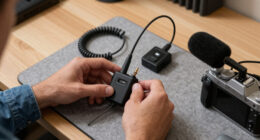
A typical rig has three parts: a microphone that captures sound, a transmitter that sends it, and a receiver that converts the radio signal into audio output. In a handheld model, the mic and transmitter share one body. For hands-free use, a bodypack clips to a belt and connects to a lavalier or headset mic.
For example, a presenter wearing a lavalier clips the small mic near their collar and the bodypack at their waist. The receiver sits by the sound desk and connects to a mixer. The presenter can turn toward a screen or walk across the room while their voice reaches the speakers.
Analog systems send audio using radio modulation, while digital systems convert it into data before transmission. Either can sound excellent. The microphone capsule, processing, connection, and setup all shape the result; “digital” alone does not guarantee better sound.
Choose UHF or 2.4 GHz for the place you’ll use it
Choose a wireless microphone system whose frequencies are legal and usable where you plan to work. UHF is common in professional gear, while many consumer and entry-level products use 2.4 GHz, a band shared with Wi-Fi and Bluetooth devices. Neither band works equally well in every venue, and local frequency rules vary by country.
In a school auditorium with nearby television transmitters, a UHF system may need a frequency scan and careful coordination. At a small workshop with one microphone, a 2.4 GHz kit may be convenient, but nearby Wi-Fi devices can add competition for spectrum. The room and the equipment around it matter.
Before you buy or travel with a system, check its operating frequencies against your local regulations and the relevant national communications authority. A model that works legally at home may not be permitted at your destination. Manufacturer specifications and spectrum rules can change, so check current information rather than relying on an old product listing.
| What to compare | UHF | 2.4 GHz |
|---|---|---|
| Common use | Professional and multi-channel setups | Consumer and entry-level systems |
| Potential issue | Local broadcasts and other spectrum users | Competition from Wi-Fi and Bluetooth devices |
| Best next step | Scan and coordinate frequencies | Test in the actual room |
This is a broad comparison, not a guarantee about every model. Check the individual system’s frequency range and local rules before you commit.
Check these six details before you buy
The right wireless microphone system matches your frequency rules, channel count, microphone style, batteries, range needs, and other audio gear. Write down your setup before comparing product names. A two-mic classroom kit and an eight-mic stage rig have very different demands.
- Confirm legal frequencies. Check the band against local rules and the places where you’ll use or travel with the system.
- Count simultaneous microphones. A system’s channel count is not the same as a guaranteed number of mics that will work in every room; frequency planning and nearby transmitters affect the result.
- Pick a form factor. Handheld mics suit singers and presenters. Lavalier and headset mics let speakers keep their hands free.
- Check compatibility. Confirm the receiver’s output and the microphone connector work with your mixer, camera, recorder, or audio interface.
- Read battery details. Compare expected runtime, battery type, and whether rechargeable transmitters, docks, or charging cases fit your routine.
- Test likely range in context. Walls, people, antenna placement, interference, and transmitter power can all affect coverage; a maker’s maximum range is not a venue guarantee.
Suppose you record interviews with a camera and lavalier. Check that the receiver can connect to the camera’s audio input or to an interface that can. A system with long advertised range won’t help if its output cannot feed the gear you own.
Digital products increasingly offer features such as scanning, app control, remote monitoring, and encryption. Some professional receivers support network control, and rechargeable workflows can speed up repeated use. Treat these as model-specific features, not promises shared by every digital kit.
Set up your system to cut down on dropouts
A wireless microphone works more reliably when you coordinate frequencies, position antennas sensibly, check batteries, and test from the places you’ll actually use it. Give setup a few minutes before doors open. A quick scan at the empty sound desk cannot show every problem caused by a full room or a moving performer.
For a small theater with three bodypacks and one handheld mic, begin at the receiver rack. Scan for usable frequencies, coordinate the four channels according to the manufacturer’s instructions, and place the receivers where their antennas have a clear path toward the stage. Then test each mic while its user walks the planned route.
- Keep receiver antennas clear of metal racks or other obstacles when the system allows it.
- Check batteries and the receiver’s signal indicators before the event.
- Listen for noise while speakers stand, sit, and move through their working area.
- Rescan or coordinate again if you hear dropouts or interference.
If a mic cuts out, check simple causes first: a low battery, a loose connector, an unsuitable frequency, or an antenna blocked by a person or object. More transmitter power may help in some situations, but it won’t fix poor antenna placement or frequency competition.
Reliable wireless audio comes from a system that fits the room and a sound check that tests the real route. The number on a range claim cannot account for every wall, person, or radio signal.
Decide when wireless is worth it—and when a cable wins
Choose wireless when movement matters; choose wired when you want a direct connection without radio interference or transmitter batteries to manage. Both options can deliver excellent sound. Your venue, performance, and tolerance for setup work decide which one makes sense.
A singer moving between the stage and the audience may value a wireless handheld mic enough to check batteries and frequencies before each set. A stationary podcast host at a desk may prefer a wired mic and skip radio setup altogether. Freedom to move has a practical cost: preparation.
Wireless microphone systems are widely used in live music, theater, broadcasting, education, houses of worship, filmmaking, and video production. That broad use doesn’t mean one setup fits them all. A camera crew may prioritize compact transmitters and compatible inputs; a venue hosting several speakers may focus on coordinated channels and repeatable charging.
Frequently Asked Questions
How many wireless microphones can I use at once?
There’s no universal number. It depends on the system, frequency band, venue, nearby transmitters, and how well you coordinate frequencies. For a multi-mic event, check the manufacturer’s guidance and test the full setup at the venue.
How far can a wireless microphone reach?
Range depends on the model, transmitter power, obstacles, interference, and antenna setup. A manufacturer’s maximum range does not guarantee coverage in your room. Test the mic from every place the performer or presenter will use it.
Why does my wireless microphone cut out or make noise?
Common causes include low batteries, a loose connection, interference, blocked antennas, or an unsuitable frequency. Check the batteries and connections first, then review antenna placement and scan or coordinate frequencies as the manufacturer recommends.
Can I connect a wireless microphone to a phone, camera, or computer?
Often, but the receiver or transmitter must support a compatible audio input or interface. Some systems connect directly to phones or computers; others need an adapter or separate receiver. Check the supported connectors and device compatibility before buying.
Do wireless microphones need a license?
Requirements depend on your country, the system’s frequency band, and how you use it. Check current guidance from the relevant national communications authority and confirm the system’s operating frequencies before use.
Conclusion
Choose your wireless microphone system around the room, the local spectrum, and the gear it must connect to. Then scan, check batteries, and test the actual route before anyone takes the stage.
A well-planned signal lets the speaker move freely while the audience hears every word.
Fall Picks
fall essentials
As an affiliate, we earn on qualifying purchases.