
To safely mount a projector, start by locating sturdy studs using a stud finder, ensuring they can support the weight. Use appropriate heavy-duty anchors like toggle bolts if no studs are available, but avoid relying solely on drywall anchors for heavy loads. Always check that hardware weight ratings exceed the combined weight of your projector and mount. Ensuring proper hardware choice and installation techniques is vital—continue exploring to learn all essential safety tips for a secure setup.
Key Takeaways
- Always locate and verify sturdy studs with a stud finder before mounting to support the projector’s weight.
- Use heavy-duty anchors like toggle or molly bolts for drywall or weak surfaces, ensuring they are rated for the load.
- Confirm that all hardware components’ weight ratings exceed the combined weight of the projector and mount.
- Follow the manufacturer’s installation instructions and torque specifications for secure and safe mounting.
- Regularly inspect and tighten bolts and anchors to maintain safety and prevent accidental detachment.
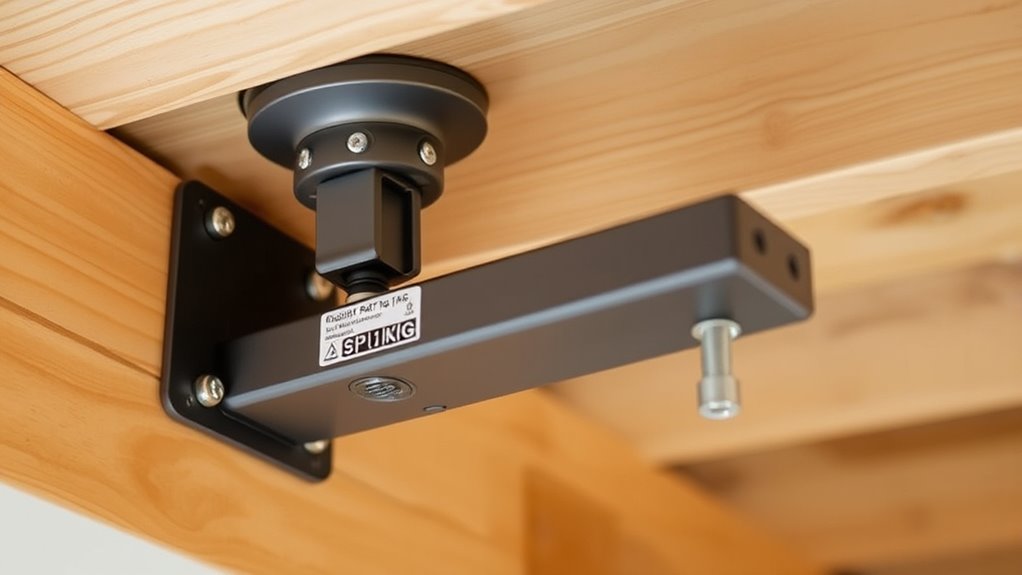
Installing a projector mount safely is vital to prevent accidents and protect your equipment. Before you begin, it’s essential to follow proper installation guidelines to ensure that your mount is secure and reliable. One of the most important steps is conducting a thorough risk assessment. This involves examining the installation area for potential hazards, such as weak ceilings, uneven surfaces, or obstructions that could interfere with the mount or the projected image. By identifying these risks early, you can take necessary precautions to prevent mishaps later on.
Conduct a thorough risk assessment before installing your projector mount to ensure safety and reliability.
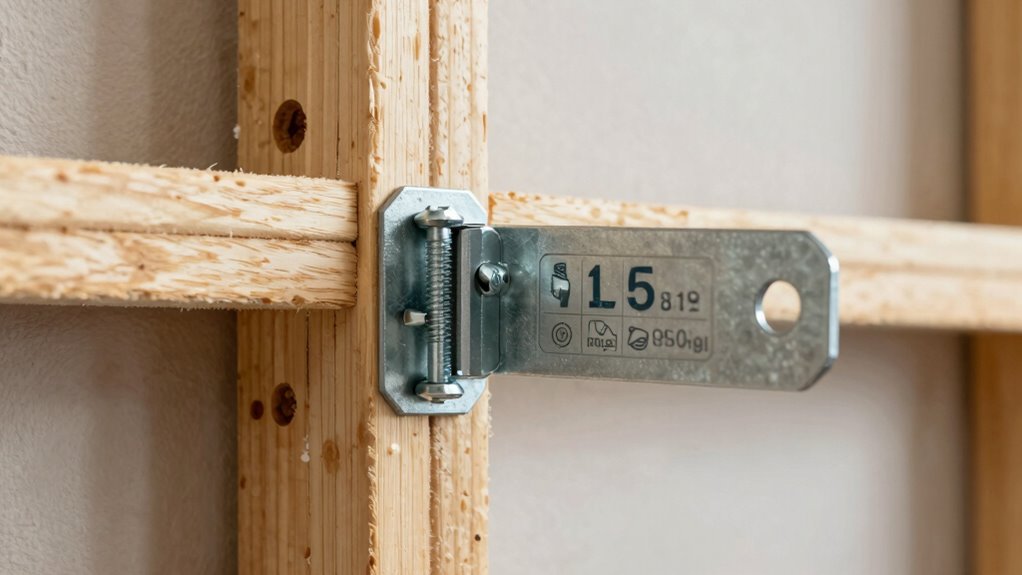
When it comes to selecting the right mounting hardware, understanding how studs, anchors, and weight ratings work together is key. Your first priority should be locating suitable studs within the ceiling or wall where you plan to install the mount. Studs provide a solid anchor point capable of supporting significant weight, making them ideal for heavy projectors. Use a stud finder to accurately locate these supports, and mark their positions clearly. Avoid relying solely on drywall anchors for heavier equipment, as they can fail under strain if not rated for the load.
Once you’ve identified the studs, choose appropriate anchors if you need to mount on surfaces without direct stud support. Heavy-duty anchors, like toggle bolts or molly bolts, are designed to distribute the weight more evenly and provide a secure hold. Be sure to check the weight rating on these anchors and ensure they surpass the combined weight of the projector and mount. Every component, from the mount itself to the hardware, must be rated to handle the load to prevent accidental detachment or damage.
Following the installation guidelines provided by the manufacturer is essential, especially regarding torque specifications and mounting hole alignment. Over-tightening can cause damage to the mount or the ceiling, while under-tightening risks loosening over time. Use a torque wrench if necessary to ensure proper tightness. Remember, the safety of your setup hinges on meticulous adherence to these guidelines.
Additionally, understanding the weight ratings of your mounting hardware and components is crucial for safe installation. Properly rated equipment ensures that your projector is supported securely and reduces the risk of failure over time.
Finally, double-check everything once installed. Confirm that all bolts and anchors are secure, and give the projector a gentle tug to test the stability of the mount. Regular inspections are also recommended, particularly if you notice any signs of wear or loosening. By conducting a proper risk assessment beforehand and following precise installation guidelines, you’ll guarantee your projector mount remains safe, sturdy, and reliable for years to come.

ULTIMEA 5.1CH Surround Sound Bar with Subwoofer, Dolby Atmos, VoiceMX, BassMX, APP, 300W Soundbar for Smart TV, Home Theater Surround Sound System for TV, Bluetooth 5.4, Poseidon M60 (2026 Model)
Simplified 5.1ch Dolby Atmos Setup: Enjoy immersive 4D sound with real Dolby Atmos and 5.1-channel audio. Five built-in...
As an affiliate, we earn on qualifying purchases.
Frequently Asked Questions
Can I Mount a Projector on Drywall Alone?
You shouldn’t mount a projector on drywall alone because drywall limitations can’t support its weight safely. Instead, you need to find alternative mounting options, like installing into studs or using heavy-duty anchors designed for drywall. These methods guarantee your projector stays secure and reduces the risk of damage or accidents. Always verify your mounting surface’s strength and follow proper installation procedures for safety and stability.
What Tools Are Needed for Secure Mounting?
Prepare for perfect placement by gathering essential mounting tools and safety equipment. You’ll need a drill, screwdriver, stud finder, level, and appropriate anchors or screws. Safety gear like gloves and goggles protect you during installation. Use the stud finder to locate sturdy studs, then drill and secure the mount carefully. With the right tools and safety gear, you’ll guarantee your projector’s secure, safe, and solid setup every time.
How Often Should I Check the Mount’s Stability?
You should check your mount’s stability and perform safety checks at least once a month. Regular mount inspection helps you catch loose bolts, worn anchors, or other issues early. If you notice any wobbling, unusual noises, or if the projector shifts, tighten or repair immediately. Consistent safety checks guarantee your mount stays secure, preventing accidents and protecting your equipment. Staying proactive saves you from costly damages or injuries.
Are There Special Mounts for Outdoor Use?
Yes, there are special mounts designed for outdoor use. These outdoor mounts feature outdoor weatherproofing and are made from UV resistant materials to withstand sun, rain, and wind. You might worry about durability, but selecting a mount specifically built for outdoor environments guarantees your projector remains secure and protected. Investing in an outdoor-rated mount means you can enjoy outdoor movies without concerns about weather damage or wear over time.
What Are Signs of a Failing Projector Mount?
If you notice wobbling, sagging, or strange noises from your projector mount, it’s a sign of mount failure. Over time, weight overload can weaken the mount’s components, leading to potential collapse. Regularly check for rust, loose screws, or cracks, as these indicate deterioration. Address issues promptly to prevent accidents. If you see any signs, stop using the mount and reinforce or replace it to guarantee safety.

Bose TV Speaker - Soundbar for TV with Bluetooth and HDMI-ARC Connectivity, All-in-One Compact Soundbar, Includes Remote Control, Black
HEAR YOUR TV BETTER: Designed with simplicity in mind, the Bose TV Speaker is an all-in-one soundbar that...
As an affiliate, we earn on qualifying purchases.
Conclusion
Remember, your safety depends on choosing the right studs, anchors, and respecting weight ratings. Did you know that improperly installed mounts can cause injuries or costly damages? In fact, studies show that over 30% of projector mount failures are due to incorrect installation. So, take your time, double-check your setup, and prioritize safety. Doing so guarantees your projector stays secure, and you avoid potential accidents or damage—because a safe mount is a smart mount.

Mdbebbron 120 inch Projector Screen 16:9 Foldable Anti-Crease Portable Projector Movies Screens for Home Theater Outdoor Indoor Support Double Sided Projection
CONVENIENT TO STORAGE AND CARRY : Compact one-piece,lightweight and folding design. You can fold the projector screen in...
As an affiliate, we earn on qualifying purchases.

Assistrust Sound Bar for Smart TV, Soundbar with Bluetooth/ARC/Opt/AUX Connect, Auto Volume Boost, 3 Equalizer Modes, 2 in 1 Detachable Soundbar for TV/PC/Gaming/Projectors
【𝐈𝐦𝐩𝐚𝐜𝐭𝐟𝐮𝐥 𝐕𝐨𝐥𝐮𝐦𝐞 𝐁𝐨𝐨𝐬𝐭】: Elevate faint sounds to vibrant with automatic loudness boost. Experience immersive sound through 4 versatile...
As an affiliate, we earn on qualifying purchases.