
When moving electronics into cold weather, condensation can form inside and on your gear, risking damage or failure. Rapid temperature shifts cause moisture to condense, which can lead to corrosion or short circuits. To prevent this, insulate your equipment and allow it to acclimate gradually before powering on. Using desiccants or moisture-wicking covers enhances protection. Knowing how to manage these risks keeps your gear safe—more tips await if you’re curious.
Key Takeaways
- Moving electronics from warm to cold environments can cause condensation, risking water damage and device failure.
- Gradual acclimation and thermal insulation help prevent rapid temperature shifts that lead to moisture buildup.
- Using moisture-absorbing materials like silica gel and protective cases reduces internal humidity and condensation risk.
- Allow devices to acclimate in a dry, insulated environment before powering on after cold exposure.
- Combining insulation, moisture control, and gradual temperature changes ensures safe transportation of electronics in cold weather.
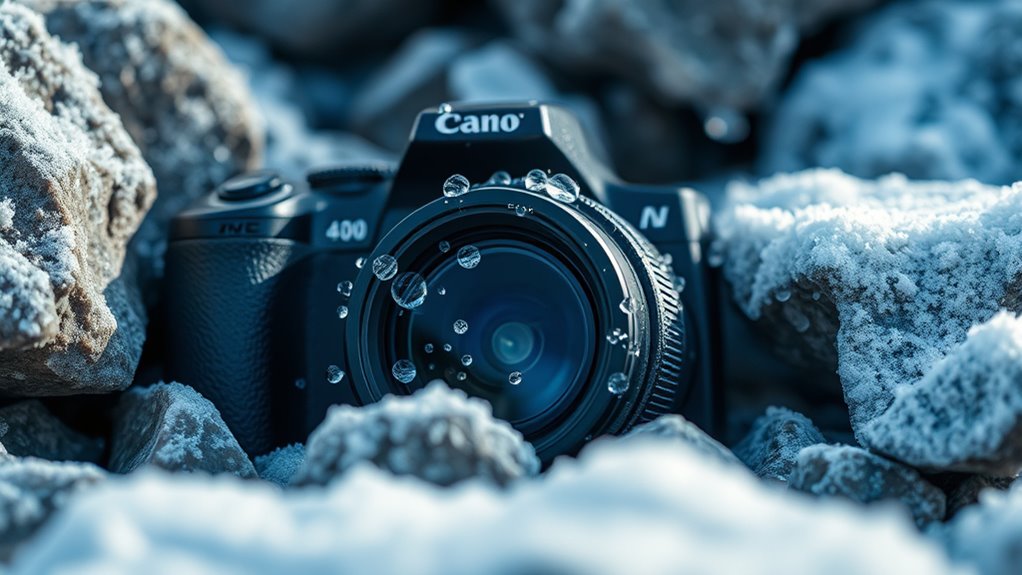
Have you ever wondered how cold weather affects your electronic devices? When you move gear from a warm environment into colder conditions, you might not realize the risks involved. One of the biggest dangers is condensation, which can cause serious damage if not properly managed. To prevent this, understanding how thermal insulation and moisture prevention work together is essential. Thermal insulation helps keep your devices at a stable temperature, reducing the likelihood of rapid temperature changes that lead to condensation. By insulating your electronics, you create a barrier that slows down heat transfer, giving your devices time to acclimate gradually instead of experiencing sudden shifts from warmth to cold. This approach minimizes the chance of moisture forming inside or on the surface of your gear, which is critical because even small amounts of water can cause corrosion or short circuits.
Moisture prevention is equally important. When you bring your electronics into a colder environment, the air’s moisture can condense on or inside your devices if they are not properly protected. That’s why storing your gear in protective cases or bags designed with moisture-wicking materials can make a significant difference. These materials help absorb excess humidity and prevent water droplets from settling on sensitive components. If you’re moving equipment between different environments, it’s a good idea to let your gear acclimate slowly. For example, don’t power up your device immediately after bringing it indoors from the cold; instead, let it sit in its case for a while. This pause allows any residual moisture to evaporate naturally, reducing the risk of internal condensation that could cause damage once powered on.
Another effective method involves using desiccants—small packets filled with silica gel or similar substances—inside your equipment’s storage containers. These desiccants actively absorb moisture and help maintain a dry environment around your electronics. Coupling this with proper thermal insulation ensures your gear stays within a safe temperature range, further reducing the chances of condensation. Remember, sudden temperature changes are the main culprits. So, always plan ahead: when moving gear from a warm space into a cold one, take steps to insulate and moisture-proof your devices. This simple precaution can save you from costly repairs and data loss caused by moisture-related damage. Fundamentally, by combining strategies for thermal insulation and moisture prevention, you can protect your electronics from the hidden dangers of cold weather and keep them functioning smoothly regardless of the temperature outside. Additionally, choosing equipment with high temperature stability can further safeguard your devices in fluctuating conditions.
Frequently Asked Questions
How Can I Prevent Condensation When Moving Electronics Between Temperatures?
To prevent condensation when moving electronics between temperatures, you should use desiccant packs inside your gear to absorb moisture. Additionally, make certain your electronics are well-insulated thermally by wrapping them with insulating materials. Gradually acclimate your devices by letting them sit in their new environment for a while before powering up. This helps reduce moisture buildup and minimizes the risk of condensation damaging your electronics.
What Are the Signs of Moisture Damage Inside Electronic Devices?
You might notice subtle whispers of trouble inside your device, like unusual foggy spots on the screen or a faint smell of corrosion. Moisture indicators could turn a different color, signaling hidden trouble. Internal corrosion might cause your device to behave erratically, freeze, or fail to power on. Keep an eye out for these signs, and if you spot them, give your device a thorough dry-out and professional check to avoid further damage.
Are There Specific Storage Tips for Electronics in Cold Climates?
To protect your electronics in cold climates, follow storage precautions like keeping devices in insulated, moisture-resistant containers. Avoid sudden temperature changes by gradually warming or cooling gear before use. Maintain proper temperature regulation, ideally between 50-77°F (10-25°C), and store electronics in a dry, controlled environment. These steps help prevent condensation, which can cause internal damage, ensuring your devices stay safe and functional in cold weather.
How Long Should I Wait Before Powering on Electronics After Exposure to Cold?
Think of your electronics as a delicate flower blooming after winter. Before powering on, wait at least 2-3 hours, allowing thermal expansion to equalize and humidity control to remove internal moisture. This pause prevents condensation, which can cause damage. Rely on a desiccant or gentle warming to accelerate the process. Patience ensures your gear is ready to flourish again, safeguarding its longevity and performance.
Can Condensation Occur Even if Devices Are Turned off During Transport?
Yes, condensation can occur even if your devices are turned off during transport. When exposed to humidity buildup and temperature fluctuations, thermal expansion causes moisture to condense inside the electronics. This hidden moisture can damage components over time. To prevent this, keep your devices in sealed, moisture-resistant bags and let them acclimate to room temperature before powering on. This minimizes condensation risks and protects your gear.
Conclusion
As you journey from cold to warm environments, think of your electronics as delicate snowflakes melting under the sun. Condensation is like tiny rivers forming on their surfaces, threatening to cause damage. To keep your gear safe, let it warm gradually—like a sunrise melting frost—so the moisture can evaporate gently. By treating your devices with care, you’ll prevent these hidden rivers from turning your equipment into frozen wastelands, ensuring they stay resilient and ready for your next adventure.