Placing your streaming box in a central, elevated spot away from interference sources like cordless phones, microwaves, and Bluetooth devices can drastically boost your Wi-Fi signal. Avoid placing it behind thick walls, metal objects, or large furniture that can weaken the connection. Keeping it close to your router and in the same room helps reduce signal loss. Small adjustments can make a big difference—continue exploring to discover more tips for better streaming quality.

Get audio and creator gear delivered free with Prime
- Fast, free delivery on millions of items
- Prime Video, Amazon Music and more included
- Member-only deals all year
Key Takeaways
- Place the streaming box closer to the router to strengthen Wi-Fi signal and reduce buffering.
- Elevate the device above ground level to improve signal reception and minimize obstructions.
- Keep the streaming box away from interference sources like cordless phones and microwaves.
- Position the device in an open area with minimal walls or furniture between it and the router.
- Use a wired Ethernet connection when possible for a more stable and faster streaming experience.
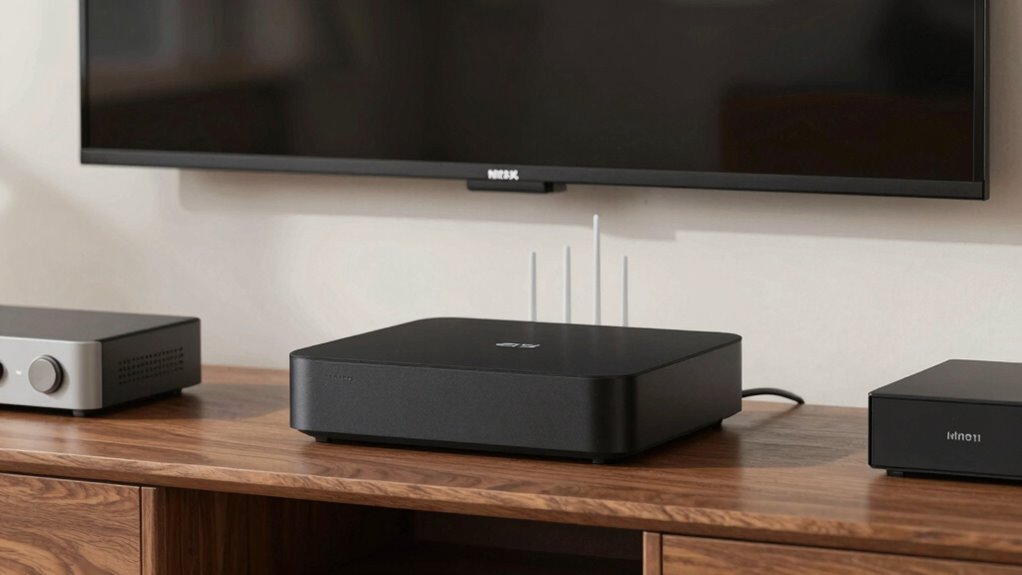
When it comes to getting the best streaming experience, the placement of your streaming box and your Wi-Fi setup are essential. Even small adjustments in where you position your device can significantly impact the quality of your connection. One of the main issues to watch out for is device interference, which occurs when other electronic devices emit signals that disrupt Wi-Fi signals. Common culprits include cordless phones, microwave ovens, and Bluetooth gadgets. Keeping your streaming box away from these devices minimizes interference, helping your connection stay strong and stable.
Proper placement of your streaming device and minimizing interference from electronics ensures a smoother, more reliable connection.
Another critical factor is signal attenuation, which refers to the weakening of Wi-Fi signals as they pass through walls, furniture, or other obstructions. When your streaming box is placed behind thick walls or inside cabinets, the signal may weaken enough to cause buffering or reduced video quality. To avoid this, position your streaming box in a central location, ideally on the same level as your Wi-Fi router, and ensure there are minimal objects between the device and the router. Clear line of sight is often the best way to maintain a robust connection. Additionally, signal attenuation can be reduced by choosing the right placement, such as elevating your router or streaming device for better coverage.
Wireless signals tend to weaken over distance, so the closer your streaming box is to your Wi-Fi router, the better. If your setup places the device far from the router, consider moving the router to a more central spot or using a Wi-Fi extender or mesh network. These tools help reduce signal attenuation by boosting the Wi-Fi signal across larger areas, ensuring your streaming box receives a consistent and fast connection. Remember, placing your router higher off the ground can also improve signal distribution, especially in multi-story homes. Proper placement of your devices can also help prevent signal loss and improve overall network reliability. Recognizing electromagnetic interference sources and managing their proximity to your streaming devices can make a notable difference in your streaming quality.
Avoid placing your streaming box near metal objects or thick concrete walls, as these materials can reflect or absorb Wi-Fi signals, further contributing to signal attenuation. Similarly, keep your streaming device away from large mirrors or electronic appliances that emit electromagnetic interference. The goal is to create an environment where your Wi-Fi signal can travel unimpeded, reducing the chances of lag or buffering.
Products Worth Considering

Samsung 27 Odyssey OLED G5 (G50SF) QHD QD-OLED Gaming Monitor

Jackery Explorer 300 Portable Power Station, 292Wh

Anker SOLIX C200 DC Portable Power Station, 192Wh, 200W
As an affiliate, we earn on qualifying purchases.
Frequently Asked Questions
How Does the Streaming Box’s Placement Affect Wi-Fi Signal Strength?
Your streaming box’s placement directly impacts Wi-Fi signal strength by reducing router interference and signal obstructions. Keep it elevated and away from metal objects or thick walls that can block signals. Placing it near your router guarantees a stronger, more stable connection. Avoid hidden spots or crowded areas with many electronic devices, as these can cause interference, weakening the signal and affecting streaming quality.
Can Placement Improve Wi-Fi Performance Without Changing the Router?
Yes, proper placement can improve Wi-Fi performance without changing your router. Position your streaming device away from walls and metal objects, and keep it elevated for better signal strength. Check device compatibility to guarantee peak performance and regularly update firmware for security and fixes. These steps help strengthen the connection, reduce buffering, and enhance streaming quality without needing to alter your router’s setup.
What Are Common Placement Mistakes That Weaken Wi-Fi Signals?
Imagine placing your streaming box next to a thick wall or near interference sources like cordless phones or microwaves. These mistakes weaken your Wi-Fi signal. Also, plugging your device into a power outlet surrounded by metal or inside a crowded power strip can cause interference. Keep your streaming box away from obstacles and interference sources, and choose a central, open spot for the best Wi-Fi performance.
Does the Material of Nearby Furniture Impact Wi-Fi During Streaming?
Furniture interference can definitely impact your Wi-Fi during streaming, especially if the material conductivity is high. Metal furniture or objects like filing cabinets reflect or absorb signals, weakening your connection. Keep your streaming box away from such furniture to minimize interference. Opt for open spaces or non-metallic furniture, which allow signals to pass through more easily. Proper placement helps guarantee a stable, high-quality streaming experience.
How Often Should I Reposition My Streaming Box for Optimal Wi-Fi?
You should reposition your streaming box whenever you notice buffering or slow loading, ideally every few months. Imagine your Wi-Fi signal as a gentle stream, flowing best when unobstructed. Keep the device compatible with your network, and make sure it’s near a power source. Moving it slightly, like shifting a picture frame, can boost signal strength, making your streaming experience smoother and more reliable over time.
Conclusion
So, don’t underestimate the power of smart placement for your streaming box. You might think your Wi-Fi is fine, but positioning it right can make a noticeable difference in your streaming quality. Even if your signal seems strong, a little adjustment can eliminate buffering and lag. Trust me, taking these simple steps can turn your viewing experience from frustrating to seamless—so give it a try and enjoy smoother streaming every time.