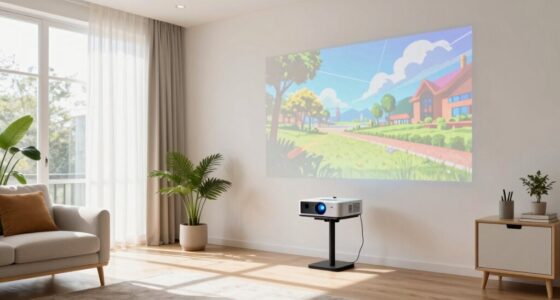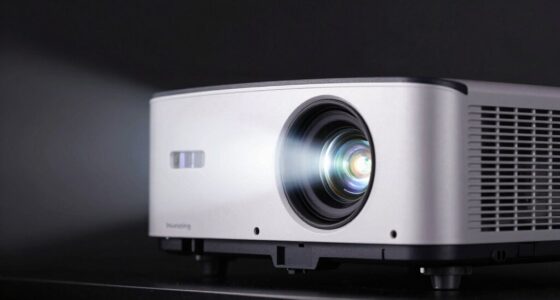
To experience true HDR from your projector, you need to control ambient light by blocking out as much outside and indoor lighting as possible, using blackout curtains or heavy drapes. Choose a matte or high-gain screen suited to your room’s light conditions to enhance contrast and color. Proper calibration of your projector’s settings is essential to maintain vibrancy and detail. To discover more ways to optimize your setup, continue exploring these tips for a stunning HDR experience.
Get ready for Prime Big Deal Days — try Prime free
Exclusive member deals on October 6–7, plus fast free delivery. Cancel anytime.
As an affiliate, we earn on qualifying purchases.
Key Takeaways
- Minimize ambient light with blackout curtains and turn off unnecessary light sources.
- Create a dark room environment to enhance contrast, color vibrancy, and HDR depth.
- Use a matte or high-gain screen material suited to your room’s lighting conditions.
- Properly calibrate projector settings, especially contrast and brightness, for optimal HDR performance.
- Combine light control, suitable screen choice, and calibration for the best HDR viewing experience.

To truly enjoy the vibrant depth and detail of HDR images from a projector, your room conditions need to be just right. The first thing you’ll want to pay attention to is ambient light. HDR relies heavily on contrast and color accuracy, which can be easily washed out by excess light in the room. Bright ambient light reduces the perceived contrast and diminishes the richness of HDR images. To get the most out of your projector, dim or eliminate ambient light sources as much as possible. Use blackout curtains or heavy drapes to block outside light, and turn off or cover any lamps and screens that might spill light into the room. The goal is to create a dark environment that allows your projector’s capabilities to shine through. When the room is dark enough, you’ll notice the HDR content displaying its true potential—vivid colors, deep blacks, and bright highlights that pop with clarity.
Another crucial factor is your screen material. Not all screens are created equal, especially when it comes to HDR. A good HDR screen material should reflect light evenly and preserve the color accuracy of the projector’s image. Matte screens are popular because they help diffuse light and reduce glare but can sometimes soften the image slightly. On the other hand, high-gain or specialized HDR screens are designed to enhance contrast and boost color vibrancy, making HDR content more immersive. When choosing a screen material, consider your room’s lighting conditions and the projector’s specifications. An ideal HDR screen material will maximize contrast, preserve color accuracy, and prevent washout from any residual ambient light. Proper calibration of your projector’s settings**—especially contrast and brightness—will further enhance HDR performance. Remember, HDR isn’t just about the projector; it’s about creating an environment that nurtures its full potential. With controlled ambient light and the right screen material, you’ll enjoy HDR images that are rich, detailed, and true to life. This combination allows you to see the full depth and vibrancy HDR offers, transforming your viewing experience** into something spectacular.
blackout curtains for home theater
As an affiliate, we earn on qualifying purchases.
As an affiliate, we earn on qualifying purchases.
Frequently Asked Questions
How Does Room Size Affect HDR Viewing Quality?
Room size greatly impacts HDR viewing quality. Larger rooms can help control room acoustics, reducing sound reflections that might distract from picture quality. However, bigger spaces may introduce more light pollution, making it harder to achieve ideal contrast and brightness for HDR. Smaller rooms tend to focus light better and can be easier to control for consistent lighting, ensuring you get the full benefit of HDR’s vibrant colors and deep blacks.
What Type of Projector Screen Enhances HDR Performance?
You should choose a projector screen with a high screen gain, ideally around 1.1 to 1.3, to boost HDR performance by increasing brightness. Look for a surface with a smooth, matte texture that minimizes reflections and preserves contrast. This combination helps deliver vibrant colors and deep shadows, ensuring you experience true HDR quality. Avoid glossy surfaces, as they can cause glare and wash out the image.
Can Ambient Noise Impact HDR Viewing Experience?
Ambient noise can impact your HDR viewing experience by distracting you and reducing immersion. To improve sound quality, consider soundproofing techniques like sealing gaps and installing acoustic panels. Acoustic treatment helps absorb excess noise and echoes, ensuring clearer audio and a more focused environment. When you minimize ambient sounds, you’ll notice sharper images and more vibrant HDR details, making your projector viewing sessions more enjoyable and immersive.
Is HDR More Noticeable on Certain Types of Content?
HDR is more noticeable on content with vibrant colors and high contrast, like movies or sports. You’ll see better color accuracy and brightness consistency, making details pop and shadows deepen. When the content has a wide dynamic range, your projector’s HDR capabilities truly shine, giving you a more immersive experience. So, choose content that leverages these elements to maximize your viewing enjoyment and truly appreciate HDR quality.
How Often Should Projector Lamps Be Replaced for Optimal HDR?
You should replace your projector lamp roughly every 1,500 to 2,000 hours of use, as this is when lamp lifespan typically declines. Interestingly, most projectors need a lamp replacement every 2 to 3 years with regular use. To maintain ideal HDR performance, keep an eye on brightness levels and replace the lamp when you notice dimming or color inconsistencies. Regular replacement ensures vibrant images and true HDR quality.
As an affiliate, we earn on qualifying purchases.
Conclusion
When your room hits the perfect conditions, watching HDR on your projector becomes like stepping into another world—vivid, immersive, and breathtaking. Keep the lights dim, control reflections, and make sure your projector is calibrated just right, and you’ll open a visual symphony that transforms your viewing experience. Think of it as tuning an instrument; with the right environment, every scene resonates with stunning clarity, turning your room into a gateway to cinematic magic.
As an affiliate, we earn on qualifying purchases.
As an affiliate, we earn on qualifying purchases.
NFL season / tailgating Picks
team gear
As an affiliate, we earn on qualifying purchases.