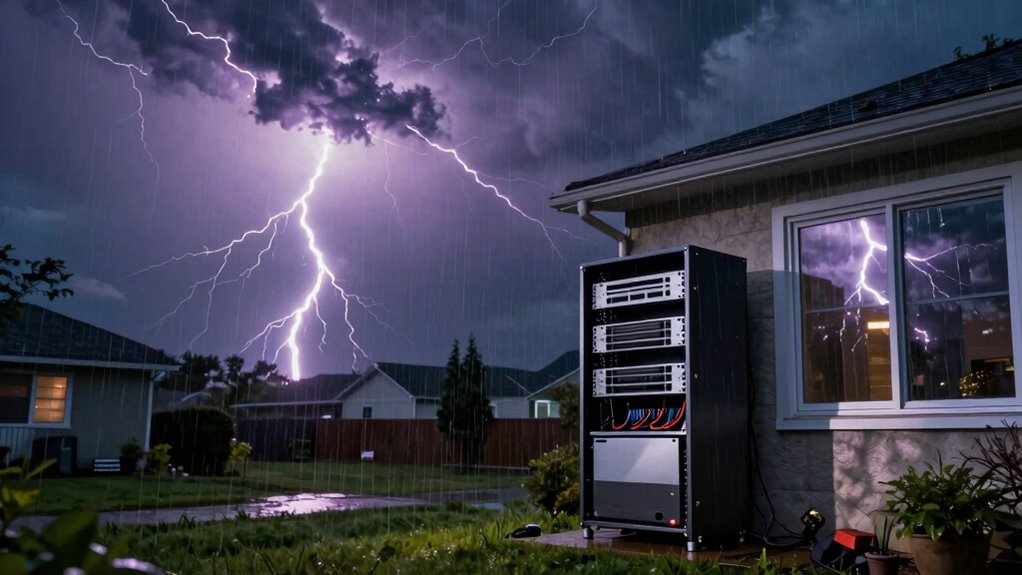

During spring thunderstorms, the best way to protect your AV gear is to unplug sensitive devices before severe weather hits or lightning is visible nearby. If you can’t do that, power strips with surge protection help, but they aren’t foolproof—especially against direct strikes. Always guarantee surge protectors are properly grounded and avoid daisy-chaining. Staying safe means combining these precautions with awareness of weather alerts. Keep going to learn more about safeguarding your equipment effectively.

Get audio and creator gear delivered free — and shop member deals
- Fast, free delivery on millions of items
- Access to Prime Big Deal Days deals on October 6–7
- Prime Video, Amazon Music and more included
Key Takeaways
- Unplug AV gear during thunderstorms or when lightning is visible to prevent surge damage.
- Keep devices plugged in during minor storms without lightning or thunder for normal use.
- Use surge protectors properly grounded and rated for power surges, but know they have limitations.
- Unplug all electronics if a severe storm with lightning is imminent, especially if you’ll be away.
- Rely on unplugging as the most secure method during severe weather, supplementing surge protectors.
Spring thunderstorms often bring sudden surges in power and unpredictable weather patterns that can disrupt your daily routine. Lightning strikes are a common concern during these storms, posing a serious threat not only to your safety but also to your electronic devices. To protect your valuable AV gear, it’s vital to understand when to unplug and how surge protection can help reduce risks. Lightning safety should always be your top priority; if you hear thunder or see lightning, it’s a sign that a storm is nearby. Staying indoors during lightning activity is the safest choice. If you’re worried about power surges caused by lightning strikes hitting power lines or utility poles, consider unplugging sensitive electronics, including your home theater system, computers, and gaming consoles. This simple step can prevent costly damage from sudden voltage spikes.
While unplugging your devices is a proactive approach, it’s not always practical to disconnect everything at the first sign of a storm. That’s where surge protection devices come into play. Quality surge protectors act as barriers, diverting excess voltage away from your electronics and grounding it safely. They’re a cost-effective way to safeguard your AV gear against unexpected power surges that may occur even when you’re not actively using your devices. However, it’s vital to choose a surge protector with a high joule rating and proper clamping voltage to guarantee maximum protection. Remember, surge protectors aren’t foolproof; they can wear out over time and may need replacement after a significant surge event or frequent thunderstorms.
During a storm, you should also avoid relying solely on surge protectors. While they do provide a line of defense, they won’t protect your equipment from direct lightning strikes or power outages caused by severe weather. In such cases, unplugging remains the most secure option. If you’re away from home or unable to disconnect your devices during a storm, ensure your surge protectors are properly rated and plugged into grounded outlets. Avoid daisy-chaining multiple surge protectors or extension cords, which can compromise their effectiveness. Additionally, understanding the importance of proper color accuracy in your AV setup can ensure that your equipment performs optimally once the storm passes.
Ultimately, the safest approach combines lightning safety awareness with proper surge protection. Stay alert to weather forecasts, and when a storm is imminent, unplug your most sensitive electronics. Use surge protectors as an ongoing safeguard for your AV gear, but never rely on them alone during severe thunderstorms. Protecting your equipment is about anticipating risks and taking proactive steps—because a storm’s surge can be powerful enough to cause permanent damage if you’re unprepared.
AV surge protector with high joule rating
As an affiliate, we earn on qualifying purchases.
As an affiliate, we earn on qualifying purchases.
Frequently Asked Questions
Can Surge Protectors Prevent All Damage During Thunderstorms?
Surge protectors can’t prevent all damage during thunderstorms, especially from lightning strikes or severe power fluctuations. They can help reduce the risk by blocking excess voltage, but a powerful lightning hit can still cause damage. To protect your AV gear effectively, unplug devices during storms or when you expect lightning activity. Relying solely on surge protectors isn’t enough; physical disconnection offers the best safeguard against lightning-induced surges.
Is Unplugging AV Gear Necessary if a Storm Is Nearby but Not Imminent?
If a storm is nearby but not imminent, unplugging your AV gear isn’t strictly necessary. You should consider the storm’s proximity and the likelihood of a power surge. If the storm is very close, unplugging is a good safety measure. However, if it’s just a distant rumble, leaving your gear plugged in is generally safe, especially if you have surge protectors. Use your judgment based on storm proximity and potential surge risk.
How Often Should I Test My Surge Protectors for Effectiveness?
You should test your surge protectors at least once a year—think of it as giving your gear a health checkup! Regular surge testing guarantees your protector isn’t pretending to work while its lifespan is secretly running out. If your protector is old or shows signs of wear, test it more often. Don’t wait until a storm strikes—stay ahead and keep your AV gear safe from unseen surges!
Are Newer Electronic Devices More Resistant to Power Surges?
Newer electronic devices generally have better electronic durability and device resilience, making them more resistant to power surges. Manufacturers often incorporate advanced surge protection components, which help defend against voltage spikes. However, you shouldn’t rely solely on this increased resilience. Always use surge protectors and unplug sensitive gear during storms to guarantee maximum safety, as no device is entirely invulnerable to unexpected power fluctuations.
What Are the Signs That My AV Equipment Has Been Damaged by a Surge?
If your AV equipment has been damaged by a surge, you might notice equipment discoloration or unusual audio/video behavior. Discoloration often appears as fading or spots on screens or casings, while strange sounds, flickering images, or input issues signal potential damage. Pay close attention to these signs; they indicate your gear may need professional inspection or replacement to prevent further problems.
uninterruptible power supply for home theater
As an affiliate, we earn on qualifying purchases.
As an affiliate, we earn on qualifying purchases.
Conclusion
As spring thunderstorms roll in, remember that nearly 80% of power surges happen during storms, risking your valuable AV gear. While unplugging is wise during severe weather, don’t forget that even minor surges can cause damage. Using surge protectors can reduce your risk by up to 80%. Stay vigilant, unplug when possible, and protect your equipment so you can enjoy the season’s beauty without worrying about costly repairs.
grounded surge protector for electronics
As an affiliate, we earn on qualifying purchases.
As an affiliate, we earn on qualifying purchases.
heavy-duty power strip with surge protection
As an affiliate, we earn on qualifying purchases.
As an affiliate, we earn on qualifying purchases.
Fall Picks
fall essentials
As an affiliate, we earn on qualifying purchases.