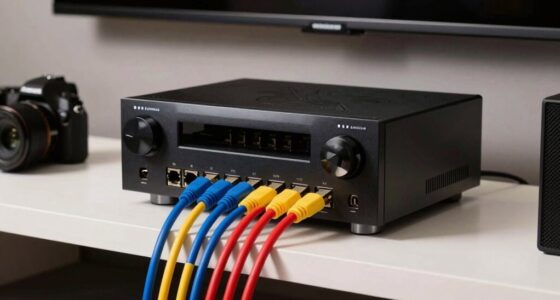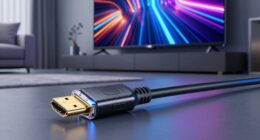

Over time, HDMI cables can degrade silently, causing signal issues like flickering, color problems, or blackouts that often go unnoticed until they become severe. Connectors may become corroded or loosen, and internal wiring can weaken, leading to reduced picture and sound quality. Regularly inspecting and replacing worn cables can prevent long-term problems. If you want to find out how to spot these issues early and keep your setup at its best, keep exploring this topic.

Get audio and creator gear delivered free — and shop member deals
- Fast, free delivery on millions of items
- Access to Prime Big Deal Days deals on October 6–7
- Prime Video, Amazon Music and more included
Key Takeaways
- HDMI cables can develop internal micro-tears and weak spots over time, causing gradual signal degradation.
- Connector wear, corrosion, or bending often goes unnoticed but leads to declining picture and sound quality.
- Progressive internal damage causes flickering, color issues, and blackouts that worsen without immediate detection.
- Regular inspection and early replacement prevent permanent connection issues and maintain optimal signal performance.
- Proper handling and high-quality cables extend lifespan, reducing long-term performance problems unnoticed until significant failure occurs.

If you’ve been using HDMI cables for long-distance connections, you might have noticed occasional signal issues or degraded picture quality over time. These problems often seem minor at first—perhaps a flicker here or a slight drop in resolution—but they tend to worsen gradually. The main culprits behind these issues are signal degradation and connector wear, which slowly chip away at your setup’s performance without you immediately realizing it. Over months or even years, the cable’s ability to transmit a clean, strong signal diminishes, and the physical connectors can become loose or damaged. This wear and tear stem from repeated plugging and unplugging, environmental factors, or simply the strain of supporting longer cable runs.
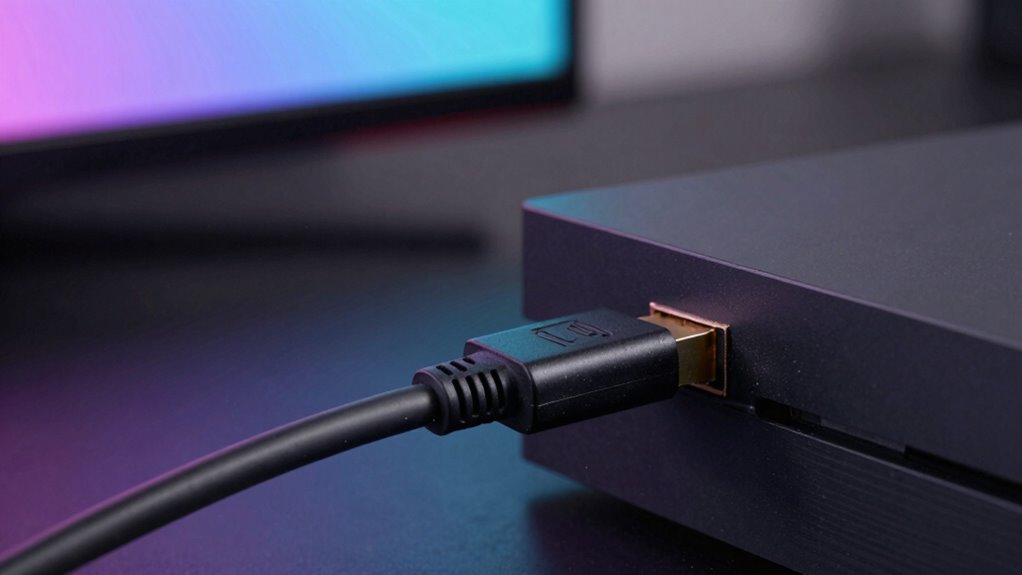
As you use your HDMI cable, the internal wiring can develop micro-tears or weak spots, especially in longer runs. These tiny flaws cause signal degradation, leading to picture flickering, color inaccuracies, or intermittent blackouts. You might notice that the picture quality starts to fluctuate during critical moments, but you attribute it to your device or source, not the cable itself. Meanwhile, connector wear becomes more evident when the plug no longer fits snugly into your port or if it’s hard to establish a stable connection. Over time, the metal contacts inside the connector can bend, corrode, or become dirty, further impairing the signal transmission. Sometimes, you may need to press the cable in just the right way to get a decent picture, which indicates that the connector’s integrity is compromised. Recognizing the importance of proper cable maintenance can help extend the lifespan of your HDMI connections and prevent unforeseen disruptions. Additionally, using high-quality cables specifically designed for longer distances can mitigate some of these issues before they arise. Regular inspection and careful handling are essential to avoid unnecessary wear and tear on your connections. Being aware of signs of deterioration can help you catch issues early before they become severe.
What often escapes notice early on is how these small issues compound. Signal degradation doesn’t just cause momentary glitches; it can permanently weaken the connection if left unaddressed. The longer the cable is in use, especially without proper care, the more the internal wiring and connectors suffer. As a result, the quality of your audio and video output diminishes, and your viewing experience suffers. Many people don’t realize the impact of connector wear until they’re faced with frequent disruptions or the need to replace their entire setup. It’s a slow process, but one that can be mitigated by inspecting your cables regularly, avoiding unnecessary bending or pulling, and considering high-quality cables designed for long-distance runs. Recognizing these signs early can save you money and frustration down the line. Proper cable management and replacing worn-out cables at the right time are key to maintaining optimal signal quality over the long term.
high quality HDMI cables for long distance
As an affiliate, we earn on qualifying purchases.
As an affiliate, we earn on qualifying purchases.
Frequently Asked Questions
How Long Do HDMI Cables Typically Last Before Issues Arise?
HDMI cables typically last between 5 to 10 years before issues arise, depending on usage and quality. Over time, cable insulation can degrade, leading to potential damage. Signal interference from nearby electronics may also affect performance, especially if the cable’s shielding isn’t sufficient. To guarantee longevity, handle your HDMI cables carefully, avoid bending them sharply, and replace them if you notice degraded picture or sound quality, or persistent connection problems.
Can Environmental Factors Affect HDMI Cable Longevity?
Did you know that nearly 60% of HDMI cable failures are linked to environmental factors? Yes, environmental durability profoundly impacts how long your HDMI cable lasts, especially since interference susceptibility increases with exposure to moisture, heat, or sunlight. Harsh conditions can degrade the internal components over time, causing signal issues or complete failure. To extend your cable’s life, keep it in a cool, dry place and avoid unnecessary exposure to environmental stressors.
Are Certain HDMI Versions More Prone to Long-Term Problems?
Yes, some HDMI versions are more prone to long-term problems like compatibility issues and signal degradation. Older HDMI standards may struggle to keep up with newer devices, leading to connection problems over time. You might notice reduced picture quality or intermittent signals as the cable ages. To prevent this, choose cables that match your device’s specifications and upgrade when you see compatibility issues or degraded signal quality.
How Can I Test My HDMI Cable’s Long-Term Performance?
You can test your HDMI cable’s long-term performance by inspecting its cable shielding for any damage or wear, which can affect signal stability. Additionally, regularly connect your devices and observe if the picture or sound quality drops or experiences interruptions over time. Using a high-quality cable with good shielding helps maintain signal stability, ensuring reliable performance even after prolonged use. If issues arise, consider replacing the cable to prevent long-term problems.
What Are Signs of HDMI Cable Degradation Over Time?
Like a fading photograph, your HDMI cable shows signs of aging through picture flickering or color distortions. You might notice increased signal interference, leading to intermittent black screens or audio drops. Deterioration often stems from compromised cable shielding, which leaves it vulnerable to external interference. If these issues persist despite secure connections, it’s time to think about replacing your cable to maintain ideal signal quality and prevent further degradation.
As an affiliate, we earn on qualifying purchases.
Conclusion
While the long-term HDMI issue might seem minor now, staying aware helps you catch problems early. You might think it’s not worth worrying about, but ignoring it could lead to degraded picture quality or connection failures down the line. Regularly checking your cables and being mindful of signs can save you headaches later. Don’t wait until it’s too late—taking simple precautions now guarantees your entertainment stays seamless for years to come.
As an affiliate, we earn on qualifying purchases.
durable HDMI cables with gold-plated connectors
As an affiliate, we earn on qualifying purchases.
As an affiliate, we earn on qualifying purchases.
Fall Picks
fall essentials
As an affiliate, we earn on qualifying purchases.