
You often get confused by AV menus because they tend to be cluttered, poorly labeled, and inconsistent across different devices. When buttons and options aren’t clear, it’s hard to find what you need quickly. Complex layouts and unclear labels can leave you guessing, making device setup frustrating for everyone in the house. If you want to understand how to simplify and improve your AV experience, keep going to discover helpful tips.
Open a free Amazon Business account
Business pricing, bulk buying and tax-exempt orders.
As an affiliate, we earn on qualifying purchases.
Key Takeaways
- Cluttered and poorly labeled menus make it hard to quickly find settings or switch devices.
- Inconsistent interface designs across devices cause confusion and require relearning different menu layouts.
- Technical jargon and unclear labels hinder user understanding and effective navigation.
- Remote controls with confusing layouts and small buttons reduce ease of use and increase frustration.
- Compatibility issues and unclear indicators prevent seamless device integration, complicating setup and troubleshooting.

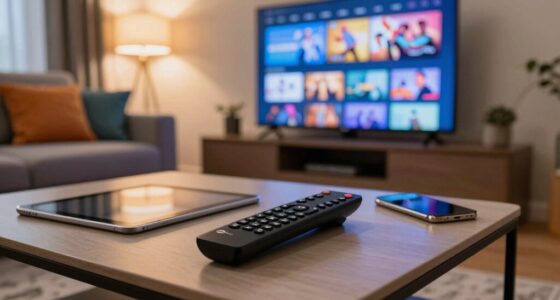
Many people find AV menus incredibly confusing because they’re often cluttered, poorly labeled, and filled with technical jargon. When you’re trying to switch between devices or adjust settings, it can feel like deciphering a foreign language. The problem isn’t just the menu design but also how you interact with it. Remote control ergonomics plays a big role here. If your remote isn’t user-friendly—lacking intuitive button placement or easy-to-press controls—you’ll struggle to navigate complex menus. Small buttons, confusing layouts, or a lack of tactile feedback make it harder to quickly find what you need, especially in the heat of a movie night or when entertaining guests. A remote that doesn’t fit comfortably in your hand or requires multiple button presses to access basic functions adds frustration to an already complicated process.
Another major issue is audio visual compatibility. Many AV systems involve multiple devices—TVs, soundbars, gaming consoles, streaming devices—and they don’t always play nicely together. When menus don’t clearly indicate which device is active or how to synchronize different components, you end up wasting time trying to get everything to work smoothly. If your AV menu doesn’t provide straightforward options for audio-visual compatibility, you might find yourself stuck with poor sound quality, lagging video, or devices that refuse to connect. This confusion can be compounded by inconsistent menu interfaces across devices, forcing you to learn new controls and labels each time you switch hardware. Additionally, user interface design is often overlooked, which can make menus even more unintuitive and difficult to navigate. Improving menu consistency across devices can significantly reduce user frustration and make the experience more seamless. Furthermore, many menus lack clear labeling, which could help users quickly identify what each setting controls and avoid unnecessary trial and error. In some cases, inadequate menu organization leaves users overwhelmed and unsure of where to find critical settings efficiently. A more standardized interface layout across devices could help mitigate this issue.
The combination of poor remote control ergonomics and insufficient attention to audio visual compatibility makes managing your home entertainment system more frustrating than it should be. Instead of enjoying your content, you spend precious minutes pressing buttons, scrolling through confusing menus, or troubleshooting compatibility issues. The design of the menu itself often neglects the user experience, leaving you to guess what each setting does or how to access certain features. When these factors coexist, they create a perfect storm of confusion that affects everyone in the house. Whether you’re tech-savvy or not, the goal should be simple: easy-to-use interfaces, well-designed remotes, and clear options that work seamlessly together. Without those, AV menus remain a source of frustration for all.
universal remote control with ergonomic design
As an affiliate, we earn on qualifying purchases.
As an affiliate, we earn on qualifying purchases.
Frequently Asked Questions
How Do I Customize AV Menu Settings for My Preferences?
To customize your AV menu settings, start with remote customization options. Access the settings menu on your device or remote control, then browse to display preferences. Here, you can adjust brightness, contrast, or language to match your needs. Save your changes, and your menu will be tailored to your preferences. This way, you’ll avoid confusion and make steering your AV system much easier and more intuitive.
What Do the Different Icons and Symbols on the Menu Mean?
You’ll want to focus on icon interpretation and symbol clarity to understand the AV menu icons. Generally, a TV icon means display settings, a speaker indicates audio options, and a gear symbol refers to system or setup settings. If icons aren’t clear, check the user manual or look for tooltip descriptions within the menu. Clear symbols help you quickly navigate and customize your AV system without confusion.
How Can I Update or Reset the AV Menu System?
To update or reset your AV menu system, start with remote troubleshooting by unplugging your device, then press and hold the power button for about 10 seconds before plugging it back in. Check if a firmware update is available through the manufacturer’s website or app, and follow their instructions. If issues persist, perform a factory reset via the system settings, ensuring you back up any preferences first.
Why Does the Menu Sometimes Freeze or Not Respond?
Think of your AV menu as a busy highway—sometimes it gets congested, causing freezes or unresponsiveness. This often happens when software glitches or outdated firmware clog the system. Voice command integration can sometimes overload the menu, and parental control settings might restrict certain functions, leading to delays. To fix it, restart your device, update the firmware, and check for any conflicting settings. This clears the traffic and speeds things up again.
Are There Universal AV Menu Standards Across Different Brands?
There aren’t universal AV menu standards across brands, so menu consistency varies. Different manufacturers design menus uniquely, which can confuse users. While some common features exist, like straightforward navigation and clear labels, each brand often uses distinct layouts and terminology. To minimize confusion, stick with one brand’s equipment or learn its specific menu system. Over time, you’ll become familiar with its navigation, reducing frustration and making setup easier.
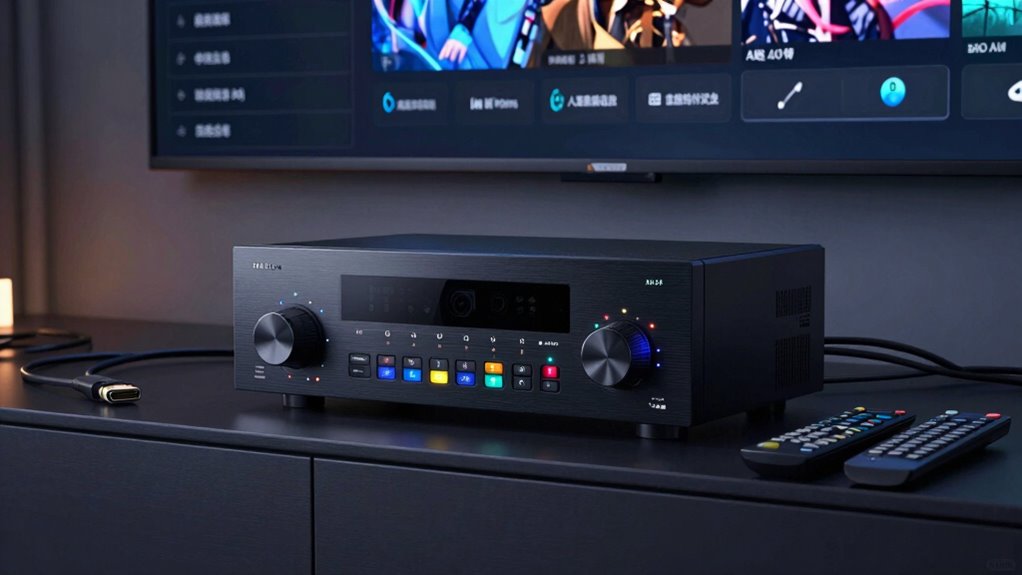
AV receiver with user-friendly menu
As an affiliate, we earn on qualifying purchases.
As an affiliate, we earn on qualifying purchases.
Conclusion
Think of your AV menu as a map in a vast, mysterious forest. Without clear signs, you might wander aimlessly, unsure of which trail leads where. Simplify your menu like marking the path with bright, easy-to-follow signs. When you do, everyone in your house can find their way effortlessly, avoiding frustration and confusion. Clear, intuitive menus are the guiding stars that help everyone navigate the entertainment wilderness with confidence and ease.
As an affiliate, we earn on qualifying purchases.
AV system setup and calibration tools
As an affiliate, we earn on qualifying purchases.
As an affiliate, we earn on qualifying purchases.
Fall Picks
fall essentials
As an affiliate, we earn on qualifying purchases.