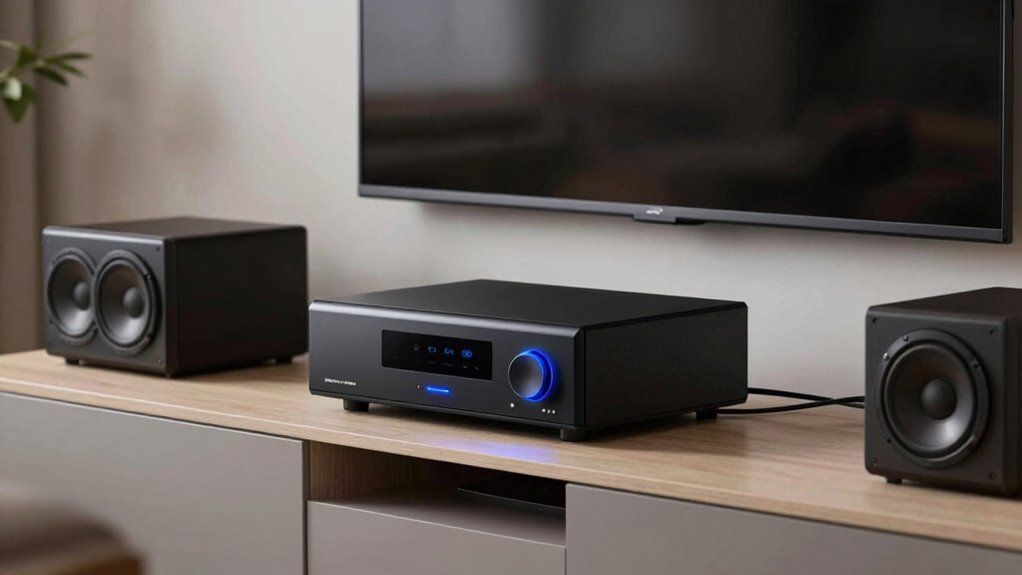

To reduce latency and dropouts with your wireless subwoofer, keep it close to your router and avoid obstacles like walls or metal furniture. Switch to less congested Wi-Fi channels or frequencies to minimize interference. Make sure your firmware is current and adjust power settings to prevent premature sleep modes. For more tips on optimizing signal stability and performance, explore the detailed strategies that follow.
Key Takeaways
- Position the subwoofer and router centrally and away from obstructions to strengthen wireless signals and reduce latency.
- Use less congested Wi-Fi channels and frequencies to minimize interference and prevent dropouts.
- Keep electronics, including routers and other wireless devices, away from the subwoofer to avoid signal congestion.
- Regularly update firmware and firmware settings to improve stability and fix known connectivity issues.
- Consider wired connections or advanced subwoofers supporting low-latency codecs for more reliable performance.
Wireless subwoofers have revolutionized home audio setups by eliminating the clutter of cables and making installation much simpler. However, to enjoy seamless sound, you need to understand how factors like Bluetooth interference and power management can affect their performance. Bluetooth interference can be a frustrating issue, especially in homes packed with other wireless devices. When multiple gadgets are using the same frequency bands, signals can overlap, causing dropouts or lag. To minimize this, ensure your subwoofer operates on less congested frequencies or switch to a different wireless channel if your device allows. Keeping other electronics away from the subwoofer and router can also reduce interference, enhancing connection stability.
Minimize Bluetooth interference by selecting less congested channels and keeping electronics away from your subwoofer and router.
Power management is another vital aspect that influences your wireless subwoofer’s performance. Many models rely on batteries or have automatic sleep modes to conserve energy. While energy efficiency is beneficial, poorly managed power settings can lead to unexpected dropouts or delayed responses. For instance, if the subwoofer enters sleep mode too quickly, it might disconnect during essential moments. To prevent this, check your user manual for power settings and adjust the timeout durations or keep the device in continuous mode if you prefer consistent performance. Some subwoofers also have auto-reconnect features, but they might not always work flawlessly, especially in environments with frequent interference. Energy-efficient technology in modern devices helps extend battery life while maintaining performance, but it requires proper configuration.
Latency can also be affected by how well your wireless connection is managed. A weak or unstable connection caused by Bluetooth interference or improper power settings can introduce latency issues, making the bass feel out of sync with other audio components. To keep latency minimal, position your router and subwoofer close enough to maintain a strong signal, and avoid obstacles like thick walls or metal furniture that can weaken wireless signals. Additionally, some modern wireless subwoofers support advanced Bluetooth codecs and dual-band Wi-Fi, which help reduce latency and improve overall stability.
Consistent power management and avoiding Bluetooth interference are essential for a dependable wireless experience. Regularly update your device firmware to benefit from bug fixes and performance improvements. If you experience persistent issues, consider switching to a wired connection or upgrading to a model with better interference resistance and smarter power management features. By paying attention to these factors, you guarantee your wireless subwoofer performs at its best—delivering deep bass without disruptions, lag, or dropouts.
Frequently Asked Questions
Can Wireless Subwoofers Be Integrated With Existing Wired Speaker Systems?
Yes, you can integrate wireless subwoofers with your existing wired speaker system. To do this, verify your wireless subwoofer offers wired compatibility options, like RCA or speaker wire connections. Proper system integration involves matching impedance and ensuring the wireless receiver works seamlessly with your current setup. This way, you get the flexibility of wireless tech while maintaining the performance and reliability of your wired speakers.
What Is the Typical Battery Life of a Wireless Subwoofer?
Your wireless subwoofer’s battery life typically ranges from 8 to 12 hours, depending on usage and model. To maximize battery life, focus on effective power management by turning off the subwoofer when not in use and reducing volume levels. Some models include sleep modes or automatic shut-off features, helping conserve power and extend playtime. Regularly charging and maintaining the battery guarantees ideal performance and longevity.
How Do Environmental Factors Affect Wireless Subwoofer Performance?
Imagine a quiet lake disturbed by subtle ripples—environmental factors like interference sources and signal attenuation can create similar disturbances for your wireless subwoofer. These factors weaken or block signals, leading to dropouts or latency issues. To keep performance smooth, position your subwoofer away from interference sources like Wi-Fi routers or cordless phones, and guarantee clear line-of-sight to reduce signal attenuation. This helps your subwoofer perform reliably and with minimal disruptions.
Are There Specific Brands Known for Minimal Latency in Wireless Subwoofers?
Some brands are known for minimal latency in wireless subwoofers, thanks to their reputation for quality and latency optimization. You should look into brands like Sonos, Klipsch, and SVS, as they prioritize low-latency connections to ensure synchronized sound. These brands invest in advanced wireless tech, giving you a more seamless audio experience with fewer dropouts and delays. Choosing reputable brands helps you enjoy clearer, more responsive bass performance.
Can Firmware Updates Improve Wireless Subwoofer Connectivity and Stability?
Firmware updates can definitely improve your wireless subwoofer’s connectivity and stability. They often include firmware enhancements that fix bugs, optimize signal processing, and enhance compatibility with your audio system. By keeping your subwoofer’s firmware current, you’ll experience fewer dropouts and reduced latency, making your listening experience smoother. Regularly check for updates from the manufacturer to guarantee you’re getting the latest connectivity improvements and performance enhancements.
Conclusion
Guiding wireless subwoofers is like steering a ship through choppy waters—you need to know how to steady the course amid latency and dropouts. By understanding your setup and making smart adjustments, you can enjoy deep, powerful bass without losing your way. Think of your wireless system as a finely tuned instrument; when all parts harmonize, the result is pure, immersive sound that feels as natural as the ocean’s roar.