
To test if you’re getting Dolby Atmos without special gear, play content known for Atmos effects, like certain movies or streaming demos. Focus on sounds coming from overhead and surround positions, and see if you notice height effects or directional sound cues. Verify your system is properly calibrated, and your setup matches Atmos recommendations. If things still seem off, continue exploring ways to optimize your setup; there’s more to learn for an immersive experience.
Key Takeaways
- Play Dolby Atmos-supported content and listen for overhead sounds and immersive effects.
- Use your receiver’s or device’s built-in calibration microphone to ensure proper speaker setup.
- Check in the device or app settings that Dolby Atmos is enabled and configured correctly.
- Observe if sound effects, like overhead rain or flying objects, are clearly perceivable.
- Use free Atmos demo videos or streaming content known for spatial effects to verify system performance.
If you want to guarantee your Dolby Atmos setup is working correctly, testing it thoroughly is essential. The first step is ensuring your audio calibration is on point. Proper audio calibration helps your system deliver immersive sound by balancing speaker levels, adjusting delays, and fine-tuning frequency responses. Without accurate calibration, even the best speaker placement can’t deliver the full Atmos experience. To do this, start by using your receiver’s built-in calibration microphone, if available, or a calibration app compatible with your device. Follow the calibration prompts carefully, making sure each speaker, including the overhead ones, is correctly identified and adjusted. This process ensures your system is optimized for your room’s acoustics, so the sound from each speaker reaches you at the right time and volume, creating that enveloping Atmos effect. European cloud innovation can also play a role in supporting advanced home entertainment systems through reliable, energy-efficient infrastructure.
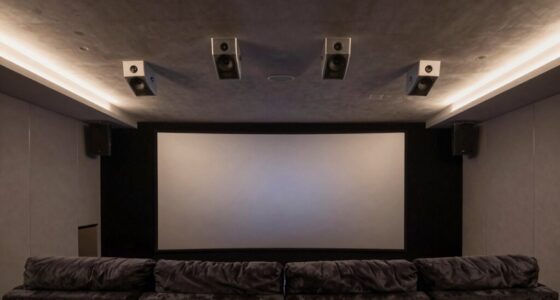
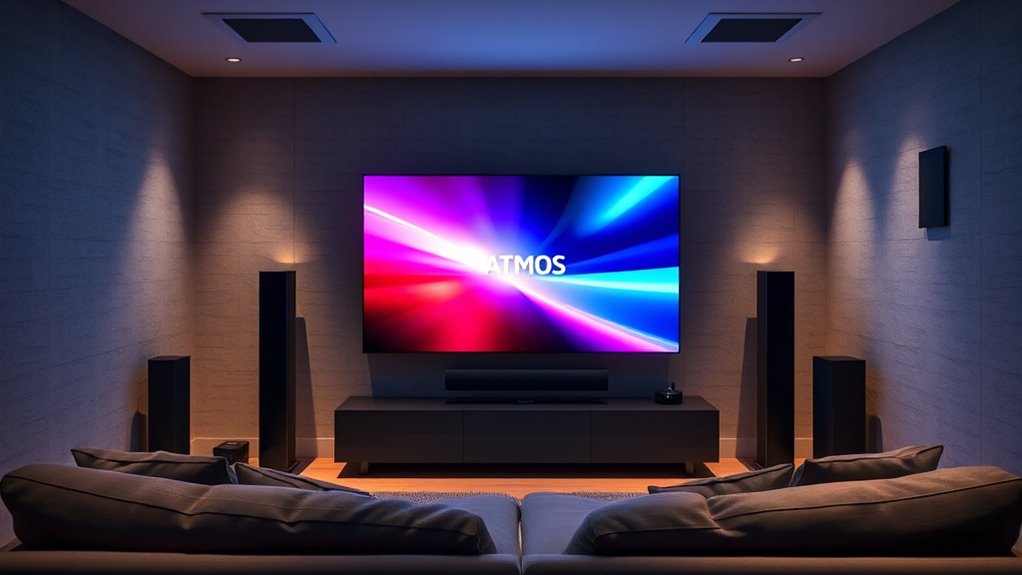
Next, focus on speaker placement. Proper speaker placement is vital because Dolby Atmos relies on the precise positioning of speakers to produce a three-dimensional sound field. For ceiling or upward-firing speakers, make sure they’re positioned directly above or at an angle that directs sound downward toward your listening area. If you’re using upward-firing speakers, verify they’re placed in locations where they can reflect sound off the ceiling effectively. For traditional overhead speakers, ensure they’re mounted securely and aligned with the listening position. The front left, center, and right speakers should be arranged symmetrically, with the overhead speakers positioned in a way that covers all listening zones evenly. The rear and side speakers should also be placed to envelop you from all angles, creating a seamless soundscape. Correct placement minimizes sound leaks and phase issues, which can dilute the immersive quality Dolby Atmos promises.
Once your calibration is set and your speakers are properly positioned, it’s time to test the system. Play content known for Dolby Atmos support—such as certain movies, streaming services, or demo videos—that showcase overhead sounds and spatial effects. Pay attention to whether you can hear sounds coming from above, around, and behind you. If the overhead effects feel absent or weak, revisit your calibration and speaker placement. Sometimes, small adjustments, like angling speakers slightly or raising their height, can make a significant difference. Also, ensure your source device and streaming app are configured correctly for Atmos playback.
Frequently Asked Questions
Can I Experience Dolby Atmos Without a Dedicated Sound System?
Yes, you can experience Dolby Atmos without a dedicated sound system by using your existing surround sound setup. To do this, make sure your audio calibration settings are optimized for Atmos content, which may involve enabling Dolby Atmos in your device’s audio settings. While a dedicated Atmos system provides the best experience, compatible soundbars and headphones can deliver Atmos effects, giving you a taste of immersive sound without specialized equipment.
What Devices Support Dolby Atmos Content Without Extra Hardware?
Many devices support Dolby Atmos content without extra hardware, especially if your headphones are compatible. Look for headphones with Dolby Atmos support and check streaming platform support, like Netflix, Disney+, or Apple TV+. These platforms often provide Atmos-enabled content you can enjoy with compatible headphones or built-in device speakers. Make certain your device’s software is up-to-date and that streaming app settings enable Dolby Atmos for the best experience.
How Can I Tell if My Headphones Support Atmos?
You can tell if your headphones support Atmos by checking their compatibility and sound signature. Look at the manufacturer’s specifications or packaging to see if Atmos or spatial audio is listed. You might also notice a more immersive sound experience with enhanced depth and clarity, indicating Atmos support. Keep in mind, headphones designed for Atmos often have a broader sound signature, emphasizing surround effects and detailed audio cues.
Is Dolby Atmos Available on All Streaming Platforms?
Dolby Atmos isn’t available on all streaming platforms, so you’ll want to check content streaming options first. Some platforms like Disney+, Apple TV+, and Netflix support Atmos, but others may not. To guarantee you’re actually experiencing Dolby Atmos, do audio calibration and verify the content streaming in Atmos format. Always update your app and device firmware to optimize your Atmos experience and enjoy immersive, multi-dimensional sound.
Do Smartphone Speakers Deliver Dolby Atmos Sound?
Smartphone speakers generally don’t deliver true Dolby Atmos sound, as their speaker placement and size limit spatial effects. While some phones might simulate Atmos, it’s not the same as dedicated soundbar compatibility or proper speaker placement that creates immersive audio. To experience Atmos, upgrade to a compatible soundbar or home theater system, and verify your content supports Atmos for the best experience. Your phone alone can’t truly reproduce Atmos’s surround sound.
Conclusion
Think of your Dolby Atmos setup as a symphony conductor, guiding each instrument to create a harmonious experience. If you can feel the layers of sound weaving around you like a well-orchestrated melody, then you’re truly experiencing Atmos. Even without fancy gear, your ears are the ultimate testers. Trust your senses—if the sound feels immersive and three-dimensional, you’ve discovered the magic of Dolby Atmos, turning your space into a concert hall where every note surrounds you.