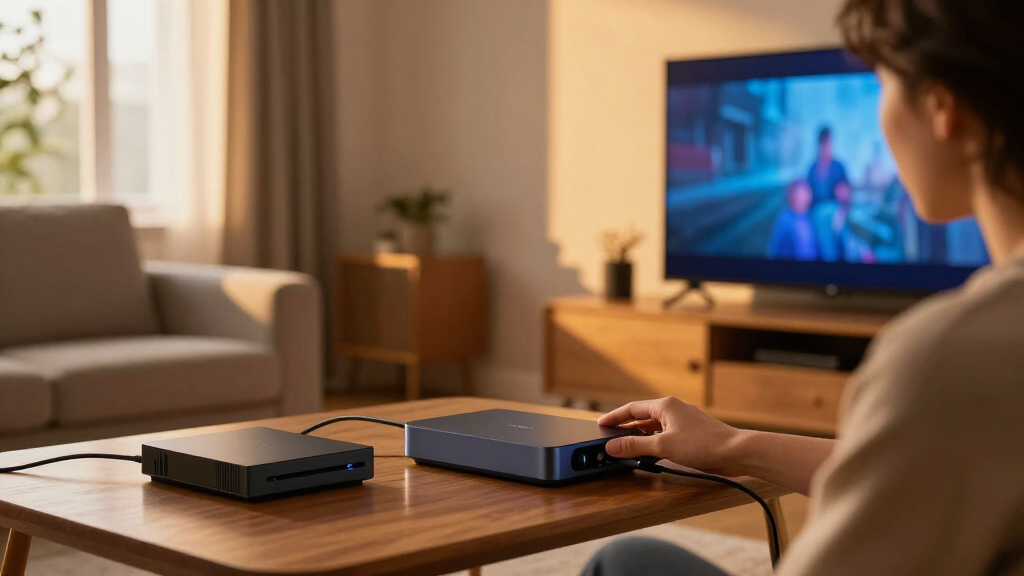
The best HDMI sync box for most buyers is the Philips Hue Play HDMI Sync Box 8K with Gradient TV Light Strip, a strong fit for a premium setup that needs newer HDMI support and matched screen lighting. For a lower-complexity alternative, Govee HDMI 2.1 AI Sync Box 2 pairs HDMI 2.1 features with a TV backlight kit, while the Philips Hue 4K bundle suits viewers already invested in Hue lighting. The main tradeoffs are HDMI generation and gaming support, the TV size each kit fits, and whether you want a brand ecosystem or a more self-contained setup. Because sync boxes only affect video routed through their HDMI inputs, your source connections matter as much as the box itself. Read on for the full comparison and buying advice.

Get audio and creator gear delivered free with Prime
- Fast, free delivery on millions of items
- Prime Video, Amazon Music and more included
- Member-only deals all year
Complete the kit


Key Takeaways
- HDMI 2.1 support separates the gaming-oriented options: several picks list 4K at 120Hz, VRR, or ALLM, while HDMI 2.0 models are aimed at more modest video setups.
- TV size fit varies widely: the lineup includes kits for screens as small as 24 inches and options designed for TVs up to 95 inches, so strip length and placement should shape the shortlist.
- Philips Hue is the ecosystem-led choice: its boxes pair with Hue lighting, while bundled options add a Gradient strip for a more integrated TV setup.
- Govee, ROOKIELEDS, and other all-in-one kits offer alternatives to Hue, but buyers should compare app and feature requirements rather than assuming every kit works the same way.
- An HDMI sync box only reads connected HDMI sources; built-in TV apps may not pass through it, which can be a deciding factor for streaming-first households.
| Philips Hue Play HDMI Sync Box 4K + 65″ Play Gradient Smart TV Strip Light |  | Best Hue Starter Bundle | Video support: 4K at 60Hz | Compatible TV size: 65 inches or larger | Light source: LED | VIEW LATEST PRICE | See Our Full Breakdown |
| Philips Hue Play HDMI Sync Box 8K with Gradient 65-Inch TV Light Strip |  | Best Premium Hue Pick | Video support: 8K at 60Hz; 4K at 120Hz | HDR formats: Dolby Vision, HDR10+ | Compatible TV size: 65–70 inches | VIEW LATEST PRICE | See Our Full Breakdown |
| ROOKIELEDS HDMI 2.1 Sync Box R1 Backlight Kit for 39–65-Inch TVs |  | Best for High-Refresh Gaming on Smaller TVs | Compatible TV size: 39–65 inches | HDMI bandwidth: 48 Gbps | Video support: 4K at 144Hz; 8K at 60Hz | VIEW LATEST PRICE | See Our Full Breakdown |
| LightingWill HDMI 2.0 TV Backlight Sync Kit, 4K@60Hz RGBIC, for 50–65-Inch TVs |  | Best Straightforward 4K/60Hz Kit | Compatible TV size: 50–65 inches | Resolution and refresh rate: 4K HDR at 60Hz | HDMI ports: 2 inputs, 1 output | VIEW LATEST PRICE | See Our Full Breakdown |
| Philips Hue Play HDMI Sync Box – Supports Dolby Vision, HDR10+, 4K – Works with Hue Bridge, Alexa, Google Assistant, Apple HomeKit |  | Best for Existing Hue Light Setups | HDMI ports: 4 | Video support: 4K | HDR formats: Dolby Vision, HDR10+ | VIEW LATEST PRICE | See Our Full Breakdown |
| Govee HDMI 2.1 AI Sync Box 2 with RGBWIC TV Backlight for 55–65-Inch TVs |  | Best for Govee Smart Lighting | TV size: 55–65 inches | HDMI interface: HDMI 2.1 | Maximum resolution: 8K at 60Hz; 4K at 144Hz | VIEW LATEST PRICE | See Our Full Breakdown |
| Philips Hue Play HDMI Sync Box 4K |  | Best for Hue Lighting Setups | Model: Philips Hue Sync Box 4K | Video support: 4K at 60Hz, HDR10, HDR10+ | Video output resolution: 3840 pixels | VIEW LATEST PRICE | See Our Full Breakdown |
| Fancyleds 2.0 Sync Box Streaming Media Player TV LED Backlight with HDMI 2.0, 4K 60Hz RGB Ambient Lighting for 70‑90″ TVs |  | Best for Large TVs on HDMI 2.0 | HDMI connectivity: HDMI 2.0b; compatible with HDMI 1.4 and 2.1 | Resolution support: 4K at 60Hz with HDR | TV size: 70–90 inches | VIEW LATEST PRICE | See Our Full Breakdown |
| WiZ Connected HDMI Sync Box with RGBIC TV Backlight for 75–85-Inch TVs |  | Best for Dolby Vision and Music Effects | Model number: 640060 | TV size: 75–85 inches | HDMI inputs: 1 | VIEW LATEST PRICE | See Our Full Breakdown |
| FancyLEDs 3-Port 2.1 Sync Box with HDMI 2.1, 4K/120Hz, 144Hz, 8K/60Hz, VRR, ALLM, and 96 RGBW LEDs per Meter Ambient Lighting (24″-55″ TVs) |  | Best for Multiple HDMI Devices | HDMI inputs: Three HDMI 2.1 ports | TV size: 24–55 inches | Supported resolutions: 4K at 144Hz; 8K at 60Hz | VIEW LATEST PRICE | See Our Full Breakdown |
| Homilumi HDMI Sync Box with 16.4 ft Cuttable TV Backlight |  | Best for Mid-Size TVs | Video support: 4K at 60Hz | Recommended TV size: 40–65 inches | Strip length: 16.4 feet, trimmable | VIEW LATEST PRICE | See Our Full Breakdown |
| Fancyleds 2.1 HDMI Sync Box with RGBW TV Backlight for 70–95-Inch TVs |  | Best for Large-Screen High-Refresh Gaming | HDMI support: HDMI 2.1 | Video support: Up to 4K at 144Hz and 8K at 60Hz | TV size compatibility: 70–95 inches | VIEW LATEST PRICE | See Our Full Breakdown |
| Linkind HDMI 2.1 Sync Box with TV Backlight |  | Best for Flexible Large-TV Placement | HDMI passthrough: Up to 8K at 60Hz and 4K at 120Hz | HDR support: HDR10+ and Dolby Vision | Gaming features: VRR, ALLM, dedicated game sync modes | VIEW LATEST PRICE | See Our Full Breakdown |
| HDMI sync boxe | Video support |
|---|---|
| Philips Hue Play HDMI Sync Box | 4K at 60Hz |
| Philips Hue Play HDMI Sync Box | 8K at 60Hz; 4K at 120Hz |
| ROOKIELEDS HDMI 2.1 Sync Box R | 4K at 144Hz; 8K at 60Hz |
| LightingWill HDMI 2.0 TV Backl | — |
| Philips Hue Play HDMI Sync Box | 4K |
| Govee HDMI 2.1 AI Sync Box 2 w | — |
| Philips Hue Play HDMI Sync Box | 4K at 60Hz, HDR10, HDR10+ |
| Fancyleds 2.0 Sync Box Streami | — |
| WiZ Connected HDMI Sync Box wi | 4K at 60Hz, HDR10+, Dolby Vision |
| FancyLEDs 3-Port 2.1 Sync Box | — |
| Homilumi HDMI Sync Box with 16 | 4K at 60Hz |
| Fancyleds 2.1 HDMI Sync Box wi | Up to 4K at 144Hz and 8K at 60Hz |
| Linkind HDMI 2.1 Sync Box with | — |
More Details on Our Top Picks
Philips Hue Play HDMI Sync Box 4K + 65″ Play Gradient Smart TV Strip Light
This bundle pairs a 4K/60Hz sync box with a Gradient strip sized for TVs 65 inches and up, so it suits a large-screen setup that needs both the box and matching backlight. Compared with the Philips Hue Play HDMI Sync Box 8K kit, it gives up 4K/120Hz and newer high-refresh support, making it a weaker fit for current-generation gaming at higher frame rates. Its advantage is a straightforward route into Hue’s app-controlled, multicolor lighting, with support for Alexa, Google Assistant, and Apple HomeKit. The limitation is the Hue ecosystem commitment: a Hue Bridge is needed for full functionality, and the strip’s size range rules out smaller TVs. Like other HDMI-based options, it syncs connected sources rather than apps running directly on the TV.
Pros:- Includes both the 4K sync box and a Gradient strip for 65-inch-or-larger TVs.
- Supports 4K at 60Hz for smooth viewing at that resolution and refresh rate.
- Offers app-adjustable brightness and multicolor lighting.
- Works with Alexa, Google Assistant, and Apple HomeKit.
Cons:- Limited to 4K at 60Hz, unlike the Hue 8K kit’s 4K/120Hz support.
- Requires a Hue Bridge for full functionality.
- The included strip is not suited to TVs smaller than 65 inches.
Best for: Owners of 65-inch-or-larger TVs who want a bundled Hue light strip and primarily watch or play HDMI-connected content at up to 4K/60Hz.
Not ideal for: High-refresh-rate console or PC gamers, smaller-TV owners, and buyers who do not want to add a Hue Bridge.
- Video support:4K at 60Hz
- Compatible TV size:65 inches or larger
- Light source:LED
- Brightness:1650 lumens
- Color temperature:2200 K
- Wattage:20 W
- Voltage:120 V
- Smart home compatibility:Alexa, Google Assistant, Apple HomeKit
- Hue Bridge:Required for full functionality
Our verdict“Choose this bundle for a large TV and a Hue-based ambient-lighting setup, but pick the Philips Hue 8K kit for 4K/120Hz gaming.”
Philips Hue Play HDMI Sync Box 8K with Gradient 65-Inch TV Light Strip
For a premium Hue setup, this kit stands out by combining an 8K/60Hz and 4K/120Hz sync box with a Gradient strip for 65–70-inch TVs. The higher refresh-rate support makes it a better match for demanding gaming setups than the Philips Hue Play HDMI Sync Box 4K bundle, while Dolby Vision and HDR10+ support cover common high-dynamic-range formats. It also handles up to four HDMI devices, reducing the need to swap cables between sources. The tradeoff is that it remains an HDMI-source solution: apps running directly on the TV will not sync. A Hue Bridge is required, too, so this kit makes more sense for buyers already choosing Hue or willing to build around it. Its TV-size range is narrower than the ROOKIELEDS kit’s 39–65-inch fit.
Pros:- Supports 4K at 120Hz and 8K at 60Hz.
- Handles Dolby Vision and HDR10+ video formats.
- Connects up to four HDMI devices.
- Includes a Gradient strip with multicolor lighting and adjustable whites.
Cons:- Requires a Hue Bridge.
- Does not sync with apps running directly on the TV.
- The included strip is specified for 65–70-inch TVs, a narrower fit than the ROOKIELEDS kit.
Best for: Owners of 65–70-inch TVs building a Hue setup around HDMI-connected consoles, streaming devices, or other sources, especially those who want 4K/120Hz support.
Not ideal for: People who rely mainly on built-in TV apps, lack a Hue Bridge, or have a TV outside the 65–70-inch range.
- Video support:8K at 60Hz; 4K at 120Hz
- HDR formats:Dolby Vision, HDR10+
- Compatible TV size:65–70 inches
- HDMI device capacity:Up to 4 devices
- Included components:8K sync box, 65-inch Gradient TV light strip, mounting brackets
- Smart home compatibility:Alexa, Google Assistant, Apple HomeKit, Matter
- Hue Bridge:Required
- Light source:Multicolor LED
- Material:Plastic
Our verdict“Pick this kit for a 65–70-inch Hue system that needs 4K/120Hz passthrough; skip it if your viewing mostly comes from built-in TV apps.”
ROOKIELEDS HDMI 2.1 Sync Box R1 Backlight Kit for 39–65-Inch TVs
The ROOKIELEDS R1 is the most flexible fit here for gamers with TVs from 39 to 65 inches: its 48 Gbps HDMI 2.1 bandwidth supports 4K at 144Hz and 8K at 60Hz, alongside VRR, ALLM, and several HDR formats. That makes it a stronger gaming-focused alternative to the LightingWill HDMI 2.0 kit, which tops out at 4K/60Hz. The included strip and sync box also make this a complete kit rather than a box-only purchase. There are meaningful limits, though: it lacks DSC, eARC, and QMS, which can complicate setups that depend on those features, and built-in TV apps cannot drive the lighting. Color matching may also vary, particularly with HDR content. Compared with the Hue 8K kit, it offers a wider TV-size range but not Hue’s stated smart-home integration.
Pros:- Supports up to 48 Gbps HDMI bandwidth, 4K/144Hz, and 8K/60Hz.
- Includes VRR, ALLM, Dolby Vision, HDR10, and HDR10+ support.
- Fits TVs from 39 to 65 inches, including smaller sets than the Hue 8K kit.
- Includes the sync box, LED strip, HDMI cable, power adapter, and mounting brackets.
Cons:- Does not support DSC, eARC, or QMS.
- Cannot sync lighting from built-in smart TV apps.
- Light colors may differ from the screen image, especially with HDR.
Best for: Console and PC gamers with 39–65-inch TVs who want high-refresh HDMI 2.1 passthrough and a bundled backlight kit.
Not ideal for: Viewers who depend on built-in TV apps, eARC, QMS, or DSC, or who expect exact light-to-screen color matching with HDR.
- Compatible TV size:39–65 inches
- HDMI bandwidth:48 Gbps
- Video support:4K at 144Hz; 8K at 60Hz
- Supported features:FRL6, VRR, ALLM, QFT, Dolby Vision, HDR10, HDR10+, CEC bypass, ARC bypass
- Unsupported features:DSC, eARC, QMS
- Light type and density:RGBCW-IC LED strip; 48 LEDs/m
- Power:12 V DC; 36 W; 3 A
- Included components:Sync box, LED strip, HDMI 2.1 cable, 12 V DC adapter, 4 L brackets
- Warranty:1 year
Our verdict“Choose the R1 for high-refresh gaming on a 39–65-inch TV if its missing eARC, QMS, and DSC support does not affect your setup.”
LightingWill HDMI 2.0 TV Backlight Sync Kit, 4K@60Hz RGBIC, for 50–65-Inch TVs
LightingWill takes a simpler route than the ROOKIELEDS R1: it is aimed at 50–65-inch TVs and supports 4K HDR at 60Hz, rather than targeting 4K/144Hz gaming. For streaming boxes and consoles used at standard refresh rates, its two HDMI inputs let buyers connect more than one source without repeatedly moving cables. The 9.8-foot, 72-LEDs-per-meter RGBIC strip also gives this kit a clear place among entry-level HDMI sync options, with app, button, Alexa, and Google Assistant controls. Its main compromise is the HDMI 2.0 ceiling: the R1 is a better fit for high-refresh gaming and advanced HDMI 2.1 features. Like the other source-based kits, LightingWill cannot sync built-in TV apps; the external HDMI device must pass through the box.
Pros:- Supports 4K HDR at 60Hz for compatible HDMI sources.
- Two HDMI inputs accommodate multiple connected devices.
- Includes a 9.8-foot RGBIC strip with 72 LEDs per meter.
- Offers app, Alexa, Google Assistant, button, and sync-box controls.
Cons:- Limited to 4K at 60Hz, while the ROOKIELEDS R1 supports higher refresh rates.
- Requires an external HDMI source; built-in TV apps do not sync.
- The strip is not water resistant.
Best for: Households with 50–65-inch TVs that use one or two HDMI sources and want 4K HDR/60Hz lighting sync without high-refresh gaming requirements.
Not ideal for: PC or console gamers seeking 4K above 60Hz, or viewers who want lighting sync from apps installed on the TV.
- Compatible TV size:50–65 inches
- Resolution and refresh rate:4K HDR at 60Hz
- HDMI ports:2 inputs, 1 output
- LED strip length:9.8 feet
- LED density:72 LEDs per meter
- Lighting technology:RGBIC; 16 million color options
- Brightness:Up to 1000 lumens
- Control methods:App, Alexa, Google Assistant, button, sync box
- Warranty:1 year
Our verdict“Pick LightingWill for a 50–65-inch TV and a straightforward 4K/60Hz HDMI setup, but choose the ROOKIELEDS R1 for high-refresh gaming.”
Philips Hue Play HDMI Sync Box – Supports Dolby Vision, HDR10+, 4K – Works with Hue Bridge, Alexa, Google Assistant, Apple HomeKit
This box-only Hue option makes the most sense for buyers who already own compatible Hue lights and a Bridge: it can sync those lights with up to four HDMI-connected devices, avoiding the need to replace an existing lighting setup with a bundled strip. Its Dolby Vision, HDR10+, and 4K support cover key formats, while Alexa, Google Assistant, and Apple HomeKit add voice-control options. Compared with the Philips Hue 8K kit, it lacks the stated 8K/60Hz and 4K/120Hz support and does not include a TV strip. That is a benefit only if you already have the Hue hardware; newcomers may find the 8K bundle a more complete starting point. The system still depends on a Hue Bridge and compatible Hue lights, and its HDMI-based syncing does not cover apps running directly on the TV.
Pros:- Connects up to four HDMI devices.
- Supports Dolby Vision, HDR10+, and 4K content.
- Can sync compatible Hue lights already in the room.
- Works with Alexa, Google Assistant, and Apple HomeKit.
Cons:- Requires a Hue Bridge and compatible Hue lights.
- Does not include a TV light strip.
- Offers fewer stated high-resolution and high-refresh capabilities than the Hue 8K kit.
Best for: Hue Bridge owners with compatible Hue lights who want to sync existing lighting across up to four HDMI sources.
Not ideal for: Buyers starting from scratch, those seeking an included TV backlight strip, or gamers who need the Hue 8K kit’s stated 4K/120Hz support.
- HDMI ports:4
- Video support:4K
- HDR formats:Dolby Vision, HDR10+
- Required ecosystem hardware:Hue Bridge and compatible Hue lights
- Smart home compatibility:Alexa, Google Assistant, Apple HomeKit
- Color:Black
- Input voltage:240 V AC
- Power plug type:Type B, 3-pin North American
Our verdict“Choose this box if you already have Hue lights and a Bridge; buyers without Hue gear should favor a bundled kit such as the Hue 8K set.”
Govee HDMI 2.1 AI Sync Box 2 with RGBWIC TV Backlight for 55–65-Inch TVs
The Govee HDMI 2.1 AI Sync Box 2 is the strongest fit here for buyers who want high-refresh gaming and a backlight that can join a larger Govee setup. Its support for 4K at 144Hz, VRR, and ALLM suits compatible consoles and displays better than the 4K/60Hz Philips Hue Play HDMI Sync Box 4K or the WiZ Connected HDMI Sync Box. The RGBWIC strip and DreamView syncing can extend the effect to compatible Govee lights, while AI effects and voice control add options beyond simple screen matching. The tradeoff is that it won’t automatically switch among connected sources, so a multi-device setup may need manual input changes. HDR formats can also reduce color saturation, which may matter to viewers seeking the richest matching colors.
Pros:- Supports 4K at 144Hz, VRR, and ALLM for compatible high-refresh gaming setups.
- RGBWIC strip uses 75 LEDs per meter for dense, blended backlighting.
- AI lighting effects and DreamView can coordinate with compatible Govee lights.
- Offers app, voice, and Matter control for lighting functions.
Cons:- Does not automatically switch signals between multiple connected devices.
- Light color saturation may decrease with HDR, HDR10+, or Dolby Vision.
- Designed for indoor use and is not water resistant.
Best for: Owners of 55–65-inch TVs who play compatible high-refresh games and already use, or plan to add, Govee lights.
Not ideal for: Viewers who want automatic switching between several HDMI sources or consistently saturated lighting with HDR, HDR10+, or Dolby Vision.
- TV size:55–65 inches
- HDMI interface:HDMI 2.1
- Maximum resolution:8K at 60Hz; 4K at 144Hz
- Supported features:VRR, ALLM, Dolby Vision, Dolby Atmos
- Lighting:RGBWIC multicolor strip; 75 LEDs/m
- Brightness:450 lumens/m
- Control and connectivity:App, voice, Bluetooth, Wi-Fi, HDMI
- Smart lighting support:Matter for lighting functions; DreamView with compatible Govee lights
Our verdict“Choose the Govee if high-refresh gaming and linking the backlight to other Govee lights matter more than automatic source switching.”
Philips Hue Play HDMI Sync Box 4K
The Philips Hue Play HDMI Sync Box 4K makes the most sense for buyers who already have Hue lights and want to build a coordinated entertainment area. With a Hue Bridge, it can sync up to 10 lights, giving it a broader Hue ecosystem role than the single included backlight approach of the Govee HDMI 2.1 AI Sync Box 2. It supports 4K at 60Hz with HDR10 and HDR10+, which fits many streaming and console setups, but it lacks the higher refresh rates offered by the Govee and FancyLEDs 3-Port 2.1 boxes. It also syncs only video from connected HDMI sources—not smart TV apps. Multi-light syncing requires a separate Hue Bridge, so this is a more natural choice for an existing Hue household than for someone starting from scratch.
Pros:- Supports 4K at 60Hz, HDR10, and HDR10+.
- Can sync up to 10 Hue lights when paired with a Hue Bridge.
- Hue app supports entertainment area customization.
- Compact design suits setups where equipment space is limited.
Cons:- Does not sync content from smart TV apps.
- A Hue Bridge or Bridge Pro is needed for multi-light syncing and is sold separately.
- Its 4K/60Hz support falls short of the 4K/144Hz Govee and FancyLEDs HDMI 2.1 options.
Best for: Hue households that want to sync several existing lights with movies and games played through external HDMI devices.
Not ideal for: High-refresh-rate gamers or viewers who rely on built-in TV apps and don’t want to add a Hue Bridge for multi-light syncing.
- Model:Philips Hue Sync Box 4K
- Video support:4K at 60Hz, HDR10, HDR10+
- Video output resolution:3840 pixels
- Connectivity:HDMI, Bluetooth, Zigbee
- Light syncing:One light via Bluetooth; up to 10 lights with a Hue Bridge
- Control:Hue app
- Color:Black
- Unit count:1
Our verdict“Pick this box if you already use Hue lights and value multi-light coordination more than high-refresh video support.”
Fancyleds 2.0 Sync Box Streaming Media Player TV LED Backlight with HDMI 2.0, 4K 60Hz RGB Ambient Lighting for 70‑90″ TVs
For a 70–90-inch TV paired with a straightforward HDMI source, the Fancyleds 2.0 offers a large-screen backlight without requiring HDMI 2.1 equipment. It syncs RGB ambient lighting to connected video and supports 4K at 60Hz with HDR, a useful match for many streaming boxes and standard-refresh consoles. Its included universal power adapter also suits setups across several plug regions. Compared with the WiZ Connected HDMI Sync Box, this model is explicitly sized for larger screens, while the WiZ option adds Dolby Vision support and music response but targets 75–85-inch TVs. The Fancyleds tradeoffs are its HDMI 2.0 ceiling and reliance on an external HDMI device; smart TV apps won’t sync, and PC use is not recommended.
Pros:- LED strip is sized for 70–90-inch TVs.
- Supports 4K at 60Hz with HDR for compatible HDMI sources.
- Universal power adapter supports US, EU, AU, and UK outlets.
- App control and included light strip support a straightforward setup.
Cons:- Requires an external HDMI video source and does not sync smart TV apps.
- Not recommended for PC use.
- HDMI 2.0 support lacks the high-refresh capabilities of the Govee and FancyLEDs 3-Port 2.1 boxes.
Best for: Owners of 70–90-inch TVs who watch through an external streaming player or console and want 4K/60Hz ambient lighting.
Not ideal for: PC users, viewers who rely on smart TV apps, or high-refresh gamers seeking HDMI 2.1 features.
- HDMI connectivity:HDMI 2.0b; compatible with HDMI 1.4 and 2.1
- Resolution support:4K at 60Hz with HDR
- TV size:70–90 inches
- LED strip:Included; sized for 70–90-inch TVs
- Control:App control
- Power adapter:Universal US, EU, AU, and UK adapter
- Warranty:2 years
- Color:Black
Our verdict“Choose this Fancyleds model for a large TV and an external 4K/60Hz source, but skip it for PC or high-refresh gaming.”
WiZ Connected HDMI Sync Box with RGBIC TV Backlight for 75–85-Inch TVs
The WiZ Connected HDMI Sync Box is a practical pick for 75–85-inch TV owners who want Dolby Vision support and a backlight with more than one job. Alongside real-time HDMI color matching, its RGBIC strip can respond to music through a built-in microphone, and preset effects allow saturation and intensity adjustments. That gives it a different appeal from the Philips Hue Play HDMI Sync Box 4K, which focuses more on coordinating Hue lights, and the Fancyleds 2.0, which is sized for larger TVs but doesn’t list Dolby Vision support. The WiZ box is limited to one HDMI input, however, so viewers with several devices will need a separate switcher. Like the other HDMI-based options, it cannot sync content from smart TV apps.
Pros:- Supports 4K at 60Hz, HDR10+, and Dolby Vision.
- RGBIC backlight offers adjustable saturation and intensity.
- Built-in microphone enables music-reactive lighting.
- Can sync with compatible WiZ lights and supports Google Assistant and Alexa.
Cons:- One HDMI input means multi-device setups need a separate HDMI switcher.
- Requires an external HDMI source and does not sync smart TV apps.
- Its 4K/60Hz support does not match the high-refresh capabilities of the Govee HDMI 2.1 AI Sync Box 2.
Best for: Owners of 75–85-inch TVs who use an external HDMI source, watch Dolby Vision content, and want music-reactive lighting.
Not ideal for: Viewers who use TV apps as their main source or want multiple HDMI devices connected without an extra switcher.
- Model number:640060
- TV size:75–85 inches
- HDMI inputs:1
- Video support:4K at 60Hz, HDR10+, Dolby Vision
- Lighting:RGBIC LED strip, 11.15 ft
- Music sync:Built-in microphone
- Smart home compatibility:Google Assistant and Alexa
- Included items:Sync box, TV backlight, power adapter, HDMI cable, 2 Clip A and 10 Clip B
Our verdict“Choose the WiZ box for Dolby Vision and music effects on a large TV, provided one HDMI input is enough or you have a switcher.”
FancyLEDs 3-Port 2.1 Sync Box with HDMI 2.1, 4K/120Hz, 144Hz, 8K/60Hz, VRR, ALLM, and 96 RGBW LEDs per Meter Ambient Lighting (24″-55″ TVs)
The FancyLEDs 3-Port 2.1 Sync Box stands out for compact-screen setups with several HDMI devices: its three HDMI 2.1 ports can connect sources directly, unlike the single-input WiZ box or the Govee HDMI 2.1 AI Sync Box 2, which does not automatically switch between connected devices. Its support for 4K at 144Hz, 8K at 60Hz, VRR, and ALLM also gives compatible gaming hardware room to use high-refresh features. The 96 RGBW LEDs per meter are designed for dense ambient coverage, while app control and Wi-Fi and Bluetooth add setup flexibility. The main limits are its 24–55-inch TV range and the note that it is not recommended for PC use, making it a poor fit for larger screens or PC-centered setups.
Pros:- Three HDMI 2.1 ports accommodate multiple connected devices.
- Supports 4K at 144Hz, 8K at 60Hz, VRR, and ALLM.
- High-density strip uses 96 RGBW LEDs per meter.
- App control and Bluetooth and Wi-Fi connectivity support customization.
Cons:- Designed for 24–55-inch TVs, limiting its use with larger screens.
- Not recommended for PC use.
- Its product description does not specify smart TV app syncing.
Best for: Owners of 24–55-inch TVs with several HDMI gaming or streaming devices who want high-refresh support without relying on a separate switcher.
Not ideal for: Owners of TVs larger than 55 inches or PC users seeking a sync box for a computer-led setup.
- HDMI inputs:Three HDMI 2.1 ports
- TV size:24–55 inches
- Supported resolutions:4K at 144Hz; 8K at 60Hz
- Gaming features:VRR, ALLM
- LED type and density:RGBW; 96 LEDs per meter
- Connectivity:Bluetooth, Wi-Fi
- Control:App control
- Warranty:2 years
- Dimensions:6.6 × 4.1 × 9.1 inches
Our verdict“Pick this FancyLEDs box for a smaller TV with several HDMI 2.1 sources, but skip it if you need PC use or larger-screen coverage.”
Homilumi HDMI Sync Box with 16.4 ft Cuttable TV Backlight
The Homilumi HDMI Sync Box is a straightforward match for a 40–65-inch TV setup where the main goal is video-reactive lighting without a longer strip or high-refresh HDMI 2.1 features. Its 16.4-foot trimmable, multi-zone strip adapts to different TV layouts, while low-latency color matching keeps the glow aligned with action from a console, streamer, or Blu-ray player. App control through Tuya or Smart Life, plus Alexa and Google Assistant support, gives it more control options than a basic kit. Compared with the larger-screen Fancyleds 2.1 Sync Box, Homilumi is aimed at more modest TVs and supports 4K at 60Hz rather than high-refresh 4K or 8K passthrough. Its main limitation is shared by many HDMI sync boxes: built-in TV apps do not sync, so the video must come from an external HDMI device.
Pros:- Low-latency video matching helps lighting follow on-screen action.
- Trimmable, multi-zone strip fits a range of 40–65-inch TV layouts.
- Tuya and Smart Life apps, Alexa, Google Assistant, and music sync offer flexible control.
- Includes 12 preset scenes and four music sync modes.
Cons:- Does not sync with built-in TV apps; video must come from an external HDMI source.
- 4K support is limited to 60Hz, making it less suited to high-refresh gaming.
- Designed for TVs up to 65 inches, so it is not the fit for larger screens.
Best for: Owners of 40–65-inch TVs who watch or play content through an HDMI-connected console, streamer, or Blu-ray player and want app or voice control.
Not ideal for: Viewers who rely on built-in smart TV apps, or gamers seeking 4K high-refresh passthrough such as the Fancyleds 2.1 Sync Box supports.
- Video support:4K at 60Hz
- Recommended TV size:40–65 inches
- Strip length:16.4 feet, trimmable
- Lighting:Multicolor, multi-zone LED
- Control:Tuya or Smart Life app, Alexa, Google Assistant
- Scene modes:12 preset scenes
- Music sync:4 modes
- Warranty:2 years
Our verdict“Choose Homilumi for a mid-size TV and external HDMI sources when flexible lighting controls matter more than HDMI 2.1 gaming support.”
Fancyleds 2.1 HDMI Sync Box with RGBW TV Backlight for 70–95-Inch TVs
For a large-screen setup built around a current console or high-refresh video source, the Fancyleds 2.1 Sync Box stands apart from the 4K-at-60Hz Homilumi: it supports 4K at 144Hz and 8K at 60Hz, with VRR and ALLM among its supported signal features. That combination is useful for keeping responsive gameplay and compatible picture formats in the chain while the RGBW backlight tracks the image. Its 96 LEDs per meter are intended to produce dense coverage and more natural-looking white tones than multicolor-only lighting. The large-TV fit is the tradeoff: this kit is designed for 70–95-inch screens, not the mid-size TVs targeted by Homilumi. It also cannot sync built-in TV apps, and the product guidance does not recommend PC use, so it is a narrower choice than its broad signal support might suggest.
Pros:- Supports up to 4K at 144Hz and 8K at 60Hz.
- HDR, Dolby Vision, VRR, ALLM, and ARC support suit a capable home theater or console setup.
- RGBW LEDs at 96 per meter are designed for dense coverage and clearer white tones.
- Universal power adapter supports US, EU, AU, and UK sockets.
Cons:- Built-in smart TV apps do not provide a video signal for synchronization.
- PC use is not recommended, limiting its fit for desktop gaming setups.
- The 70–95-inch sizing makes it a poor match for smaller TVs.
Best for: Owners of 70–95-inch TVs who use a compatible HDMI-connected console or media player and want high-refresh gaming passthrough with reactive lighting.
Not ideal for: PC gamers, smart-TV-app viewers, and people with screens smaller than 70 inches who would be better matched to a smaller-TV kit such as Homilumi.
- HDMI support:HDMI 2.1
- Video support:Up to 4K at 144Hz and 8K at 60Hz
- TV size compatibility:70–95 inches
- HDR and signal features:HDR, Dolby Vision, ARC, ALLM, VRR
- LED type:RGBW
- LED density:96 LEDs per meter
- Dimensions:6.6 × 4.1 × 9.1 inches
- Warranty:2 years
Our verdict“Pick Fancyleds for a 70–95-inch TV and HDMI-connected console when high-refresh passthrough matters, but skip it for PC or built-in app use.”
Linkind HDMI 2.1 Sync Box with TV Backlight
The Linkind HDMI 2.1 Sync Box is a flexible pick for large screens when buyers want modern gaming formats without choosing a kit built only for 70–95-inch TVs. Its 20-foot trimmable backlight is rated for TVs up to 90 inches, while 4K at 120Hz, 8K at 60Hz, VRR, and ALLM support make it better suited to current consoles than the 4K-at-60Hz Homilumi. HDR10+ and Dolby Vision support help it fit a mixed movie-and-gaming setup, and app, voice, music-sync, and customizable-zone controls add options beyond basic video matching. Compared with the large-screen Fancyleds 2.1, Linkind tops out at 4K 120Hz rather than 144Hz, but its listed TV range is broader at the smaller end. Like both alternatives, it requires an external HDMI source; the longer strip cannot compensate for built-in apps that bypass the sync box.
Pros:- Supports 4K at 120Hz and 8K at 60Hz, with VRR and ALLM for compatible gaming setups.
- HDR10+ and Dolby Vision support accommodate a range of HDR video sources.
- The 20-foot trimmable strip is designed for TVs up to 90 inches.
- Offers customizable sync zones, music sync, and app or voice control.
Cons:- Built-in smart TV apps are not supported; content must pass through an external HDMI source.
- Its 4K refresh-rate ceiling is 120Hz, below the Fancyleds 2.1’s 144Hz support.
- The strip is intended for indoor use, limiting installation options.
Best for: Owners of TVs up to 90 inches who use HDMI-connected consoles or streamers and want 4K 120Hz support with adjustable backlight zones.
Not ideal for: Viewers who watch mostly through built-in smart TV apps, or buyers seeking 4K 144Hz support, which the Fancyleds 2.1 Sync Box offers.
- HDMI passthrough:Up to 8K at 60Hz and 4K at 120Hz
- HDR support:HDR10+ and Dolby Vision
- Gaming features:VRR, ALLM, dedicated game sync modes
- Backlight length:20 feet (6 m), trimmable
- Compatible TV size:Up to 90 inches
- Lighting controls:App and voice control, customizable sync zones
- Additional features:Music sync, HDR color correction
- Use:Indoor
Our verdict“Choose Linkind for a large TV and HDMI-connected gaming or streaming when 4K 120Hz support and flexible zone control are the priority.”
How We Picked
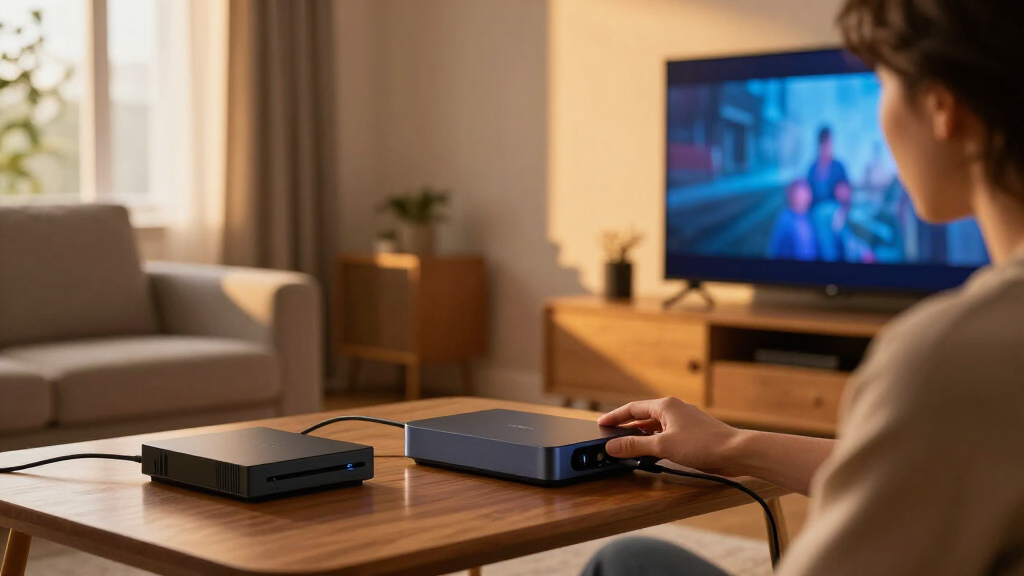
I compared the 13 options on factors that change the buying decision: HDMI capabilities, stated TV-size fit, lighting-kit inclusion, and how each product is positioned for gaming, streaming, or an existing smart-lighting setup. Models listing HDMI 2.1 features such as 4K at 120Hz, VRR, or ALLM earn consideration for newer consoles and gaming PCs; HDMI 2.0 models can still suit viewers whose sources and display do not need those capabilities.
The ranking prioritizes a useful balance of source compatibility, setup fit, and lighting integration, rather than treating the longest feature list as an automatic win. Bundled systems rank well when the box and strip are presented as a matched kit, while standalone Hue boxes suit buyers who already own compatible lighting. I also account for practical limits: TV-size ranges are not interchangeable, and an HDMI-based system cannot sync video from a TV app that never leaves the display through an HDMI output.
Factors to Consider When Choosing Best HDMI Sync Boxes
Before choosing a model, match the sync box to the way you watch and play. Display compatibility, source routing, and TV dimensions can matter more than extra lighting effects, and a mismatch in any of those areas can leave a capable box unable to serve your setup.
Match HDMI support to your display and sources
Check the capabilities of every device in the signal chain: source, sync box, and TV. A box’s HDMI version alone does not guarantee that a console or PC will deliver its chosen resolution and refresh rate through it. If you play at high frame rates, verify support for the specific features you rely on, such as 4K at 120Hz, VRR, and ALLM. For streaming devices and older consoles, HDMI 2.0 may be enough, so paying for features your sources cannot use may not improve your setup. Read compatibility details for HDR formats as well, since support can vary across devices. When the TV or source is due for an upgrade soon, leave room for those future requirements rather than buying around today’s lowest common denominator.
Check where your video comes from
An HDMI sync box can react only to video that passes through its HDMI inputs. If most viewing happens in apps built into the TV, that content usually will not pass through an external box, so the lights may not sync with it. An external streaming stick, console, or receiver can route compatible video through the box, but that adds connections and may change how you use the system. Before buying, list every source you expect to sync and how it connects to the display. Also check the number of HDMI inputs against the devices you want attached; a box with too few inputs can mean repeatedly swapping cables or adding another component. This source-routing check often rules out a poor fit before brand or lighting style enters the decision.
Treat TV-size ranges as a fit requirement
Backlight kits are built for stated screen-size ranges, and the lineup spans compact sets through very large TVs. A strip that is too short may leave sections of the screen without matching light, while excess length can create awkward corners or require cutting when the design permits it. Measure the rear perimeter of your TV and compare it with the kit’s specified range before ordering. Check whether the strip is cuttable, whether corners need separate connectors, and whether your TV’s rear shape leaves enough room for placement. Wall-mounted displays may also need extra clearance for cables and the sync box. Choosing by screen diagonal alone can miss these installation details.
Choose an ecosystem or a self-contained kit
Some buyers want the sync box to join an existing smart-lighting system; others want a kit centered on the TV without adding another lighting hub or app routine. Philips Hue models are most compelling when Hue lighting already has a place in the room, while bundled alternatives may appeal to shoppers who want the box and backlight together. Check which bridge, app, voice assistant, and network setup a product requires rather than assuming compatibility from a brand name. Ecosystem integration can make lighting scenes easier to coordinate, but it can also add setup steps and dependencies. If you only want a glow behind one screen, favor a setup whose controls and included parts match that simpler goal.
Decide whether convenience is worth a bundle
A box sold with a matching TV strip can reduce the effort of selecting compatible lighting, but a bundle may include parts you do not need or fit your screen poorly. A standalone sync box can make more sense if you already own compatible lights or want to choose a different strip layout. Compare what is actually included: power supplies, light strips, connectors, and any required bridge can change the real setup effort. Also think about maintenance, since adhesive strips and cable routing may be harder to replace once a TV is wall-mounted. Paying for an integrated kit is most useful when its size, lighting coverage, and control method all suit your room. A lower-cost-looking box is not a saving if you still need several missing components.
Prioritize reliable installation over extra effects
Ambient lighting works best when the strip is placed consistently and the cables do not interfere with ventilation, wall mounts, or other devices. Before attaching anything, plan the route from the box to the TV and identify a reachable power outlet. Keep the sync box accessible enough to change connections or troubleshoot it without removing the display. Consider how much light the room already has, since strong daylight or bright overhead lighting can make subtle backlighting less noticeable. A clean installation may matter more than additional lighting modes if the TV sits in a tight alcove or the back is difficult to reach. Choose a kit whose physical layout is practical for your room, not only one with an appealing feature list.
Frequently Asked Questions
Will an HDMI sync box work with streaming apps built into my TV?
Usually, no: built-in TV apps send video directly to the screen rather than out through the sync box. The box can sync with a streaming stick, game console, or other external HDMI source connected through its inputs. If you want lighting effects for built-in apps, check whether another sync method is supported by the specific product and TV; do not assume it is included. Switching to an external streamer may solve the routing issue, but it adds another device and connection. Make a list of the apps and sources you actually use before choosing a box.
Do I need HDMI 2.1 for a sync box?
You need HDMI 2.1 features only when your display and sources use capabilities such as 4K at 120Hz, VRR, or ALLM. If your setup is limited to 4K at 60Hz or older sources, an HDMI 2.0 model may be a sensible fit. Check the full signal chain, since a feature supported by the console may still be limited by the TV or another connected device. Buyers planning to upgrade soon may prefer a box with the needed newer features now. Avoid choosing solely by the HDMI version label; confirm the specific formats and modes that matter to you.
Can I use one sync box with several HDMI devices?
That depends on how many HDMI inputs the specific box provides and whether its supported formats match each connected source. Count consoles, streamers, and other devices you want connected, then compare that number with the box’s input count. If you connect a receiver or switch, check how it affects video features and whether the sync box can still read the signal correctly. An HDMI switch can add flexibility, but it also introduces another compatibility point. If you frequently change sources, prioritize an arrangement that does not require reaching behind the TV to swap cables.
How do I choose the right backlight size for my TV?
Use the product’s stated screen-size range as a starting point, then measure the back perimeter and check the strip’s actual length. Two TVs with the same diagonal can have different proportions, rear layouts, and mounting constraints. Confirm whether the strip can be trimmed and what that means for corners or connectors before making cuts. Leave space for cable routing and avoid covering vents or surfaces needed by a wall mount. If your screen sits near the edge of a listed range, verify dimensions carefully rather than relying on the diagonal alone.
Is a Philips Hue sync box a better choice than a bundled alternative?
Hue is a stronger fit when you already use Hue lights and want the TV effect to work within that lighting setup. A bundle from another brand can be a more direct route if you want a sync box and matching backlight together, without adding to an existing Hue system. Compare the exact kit contents, supported HDMI features, TV-size range, and control requirements; the brand name alone does not settle the choice. Also check whether a bridge or separate lighting purchase is needed for the setup you want. The best match depends on whether ecosystem integration or a self-contained TV kit matters more in your room.
Conclusion
Best overall: I’d start with the Philips Hue Play HDMI Sync Box 8K and Gradient strip bundle for buyers who want a premium, newer-generation setup with matched lighting. Best value-minded alternative: Govee HDMI 2.1 AI Sync Box 2 is a practical shortlist candidate for shoppers seeking HDMI 2.1 features in a bundled TV-lighting kit. Best for beginners: a bundled kit such as ROOKIELEDS or LightingWill may be easier to approach than assembling a box and lights separately, provided its HDMI support and TV-size range fit. Best premium ecosystem choice: Philips Hue makes the most sense for households already using Hue lighting. For very large screens, compare the Fancyleds and WiZ kits built for larger TV ranges; for smaller displays, the compact FancyLEDs 3-Port 2.1 option is worth checking. Choose based on your sources, screen dimensions, and lighting setup—not the feature list alone.