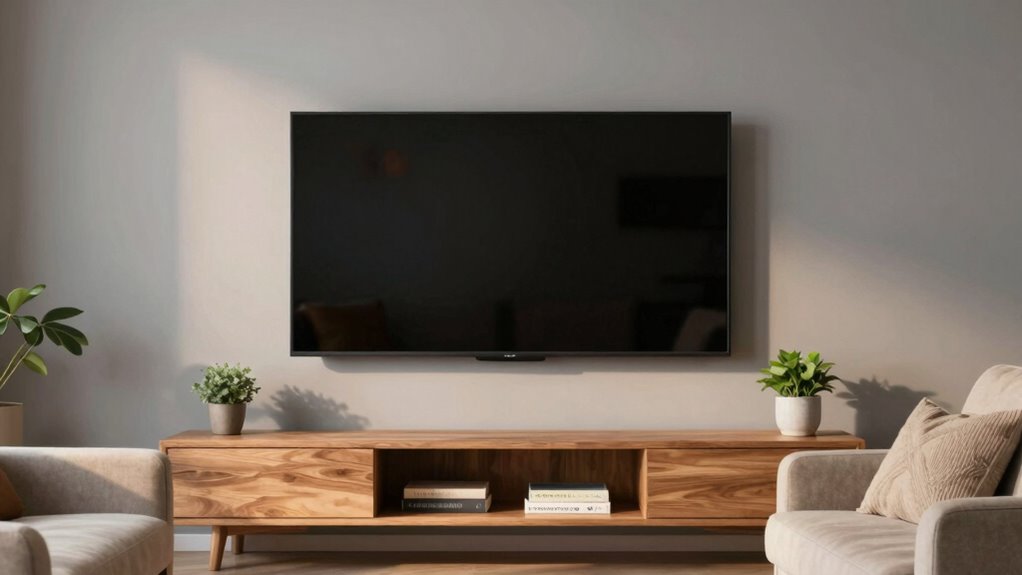
To mount a big TV without it dominating the room, choose a wall that balances visibility and space, avoiding overwhelming the area. Mount it at eye level when seated and make sure it doesn’t clash with your decor by matching hardware style and wall color. Arrange furniture to face the TV comfortably, and secure the mount into wall studs for safety. Pay attention to aesthetic harmony and room balance—continue exploring for expert tips to create a seamless, inviting space.
Key Takeaways
- Mount the TV at eye level to maintain balance and prevent it from overwhelming the space.
- Use neutral or muted wall colors to help the TV blend seamlessly with the room decor.
- Arrange furniture to face the TV directly, maintaining a comfortable viewing distance.
- Choose sleek, minimalistic mounting hardware that complements the room’s aesthetic.
- Regularly assess and adjust furniture and TV placement to ensure harmony and prevent dominance.

Thinking about mounting a big TV can seem intimidating, but with the right steps, it’s a straightforward process. The key is to guarantee your setup doesn’t overpower the room or make it feel cluttered. Start by choosing the right spot on your wall—somewhere that balances visibility and space. Before drilling, consider your wall paint color; a neutral or muted tone can help the TV blend in better, preventing it from becoming the room’s focal point. If your walls are bold or vibrant, pick a mounting height that keeps the screen at eye level when seated, avoiding the temptation to hang it too high or too low, which can make the room feel unbalanced.
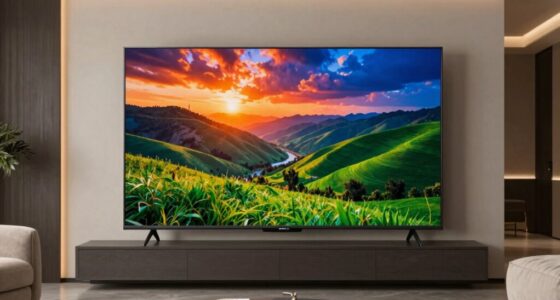
Choose a wall that balances visibility and space, ensuring your TV blends seamlessly without overwhelming the room.
Once you’ve decided on the placement, focus on furniture arrangement. You want your seating to face the TV directly, but not so close that it dominates the entire space. Position your sofa or chairs at a comfortable distance—generally about 1.5 to 2.5 times the diagonal size of your TV. This setup ensures a cinematic experience without overwhelming the room’s proportions. Keep other furniture pieces, like side tables or shelving, in a way that complements the TV, rather than competing for attention. If you have open shelving or a media console, use it to organize devices and decorative items, helping to keep the area tidy and visually balanced. Additionally, consider viewing angles to optimize comfort and prevent strain during prolonged viewing sessions.
When mounting the TV, make sure to use a sturdy wall mount designed for larger screens. Secure it properly into studs, not just drywall, to support the weight safely. This prevents any accidents or damage. As you work, keep the room’s overall aesthetic in mind—wall paint, furniture style, and accessories should work together to create harmony. For example, if your room features soft, pastel-colored walls, a sleek black or slim-profile mount will stand out less. Conversely, if your walls are darker, choose a mount that doesn’t clash or draw too much attention. Additionally, using proper mounting hardware can enhance safety and stability, especially for larger TVs. Taking your time to carefully measure and mark the mounting points can also help ensure your TV is level and properly positioned. Moreover, considering wall material can influence the type of mounting hardware needed for a secure installation. To further ensure safety, consider additional safety measures such as anti-tip straps or wall anchors.
Finally, step back and evaluate the entire room. Adjust your furniture if needed, ensuring the TV doesn’t dominate but still remains a central entertainment feature. With thoughtful placement, your big TV will blend seamlessly into the room’s design, offering entertainment without overpowering your space. Remember, the goal is a balanced, inviting environment where technology complements your decor, not overpowers it.

Perlegear UL Listed Full Motion TV Wall Mount for 42-90" TVs up to 132lbs
- Universal Compatibility: Fits 42-90 inch TVs with various VESA patterns
- Suitable Wall Types: Compatible with wood studs, concrete, and brick walls
- Heavy Duty Construction: Supports TVs up to 132 lbs with UL listing
As an affiliate, we earn on qualifying purchases.
As an affiliate, we earn on qualifying purchases.
Frequently Asked Questions
What Wall Materials Are Best for Mounting a Large TV?
You should choose walls with high durability, like concrete or brick, for mounting a large TV, as they provide strong support. Drywall can work if reinforced with studs or anchors, guaranteeing material compatibility. Avoid weak or hollow walls that can’t handle the weight. Always verify wall strength and use appropriate mounting hardware. This guarantees your TV stays secure without risking damage or accidents, blending functionality with safety.
How Do I Hide the TV Cables Effectively?
Want to keep your space sleek and clutter-free? You can hide your TV cables effectively through cable concealment options like in-wall wiring or cable raceways. Use wire organization tools such as clips and sleeves to keep cords tidy and prevent tangling. Have you considered painting or matching the cable covers to your wall color? This approach makes the cables less noticeable, maintaining a clean, minimalist look in your room.
What Safety Precautions Should I Take During Installation?
During installation, prioritize mounting safety by wearing protective gear and double-checking your wall’s strength. Use appropriate installation tools, like a sturdy drill, level, and stud finder, to guarantee secure mounting. Always follow the manufacturer’s instructions carefully, and avoid rushing the process. If you’re unsure about the wall’s capacity or the mounting process, consider consulting a professional. Taking these precautions keeps you safe and ensures your large TV stays securely mounted.
How High Should I Mount a Large TV for Optimal Viewing?
You should mount your large TV so that the center of the screen is at eye level when seated, typically around 42-48 inches from the floor. Consider wall mount options that suit your TV size, ensuring stability and a sleek look. Keep TV size considerations in mind, avoiding mounting it too high or low, which can strain your neck and diminish viewing comfort. Proper height enhances your viewing experience while maintaining room aesthetics.
Can I Mount a Big TV Myself or Should I Hire a Professional?
You can mount a big TV yourself if you’re comfortable with DIY challenges and have the right tools, but it’s often safer to hire a professional. They guarantee proper mounting height and stability, reducing risks of damage or injury. If you decide to do it yourself, carefully follow instructions and double-check measurements. Consider your experience with similar projects to determine if a professional installation might save you time and potential headaches.
slim profile TV mount for big screens
As an affiliate, we earn on qualifying purchases.
As an affiliate, we earn on qualifying purchases.
Conclusion
Mounting your big TV just right isn’t about making it the room’s king, but about balancing function and style. Think like a modern-day Mona Lisa—commanding yet harmonious. Keep it at eye level, choose a sleek mount, and consider your decor’s vibe. Remember, even Da Vinci would agree—less is more. With these tips, you’ll have a stunning setup that’s both impressive and inviting, without turning your living room into a sci-fi set.
TV mounting hardware for drywall and studs
As an affiliate, we earn on qualifying purchases.
As an affiliate, we earn on qualifying purchases.

SANUS No Stud TV Wall Mount – Low Profile 42 to 90 inch TV Wall Mount with Easy DIY Install – Includes Built-in Safety Latch, All Hardware & Lateral Shift
- Compatibility: Fits 42-90 inch TVs up to 135 lbs
- Low Profile Design: Holds TV 1.18 inches from wall
- Safety Features: Built-in safety latch for security
As an affiliate, we earn on qualifying purchases.
As an affiliate, we earn on qualifying purchases.