
To keep your TV setup clean with a soundbar below, start by organizing your remotes in a dedicated spot, like a tray or holder, for easy access. Manage cables by routing them neatly behind furniture or walls using clips or straps to hide clutter. Use a cable management box for power strips and cords, and keep excess cable length bundled tightly. Regularly review your setup to maintain its tidy appearance, and you’ll discover even more tips for a sleek, clutter-free entertainment area.

Get audio and creator gear delivered free with Prime
- Fast, free delivery on millions of items
- Prime Video, Amazon Music and more included
- Member-only deals all year
Key Takeaways
- Use cable clips or adhesive mounts to neatly route cables along the TV and soundbar area for a tidy appearance.
- Choose a slim, wall-mounted or low-profile soundbar to minimize clutter beneath the TV.
- Conceal cables behind furniture or wall-mounted panels to keep the area clean and organized.
- Place remote controls in a designated holder or tray to prevent clutter near the setup.
- Regularly inspect and adjust cable management to maintain a neat, safe, and accessible setup.
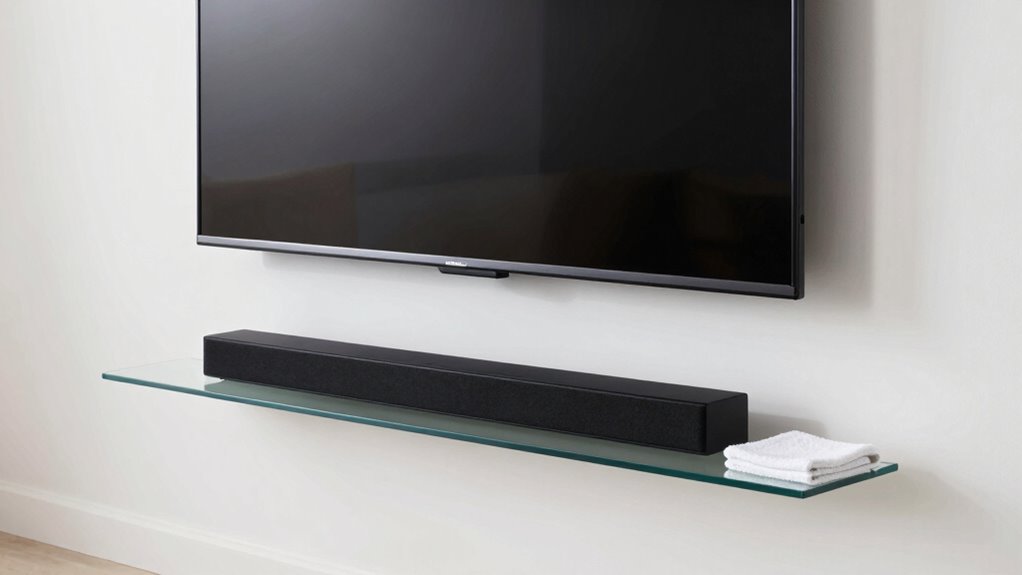
Keeping your TV setup clean is vital for maintaining both its appearance and functionality. When a soundbar lives below your TV, it can sometimes make the space look cluttered or disorganized. To keep everything tidy, focus on remote organization and cable management. These simple steps can transform your setup from messy to sleek, making it easier to enjoy your entertainment system without the distraction of clutter.
Maintaining a tidy TV setup enhances both appearance and performance effortlessly.
Start with remote organization. When multiple devices are involved, it’s common for remotes to pile up or get lost. Designate a specific spot for all your remotes—using a small tray, a decorative bowl, or a remote holder—that sits conveniently near your TV. This keeps remotes within easy reach and prevents them from cluttering your coffee table or side table. If you have a universal remote, consider consolidating controls to reduce the number of remotes you need to manage. Keeping remotes organized not only looks better but also simplifies your entertainment setup and saves you time searching for the right one when you want to watch something.
Cable management is equally essential, especially with a soundbar beneath the TV. Loose, tangled cables look untidy and can even be hazardous. Use cable clips or adhesive mounts to run cables neatly along the back of your TV stand or wall. Bundle excess length with twist ties or Velcro straps, ensuring that cables don’t dangle or tangle. If your setup allows, route cables behind furniture or walls to hide them altogether. For a more polished look, consider investing in a cable management box that conceals power strips and excess cords. Proper cable management not only improves aesthetics but also prevents damage and ensures safety. Additionally, cable organization plays a crucial role in preventing damage and ensuring safety. Being mindful of proper cable routing can further enhance your setup’s safety and appearance.
Products Worth Considering

Bose TV Speaker Compact Soundbar with Bluetooth and HDMI-ARC, Black

Bose TV Speaker (2nd Gen) Compact Soundbar with Bluetooth and HDMI Connectivity, Black

Logitech MX Master 4 Ergonomic Wireless Mouse with Haptic Feedback, Graphite
As an affiliate, we earn on qualifying purchases.
Frequently Asked Questions
Can I Use a Cover to Protect the Soundbar?
Yes, you can use a cover to protect your soundbar. Soundbar covers are a great choice as protective accessories; they shield the device from dust, spills, and scratches. Make sure to select a cover that fits well and allows sound to pass through clearly. Regularly cleaning or replacing the cover keeps your soundbar looking good and functioning properly, helping you maintain a clean and organized TV setup.
How Often Should I Clean the TV and Soundbar?
You should clean your TV and soundbar weekly to keep remote maintenance and cable organization ideal. Use a soft, lint-free cloth to gently wipe the surfaces, avoiding harsh chemicals. Regularly dust and check for cable clutter to prevent buildup and ensure everything stays tidy. This routine helps maintain clear visuals and sound quality, while also making remote maintenance easier and keeping your cable organization neat and free from dust.
Are There Specific Cleaning Products to Avoid?
Don’t use harsh chemicals or abrasive cleaners—think of them as the equivalent of a bad knight in shining armor for your electronics. Stick to gentle, electronics-specific cleaning products. For dust prevention, a soft, microfiber cloth is your best weapon. Avoid sprays with alcohol, ammonia, or bleach, as these can damage screens. Keep your TV and soundbar in pristine condition by cleaning electronics carefully and regularly, ensuring they stay dust-free and functioning smoothly.
How Do I Prevent Dust Buildup in Tight Spaces?
To prevent dust buildup in tight spaces, you should focus on proper cable management to reduce dust hiding behind cords. Regularly vacuum or gently dust the area to remove accumulated debris. Consider using air filtration or a small, portable air purifier nearby to trap airborne dust particles. These steps keep your setup cleaner and guarantee better airflow, reducing dust settling in those hard-to-reach spots under your TV and soundbar.
Should I Unplug Devices Before Cleaning?
While it’s wise to prioritize device maintenance and cleaning safety, you should unplug devices before cleaning. This prevents accidental damage from static or short circuits and guarantees safety during dusting and wiping. Taking a moment to disconnect gadgets not only keeps you safe but also helps maintain your equipment’s longevity. Always power down and unplug gadgets before wiping down or performing any cleaning tasks to keep your setup pristine and protected.
Conclusion
Just like a well-kept garden, your TV setup flourishes when you regularly clear away dust and clutter. Keep that soundbar spotless and organized, and your entire entertainment space will glow with harmony. Think of your setup as a stage where every element plays a part—when kept tidy, it’s like a symphony, seamless and mesmerizing. With a little effort, your space becomes a sanctuary, inviting you to relax and enjoy the show, perfectly in tune.