Using a known good input helps you quickly identify whether a hardware or software issue is causing the problem. You supply the system with reliable, verified data or signals, and if it works correctly, you know the failure isn’t with the core components. This method streamlines troubleshooting, reduces guesswork, and saves you time. Mastering this trick builds your confidence and sharpens your diagnostic skills—discover more strategies that can elevate your troubleshooting approach.

Get audio and creator gear delivered free — and shop member deals
- Fast, free delivery on millions of items
- Access to Prime Big Deal Days deals on October 6–7
- Prime Video, Amazon Music and more included
Key Takeaways
- Using verified inputs isolates hardware issues and confirms system functionality quickly.
- Maintains a library of reliable test inputs for consistent troubleshooting.
- Detects faults early by testing with known good data, reducing guesswork.
- Guides focus toward software or hardware problems based on input acceptance or rejection.
- Streamlines diagnosis, saving time and building confidence in complex system troubleshooting.
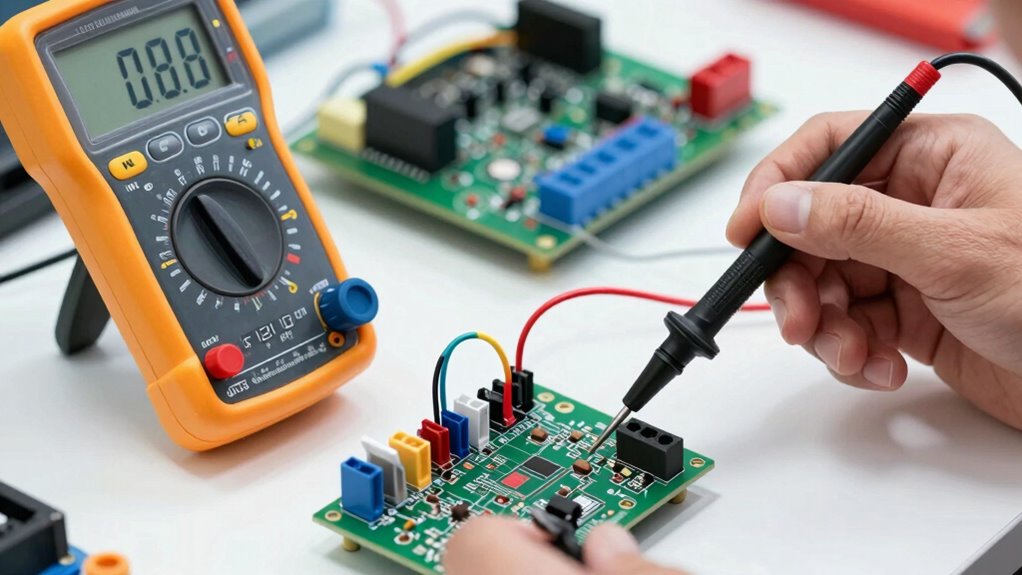
When testing software or troubleshooting input validation, the Known Good Input (KGI) trick is a powerful technique to isolate issues. It helps you determine whether the problem lies within the hardware, the software, or the input data itself. By starting with a known, reliable input, you can systematically narrow down the root cause of failures, making your troubleshooting methodologies more efficient and effective. This approach is especially useful in hardware diagnostics, where confirming that the hardware components function correctly is a crucial first step before delving into complex software errors.
Using KGI involves identifying inputs that you know work under normal circumstances. For example, if you’re testing a form on a website, you might use a standard, verified set of data that has previously passed validation checks. If the system accepts this input without issues, you can confidently move to the next potential source of trouble, such as network problems or software bugs. Conversely, if even the known good input fails, it indicates a deeper problem with the system—perhaps a fault in hardware diagnostics or a configuration issue—prompting you to focus on those areas first. Additionally, maintaining a library of reliable test inputs ensures consistency and efficiency in your troubleshooting process.
This technique streamlines troubleshooting methodologies by providing a baseline. Instead of guessing where things might be going wrong, you systematically test with known good inputs, ruling out variables one by one. It’s especially helpful with hardware diagnostics because it allows you to verify that the hardware components are functioning correctly before testing more complex software interactions. For instance, if you suspect a faulty memory module, you can use a known good memory test input to see if the system responds correctly. If it does, you’ve eliminated hardware failure as the cause, and you can shift focus to software or input validation issues. Incorporating standardized testing procedures can further enhance the reliability of your diagnostic efforts.
In practice, employing KGI means maintaining a library of reliable test inputs and regularly updating them to fit different scenarios. It also involves documenting the expected outcomes for these inputs, so you can quickly identify discrepancies. This method encourages a logical, step-by-step approach that minimizes guesswork and accelerates troubleshooting workflows. It’s a core component of troubleshooting methodologies because it cuts through confusion and provides clarity, especially when diagnosing complex systems where multiple components and layers interact. A thorough understanding of system architecture can also help you select the most effective inputs for testing specific components.
Ultimately, the Known Good Input trick enables you to work smarter, not harder. By confirming that the basics work first, you save time and reduce frustration. Whether you’re troubleshooting hardware diagnostics or software validation, starting with a known good input helps you build confidence in your diagnosis and leads you to solutions more rapidly.
As an affiliate, we earn on qualifying purchases.
Frequently Asked Questions
How Do I Identify a Truly Known Good Input?
You identify a truly known good input by using input validation to confirm it meets expected formats and ranges. Test in a controlled environment where variables are minimized, confirming the input consistently produces the desired outcome. Keep a record of these inputs and their results, so you can quickly compare future issues. This method helps isolate problems, making troubleshooting faster and more reliable.
Can This Trick Be Applied to Software Troubleshooting?
Yes, you can apply the ‘Known Good Input’ trick to software troubleshooting. For example, in a test environment, you might isolate a feature by inputting validated data to see if the bug persists. This helps identify if input validation issues cause the problem. By systematically replacing inputs with known good ones, you quickly narrow down the root cause, making your troubleshooting more efficient and reliable.
What Are Common Mistakes When Using Known Good Inputs?
When using known good inputs, you might overlook input validation, which can lead to troubleshooting inaccuracies. Avoid assuming that an input is always correct without verifying it, as this can mask underlying issues. Be cautious not to rely solely on known good inputs without testing other variables, as it might give a false sense of troubleshooting accuracy. Always validate inputs carefully to guarantee your troubleshooting process remains reliable and effective.
How Often Should I Update My Known Good Inputs?
You should update your known good inputs regularly, especially after any system updates, hardware changes, or if you notice inconsistent troubleshooting results. Consistent input validation ensures your troubleshooting strategies remain reliable. By reviewing and revitalizing your known good inputs every few months or when major changes occur, you reduce troubleshooting time and improve accuracy, making your diagnostic process more efficient and dependable over time.
Is There a Risk of Overlooking Underlying Issues With This Method?
Yes, there’s a risk of overlooking underlying issues with this method if you don’t maintain hardware consistency and proper input validation. Relying solely on known good inputs might hide hardware failures or subtle software glitches. To avoid this, regularly verify your inputs, make sure your hardware stays consistent, and combine this trick with thorough testing. That way, you catch problems early without missing deeper root causes.
As an affiliate, we earn on qualifying purchases.
Conclusion
By using the ‘known good input’ trick, you turn troubleshooting into a smoother sail rather than battling stormy seas. When you replace suspect components with a verified good input, you quickly pinpoint the culprit, saving time and frustration. Think of it as having a lighthouse guiding you through foggy troubleshooting waters. With this simple yet powerful approach, you’ll navigate problems more confidently, turning complex issues into clear, manageable steps—making your troubleshooting journey much less of a maze.
As an affiliate, we earn on qualifying purchases.
input validation testing software
As an affiliate, we earn on qualifying purchases.
As an affiliate, we earn on qualifying purchases.
Fall Picks
fall essentials
As an affiliate, we earn on qualifying purchases.