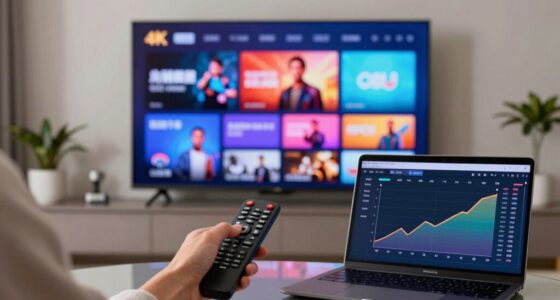

Your streaming quality varies night to night because of unseen fluctuations in your internet connection, device performance, and server load. When your connection becomes unstable or more devices use bandwidth, your stream can buffer or lower in quality. Server traffic also impacts this, especially during peak hours. Even small changes in network conditions can cause noticeable differences in picture clarity and smoothness. Keep exploring to uncover more about what causes these unpredictable shifts.
Key Takeaways
- Fluctuations in internet bandwidth due to congestion or device usage cause unpredictable changes in streaming quality.
- Server load varies during peak times, temporarily affecting stream resolution and stability.
- Wi-Fi signal strength and device processing power influence how smoothly content streams.
- Network management and digital traffic patterns lead to inconsistent streaming experiences.
- Nightly differences in household device activity and internet congestion contribute to quality variability.
Have you ever noticed that your streaming quality varies from one night to the next? It can be frustrating, especially when you’re in the middle of an exciting show or movie. What you might not realize is that some of these changes happen because of factors beyond your control. Two major reasons are bandwidth fluctuations and server load variations, which can profoundly impact your streaming experience without you even noticing.
Bandwidth fluctuations happen because your internet connection isn’t always stable or consistent. Your internet provider might be experiencing congestion, or other devices in your home could be using up bandwidth, causing your connection to slow down. When bandwidth dips, your streaming service has less data to work with, resulting in lower resolution, buffering, or even interruptions. Conversely, when bandwidth is plentiful, your stream can operate at higher quality, making everything look sharper and smoother. These fluctuations often happen unpredictably, meaning your streaming quality can change from one night to the next, even if you’re using the same device and location.
Bandwidth fluctuations cause streaming quality changes due to unstable internet or devices using up bandwidth.
Server load variations are another key factor. Streaming platforms rely on servers to deliver content to users around the world. When many people are streaming the same show or movie at the same time—say during prime time—the servers handling that content become busier. As server load increases, the platform might need to reduce stream quality temporarily to prevent overloading, leading to lower resolution or buffering. On quieter nights, with fewer users accessing the platform, the servers can handle your stream more efficiently, providing higher quality and fewer interruptions. These server dynamics are constantly shifting based on overall user demand, making your streaming quality a moving target.
It’s also worth noting that other factors, like your device’s processing power and Wi-Fi signal strength, play a role, but they’re often overshadowed by the more impactful influences of bandwidth and server load. network conditions can fluctuate unexpectedly due to congestion, which can cause your connection to slow down or become unstable, further impacting your viewing experience. Recognizing how network conditions fluctuate can help you better understand why your streaming quality isn’t always consistent night to night. Sometimes, network management techniques employed by your Internet provider can also impact your streaming stability without your knowledge. It’s important to remember that content delivery networks are designed to optimize streaming performance, but they are still subject to the unpredictable nature of digital traffic.

TP-Link AC1200 WiFi Extender – 1.2Gbps Home Signal Booster, Dual Band 5GHz/2.4GHz, Up to 1600 Sq.ft and 32 Devices, EasyMesh Compatible, One Ethernet Port (RE315)
- Enhanced Wi-Fi Coverage: Eliminates dead zones with strong signal
- Dual Band Speed: Speeds of 867 Mbps (5GHz) and 300 Mbps (2.4GHz)
- Wide Coverage Area: Up to 1500 sq.ft with reliable connections
As an affiliate, we earn on qualifying purchases.
As an affiliate, we earn on qualifying purchases.
Frequently Asked Questions
How Do I Check My Current Streaming Quality Settings?
To check your current streaming quality settings, go to your streaming service’s app or website, then look for the settings menu. You’ll often find options related to video compression and bandwidth allocation there. For example, some platforms allow you to adjust quality manually or set it to auto. Reviewing these settings helps you understand how your device manages video compression, which impacts streaming quality night to night.
Can My Internet Speed Alone Cause Quality Fluctuations?
Your internet speed can indeed cause quality fluctuations, acting like a fragile bridge that sometimes strains under heavy loads. Bandwidth throttling by your provider or server congestion can slow your connection, leading to lower stream quality. Even if your speed seems sufficient, these unseen forces can weaken the connection, causing buffering or pixelation. To guarantee smooth streaming, check for throttling or congestion, and consider upgrading your plan or reducing network traffic.
Do Streaming Platforms Intentionally Vary Quality?
Streaming platforms do intentionally vary quality, primarily to guarantee smooth content delivery during server load fluctuations. When many users access the platform simultaneously, they adjust streaming quality to prevent buffering and interruptions. This adaptive streaming technology dynamically responds to your internet speed and server load, automatically lowering quality during busy times and boosting it when servers are less congested. So, your viewing experience changes to maintain a seamless stream.
How Does Device Type Affect Streaming Quality?
Your device type greatly affects streaming quality because of device compatibility and screen resolution. If you use a smart TV or high-resolution tablet, you’ll likely see better quality because these devices support higher resolutions. Conversely, older smartphones or lower-end devices may stream at reduced quality to guarantee smooth playback. So, your device’s capabilities directly influence how sharp and clear your streaming experience appears.
Is There a Way to Stabilize Streaming Quality Consistently?
Absolutely, you can stabilize your streaming quality. Think of your internet connection as a steady river—bandwidth throttling and content buffering are the rocks disrupting flow. To smooth this out, upgrade your plan for higher bandwidth, and connect via Ethernet for a more stable signal. Regularly clear cache and close background apps to prevent buffering hiccups. These steps create a calmer stream, ensuring consistent quality night after night.

TESMEN TLP-123A Network Cable Tester for RJ11 RJ45, Ethernet Wire Tool for CAT5/CAT5E/CAT6/CAT6A/CAT7/UTP&STP, LAN & TEL Continuity Test, Suitable for Cable Maintenance – Green
- Supports RJ45 and RJ11: Detects line connectivity and faults
- One-button operation: Simple and quick testing process
- LED indicator display: Clear test results at a glance
As an affiliate, we earn on qualifying purchases.
As an affiliate, we earn on qualifying purchases.
Conclusion
So, next time you notice your streaming quality shifting from night to night, remember it’s often due to factors beyond your control, like network congestion or server load. Notably, studies show that during peak hours, internet speeds can drop by up to 50%, making quality fluctuations almost inevitable. Understanding this helps you stay patient and adaptable, ensuring you enjoy your favorite shows without frustration. After all, a little fluctuation is just part of the streaming experience.

TP-Link AX5400 WiFi 6 Router (Archer AX73)- Dual Band Gigabit Wireless Internet Router for Streaming, Long Range Coverage
- High-Speed WiFi: Up to 5400 Mbps for streaming and gaming
- WiFi 6 Technology: Supports 4T4R and HE160 for fast connections
- Connect Multiple Devices: Supports MU-MIMO and OFDMA for reduced congestion
As an affiliate, we earn on qualifying purchases.
As an affiliate, we earn on qualifying purchases.

Network Monitor
- App Bandwidth Usage: Displays bandwidth consumption per app
- Open Sockets: Lists active network sockets
- Data Usage Stats: Provides network data statistics
As an affiliate, we earn on qualifying purchases.
As an affiliate, we earn on qualifying purchases.