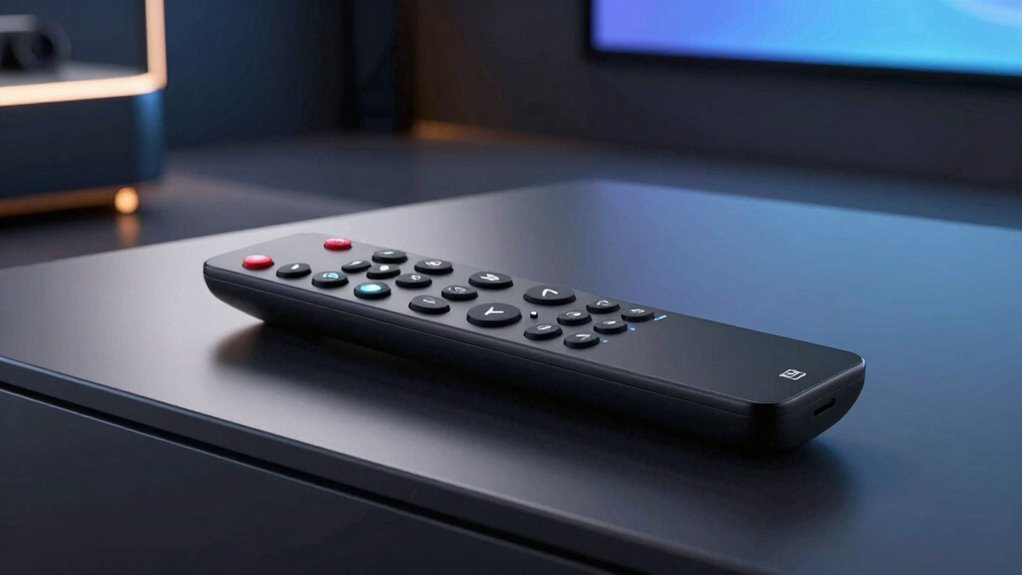

The Elite Screens ZR800D Universal Learning Remote Control is my best overall pick for shoppers who need a replacement or flexible controller, while the 315MHz Wireless Remote Control Kit stands out for compatible motorized screens and other devices. If you want the screen and remote together, the DINAH 120 Inch Electric Projector Screen is a notable all-in-one option. The main tradeoff is whether you need a standalone remote that works with existing equipment or a complete screen system with its own controls. Compatibility, installation, and the difference between a replacement remote and a bundled screen matter more than remote features alone. Read on for the full breakdown of how these seven options compare and which buyer each suits.

Get audio and creator gear delivered free — and shop member deals
- Fast, free delivery on millions of items
- Access to Prime Big Deal Days deals on October 6–7
- Prime Video, Amazon Music and more included
Complete the kit


Key Takeaways
- The roundup spans two different purchases: the Elite Screens ZR800D, DINAH wireless remote, and 315MHz kit are control-focused products, while several other picks bundle a remote with a motorized screen.
- The ZR800D leads as a flexible replacement option because its learning-remote role addresses compatibility needs that a screen-bundled remote may not.
- The 315MHz kit is the most adaptable control pick for buyers whose motorized screen or shade supports its frequency and control setup, but compatibility must be checked before ordering.
- The DINAH screen and its dedicated wireless remote serve different needs: one provides a full screen system, while the other is aimed at controlling a compatible DINAH screen.
- Bundled screen choices trade retrofit flexibility for simplicity: the Bloepum and other motorized-screen listings may suit new installations, but they are not direct substitutes for a standalone replacement remote.
| Elite Screens ZR800D Universal Learning Remote Control |  | Best for Multi-Device Control | Brand and model: Elite Screens ZR800D | Maximum supported devices: 8 | Connectivity: Infrared | VIEW ON AMAZON | See Our Full Breakdown |
| Motorized Projector Screen – 120 inch Indoor and Outdoor Electric Screen with Remote |  | Best for Indoor-Outdoor Flexibility | Screen size: 120-inch diagonal | Aspect ratio: 4:3 | Screen dimensions: 93.7 × 69.69 inches | VIEW ON AMAZON | See Our Full Breakdown |
| DINAH 120 Inch Electric Projector Screen with Remote |  | Best for a Simple Large-Screen Setup | Screen size: 120 inches | Projection compatibility: 4K, 3D, and HD | Operation: Motorized with remote control | VIEW ON AMAZON | See Our Full Breakdown |
| Bloepum Motorized Projection Screen Remote Control System |  | Best Replacement Control Kit | Manufacturer: Bloepum | Package contents: 1 remote control and 1 controller | Operation: Remote and manual | VIEW ON AMAZON | See Our Full Breakdown |
| Motorized Projector Screen with Remote Control, No Wrinkles, Without Dents, HD Screen, for Home Theater Office Classroom TV Usage (92inch 16:9) |  | Best for Widescreen Rooms | Screen size: 92-inch diagonal | Aspect ratio: 16:9 | Viewing area: 80 × 45 inches | VIEW ON AMAZON | See Our Full Breakdown |
| 315MHz Wireless Remote Control Kit for Motorized Screens, Curtains, Shades, and Other Devices |  | Best for Multi-Use Installations | Frequency: 315MHz | Controller input: AC 110V ±10% | Maximum load: ≤500W | VIEW ON AMAZON | See Our Full Breakdown |
| DINAH Wireless Remote for 120-Inch Electric Projector Screen |  | Best Screen-Specific Replacement | Compatible device: DINAH 120-inch electric projector screen | Connectivity: Wireless | Maximum range: 10 feet | VIEW ON AMAZON | See Our Full Breakdown |
More Details on Our Top Picks
Elite Screens ZR800D Universal Learning Remote Control
The ZR800D is the most flexible choice here for buyers who want one handset to coordinate a projector screen with other infrared equipment. It supports up to eight devices, can learn commands from existing remotes, and stores macros of up to 10 commands—useful for combining several setup steps. Unlike the included remote on the 120-inch Indoor and Outdoor Electric Screen, this is a separate universal controller rather than a screen-and-remote package, so it makes most sense when you already have compatible gear. Its 10-meter infrared range suits typical rooms, but IR still needs a workable path to the equipment. Programming codes or teaching commands takes more effort than using a basic paired screen remote, and it requires AAA batteries.
Pros:- Controls up to eight devices
- Learns infrared commands from existing remotes
- Macros can store up to 10 commands
- Includes a low-battery indicator and device lock
Cons:- Requires programming or learning before all devices are ready
- Infrared operation can be obstructed by poor line of sight
- Requires AAA batteries
Best for: Home theater owners who want to control an Elite screen and several compatible infrared devices from one remote.
Not ideal for: Buyers seeking a ready-to-use remote bundled with a new screen, or anyone whose equipment relies on radio-frequency control rather than infrared.
- Brand and model:Elite Screens ZR800D
- Maximum supported devices:8
- Connectivity:Infrared
- Maximum range:10 meters
- Buttons:54
- Macro capacity:Up to 10 commands
- Battery type:AAA
- Dimensions:8.75 × 2 × 0.87 inches
Our verdict“Choose the ZR800D if consolidating several infrared devices matters more than getting a simple screen-only remote.”
Motorized Projector Screen – 120 inch Indoor and Outdoor Electric Screen with Remote
This screen suits buyers who want motorized operation across different viewing locations, with both a remote and wall-mountable control panel included. That gives it a practical fallback when the remote is misplaced, unlike the DINAH 120 Inch Electric Projector Screen, whose supplied details focus on remote operation without specifying a second control method. The 120-inch, 4:3 format works for presentations and older-format material, while its fixed ratio may leave widescreen movie fans preferring the 92-inch, 16:9 screen in this roundup. A quiet motor rated below 42 dB should be less distracting during playback, and the screen arrives assembled for plug-and-play setup. At 24.3 pounds, however, it needs secure mounting, and buyers should check that 4:3 matches their usual content.
Pros:- Includes both a remote and wall-mountable control panel
- 120-inch diagonal screen supports large-room viewing
- Quiet motor rated below 42 dB
- Fully assembled, plug-and-play installation
Cons:- Fixed 4:3 aspect ratio may not suit widescreen content
- Weight calls for a sturdy mounting surface
- The listed details do not specify compatibility with universal remote systems
Best for: Households, educators, or presenters who need a large motorized screen for varied indoor and outdoor viewing locations and value a wall control as backup.
Not ideal for: Widescreen movie viewers who want a 16:9 image, or renters who cannot provide a sturdy mounting point for a 24.3-pound screen.
- Screen size:120-inch diagonal
- Aspect ratio:4:3
- Screen dimensions:93.7 × 69.69 inches
- Motor:Energy-efficient, quiet; below 42 dB
- Controls:Remote control and wall-mountable control panel
- Screen material:Four-layer, black-backed PVC matte
- Viewing angle:160°
- Weight:24.3 pounds
Our verdict“Pick this model for a large, ready-to-operate screen with two control options, provided its 4:3 format fits your viewing needs.”
DINAH 120 Inch Electric Projector Screen with Remote
The DINAH is a straightforward option for buyers who want a large drop-down screen operated by a remote, without needing a separate controller system. Its 120-inch size and motorized action suit home theaters, classrooms, and meeting rooms where raising the screen between uses helps keep the wall clear. The listing states support for 4K, 3D, and HD projection, though it does not provide details such as aspect ratio, motor noise, or remote range. That makes it less specified than the 120-inch Indoor and Outdoor Electric Screen, which lists a 4:3 format, a wall control, and a noise rating. The DINAH’s space-saving drop-down design is appealing, but buyers must arrange wall or ceiling mounting and should confirm the format and control details before choosing it.
Pros:- Large 120-inch display area
- Motorized operation controlled by remote
- Drop-down design frees wall space when stored
- Listed as compatible with 4K, 3D, and HD projection
Cons:- Requires wall or ceiling mounting
- Aspect ratio and remote range are not specified
- The supplied details do not describe a backup control method
Best for: Home theater owners or classroom and office users who want a 120-inch motorized drop-down screen with remote operation.
Not ideal for: Buyers who need a stated aspect ratio, documented remote range, or an included backup wall control before committing to a screen system.
- Screen size:120 inches
- Projection compatibility:4K, 3D, and HD
- Operation:Motorized with remote control
- Design:Space-saving drop-down
- Installation:Wall or ceiling mounting required
- Aspect ratio:Not specified
Our verdict“Choose the DINAH if a remote-operated 120-inch drop-down screen is your priority and you can verify the missing fit and control details.”
Bloepum Motorized Projection Screen Remote Control System
Bloepum is the focused pick for replacing or adding controls to a compatible motorized screen rather than buying a screen itself. The package includes a remote and controller, plus manual operation, making it more directly aimed at control-system needs than the complete screen bundles from DINAH or the 120-inch indoor-outdoor model. Its stop button works without learning, while the up and down buttons require separate pairing; that split can help with basic stopping but makes setup less immediate than a simple bundled remote. The listed package is compact and light, but the supplied information does not identify compatible screen models or the required battery type. I would confirm both before ordering, especially if the existing screen’s controller must be replaced rather than supplemented.
Pros:- Includes both a remote and controller
- Supports manual as well as remote operation
- Stop button works without pairing
- Up and down controls can be paired separately
Cons:- Up and down buttons require a multi-step pairing process
- Compatible screen models are not specified
- Battery type is not identified
Best for: Owners of a compatible motorized projection screen who need a replacement remote-and-controller set and can follow a pairing procedure.
Not ideal for: Buyers purchasing their first screen, or anyone who needs confirmed compatibility and clear battery specifications before setup.
- Manufacturer:Bloepum
- Package contents:1 remote control and 1 controller
- Operation:Remote and manual
- Pairing:Separate pairing for up and down buttons; stop works without learning
- Material:Plastic
- Package dimensions:4.72 × 4.33 × 1.57 inches
- Item weight:5.1 ounces
- Batteries:Included; type unspecified
Our verdict“Consider Bloepum as a replacement control kit only after confirming that its controller works with your motorized screen.”
Motorized Projector Screen with Remote Control, No Wrinkles, Without Dents, HD Screen, for Home Theater Office Classroom TV Usage (92inch 16:9)
For buyers who want a screen matched to widescreen films and games, this 92-inch model offers a 16:9 format and wireless remote operation in one package. Its listed 80 × 45-inch viewing area is more compact than the 120-inch DINAH and the 120-inch indoor-outdoor screen, which can make it easier to fit in a smaller room. The remote is described as usable from anywhere in the room, but no range or control-system details are provided, so it is less flexible than the Elite Screens ZR800D for coordinating multiple infrared devices. A 1.3 gain and 160-degree viewing angle are listed, while dual wall-and-ceiling installation offers placement options. The description claims a steady motor, but gives no noise rating, screen weight, or battery information.
Pros:- 16:9 format and 80 × 45-inch viewing area suit widescreen content
- Wireless remote allows operation from within the room
- Dual wall and ceiling installation options
- Listed 1.3 gain and 160-degree viewing angle
Cons:- Smaller viewing area than the 120-inch options in this roundup
- Remote range and control technology are not specified
- Motor noise, screen weight, and battery details are not provided
Best for: Movie and gaming viewers who want a motorized 16:9 screen for a smaller home theater, office, or classroom.
Not ideal for: Buyers who need a screen larger than 92 inches or require documented remote range, motor noise, and mounting-weight details.
- Screen size:92-inch diagonal
- Aspect ratio:16:9
- Viewing area:80 × 45 inches
- Gain:1.3
- Viewing angle:160°
- Operation:Motorized with wireless remote
- Installation:Wall or ceiling
- Intended uses:Home theater, office, classroom, and public display
Our verdict“Choose this screen for a more room-friendly 16:9 setup, but look to a 120-inch model if maximum image size matters more.”
315MHz Wireless Remote Control Kit for Motorized Screens, Curtains, Shades, and Other Devices
This kit is the flexible pick for someone adding remote control to a compatible motorized screen or another single device. Its 315MHz signal is rated for up to 50 meters, giving it more reach than the DINAH Wireless Remote for 120-Inch Electric Projector Screen, which is limited to 10 feet. Overload and motor-stall protection add a layer of protection when the connected motor meets resistance, while low standby draw suits a controller that stays plugged in. The tradeoff is setup: unlike the DINAH remote, which is made for a specific screen, this kit requires checking compatibility with the motor and wiring before buying. It controls one device only, and the remote’s 12V battery is not included. I’d choose it for a compatible installation that needs longer range, not as a universal screen remote.
Pros:- Rated wireless range of up to 50 meters
- Works with compatible motorized screens, curtains, shades, and other devices
- Includes overload and motor-stall protection
- Standby power is specified at less than 0.1W
Cons:- Compatibility with the motor and wiring must be checked before purchase
- The remote requires a 12V battery, which is not included
- Controls only one device
Best for: Buyers with a compatible 110V motorized screen, shade, or curtain who need longer-range control and want motor-stall and overload protection.
Not ideal for: Owners seeking a ready-to-use replacement for a specific projector screen remote, or anyone who needs to control multiple devices from one remote.
- Frequency:315MHz
- Controller input:AC 110V ±10%
- Maximum load:≤500W
- Maximum range:50 meters
- Standby power:<0.1W
- Encoding type:Fixed 1527 code
- Remote battery:12V, not included
- Maximum supported devices:1
Our verdict“Choose this kit for a compatible single motorized device that needs substantially more range than the DINAH screen-specific remote offers.”
DINAH Wireless Remote for 120-Inch Electric Projector Screen
For an owner of the compatible DINAH 120-inch electric projector screen, this remote offers a simple replacement or spare without requiring a multi-device control kit. Its three-button layout keeps operation straightforward, and the included 12V battery means it is ready to use once paired as required by the screen system. That specificity is also its main limitation: unlike the 315MHz Wireless Remote Control Kit, which is described for several types of motorized devices and has a much longer rated range, this remote is intended for one DINAH screen and reaches only 10 feet. That short distance may mean operating the screen from near the controls rather than from across a room. I’d pick it when compatibility with the named screen matters more than broad device support or room-scale range.
Pros:- Designed for the DINAH 120-inch electric projector screen
- Includes the required 12V battery
- Three-button operation keeps basic screen control simple
- Lightweight at 1.76 ounces
Cons:- Maximum range is only 10 feet
- Compatible with only one device
- Its screen-specific design offers less flexibility than the 315MHz Wireless Remote Control Kit
Best for: DINAH 120-inch electric projector screen owners who need a compatible spare or replacement remote for use nearby.
Not ideal for: Buyers with another screen brand, those who want one remote for several motorized devices, or viewers who need to operate a screen from across the room.
- Compatible device:DINAH 120-inch electric projector screen
- Connectivity:Wireless
- Maximum range:10 feet
- Button quantity:3
- Maximum supported devices:1
- Battery:1 12V battery, included
- Dimensions:4.93 × 1.5 × 0.6 inches
- Weight:1.76 ounces
Our verdict“Choose this as a nearby-use spare or replacement for the compatible DINAH 120-inch screen, but skip it if you need longer range or broader compatibility.”
How We Picked
I ranked these options by how clearly they solve the buyer’s actual control problem: replacing a lost remote, adding wireless control to existing equipment, or buying a complete motorized screen and controller together. I gave more weight to a distinct control role, useful compatibility potential, and a clear fit for a particular buyer than to a screen’s size or feature claims alone. A remote that cannot operate the intended screen is not a useful upgrade, so fit and system matching matter throughout this comparison.
The order also reflects the tradeoff between flexibility and simplicity. The ZR800D ranks first for its universal learning-remote purpose; the 315MHz kit follows for buyers with matching hardware; and the DINAH screen earns a strong place for shoppers who want a screen and control as one purchase. Bundled screen options follow where they serve a narrower installation need, while the DINAH wireless remote is most compelling as a compatible replacement rather than a standalone universal solution. I treated unconfirmed compatibility as a reason to check before buying, not as a feature to assume.
Factors to Consider When Choosing Projector Screen Remote Control Systems
Before choosing among projector screen remote control systems, decide whether you are replacing a controller, adding control to equipment you already own, or starting with a new screen. Those paths can look similar in a search result but involve different compatibility checks and installation work. The factors below can help you avoid buying a remote that does not pair with your screen or a complete system you do not need.
Replacement Remote or Complete Screen System?
Start by separating a control-only purchase from a screen-and-remote bundle. A replacement remote such as the DINAH wireless option makes sense when the existing screen is compatible and otherwise works properly. A bundled motorized screen is more suitable for a new room setup or when replacing the screen itself. Buying a full screen just to get a remote can add installation and storage work without solving a unique control problem. On the other hand, a standalone remote will not fix a failed screen motor. Identify which part of your current setup needs replacing before comparing listings.
Verify Compatibility Before Focusing on Convenience
Remote compatibility can depend on the screen’s brand, receiver, frequency, and control method, so the word “wireless” does not mean universal. For a replacement, check the exact screen model and whether it uses a handheld remote, an external receiver, or another control input. For a kit such as the 315MHz option, confirm that the screen’s motor and receiver support the stated frequency and configuration. Do not assume a learning remote can copy every signal; confirm that its learning function covers the original controller. When product details do not answer these questions, ask the seller or manufacturer before ordering. That check can matter more than extra buttons or advertised range.
Check the Control Method for Your Room
Think about where you will operate the screen and who needs access to its controls. A handheld remote can be convenient when the projector and screen are across the room, while a wired wall control may suit a fixed presentation space with predictable operation. Some installations use a trigger from the projector or a home-control connection, which may reduce the need to reach for a separate handset. These methods are not interchangeable, and a bundled remote may not provide every control option your room needs. Map the path from the seating or lectern to the screen before choosing. For shared rooms, simple, clearly understood operation can matter more than a longer feature list.
Plan Installation Around Power and Placement
A motorized screen needs an appropriate power source and mounting position, while a control kit may require access to a receiver or motor wiring. Check whether the screen will mount on a wall or ceiling and whether the supplied system matches that plan. Outdoor use also calls for attention to storage, exposure, and the practical route for power; a remote does not make an indoor screen suitable for weather. Avoid assuming that a listed screen size guarantees an easy fit, since the casing and mounting clearances take extra space. Measure the full installation area, not just the visible image surface. If wiring changes are needed, factor in the work before selecting a control-only product.
Match Screen Size and Format to the Viewing Setup
For bundled screen systems, choose the image size and aspect ratio based on the room and the content you watch or present. A larger screen is not automatically better if viewers sit close or the room cannot accommodate the casing. The 92-inch 16:9 model in this lineup points to a more compact fixed-format use case than the 120-inch options, but the right choice depends on viewing distance and available wall space. Confirm whether the stated dimensions describe the viewing area or the full product, and check the format against your projector. Screen choice and remote choice are linked when the controller is bundled, but they are separate decisions when buying a replacement remote.
Decide When a More Flexible Controller Is Worth It
A universal or multi-device control kit can be worthwhile if you expect to operate more than one compatible device or want a replacement path beyond a single brand. That flexibility brings more setup responsibility: you may need to pair components, confirm signal support, or configure controls for each device. A dedicated screen remote is usually simpler when it matches your existing system and you only need basic operation. Avoid paying for versatility you will not use, but do not choose a narrowly dedicated remote if you are planning a mixed-device setup. Compare the work required to make each option function, not just the number of devices named in its listing. This is where the ZR800D and 315MHz kit differ most from a remote bundled with one screen.
Frequently Asked Questions
Can I use a universal learning remote with any motorized projector screen?
No. A learning remote needs to support the signal used by the original controller, and some screen systems use receivers or control methods that a universal remote cannot copy. Check the screen’s exact model and the original remote before choosing the Elite Screens ZR800D or another learning remote. Ask whether the controller learns the signal type your system uses rather than relying on the word “universal.” If the existing receiver has failed, replacing only the handset may not restore operation.
Will a 315MHz remote kit work with my existing screen motor?
Only if the motor and receiver are compatible with the kit’s frequency and control arrangement. A matching frequency by itself may not be enough if the wiring, receiver, or pairing method differs. Check the motor label and existing receiver documentation, then compare those details with the kit requirements. If your screen already has a working receiver, a compatible replacement handset may be easier than changing the control hardware. Confirm compatibility before purchase rather than treating the kit as a universal add-on.
Should I buy a screen bundle or just a replacement remote?
Choose a replacement remote when your current screen and motor work and the only problem is the controller. A bundled motorized screen is the better match when you need a new projection surface, motor, and control system together. Buying a screen bundle solely to obtain a remote can mean paying for and installing equipment you do not need. Conversely, a new remote will not solve a worn screen surface or a motor fault. Diagnose the failing part first, then compare the relevant products.
Is the DINAH wireless remote a substitute for the DINAH 120-inch screen bundle?
They serve different purposes: the 120-inch option is a complete electric screen, while the wireless remote is a control accessory for a compatible screen. The remote is relevant when you already own the matching screen and need its controller; it does not include the projection surface or motor. Confirm the exact screen model and remote compatibility, since products from the same brand are not automatically interchangeable. If you need a full installation, compare the screen bundle instead. If your screen works and only its handset is missing, the remote accessory may be the more direct route.
What should I check before choosing a 92-inch or 120-inch motorized screen?
Measure the available mounting area, including the screen casing and the space needed for installation, rather than measuring only the desired image width. Check the viewing distance and aspect ratio against your projector and room layout. A 120-inch screen may suit a larger viewing area, while a 92-inch 16:9 option can be easier to fit in a smaller room. Also confirm the screen’s intended location and power access, especially if considering outdoor use. The remote is only one part of the decision; size and installation determine whether the bundled system suits the room.
Conclusion
For the best overall control-focused choice, I recommend the Elite Screens ZR800D to buyers seeking a flexible learning remote, provided it supports their screen’s signal. The best value for a compatible retrofit is the 315MHz Wireless Remote Control Kit when the existing motor and receiver meet its requirements. For beginners setting up a complete system, the DINAH 120 Inch Electric Projector Screen keeps the screen and control purchase together, while the Bloepum and other bundled screens suit buyers comparing alternative screen formats and setups. I would choose the DINAH Wireless Remote for a compatible DINAH screen that needs a replacement controller, not as a universal option. For a compact 16:9 installation, the 92-inch motorized screen has a more focused fit than the 120-inch bundles; choose by room measurements, then verify control compatibility before ordering.
Halloween Picks
halloween
As an affiliate, we earn on qualifying purchases.