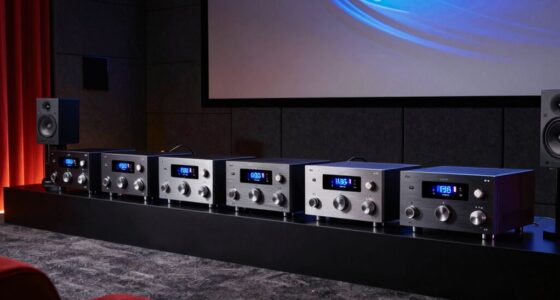
Finding the best fanless network switch for an AV rack involves balancing performance, noise levels, and build quality. The TP-Link 24 Port Gigabit Ethernet Switch stands out as the overall top pick thanks to its reliability and extensive port count. For those seeking a compact, budget-friendly option, the Cudy GS1024L offers solid performance without breaking the bank. Meanwhile, the Zyxel GS1915-24E provides advanced management features for more complex AV setups. As choices vary widely in features and price, understanding the tradeoffs between noise, manageability, and port density is key. Continue reading for a detailed breakdown of these options and how they compare.

Get audio and creator gear delivered free with Prime
- Fast, free delivery on millions of items
- Prime Video, Amazon Music and more included
- Member-only deals all year
Complete the kit


Key Takeaways
- Port count varies from 16 to 24, impacting scalability for AV setups.
- Fanless designs are mostly found in unmanaged switches, limiting control options.
- Higher speed ports, like 2.5Gb, are increasingly common but often come with tradeoffs in price or management features.
- Build quality and reliability are consistent across top brands, but some budget models may lack durability.
- Managed switches offer more control but are typically more expensive and complex to configure.
| TP-Link 24 Port Gigabit Ethernet Switch Desktop/Rackmount Shielded Ports |  | Best Overall Fanless Network Switch for AV Rack | Ports: 24 RJ45 Gigabit ports | Form Factor: Desktop/Rackmount | Dimensions: 11.6″L x 7.1″W x 1.7″H | VIEW LATEST PRICE | See Our Full Breakdown |
| Cudy 24 Port Gigabit Unmanaged Switch, GS1024L |  | Best Value Fanless Switch for Basic AV Setups | Number of Ports: 24 | Switch Type: Unmanaged | Data Transfer Rate: 1000 Mbps | VIEW LATEST PRICE | See Our Full Breakdown |
| Zyxel 24 Port Managed Gigabit Ethernet Switch GS1915-24E |  | Best Managed Fanless Switch for Small Business AV Networks | Number of Ports: 24 | Switch Type: Managed | Data Transfer Rate: 24 Gbps | VIEW LATEST PRICE | See Our Full Breakdown |
| NETGEAR 16-Port Gigabit Ethernet Unmanaged Network Switch (GS316v3) |  | Best Compact Fanless Switch for Small AV Racks | Number of Ports: 16 | Port Speed: 1.0Gbps | Design: Fanless, compact metal | VIEW LATEST PRICE | See Our Full Breakdown |
| 16-Port 2.5Gb Unmanaged Ethernet Network Switch with 10G SFP+ Ports |  | Best High-Speed 2.5G Fanless Switch for AV & Gaming | Number of Ports: 16 x 2.5G RJ45 | SFP+ Ports: 2 x 10G | Bandwidth: 120G | VIEW LATEST PRICE | See Our Full Breakdown |
| Intellinet 24 Port Gigabit Ethernet Switch, Unmanaged, Rackmount & Desktop |  | Best Overall for Versatile Rack and Desktop Use | Number of Ports: 24 | Compatible Devices: Desktop | Data Transfer Rate: 1000 megabits per second | VIEW LATEST PRICE | See Our Full Breakdown |
| UGREEN 16 Port Gigabit Switch, Rackmount 4 Mode Plug & Play Ethernet Switch |  | Best for Flexible, Small-to-Medium Network Expansion | Number of Ports: 16 | Data Transfer Rate: 1000 megabits per second | Switch Type: Unmanaged | VIEW LATEST PRICE | See Our Full Breakdown |
| TRENDnet 16-Port Unmanaged 2.5G Desktop Network Ethernet Switch, TEG-S3160 |  | Best for High-Speed AV Data Over Existing Cabling | Number of Ports: 16 | Port Speed: 2.5Gbps | Switching Capacity: 80Gbps | VIEW LATEST PRICE | See Our Full Breakdown |
| fanless network switch for AV rack | Number of Ports | Switch Type | Data Transfer Rate |
|---|---|---|---|
| TP-Link 24 Port Gigabit Ethern | — | — | — |
| Cudy 24 Port Gigabit Unmanaged | 24 | Unmanaged | 1000 Mbps |
| Zyxel 24 Port Managed Gigabit | 24 | Managed | 24 Gbps |
| NETGEAR 16-Port Gigabit Ethern | 16 | — | — |
| 16-Port 2.5Gb Unmanaged Ethern | 16 x 2.5G RJ45 | — | — |
| Intellinet 24 Port Gigabit Eth | 24 | Flow Switch, Pressure Switch | 1000 megabits per second |
| UGREEN 16 Port Gigabit Switch | 16 | Unmanaged | 1000 megabits per second |
| TRENDnet 16-Port Unmanaged 2.5 | 16 | — | — |
More Details on Our Top Picks
TP-Link 24 Port Gigabit Ethernet Switch Desktop/Rackmount Shielded Ports
This TP-Link model stands out for its straightforward plug-and-play setup and durable metal casing, making it ideal for users who want a reliable, noise-free switch without complex management. Unlike the Zyxel GS1915-24E, which offers advanced VLAN and QoS features for small business networks, the TP-Link’s unmanaged design keeps things simple but limits configuration options. Its energy-efficient technology helps reduce power bills, and its sturdy metal case aids heat dissipation. However, the lack of PoE support and no included rackmount accessories mean it may fall short for those needing integrated power or out-of-the-box rack mounting. This switch is suited for AV installations where ease and silence are paramount, but not if you need extensive network customization or PoE.
Pros:- Easy plug-and-play setup with no software required
- Energy-efficient technology reduces power consumption
- Durable metal casing for heat dissipation and EMI protection
- Fanless design ensures quiet operation
Cons:- Limited to unmanaged switch features, restricting customization
- No PoE support, limiting device powering options
- No included rackmount accessories, requiring additional purchase
Best for: AV professionals or installers seeking a large, reliable, noise-free switch with straightforward operation in rack or desktop setups.
Not ideal for: Advanced network administrators needing managed features or PoE support for powering devices directly through the switch.
- Ports:24 RJ45 Gigabit ports
- Form Factor:Desktop/Rackmount
- Dimensions:11.6″L x 7.1″W x 1.7″H
- Warranty:3 years
Our verdict“This switch is perfect for AV rack setups where simplicity, silence, and reliability are key priorities, but it’s not suited for complex network management or PoE needs.”
Cudy 24 Port Gigabit Unmanaged Switch, GS1024L
The Cudy GS1024L offers solid performance with 24 Gigabit ports and fanless operation, making it a cost-effective choice for small AV racks or office environments. Compared to the TP-Link, which is more about ease of use, the Cudy emphasizes reliable throughput and VLAN isolation, though it lacks advanced management features. Its compact metal case and silent operation make it suitable for quiet spaces, but the unmanaged design means you miss out on network monitoring or fine-tuning. The 48Gbps switching capacity supports multiple devices without slowdown, yet the absence of PoE limits its use for powering AV equipment directly. This switch makes the most sense for users prioritizing straightforward, silent connectivity over advanced network control.
Pros:- Reliable 24 Gigabit ports with wire-speed throughput
- Fanless, silent operation ideal for quiet environments
- Plug-and-play setup with auto-MDI/MDIX and VLAN isolation
- Compact, durable metal case
Cons:- Limited management features due to unmanaged design
- No PoE support for powering devices
- Lacks advanced network monitoring options
Best for: Small office or AV rack users needing reliable, silent Gigabit connections with simple plug-and-play setup and VLAN features.
Not ideal for: Tech-savvy users requiring managed switches or PoE for powering connected devices directly.
- Number of Ports:24
- Switch Type:Unmanaged
- Data Transfer Rate:1000 Mbps
- Dimensions:17.32″L x 7.09″W x 1.73″H
Our verdict“This switch is well-suited for users who want a dependable, silent, and straightforward connection in small AV or office setups, but not if advanced management or PoE is needed.”
Zyxel 24 Port Managed Gigabit Ethernet Switch GS1915-24E
This Zyxel model combines fanless operation with advanced management features like VLAN, QoS, and IGMP snooping, making it ideal for small business AV networks requiring more control. Unlike the unmanaged Cudy or TP-Link, it provides detailed configuration options and flexible mounting, including wall and rack mounts. Its plastic case may seem less durable than metal counterparts, but its performance reliability and high switching capacity (48 Gbps) support complex, multi-device environments. However, its small business focus means it lacks the scalability for larger enterprise networks, and the absence of a built-in power supply might complicate deployment. It’s a strong choice for those needing managed features in a quiet, rack-mountable package.
Pros:- Fanless, silent operation
- Supports advanced features like VLAN, QoS, and IGMP snooping
- Flexible mounting options including wall and rack mount
- High switching capacity with reliable performance
Cons:- Plastic case may be less durable than metal options
- Limited to small business use, not enterprise-grade
- No built-in power supply details provided
Best for: Small business AV setups that require detailed network control, VLAN segmentation, and reliable performance without noise.
Not ideal for: Large enterprise networks or users seeking unmanaged, plug-and-play simplicity with PoE support.
- Number of Ports:24
- Switch Type:Managed
- Data Transfer Rate:24 Gbps
- Maximum MAC Address Table:8K
Our verdict“Perfect for small business AV networks needing managed control in a quiet, versatile form factor, but not ideal for large-scale or unmanaged setups.”
NETGEAR 16-Port Gigabit Ethernet Unmanaged Network Switch (GS316v3)
The NETGEAR GS316v3 offers a compact, 16-port gigabit solution that emphasizes simplicity and quiet operation. Compared to larger 24-port models, it fits more easily into space-constrained AV racks while still providing high-speed, reliable connectivity. Its plug-and-play setup and energy-efficient design are appealing for users who want minimal fuss, but with fewer ports than the 24-port options like TP-Link or Cudy, it might be less suitable for expanding smaller networks. Its metal case adds durability, and no fans mean it remains silent during operation. However, the limited number of ports might be a drawback for growing AV systems, and it lacks management features for network optimization.
Pros:- High-speed gigabit ports with reliable performance
- Compact metal case fits limited spaces
- Fanless, silent operation
- Simple plug-and-play setup
Cons:- Limited to 16 ports, less scalable for larger needs
- No management features for fine-tuning
- No included mounting hardware
Best for: Small AV racks or desktop setups requiring a compact, silent gigabit switch with straightforward installation.
Not ideal for: Large or expandable networks needing more ports or managed features for optimal control.
- Number of Ports:16
- Port Speed:1.0Gbps
- Design:Fanless, compact metal
- Mounting Options:Desktop or wall-mount
Our verdict“Ideal for small AV setups where space is tight and simplicity is valued over advanced network features, but not for expanding or managed networks.”
16-Port 2.5Gb Unmanaged Ethernet Network Switch with 10G SFP+ Ports
This switch introduces 16 2.5G ports combined with 2 10G SFP+ ports, making it a standout for users needing higher-than-Gigabit speeds in AV or gaming environments. Its fanless, sturdy metal design ensures quiet operation, and its plug-and-play nature simplifies deployment. Compared to the standard 1Gbps switches like NETGEAR GS316v3, this model offers a significant speed boost for multiple devices, especially suitable for 4K video streaming, gaming PCs, or NAS connections. Still, its unmanaged setup limits control over network traffic, and compatibility with devices supporting 2.5G speeds is necessary to realize the full benefit. It’s best for users wanting straightforward, high-speed connectivity without managed features.
Pros:- High-speed 2.5G connectivity supports multiple devices
- Fanless, durable metal casing ensures quiet operation
- Supports 10G SFP+ ports for future scalability
- Plug and play setup with broad cable compatibility
Cons:- Limited to unmanaged switch functionality, restricting control
- Requires compatible devices to utilize 2.5G speeds fully
- No detailed power supply information provided
Best for: AV professionals or gamers needing high-speed, quiet connections in a rack or desktop environment, with devices supporting 2.5G or 10G.
Not ideal for: Users seeking managed switches or those with older devices that only support standard Gigabit Ethernet.
- Number of Ports:16 x 2.5G RJ45
- SFP+ Ports:2 x 10G
- Bandwidth:120G
- Design:Fanless, metal casing
Our verdict“A strong choice for AV or gaming setups needing higher-than-Gigabit speeds in a silent, straightforward package, but not suitable if managed control or legacy devices are necessary.”
Intellinet 24 Port Gigabit Ethernet Switch, Unmanaged, Rackmount & Desktop
This Intellinet 24-port switch stands out for its combination of high port density and flexible installation options, making it ideal for complex AV rack setups where space and silence matter. Compared to the smaller UGREEN 16-port switch, it provides more connectivity, but its unmanaged nature means it lacks advanced network management features found in higher-end switches. Its fanless design guarantees silent operation, and energy-efficient Ethernet support helps reduce power bills during long sessions. However, its basic feature set may fall short for users needing VLAN or QoS controls, and it doesn’t include rack mounting hardware, which could complicate installation. Overall, this switch is best for those who want straightforward, high-capacity connectivity in a silent, rack-mountable package, without the need for management features.
Pros:- Supports energy-efficient Ethernet to lower power consumption
- Fanless design ensures silent operation
- Supports jumbo frames for AV data streams
- Flexible installation in rack or on desktop
Cons:- Limited to unmanaged switch features, lacking advanced management
- No included rack mounting hardware or power cord specified
- Basic design may lack features needed for complex network configurations
Best for: AV professionals or network installers needing a large, silent switch that fits into a rack or desktop environment.
Not ideal for: Advanced network administrators requiring managed switches with VLAN, QoS, or remote management capabilities.
- Number of Ports:24
- Compatible Devices:Desktop
- Data Transfer Rate:1000 megabits per second
- Switch Type:Flow Switch, Pressure Switch
- Case Material:Metal
- Item Dimensions:1.73″ H
Our verdict“This switch is perfect for users who need high port count, silent operation, and simple setup without management complexity.”
UGREEN 16 Port Gigabit Switch, Rackmount 4 Mode Plug & Play Ethernet Switch
The UGREEN 16-port switch offers a reliable, plug-and-play solution for expanding smaller networks with minimal fuss. Its metal case and fanless design make it durable and silent, similar to the TRENDnet TEG-S3160, but with more ports for greater expansion. Unlike the Intellinet model, which prioritizes high port density, this switch emphasizes versatility with support for VLAN and link aggregation, making it suitable for more sophisticated setups. Its size, however, might be a concern for very limited rack space or desktop environments where compactness is key. While lacking management features that some enterprise switches boast, its straightforward, durable build makes it ideal for small to medium AV or office networks that benefit from quick deployment and multiple modes.
Pros:- Plug-and-play setup with no configuration needed
- Supports VLAN and link aggregation for flexible networking
- Durable metal housing with efficient heat dissipation
- Silent operation suitable for quiet environments
Cons:- Limited to unmanaged switch features; no remote management
- Potentially large footprint for very compact setups
- No included power supply details
Best for: Small to medium-sized AV or office setups requiring flexible, unmanaged high-speed connections.
Not ideal for: Large-scale installations needing managed switches or advanced network features.
- Number of Ports:16
- Data Transfer Rate:1000 megabits per second
- Switch Type:Unmanaged
- Dimensions:11.5″L x 1.7″W x 4.6″H
- Housing:Metal
- Compatible Devices:Camera, Desktop, Laptop, Printer, Router
Our verdict“This switch is ideal for users seeking a durable, flexible, plug-and-play switch for growing networks, without complex management needs.”
TRENDnet 16-Port Unmanaged 2.5G Desktop Network Ethernet Switch, TEG-S3160
The TRENDnet TEG-S3160 excels in environments where higher Ethernet speeds over existing wiring matter, supporting 2.5G connections on all 16 ports. Compared to the Intellinet or UGREEN models, which operate at gigabit speeds, this switch offers a clear advantage for AV setups that handle large data streams, such as 4K video or high-res audio. Its rugged metal housing and wall-mount capability add to its durability and placement flexibility. However, its focus on speed means it lacks managed features like VLAN or QoS, making it less suitable for complex network configurations. Its compatibility is limited to Cat5e or higher cabling, which could be a constraint if existing wiring isn’t upgraded. Despite this, for AV racks demanding faster data throughput in a silent, fanless package, it makes a compelling choice.
Pros:- Supports 2.5G Ethernet speeds for faster data transfer
- Durable metal housing with wall-mount option
- Fanless, silent operation
- NDAA and TAA compliant for government applications
Cons:- Limited to unmanaged switch features; no VLAN or QoS
- Requires Cat5e or better cabling, which may not be present
- No PoE support for powering connected devices
Best for: AV professionals needing 2.5G speeds for high-bandwidth data streams over existing cabling.
Not ideal for: Users requiring managed switches or PoE support for powering devices.
- Number of Ports:16
- Port Speed:2.5Gbps
- Switching Capacity:80Gbps
- Housing:Metal
- Mounting:Wall-mountable
- Compatible Cables:Cat5e or better
Our verdict“This switch suits AV setups needing faster data throughput without management complexity, especially when existing wiring supports 2.5G speeds.”

How We Picked
I evaluated each switch based on performance stability, noise levels, build quality, and ease of installation. Since quiet operation is critical in AV environments, fanless designs were prioritized, with a focus on unmanaged or lightly managed units for simplicity. Port flexibility, speed options, and future scalability influenced rankings, alongside value for money. Switches were also assessed on user reviews and brand reputation for durability and support. This approach ensures the selected options balance technical features with practical usability for AV rack setups.| fanless network switch for AV rack | Switch Type |
|---|---|
| TP-Link 24 Port Gigabit Ethern | — |
| Cudy 24 Port Gigabit Unmanaged | Unmanaged |
| Zyxel 24 Port Managed Gigabit | Managed |
| NETGEAR 16-Port Gigabit Ethern | — |
| 16-Port 2.5Gb Unmanaged Ethern | — |
| Intellinet 24 Port Gigabit Eth | Flow Switch, Pressure Switch |
| UGREEN 16 Port Gigabit Switch | Unmanaged |
| TRENDnet 16-Port Unmanaged 2.5 | — |
Factors to Consider When Choosing Best Fanless Network Switch For AV Rack
Choosing the best fanless network switch for an AV rack requires understanding several key factors. It’s not just about port count or speed but also about noise levels, manageability, and physical size. A well-selected switch can ensure seamless AV operation without disrupting the environment with fan noise or complicated setup. Here are the main considerations to keep in mind when making your decision.Port Count and Speed
Determine how many devices you’ll connect now and in the future. Higher port counts provide scalability, while the inclusion of 2.5Gb or 10Gb ports can future-proof your setup. Balance your current needs with potential growth, but avoid overspending on unnecessary ports if your setup is small, as it impacts cost and space.
Manageability and Features
Unmanaged switches are simpler and often more affordable but offer limited control over network traffic and security. Managed or semi-managed switches provide advanced features like VLANs, QoS, and monitoring, which can be invaluable in complex AV environments. Consider your technical comfort level and whether advanced management features are worth the extra cost.
Build Quality and Reliability
In AV setups, durability and stable operation are paramount. Look for switches from reputable brands with solid construction and positive user reviews. Avoid budget models that might skimp on components, risking failure or inconsistent performance over time. A reliable switch reduces downtime and maintenance headaches.
Physical Size and Mounting Options
Space within your AV rack is often limited, so measure carefully. Fanless switches tend to be compact and rack-mountable, but check the dimensions and mounting options to ensure compatibility. A smaller, well-designed unit prevents congestion and simplifies cable management.
Price and Value
Balancing cost against features is key. Higher-end switches with advanced management and higher speeds come at a premium but may be necessary for complex setups. Conversely, basic unmanaged switches can suffice for smaller, straightforward AV systems. Focus on getting the features you need without paying for extras that won’t be used.
Frequently Asked Questions
Is a fanless switch suitable for high-bandwidth AV applications?
Yes, many fanless switches support gigabit or even 2.5Gb speeds, making them suitable for high-bandwidth AV applications. However, ensure the switch’s specifications match your data transfer needs. Fanless designs are generally reliable for continuous operation, but if you require extremely high throughput, check for switches that support higher speeds or multiple ports with aggregated bandwidth.
Can I use a fanless switch in a noisy environment?
Absolutely. Fanless switches are ideal for environments where noise must be minimized, such as recording studios or home theaters. Their silent operation prevents audio interference and creates a more comfortable environment. Just ensure that the switch has adequate ventilation to prevent overheating in enclosed spaces.
Are unmanaged fanless switches enough for complex AV setups?
For small or straightforward AV setups, unmanaged switches are often sufficient and simpler to operate. However, larger or more sophisticated environments benefit from managed switches that offer VLANs, traffic prioritization, and monitoring. Evaluate your current and future needs to decide whether unmanaged is enough or if investment in managed features is justified.
How important is build quality in choosing a fanless switch?
Build quality directly impacts reliability and longevity. In AV racks, where equipment often runs 24/7, a sturdy switch from a reputable brand reduces the risk of failures. Poorly made switches may overheat or break down prematurely, leading to costly downtime. Prioritize well-reviewed, durable models for critical AV applications.
Should I prioritize port speed over port count in my decision?
It depends on your specific use case. If you need to transfer large files or support high-resolution streaming, higher speeds like 2.5Gb or 10Gb matter more. But if your setup involves multiple devices with standard gigabit connections, a higher port count and gigabit speed may be more practical. Consider your current and future bandwidth requirements to find the right balance.
Conclusion
For those with straightforward AV setups and a focus on silence, the TP-Link 24 Port Gigabit Ethernet Switch delivers reliable performance and ample ports. Budget-conscious buyers will appreciate the Cudy GS1024L for its affordability and simplicity. Professionals managing complex AV systems should consider the Zyxel GS1915-24E for advanced control features. Beginners or small studios will find the NETGEAR GS316v3 easy to set up without sacrificing quality. For high-speed, future-ready networks, options with 2.5Gb ports like the UGREEN 16 Port Gigabit Switch are worth the investment. Ultimately, your choice hinges on your specific needs for speed, manageability, and budget.