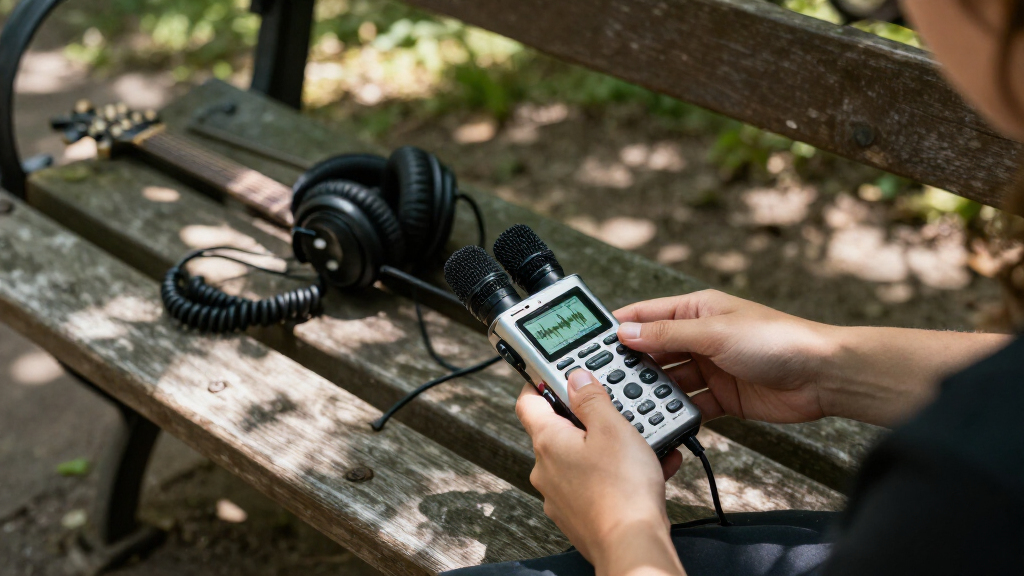

For most people seeking portable digital audio recorders, I’d start with the Zoom H4essential: its handheld recording format suits music and spoken audio, while the Zoom H1 Essential is a simpler pick for creators who want fewer controls. For lectures and meetings, the EVISTR L357 offers voice activation and playback, while Plaud’s recorders put more emphasis on AI transcription. The main tradeoffs are straightforward: dedicated audio controls versus simpler voice-note operation, and onboard recording versus transcription features that may rely on companion services. Storage capacity, microphone needs, and how you plan to move recordings off the device also affect the fit. Read on for the full comparison and a guide to choosing the recorder that matches your routine.

Get audio and creator gear delivered free with Prime
- Fast, free delivery on millions of items
- Prime Video, Amazon Music and more included
- Member-only deals all year
Complete the kit


Key Takeaways
- The Zoom H4essential and H1 Essential fill different roles: the H4essential is the more versatile handheld choice, while the H1 Essential offers a simpler path for musicians, podcasters, and content creators.
- Voice-focused recorders prioritize convenience over production controls: options such as the EVISTR L357 and the basic 8GB and 16GB models suit lectures or meetings better than music sessions that need more hands-on recording flexibility.
- Large storage figures do not tell the whole story: the 128GB and 136GB models may appeal to buyers keeping long recordings, but file transfer, battery life, and recording quality also shape everyday usefulness.
- Plaud models and the EVISTR L359 stand apart through AI features: they target buyers who want transcription or summaries, while standard recorders leave more of the listening and note-making process to the user.
- Touchscreens and wearable designs change how a recorder fits into daily life: the Pmjebe touchscreen and Plaud NotePin S suit buyers drawn to direct controls or wearable capture, but neither replaces the value of checking microphone setup and transfer options.
| Zoom H4essential Handheld Recorder |  | Best Overall for Production-Ready Recording | Recording tracks: 4 | Recording format: WAV | Bit depth: 32-bit float | VIEW LATEST PRICE | See Our Full Breakdown |
| EVIDA 128GB Digital Voice Recorder with Voice Activation and Playback |  | Best for High-Capacity Lecture Recording | Storage capacity: 128 GB | Recording formats: MP3, WAV | Maximum recording bitrate: 1536 Kbps | VIEW LATEST PRICE | See Our Full Breakdown |
| 136GB Digital Voice Recorder with Playback,9775 Hours Audio Record |  | Best for Long Sessions on a Rechargeable Battery | Total storage: 136 GB: 8 GB built-in plus included 128 GB TF card | Recording formats: MP3, WAV | Maximum recording bitrate: 1536 kbps PCM | VIEW LATEST PRICE | See Our Full Breakdown |
| 64GB Digital Voice Recorder with Playback,Audio Recording Device |  | Best for Simple, Fast-Start Recording | Storage capacity: 64 GB | Recording formats: MP3, WAV | Maximum recording bitrate: 1536 kbps PCM | VIEW LATEST PRICE | See Our Full Breakdown |
| Pmjebe 32GB Digital Voice Recorder with 1.47-Inch Touchscreen |  | Best Touchscreen Voice Recorder | Storage: 32 GB in title; description claims 64 GB | Screen: 1.47-inch IPS touchscreen | Recording format: WAV PCM | VIEW LATEST PRICE | See Our Full Breakdown |
| Zoom H1 Essential Recorder for Musicians, Podcasters & Content Creators |  | Best Overall for Creative Audio | Microphones: Built-in X/Y stereo | Recording format: WAV | Recording technology: 32-bit float | VIEW LATEST PRICE | See Our Full Breakdown |
| 16GB Digital Voice Recorder with Voice Activation |  | Best for Long Lecture Sessions | Storage: 16 GB | Recording formats: MP3, WAV | Microphone: Built-in stereo | VIEW LATEST PRICE | See Our Full Breakdown |
| Digital Voice Recorders 8GB Audio Recorder Voice Activated Recorder for Lectures, Meetings, Interviews Recording Device with Microphone USB Cable, MP3 Player (8GB) |  | Best for Simple, Short-Run Note Taking | Storage: 8 GB | Recording formats: MP3, WAV | Microphone: Built-in stereo | VIEW LATEST PRICE | See Our Full Breakdown |
| Digital Voice Recorder 16GB Voice Recorder with Playback for Lectures – USB Rechargeable Dictaphone Upgraded Small Tape Recorder Device |  | Best for One-Button Voice Capture | Storage: 16 GB | Recording format: WAV | Microphone operation: Mono, with noise cancellation listed | VIEW LATEST PRICE | See Our Full Breakdown |
| EVISTR L357 64GB Digital Voice Recorder with Playback and Voice Activation |  | Best High-Capacity Voice Recorder | Model: L357 | Storage: 64 GB | Recording formats: MP3, WAV | VIEW LATEST PRICE | See Our Full Breakdown |
| Plaud NotePin S Wearable AI Voice Recorder |  | Best Wearable Recorder | Weight: 17.28 g | Dimensions: 0.83 x 2.01 x 0.43 in | Storage: 64 GB | VIEW LATEST PRICE | See Our Full Breakdown |
| Plaud Note Pro AI Voice Recorder, Black |  | Best for Long Meetings | Microphones: 4 built-in microphones | Recording range: Up to 5 m (16.4 ft) | Storage: 64 GB | VIEW LATEST PRICE | See Our Full Breakdown |
| Plaud Note Pro AI Voice Recorder, Silver |  | Best for App-Based Meeting Notes | Microphones: Four built-in microphones | Capture range: Up to 5 m (16.4 ft) | Storage: 64 GB | VIEW LATEST PRICE | See Our Full Breakdown |
| EVISTR L359 Digital Voice Recorder, 128GB, with AI Transcription and Summaries |  | Best for High Storage and On-Device Controls | Storage capacity: 128 GB | Maximum recording time: 33 hours | Maximum storage duration: 9,216 hours at 32 kbps | VIEW LATEST PRICE | See Our Full Breakdown |
| Cappsu Digital Voice Recorder with Playback, 32GB Built-In Memory |  | Best Simple Recorder with Included Earphones | Storage: 32 GB built-in | Recording bitrate: Up to 1536 Kbps | Recording modes: Voice activated and manual | VIEW LATEST PRICE | See Our Full Breakdown |
| portable digital audio recorder | Connectivity | Storage | Weight |
|---|---|---|---|
| Zoom H4essential Handheld Reco | USB-C | SD card, up to 1 TB | — |
| EVIDA 128GB Digital Voice Reco | USB 2.0 | — | — |
| 136GB Digital Voice Recorder w | USB-C | — | — |
| 64GB Digital Voice Recorder wi | USB 2.0 | — | — |
| Pmjebe 32GB Digital Voice Reco | — | 32 GB in title; description claims 64 GB | — |
| Zoom H1 Essential Recorder for | USB-C | — | 92 g |
| 16GB Digital Voice Recorder wi | Micro USB; USB 2.0 and USB 3.0 compatible | 16 GB | 1.6 ounces |
| Digital Voice Recorders 8GB Au | USB 2.0 | 8 GB | — |
| Digital Voice Recorder 16GB Vo | — | 16 GB | 35 g |
| EVISTR L357 64GB Digital Voice | — | 64 GB | 2.24 ounces |
| Plaud NotePin S Wearable AI Vo | Bluetooth 5 | 64 GB | 17.28 g |
| Plaud Note Pro AI Voice Record | Bluetooth 5 | 64 GB | 30 g (1.06 oz) |
| Plaud Note Pro AI Voice Record | Bluetooth 5 | 64 GB | 30 g (1.06 oz) |
| EVISTR L359 Digital Voice Reco | USB Type-C; wired OTG | — | 2.24 oz (65 g) |
| Cappsu Digital Voice Recorder | — | 32 GB built-in | 1.6 oz |
More Details on Our Top Picks
Zoom H4essential Handheld Recorder
The Zoom H4essential is the strongest fit here for people recording more than voice memos: its built-in stereo microphones handle quick field capture, while two XLR/TRS inputs let you connect external microphones or other audio sources. Its 32-bit float recording can accommodate changing levels without the same need to set input gain precisely, a practical advantage for interviews and unpredictable live sound. Compared with the Zoom H1 Essential Recorder, the H4essential offers more input flexibility and four-track recording, but it is also larger and requires two AA batteries. USB-C supports recording or streaming to a computer while keeping an SD-card backup, giving it a broader role than the simpler voice recorders in this group. The tradeoffs are its listed battery runtime of up to 10 hours and a more involved setup than a one-button lecture recorder.
Pros:- 32-bit float recording helps handle unexpected changes in input level.
- Built-in stereo microphones and two XLR/TRS inputs suit both quick capture and external microphones.
- Can record or stream over USB-C while saving a backup to an SD card.
- Spoken menu guidance and a color LCD support a more accessible recording workflow.
Cons:- Listed digital recording time is up to 10 hours, shorter than the long runtimes claimed by several voice recorders here.
- Requires two AA batteries rather than using a built-in rechargeable battery.
- More recording controls and connections may be unnecessary for simple note-taking.
Best for: Musicians, podcasters, and field recordists who need built-in microphones plus XLR/TRS connections for external audio sources.
Not ideal for: Students who mainly need a pocketable device for long lectures and want simple controls or extended battery life.
- Recording tracks:4
- Recording format:WAV
- Bit depth:32-bit float
- Maximum sample rate:96 kHz
- Inputs:2 XLR/TRS
- Storage:SD card, up to 1 TB
- Connectivity:USB-C
- Power and listed recording time:2 AA batteries; up to 10 hours
Our verdict“Choose the H4essential if you need a portable recorder that can grow from stereo field capture into a multitrack setup with external microphones.”
EVIDA 128GB Digital Voice Recorder with Voice Activation and Playback
The EVIDA VR01 prioritizes long-form speech capture and file capacity over music-oriented recording controls. Its 128 GB storage and claimed capacity of up to 9,296 hours make it suited to users who keep many lectures or meetings on the device before transferring them. Six voice-activation sensitivity levels let you adjust how readily it starts recording, while MP3 and WAV options offer a choice between smaller files and higher-bitrate capture. Compared with the Tonfarb 136GB Digital Voice Recorder, the EVIDA has slightly less stated storage and a shorter claimed continuous runtime, but it includes password protection and four folders for organizing recordings. Its mono built-in microphone and lack of a headphone jack limit monitoring and stereo capture, so it is less suited to music or field ambience. The unclear battery information—one C battery is listed, while the description calls it rechargeable—is a practical uncertainty.
Pros:- 128 GB of stated storage supports keeping a large archive of recordings on the device.
- Six voice-activation sensitivity levels allow adjustment for different speaking environments.
- Records in MP3 or WAV, with a listed maximum bitrate of 1536 Kbps.
- Password protection, bookmarks, and four folders help manage and protect recordings.
Cons:- The built-in microphone is mono, limiting its suitability for stereo ambience or music capture.
- No headphone jack is listed, so direct headphone monitoring is unavailable.
- Battery details conflict: the specs list one C battery, while the description calls the recorder rechargeable.
Best for: Students and meeting attendees who need a compact recorder with substantial storage, adjustable voice activation, and basic file organization.
Not ideal for: Musicians, stereo field recordists, or anyone who needs a headphone jack for checking recordings on the device.
- Storage capacity:128 GB
- Recording formats:MP3, WAV
- Maximum recording bitrate:1536 Kbps
- Microphone:Built-in mono microphone with noise cancellation
- Voice activation:6 sensitivity levels
- Continuous recording time:Up to 54 hours
- Screen:1.5 inches
- Connectivity:USB 2.0
Our verdict“Pick the EVIDA for speech-focused recording when onboard storage and file organization matter more than stereo capture or monitoring.”
136GB Digital Voice Recorder with Playback,9775 Hours Audio Record
This recorder’s main distinction is its claimed 68-hour continuous runtime, paired with one-click recording and saving from a powered-off state. That combination makes it appealing for back-to-back classes, meetings, or interviews where a missed moment matters more than hands-on microphone control. The package lists 8 GB of built-in storage plus a 128 GB TF card, for 136 GB total, and offers WAV or MP3 capture with noise reduction and voice activation. Compared with the EVIDA VR01, it adds a 3.5 mm headphone jack and a rechargeable battery, while the EVIDA lists a slightly larger screen and more voice-activation sensitivity levels. This model’s claims of 9,775 recording hours and 68 hours of runtime are product-provided figures, not a guarantee for every format or setting. Its small 1.44-inch display and unspecified microphone pattern make it less compelling for careful stereo recording.
Pros:- One-click recording can start from powered-off mode, with a separate control to save the file.
- Includes 8 GB built-in storage and a 128 GB TF card for 136 GB total stated capacity.
- A 1100 mAh rechargeable battery is listed with up to 68 hours of continuous recording.
- Includes a 3.5 mm headphone jack, voice activation, A-B repeat, and password protection.
Cons:- The 9,775-hour capacity claim depends on recording settings and should not be treated as a universal runtime.
- The 1.44-inch screen is smaller than the EVIDA VR01’s 1.5-inch display.
- No external microphone inputs or clear stereo microphone specification are provided.
Best for: Students, journalists, and professionals who need quick-start controls and a rechargeable recorder for extended speech sessions.
Not ideal for: Audio creators who need documented stereo microphone performance, external microphone inputs, or dependable recording-time figures across formats.
- Total storage:136 GB: 8 GB built-in plus included 128 GB TF card
- Recording formats:MP3, WAV
- Maximum recording bitrate:1536 kbps PCM
- Battery:1100 mAh rechargeable lithium battery
- Listed continuous recording time:Up to 68 hours
- Screen:1.44 inches
- Headphone jack:3.5 mm
- Connectivity:USB-C
Our verdict“Choose this recorder for long speech sessions and quick one-button capture, not for a clearly specified music or stereo-field workflow.”
64GB Digital Voice Recorder with Playback,Audio Recording Device
The clearest reason to pick this 64 GB recorder is its physical one-click control: sliding the side button starts recording even when the device is powered off, and sliding it back saves the file. That reduces menu work when a lecture or interview begins unexpectedly. It also lists voice activation, scheduled recording, file segmentation, and a headphone jack, giving it more playback and file-management options than the Pմjebe 32GB Digital Voice Recorder. The tradeoff is that its capacity is half the Pmjebe’s title-listed 32 GB only in the opposite direction? No—the 64 GB model has twice the stated capacity, but the Pmjebe offers a touchscreen and a rechargeable battery specification. Here, battery details are inconsistent: the listing specifies one AAA battery, while another spec claims a 32-hour average life and the description claims up to 48 hours. Its built-in microphone and lack of external inputs keep it in the voice-recorder category rather than the production-focused class of the Zoom H4essential.
Pros:- Side-button recording can start from powered-off mode and provides a direct save action.
- 64 GB storage is listed, with MP3 and WAV recording options.
- Voice activation, scheduled recording, file segmentation, and bookmarks support varied speech-recording tasks.
- A 3.5 mm headphone jack allows direct playback checks.
Cons:- Battery information conflicts: one AAA battery is listed, while the description and specs give different runtime figures.
- The built-in microphone and lack of external inputs limit recording flexibility compared with the Zoom H4essential.
- The listing describes noise reduction but does not specify a recording sample rate or microphone pattern.
Best for: People recording lectures, interviews, or meetings who value a physical fast-start switch and onboard playback tools.
Not ideal for: Podcasters and musicians who need external microphone connections, clearly documented stereo capture, or a reliable battery specification.
- Storage capacity:64 GB
- Recording formats:MP3, WAV
- Maximum recording bitrate:1536 kbps PCM
- Screen:1.44 inches
- Headphone jack:3.5 mm
- Listed battery:1 AAA battery
- Listed digital recording time:Up to 48 hours
- Connectivity:USB 2.0
Our verdict“Choose this model for quick, straightforward speech capture with a physical start switch, while treating its battery claims cautiously.”
Pmjebe 32GB Digital Voice Recorder with 1.47-Inch Touchscreen
The Pmjebe sets itself apart with a 1.47-inch IPS touchscreen and a collection of playback tools, including A-B repeat and variable speed. Those controls suit students reviewing a lecture segment or interviewers replaying a passage without relying on basic transport buttons alone. It records WAV PCM at up to 1536 kbps and offers voice activation, scheduled recording, file segmentation, and password protection. Compared with the 64GB Digital Voice Recorder with Playback, the Pmjebe has a touchscreen and a stated rechargeable battery, while the 64 GB model lists twice the storage and a physical fast-start switch. Capacity information here is inconsistent: the title says 32 GB, while the description claims 64 GB, and listed recording-hour figures also differ. Its small 200 mAh battery is another limitation, with the supplied runtime applying to MP3 playback at a specified bitrate rather than clearly establishing recording runtime.
Pros:- 1.47-inch IPS touchscreen offers a more direct way to navigate recordings and settings.
- WAV PCM recording is listed at up to 1536 kbps.
- A-B repeat and variable playback speed help with reviewing specific sections.
- Voice activation, scheduled recording, bookmarks, and password protection add practical speech-recording tools.
Cons:- Storage is inconsistent across the listing: the title says 32 GB, while the description claims 64 GB.
- The stated recording-hour capacities conflict, so storage duration is unclear.
- The 200 mAh battery spec gives MP3 playback runtime but does not clearly establish recording runtime.
Best for: Students and interviewers who want touchscreen navigation, repeat playback, and variable-speed review in a compact speech recorder.
Not ideal for: Buyers who need confirmed storage capacity, long recording runtime, or external microphone inputs for music and production work.
- Storage:32 GB in title; description claims 64 GB
- Screen:1.47-inch IPS touchscreen
- Recording format:WAV PCM
- Maximum recording bitrate:1536 kbps
- Battery:200 mAh rechargeable lithium polymer
- MP3 playback runtime:Up to 28 hours at 32 kbps
- Headphone jack:3.5 mm
- Dimensions:0.5 × 1.5 × 0.8 inches (D × W × H)
Our verdict“Pick the Pmjebe if touchscreen navigation and playback review matter more than verified capacity, long runtime, or production connections.”
Zoom H1 Essential Recorder for Musicians, Podcasters & Content Creators
The Zoom H1 Essential is the strongest fit here for people who need more than a pocket dictaphone. Its built-in X/Y stereo microphones suit music, ambience, interviews, and video sound, while 32-bit float recording helps keep sudden volume changes from ruining a take. That gives it a broader creative role than the voice-focused B09JNV7RF9, which prioritizes long recordings and playback tools over production flexibility. USB-C microphone mode also lets it serve a desktop or mobile setup without a separate USB mic. The tradeoff is that the supplied details don’t state internal storage capacity, and the two-AAA battery setup may be less convenient than a rechargeable recorder. Choose it for adaptable recording; skip it if your main need is a simple, high-capacity lecture recorder.
Pros:- X/Y stereo microphones support music, voices, and environmental recording
- 32-bit float recording helps handle unexpected changes in sound level
- USB-C microphone mode works for calls, livestreams, and computer recording
- Spoken menu guidance supports accessible operation
Cons:- Requires two AAA batteries rather than a built-in rechargeable battery
- The supplied product details do not specify internal storage capacity
- Its creative recording features may be unnecessary for buyers who only need basic voice notes
Best for: Musicians, video creators, and podcasters who want portable stereo capture plus a USB microphone mode.
Not ideal for: People who mainly need long lecture sessions stored internally and prefer rechargeable power or clearly specified onboard capacity.
- Microphones:Built-in X/Y stereo
- Recording format:WAV
- Recording technology:32-bit float
- Connectivity:USB-C
- Headphone jack:3.5 mm
- Power:Two AAA batteries
- Listed recording time:Up to 10 hours
- Dimensions:5.38 × 2.12 × 1.14 inches
- Weight:92 g
Our verdict“Choose the Zoom H1 Essential for versatile stereo recording and USB mic use, but pick a simpler voice recorder if capacity and long unattended sessions matter more.”
16GB Digital Voice Recorder with Voice Activation
This 16GB voice recorder is a practical choice for students and meeting attendees who value long capture time over advanced production controls. It lists up to 20 hours of continuous recording and voice activation, which can reduce empty stretches when speakers pause. Playback features such as A-B repeat and variable speed are useful for revisiting a passage or moving through familiar material faster. Compared with the Zoom H1 Essential, it is more focused on speech and offers less suited gear for music or content production; it also uses Micro USB rather than USB-C. Its 199-file limit may become restrictive for frequent, short recordings, and playback with earphones is listed at up to eight hours. I’d choose it for straightforward classes and meetings, not for stereo field recording or a creator’s main mic.
Pros:- Up to 20 hours of continuous recording per charge
- Voice activation can reduce silent sections
- A-B repeat and variable playback speed help with review
- 16GB storage and MP3/WAV recording support
Cons:- Recording file count is limited to 199
- Earphone playback is listed at up to eight hours
- Micro USB is less convenient than the USB-C connection on the Zoom H1 Essential and EVISTR L357
Best for: Students and office users who record long lectures or meetings and want voice activation and repeatable playback.
Not ideal for: Musicians and video creators who need flexible stereo production tools, or users who create many separate files and may hit the 199-file limit.
- Storage:16 GB
- Recording formats:MP3, WAV
- Microphone:Built-in stereo
- Voice activation:Yes
- Continuous recording:Up to 20 hours
- Maximum recording time:Up to 1120 hours at 32 kbps
- Connectivity:Micro USB; USB 2.0 and USB 3.0 compatible
- Weight:1.6 ounces
- Maximum recording files:199
Our verdict“Pick this recorder for extended lecture and meeting capture with useful playback controls, but skip it for music production or high-volume file management.”
Digital Voice Recorders 8GB Audio Recorder Voice Activated Recorder for Lectures, Meetings, Interviews Recording Device with Microphone USB Cable, MP3 Player (8GB)
The 8GB model offers a basic, low-complexity workflow for people who want to start a recording quickly and replay speech later. Its voice-activated mode can pause during quiet stretches, and the A-B repeat and variable-speed playback tools help students revisit key passages without moving through a whole file at normal speed. Compared with the 16GB B09JNV7RF9, it has half the listed storage while retaining a similar 20-hour continuous recording claim and a 199-file ceiling, so it makes more sense for occasional classes than a packed recording schedule. The product listing gives several different recording-duration figures tied to bit rates, making capacity harder to plan than the simpler storage figure suggests. Its USB 2.0 connection is also less current than the USB-C EVISTR L357. I’d keep expectations centered on voice notes, not polished production.
Pros:- Voice activation can cut down on silent recording sections
- A-B repeat and variable-speed playback support study and review
- Rechargeable battery is listed for up to 20 hours of continuous recording
- Stereo microphone and MP3/WAV support provide basic recording flexibility
Cons:- 8GB storage is less than the 16GB B09JNV7RF9 and 64GB EVISTR L357
- The maximum file count is 199
- USB 2.0 transfer is less current than the USB-C connection on the EVISTR L357
Best for: Students or meeting attendees who want a compact, rechargeable voice recorder for occasional sessions and repeat listening.
Not ideal for: Frequent recorders who need more storage, a high file count, modern USB-C transfer, or dependable duration estimates across recording settings.
- Storage:8 GB
- Recording formats:MP3, WAV
- Microphone:Built-in stereo
- Voice activation:Yes
- Continuous recording:Up to 20 hours
- Listed recording duration:128 hours at 192 kbps; other listed durations vary by bit rate
- Connectivity:USB 2.0
- Headphone jack:3.5 mm
- Maximum recording files:199
Our verdict“Choose it for occasional voice notes and classroom playback, but move up to a higher-capacity model for frequent or extended recording.”
Digital Voice Recorder 16GB Voice Recorder with Playback for Lectures – USB Rechargeable Dictaphone Upgraded Small Tape Recorder Device
This recorder is aimed at buyers who want simple controls and quick speech capture, rather than the broader recording toolkit of the Zoom H1 Essential. A one-button recording workflow and voice activation suit lectures, interviews, and meetings where getting the device running matters more than adjusting a complex setup. The listing also claims 16GB storage, 30 hours of recording, and a built-in speaker for checking files without earphones. Compared with the B09JNV7RF9, it lists mono operation and does not provide the same clear set of stereo specifications, so it is a less convincing choice for capturing room ambience or music. The claimed 1536 kbps quality and noise reduction may appeal to voice users, but the listing does not explain recording conditions. I’d choose it for straightforward dictation, while buyers needing dependable stereo capture should look elsewhere.
Pros:- One-button recording keeps operation straightforward
- Voice activation can reduce empty sections and conserve recording time
- 16GB storage and a listed 30-hour recording time suit extended speech sessions
- Built-in speaker allows basic playback without headphones
Cons:- Listed microphone operation is mono, unlike the stereo-oriented Zoom H1 Essential
- The description does not clarify the conditions behind its 1536 kbps recording claim
- USB connection is described generally rather than as USB-C
Best for: People who need a simple, rechargeable recorder for lectures, interviews, and personal dictation with onboard speaker playback.
Not ideal for: Musicians, field recordists, and creators who need confirmed stereo capture, transparent recording settings, or production-oriented connections.
- Storage:16 GB
- Recording format:WAV
- Microphone operation:Mono, with noise cancellation listed
- Voice activation:Yes
- Recording quality claim:Up to 1536 kbps
- Recording time:Listed as more than 30 hours
- Headphone jack:3.5 mm
- Dimensions:0.5 × 1.4 × 3.3 inches
- Weight:35 g
Our verdict“Choose this model for uncomplicated voice recording and speaker playback, but avoid it if stereo sound or clearer technical recording details are priorities.”
EVISTR L357 64GB Digital Voice Recorder with Playback and Voice Activation
The EVISTR L357 stands out for buyers who want substantial onboard capacity without stepping into a larger creative recorder like the Zoom H1 Essential. Its 64GB storage, stereo microphone, seven recording-gain levels, and seven voice-activation sensitivity levels give speech-focused users more room to tailor capture than the simpler B09JNV7RF9. USB-C also makes file transfers more current than the Micro USB connection on that 16GB model. Scheduled recording, A-B repeat, and variable-speed playback add useful everyday control. The main caveat is that the stated duration figures are not fully aligned: continuous recording is listed as up to 32 hours, while the product information also gives a separate 107-hour recording-time figure without conditions. This is a strong choice for capacity and adjustable voice capture, but not the clearest pick for buyers who need predictable runtime claims.
Pros:- 64GB storage provides much more room than the 8GB and 16GB voice recorders in this group
- Seven recording-gain and seven voice-activation sensitivity levels allow capture adjustments
- Built-in stereo microphone supports MP3 and WAV recording
- USB-C, scheduled recording, and playback controls add practical flexibility
Cons:- The listing gives different recording-duration figures without explaining the conditions
- Its voice-recorder feature set is less suited to creative production than the Zoom H1 Essential
- The 1-inch screen may feel limiting when managing a large recording library
Best for: Students, interviewers, and office users who record often and want 64GB storage, adjustable capture settings, and USB-C transfers.
Not ideal for: Audio creators who need production-focused stereo controls, or buyers who want one clearly stated recording-duration figure for planning sessions.
- Model:L357
- Storage:64 GB
- Recording formats:MP3, WAV
- Microphone:Built-in stereo
- Recording quality:Up to 1536 kbps
- Recording gain:7 adjustable levels
- Continuous recording:Up to 32 hours
- USB interface:USB Type-C
- Weight:2.24 ounces
Our verdict“Pick the EVISTR L357 if storage and adjustable speech capture matter most, but choose the Zoom H1 Essential for more creative audio work.”
Plaud NotePin S Wearable AI Voice Recorder
The Plaud NotePin S is the lineup’s clearest choice when carrying a recorder in a pocket feels inconvenient. At just 17.28 g, it can be worn as a pin, clip, lanyard, or wristband, making it easier to capture conversations while moving around than the pocket-sized Plaud Note Pro. Its up-to-20-hour battery and stated 3 m pickup range suit day-to-day meetings and interviews, while app-based transcripts and summaries can turn recordings into usable notes. The tradeoff is a shorter recording range and less listed runtime than the Note Pro, and the included Starter transcription plan is capped at 300 minutes per month. It records MP3 and has no headphone jack, so buyers seeking direct monitoring or a conventional recorder workflow should compare it with the EVISTR L359.
Pros:- Very light wearable design with four included wearing options
- Up to 20 hours of recording and a stated pickup range of up to 3 m
- Charging dock included
- App features include transcription, summaries, and work-document generation
Cons:- Starter transcription plan is limited to 300 minutes per month
- No headphone jack for direct listening
- MP3 format and shorter stated range make it less suited than the Plaud Note Pro to longer-range capture
Best for: People who want to record meetings, interviews, or quick notes hands-free and value multiple ways to wear the device.
Not ideal for: Users who need a headphone jack, longer sessions than its stated 20-hour battery supports, or frequent transcription beyond the included monthly allowance.
- Weight:17.28 g
- Dimensions:0.83 x 2.01 x 0.43 in
- Storage:64 GB
- Battery life:Up to 20 hours
- Recording range:Up to 3 m (9.8 ft)
- Audio format:MP3
- Microphone:Built-in; mono and stereo modes
- Connectivity:Bluetooth 5
- Included accessories:Magnetic pin, clip, lanyard, wristband, charging dock, USB-C cable
Our verdict“Choose the NotePin S for hands-free recording and wearable flexibility, not for headphone monitoring or the longest sessions.”
Plaud Note Pro AI Voice Recorder, Black
The Plaud Note Pro in black makes the strongest case here for recording long meetings without frequent charging. Its four microphones are rated for pickup up to 5 m, and Endurance mode is listed for up to 50 hours; both figures exceed the NotePin S’s stated 3 m range and 20-hour runtime. A small display gives a quick read on recording status and battery level, while 64 GB of storage and WAV recording support a more substantial archive than a simple voice-note setup. The slim, 30 g body remains pocketable, though it is not wearable in the same hands-free way as the NotePin S. Transcription and work documents depend on the Plaud app, the Starter plan allows 300 minutes monthly, and online meetings require Plaud Desktop. There is also no headphone jack.
Pros:- Four microphones with a stated capture range up to 5 m
- Up to 50 hours of recording in Endurance mode
- 64 GB storage and WAV audio
- Display shows recording status and battery level
Cons:- No headphone jack
- Online meeting capture requires Plaud Desktop
- Starter transcription plan is limited to 300 minutes per month
Best for: Professionals recording extended in-person meetings who want long battery life, a status display, and app-generated transcripts and summaries.
Not ideal for: People who want hands-free wearable capture, direct headphone monitoring, or online meeting recording without desktop software.
- Microphones:4 built-in microphones
- Recording range:Up to 5 m (16.4 ft)
- Storage:64 GB
- Display:0.95 inches
- Weight:30 g (1.06 oz)
- Thickness:2.99 mm (0.12 in)
- Recording time:30 hours in Enhance mode; 50 hours in Endurance mode
- Audio format:WAV
- Connectivity:Bluetooth 5
Our verdict“Pick the black Note Pro for long, room-based meeting capture and skip it if wearable operation or headphone monitoring matters more.”
Plaud Note Pro AI Voice Recorder, Silver
The silver Plaud Note Pro suits buyers who want a slim recorder paired with an AI note workflow, rather than a traditional device focused only on playback and file handling. Four microphones, a stated 5 m capture range, and up to 50 hours in Endurance mode give it more room and runtime than the wearable NotePin S. Its 0.95-inch display helps check status at a glance, while the Plaud app turns recordings into transcripts, tailored summaries, and structured work documents. The silver model shares the black Note Pro’s core recording setup, so the meaningful distinction is its finish, not a different performance tier. Buyers should factor in the 300-minute monthly Starter transcription allowance; online meeting recording also requires Plaud Desktop. With no headphone jack, it is less suited to listeners who want wired, on-device monitoring.
Pros:- Four microphones and stated pickup range up to 5 m
- Up to 50 hours of recording in Endurance mode
- 64 GB storage with a 0.95-inch status display
- App can create transcripts, summaries, and structured work documents
Cons:- Starter transcription plan is limited to 300 minutes per month
- Online meeting recording requires Plaud Desktop
- No headphone jack for direct monitoring
Best for: Smartphone-connected professionals who want a pocketable meeting recorder and app-generated summaries or structured notes.
Not ideal for: Buyers seeking wearable capture, a headphone jack, or unrestricted included transcription minutes.
- Microphones:Four built-in microphones
- Capture range:Up to 5 m (16.4 ft)
- Storage:64 GB
- Display:0.95 inches
- Weight:30 g (1.06 oz)
- Thickness:2.99 mm (0.12 in)
- Recording time:30 hours in Enhance mode; 50 hours in Endurance mode
- Audio format:WAV
- Connectivity:Bluetooth 5
Our verdict“Choose the silver Note Pro if its compact form and app-based meeting workflow fit your routine; its recording capabilities match the black version.”
EVISTR L359 Digital Voice Recorder, 128GB, with AI Transcription and Summaries
The EVISTR L359 takes a more conventional recorder approach than either Plaud Note Pro: it pairs 128 GB of storage with physical one-touch recording, a HOLD switch, and a 3.5 mm headphone jack. That makes it a practical fit for people who want to capture and manage a large archive without relying on a wearable form factor. Its listed 33-hour continuous runtime is shorter than the Note Pro’s up-to-50-hour Endurance mode, but the EVISTR adds voice activation to skip silent stretches and password encryption for stored recordings. AI transcription, summaries, mind maps, speaker identification, and Ask AI insights run through the AI DVR Link app; moving files to a phone uses the included wired OTG cable. The built-in microphone is mono, so it offers less spatial capture than the four-microphone Plaud models.
Pros:- 128 GB built-in storage
- One-touch recording, HOLD switch, and password encryption
- Voice activation and noise reduction can help limit silence and unwanted noise
- AI app features include transcription, summaries, mind maps, speaker identification, and Ask AI
Cons:- Built-in microphone records in mono
- Phone transfers use a wired OTG connection and AI features depend on the app
- 33-hour continuous recording is below the Note Pro’s listed Endurance runtime
Best for: Students, interviewers, and office users who want high built-in capacity, tactile controls, a headphone jack, and app-based AI tools.
Not ideal for: Buyers who need stereo microphone capture, wireless phone transfers, or the longest listed battery runtime.
- Storage capacity:128 GB
- Maximum recording time:33 hours
- Maximum storage duration:9,216 hours at 32 kbps
- Maximum audio recording bitrate:3072 kbps
- Supported audio formats:MP3, WAV
- Transcription languages:113
- Microphone:Built-in, mono
- Connectivity:USB Type-C; wired OTG
- Weight:2.24 oz (65 g)
Our verdict“Choose the L359 for large local storage and straightforward physical controls, but select a Plaud Note Pro for longer listed runtime and multi-microphone capture.”
Cappsu Digital Voice Recorder with Playback, 32GB Built-In Memory
The Cappsu V02 is the straightforward choice in this group for buyers who want manual recording, voice activation, and basic playback without making AI summaries the center of the workflow. Its 32 GB built-in memory avoids a separate memory card, and the package includes earphones plus an external microphone—useful extras the Plaud NotePin S does not provide. Voice-activated mode is listed for up to 50 hours, compared with 20 hours of continuous recording, so it can stretch a charge when speech is intermittent. That figure is a mode-specific recording claim, not a replacement for continuous runtime. Unlike the EVISTR L359, it has no listed transcription or noise-reduction tools, and its 32 GB capacity is much smaller than the EVISTR’s 128 GB. The included external mic adds placement flexibility, but recordings benefit from keeping it near the source.
Pros:- 32 GB built-in storage with no separate memory card required
- Voice-activated and manual recording modes
- Includes 3.5 mm earphones and an external microphone
- 3.5 mm headphone jack and USB-C interface
Cons:- Continuous recording is listed at up to 20 hours
- Recordings benefit from placing the device or external microphone near the sound source
- No listed AI transcription or summary features
Best for: People who need an uncomplicated portable recorder for lectures, interviews, or personal notes and value included earphones and an external microphone.
Not ideal for: Users who need extensive built-in storage, AI transcription, or dependable distant-room capture without placing a microphone near the speaker.
- Storage:32 GB built-in
- Recording bitrate:Up to 1536 Kbps
- Recording modes:Voice activated and manual
- Continuous recording time:Up to 20 hours
- Voice-activated recording time:Up to 50 hours
- Hardware interface:USB Type-C
- Headphone jack:3.5 mm
- Dimensions:4.16 × 1.46 × 0.47 in
- Weight:1.6 oz
Our verdict“Choose the Cappsu for simple recording and useful included accessories, not for AI-assisted notes or a large recording archive.”
How We Picked
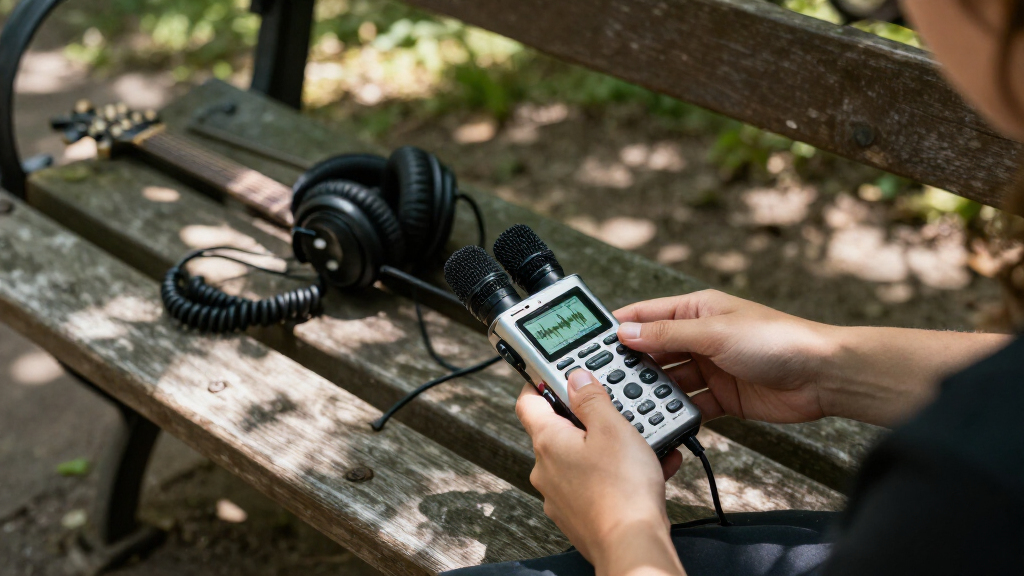
I ranked these portable digital audio recorders by how well their design matches common recording jobs: music and content creation, lectures, interviews, meetings, and quick voice notes. I weighed recording controls and microphone-oriented use against ease of operation, storage, playback, portability, and the work required to retrieve or use recordings. AI transcription and summaries count as workflow features, not proof of better audio capture; buyers should judge them separately from the recorder’s core job.
The order favors models with a clearly defined use and a practical balance of recording capability and usability. The Zoom H4essential leads for its broader handheld role, while simpler voice recorders rank as task-specific picks rather than substitutes for creator-focused gear. Plaud models and the EVISTR L359 are included for buyers who value transcription workflows, though software dependence and added setup can make them less suitable for someone who only wants a straightforward audio file. Where product names provide limited technical detail, I avoid treating headline storage or recording-hour claims as a substitute for confirmed audio quality, battery performance, or file compatibility.
| portable digital audio recorder | Connectivity |
|---|---|
| Zoom H4essential Handheld Reco | USB-C |
| EVIDA 128GB Digital Voice Reco | USB 2.0 |
| 136GB Digital Voice Recorder w | USB-C |
| 64GB Digital Voice Recorder wi | USB 2.0 |
| Pmjebe 32GB Digital Voice Reco | — |
| Zoom H1 Essential Recorder for | USB-C |
| 16GB Digital Voice Recorder wi | Micro USB; USB 2.0 and USB 3.0 compatible |
| Digital Voice Recorders 8GB Au | USB 2.0 |
| Digital Voice Recorder 16GB Vo | — |
| EVISTR L357 64GB Digital Voice | — |
| Plaud NotePin S Wearable AI Vo | Bluetooth 5 |
| Plaud Note Pro AI Voice Record | Bluetooth 5 |
| Plaud Note Pro AI Voice Record | Bluetooth 5 |
| EVISTR L359 Digital Voice Reco | USB Type-C; wired OTG |
| Cappsu Digital Voice Recorder | — |
Factors to Consider When Choosing Portable Digital Audio Recorders
Before choosing a recorder, decide what happens before and after you press record. The right model depends on the sound source, how much control you want, and whether you need a finished audio file or searchable notes. These factors can prevent a common mismatch: buying a recorder with a long feature list that does not fit your actual recording routine.
Match the Recorder to the Sound Source
Start by identifying whether you will record voices nearby, a speaker across a room, or music with changing volume and multiple sound sources. Lecture and meeting recorders can be convenient for speech, but distance, room echo, and background noise may matter more than the device’s storage capacity. For music or content creation, prioritize microphone options, level control, and monitoring rather than assuming a voice-activation feature will work well. Voice activation can help avoid long stretches of silence, but it may cut off quiet speech or the start of a sound if its threshold is poorly suited to the room. A close external microphone can improve results more than upgrading to a device with a larger memory figure. Choose around the quietest or most demanding recording you expect to make, not just the easiest one.
Treat Storage and Battery Life as a Pair
High-capacity storage is useful when recordings are long or difficult to transfer, but it does not guarantee that a device can run for the whole session. Check how the recorder stores files, how easily you can copy them, and whether it uses replaceable or rechargeable power. Long recordings also create a management task: organize files by date or project and move them to a backup location before the device fills up. A lower-capacity recorder can be enough for short classes or interviews if you regularly transfer files. Avoid judging capacity from a claimed number of recording hours alone, since the amount of storage used depends on recording settings and file format. For all-day events, power access and reliable file handling can matter more than the biggest memory number.
Separate Audio Capture from Transcription
A recorder and a transcription tool solve related but different problems. The recorder captures sound; transcription software attempts to turn that sound into text, and summaries can help organize information after capture. AI features may be useful for searchable meeting notes, but they can involve app setup, account requirements, processing limits, or ongoing service terms that differ by product. Check whether files can still be accessed as ordinary audio if you stop using the companion workflow. Also consider privacy: meetings, interviews, and classes may include sensitive material, so confirm where recordings and transcripts are stored and who can access them. If you mainly need dependable audio, do not pay extra for transcription features you will rarely use.
Check Controls Before Choosing a Small Recorder
Compact devices are easy to carry, but small buttons and screens can be awkward when you need to start recording quickly. A touchscreen may make menus easier to understand, while physical controls can be faster to use without looking once you know their layout. Consider whether you need one-button recording, playback on the device, a visible recording indicator, or settings you can change without connecting to a computer. Beginners often benefit more from clear controls than from a long list of recording modes. If you record in a pocket, bag, or wearable position, think about accidental button presses and how easily you can confirm the device is actually recording. A few minutes spent checking the controls can prevent missed audio later.
Plan for File Transfer and Compatibility
A recorder is only convenient if its files fit the devices and software you already use. Before buying, check how it connects to a computer or phone, what file types it creates, and whether those files can be copied without a dedicated app. A built-in MP3 player or playback function helps with quick checks, but it does not replace a practical way to archive recordings. If you share audio with a team, confirm that everyone can open the files and that naming or folder tools suit your workflow. AI-centered models may offer a smoother route from recording to notes, while traditional recorders can give you a more direct audio-file workflow. Favor the path you will use consistently over a transfer method that sounds convenient but adds steps.
Spend More Only for a Need You Can Name
Paying more can make sense when you need flexible recording controls, creator-oriented use, or a transcription workflow that saves time every week. It is harder to justify extra features for occasional voice memos that a basic recorder can capture and play back. List the situations you record in most often and the feature that would remove a real obstacle in each one. If you record music, the ability to manage levels and microphone placement may be more useful than voice activation. If you record meetings, easy playback, transfer, and note handling may matter more than advanced audio options. This simple check helps avoid buying either a feature-heavy recorder you will not use or a minimal device that cannot support your main recording task.
Frequently Asked Questions
Should I choose a Zoom recorder or a simple digital voice recorder?
Choose based on the type of sound you need to capture, not the label on the device. The Zoom H4essential and H1 Essential are aimed at musicians, podcasters, and content creators who may want more direct control over recording. A simpler voice recorder can be a better fit for lectures, interviews, or personal notes when straightforward operation and playback matter most. If you expect to record both music and speech, compare the controls and microphone setup you need before deciding. A basic voice-focused model is not automatically a replacement for a creator-oriented recorder.
Is voice activation a good choice for recording lectures or meetings?
Voice activation can reduce silence in recordings, which may make long sessions easier to review and manage. It can also miss quiet speech or the first word of a sentence if the activation threshold does not suit the room. For an important meeting or class, test the feature in a similar space before relying on it. Continuous recording may be safer when every word matters, provided you have enough storage and battery power. Keep in mind that neither mode can compensate for a microphone that is too far from the speaker.
Do I need an AI recorder if I want searchable meeting notes?
An AI recorder may help if you regularly turn recorded discussions into transcripts or summaries, but it adds a software workflow beyond basic audio capture. Check whether the associated service requires an account, a subscription, internet access, or particular privacy permissions before choosing it. Transcription can make searching easier, though it may mishear names, technical terms, or overlapping speakers and still require correction. If you only need to keep an audio record, a standard recorder may be simpler. If searchable notes save you repeated work, compare the full transcription process rather than focusing only on the device.
How much built-in storage do I need for a portable recorder?
The right amount depends on recording length, file settings, and how often you can transfer recordings to another device. Short voice notes and routine classes may not need the largest capacity if you regularly organize and back up files. Long events or frequent recordings can benefit from more room, especially when transferring files during the day is inconvenient. Storage claims measured in recording hours can be hard to compare without knowing the audio settings behind them. Consider battery life and file transfer alongside capacity, since either can limit a recording session before memory does.
Can a portable recorder replace my phone for recording?
A dedicated recorder can be useful when you want a separate device for recording, playback, or a specific audio workflow. It also keeps recording tasks apart from phone calls and notifications, which may suit interviews, lectures, or planned sessions. A phone may be more convenient for occasional notes and can make sharing quick, but its microphone placement and recording controls may not match your needs. Compare the complete routine: how you start recording, check the sound, transfer files, and store them afterward. If the phone already handles your recording tasks well, a separate recorder is worth buying only when it solves a clear limitation.
Conclusion
My best overall pick is the Zoom H4essential for buyers who want a versatile handheld recorder for creator-focused work. For a best value-style choice among simpler devices, the EVISTR L357 stands out for voice activation and playback; it makes more sense for lectures and meetings than for music production. The Zoom H1 Essential is my pick for beginners who want a straightforward creator-oriented option without starting with the broader role of the H4essential. For a premium workflow, compare the Plaud Note Pro models or the EVISTR L359 if transcription and summaries are central to your routine, while the Plaud NotePin S suits buyers drawn to wearable capture. Choose a large-capacity voice recorder for extended speech recording only after checking battery life and file transfer, and pick the Pmjebe if touchscreen operation is a priority. The best fit is the recorder whose capture and file-handling workflow matches what you record most often.
Black Friday Picks

Bose TV Speaker Compact Soundbar with Bluetooth and HDMI-ARC, Black
As an affiliate, we earn on qualifying purchases.