Podcast recording mixers range from simple streaming controls to bundles built for interviews and multi-person shows. My best overall pick is the MAONO E2 Gen2 Podcast Audio Interface and Mixer Bundle, which stands out as a dedicated mixer-and-interface option; the Aveek 4-Channel Audio Mixer is a flexible choice for creators who want USB recording and Bluetooth, while the 4-Person Podcast Equipment Bundle with M100 Audio Mixer targets larger conversations. The main tradeoff is between a focused mixer with room to build your own setup and an all-in-one bundle that is easier to start but may include gear you do not need. Guest count, microphone type, and connection needs matter more than extra sound effects for most shows. Read on for the full breakdown and a guide to choosing the setup that fits your recording plans.

Get audio and creator gear delivered free with Prime
- Fast, free delivery on millions of items
- Prime Video, Amazon Music and more included
- Member-only deals all year
Complete the kit


Key Takeaways
- The MAONO E2 Gen2 is the strongest dedicated mixer-and-interface direction in this group, while many other entries are bundles centered on entry-level sound cards and accessories.
- Guest capacity changes the shortlist: the M100 bundle is aimed at four-person shows, and the Brvomussy bundle is specifically configured for two people.
- The Aveek 4-Channel Mixer stands apart for USB recording and Bluetooth flexibility, but it is less of an all-in-one podcast kit than the microphone-and-accessory bundles.
- Bundle contents vary more than bundle names suggest: compare microphone count, connection types, and included stands before choosing a kit based on convenience.
- Voice effects and RGB features are secondary to clean routing: buyers should prioritize the number and type of microphone inputs their show needs.
| FIFINE AmpliGame SC3 Gaming Audio Mixer with Individual Faders and Volume Controls |  | Best for Hands-On Solo Control | Channels: 4 | Microphone input: XLR | Phantom power: 48V | VIEW LATEST PRICE | See Our Full Breakdown |
| G10 Podcast Equipment Bundle with Audio Mixer, Microphone, and Boom Arm |  | Best for a Simple Starter Setup | Channels: 2 | Included microphone: 3.5 mm condenser microphone | Connectivity: 3.5 mm, 6.35 mm, XLR/48V, Bluetooth, Type-C | VIEW LATEST PRICE | See Our Full Breakdown |
| ALSO GO F998 Podcast Equipment Bundle with BM800 Microphone | 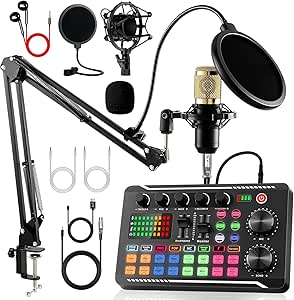 | Best for Effects and Recording Modes | Mixer model: F998 | Channels: 2 | Included microphone: BM800 studio condenser, super cardioid | VIEW LATEST PRICE | See Our Full Breakdown |
| Brvomussy Podcast Equipment Bundle for Two with Audio Mixer and Voice Changer |  | Best for Two-Person Recording | Channels: 2 | Included microphones: 2 unidirectional condenser microphones | Connectivity: Bluetooth and USB | VIEW LATEST PRICE | See Our Full Breakdown |
| TENLAMP G10 Creator Audio Mixer Bundle with Microphone for Streaming |  | Best for Multi-Device Creators | Channels: 2 | Included microphone: Condenser microphone | Connectivity: Auxiliary, Bluetooth, and USB | VIEW LATEST PRICE | See Our Full Breakdown |
| MAONO Podcast Equipment Bundle with Audio Mixer and 3.5 mm Microphone |  | Best for Two-Person Beginner Shows | Model: Maonocaster Lite AM200 | Channels: 9 | Connectivity: USB Type-C, 3.5 mm, auxiliary, Bluetooth | VIEW LATEST PRICE | See Our Full Breakdown |
| Aveek 4-Channel Audio Mixer with USB Recording and Bluetooth |  | Best for Flexible Input and Direct Recording | Channels: 4 | Inputs: 2 XLR/6.35 mm combo inputs; 6.35 mm L/R and RCA L/R inputs | Outputs: 2 XLR and 1/4-inch TRS balanced outputs; 6.35 mm headphone and AUX outputs | VIEW LATEST PRICE | See Our Full Breakdown |
| ALSO GO Podcast Equipment Bundle with V8s Sound Card and BM-800 Microphone |  | Best Complete Single-Mic Starter Kit | Model: MG0010 | Channels: 2 | Connectivity: USB Type-C | VIEW LATEST PRICE | See Our Full Breakdown |
| BM-800 Podcast Recording Bundle with Voice Changer and Live Sound Card (AM100-V8) |  | Best for Voice Effects and Casual Streaming | Microphone: BM-800 condenser microphone | Pickup pattern: Cardioid | Channels: 1 | VIEW LATEST PRICE | See Our Full Breakdown |
| 4-Person Podcast Equipment Bundle with M100 Audio Mixer and Dynamic Microphones |  | Best for Four-Person Recording | Microphones: 4 dynamic microphones | Channels: 4 | Connectivity: Bluetooth, USB, XLR | VIEW LATEST PRICE | See Our Full Breakdown |
| TENLAMP G10 Podcast Equipment Bundle with Microphone |  | Best for Portable Effects | Channels: 2 | Connectivity: Bluetooth, USB | Power: Battery powered | VIEW LATEST PRICE | See Our Full Breakdown |
| OZMI Podcast Equipment Bundle with RGB Audio Mixer, Microphone, Headphones, and Boom Arm |  | Best All-in-One Starter Bundle | Channels: 1 | Connectivity: Bluetooth, USB, 3.5 mm AUX, OTG/PC | Audio input connector: XLR | VIEW LATEST PRICE | See Our Full Breakdown |
| MAONO E2 Gen2 Podcast Audio Interface and Mixer Bundle |  | Best for XLR Podcast Recording | XLR inputs: 2 | Maximum preamp gain: 60 dB | Connectivity: AUX, Bluetooth, USB | VIEW LATEST PRICE | See Our Full Breakdown |
| TENLAMP G9 Audio Mixer Bundle with Microphone |  | Best for Small Groups | Channels: 2 | Connectivity: Auxiliary, Bluetooth, USB, XLR | Power source: Battery powered | VIEW LATEST PRICE | See Our Full Breakdown |
| Podcast Recording Bundle with Audio Interface, Voice Changer, and Two Condenser Microphones |  | Best Two-Microphone Bundle | Channels: 2 | Connectivity: USB | Output connector: USB Type-C | VIEW LATEST PRICE | See Our Full Breakdown |
| podcast recording mixer | Channels | Connectivity |
|---|---|---|
| FIFINE AmpliGame SC3 Gaming Au | 4 | — |
| G10 Podcast Equipment Bundle w | 2 | 3.5 mm, 6.35 mm, XLR/48V, Bluetooth, Type-C |
| ALSO GO F998 Podcast Equipment | 2 | Bluetooth and USB |
| Brvomussy Podcast Equipment Bu | 2 | Bluetooth and USB |
| TENLAMP G10 Creator Audio Mixe | 2 | Auxiliary, Bluetooth, and USB |
| MAONO Podcast Equipment Bundle | 9 | USB Type-C, 3.5 mm, auxiliary, Bluetooth |
| Aveek 4-Channel Audio Mixer wi | 4 | Bluetooth, USB, USB-C |
| ALSO GO Podcast Equipment Bund | 2 | USB Type-C |
| BM-800 Podcast Recording Bundl | 1 | — |
| 4-Person Podcast Equipment Bun | 4 | Bluetooth, USB, XLR |
| TENLAMP G10 Podcast Equipment | 2 | Bluetooth, USB |
| OZMI Podcast Equipment Bundle | 1 | Bluetooth, USB, 3.5 mm AUX, OTG/PC |
| MAONO E2 Gen2 Podcast Audio In | — | AUX, Bluetooth, USB |
| TENLAMP G9 Audio Mixer Bundle | 2 | Auxiliary, Bluetooth, USB, XLR |
| Podcast Recording Bundle with | 2 | USB |
More Details on Our Top Picks
FIFINE AmpliGame SC3 Gaming Audio Mixer with Individual Faders and Volume Controls
I’d choose the FIFINE AmpliGame SC3 when a solo podcaster wants separate, immediate control of mic, line-in, headphone, and line-out levels without relying on software. Its XLR input and 48V phantom power support compatible condenser microphones, giving it a more conventional mic connection than the 3.5 mm microphone supplied with the G10 Podcast Equipment Bundle. Mute and monitoring buttons also make quick recording adjustments easier. The tradeoff is that this is a mixer, not a complete starter kit: you supply the microphone and cables, and it does not support USB microphones. Its sound buttons, voice modes, and RGB lighting suit streaming-style production, but are less central to a straightforward spoken-word setup. I rank it ahead of the bundled options for tactile channel control, not for out-of-box completeness.
Pros:- XLR microphone input with 48V phantom power supports compatible condenser microphones.
- Independent controls for microphone, line-in, headphones, and line-out make level adjustments direct.
- Front-facing mute and monitoring buttons support quick changes while recording.
- USB-C powered and compatible with Mac and Windows.
Cons:- Does not support USB microphones.
- Microphone and XLR or 3.5 mm cables are not included, so it is not a complete recording bundle.
- Sound effects, voice-changing modes, and RGB lighting may matter less to podcast-first users than straightforward recording controls.
Best for: Solo podcasters and streamers who already own an XLR microphone and want hands-on level controls and monitoring.
Not ideal for: First-time podcasters seeking a ready-to-record kit, or anyone whose only microphone is USB.
- Channels:4
- Microphone input:XLR
- Phantom power:48V
- Power:USB-C
- Outputs:3.5 mm line-out and headphone jacks
- Sound controls:4 customizable sound buttons, 6 voice-changing modes, 12 auto-tune options
- Compatibility:Mac OS and Windows
- Dimensions:4.44 × 6.45 × 1.6 inches
Our verdict“Choose the SC3 if you have an XLR mic and value separate physical controls more than an all-in-one starter bundle.”
G10 Podcast Equipment Bundle with Audio Mixer, Microphone, and Boom Arm
The G10 Podcast Equipment Bundle is the clearest pick here for someone who wants the mixer, microphone, and boom arm together rather than piecing together a setup. Its plug-and-play connections for computers and mobile devices make it more approachable as a first kit than the FIFINE SC3, which requires a separate XLR microphone and cables. Noise reduction, EQ and pitch controls, sound effects, and reverb provide room to shape a casual recording or stream without adding separate gear. The main compromise is the included 3.5 mm condenser microphone; buyers who already have an XLR mic may prefer the SC3’s XLR input and independent channel controls. The bundle’s two-channel design is also a better match for a basic host setup than a growing multi-mic show. I’d pick it for convenience, not for a more expandable studio system.
Pros:- Includes a mixer, 3.5 mm condenser microphone, and boom arm.
- Supports connections to computers and mobile devices.
- Offers noise reduction, customizable audio controls, and voice changing.
- Provides built-in sound effects and multiple reverb modes.
Cons:- The included microphone uses a 3.5 mm connection rather than XLR.
- Two channels make it less suited to a show that needs several microphone inputs.
- Software update support date is listed as unknown.
Best for: New solo podcasters who want a mixer, microphone, and boom arm in one bundle for computer or mobile recording.
Not ideal for: Hosts building an XLR-based setup or planning to record several microphones, since this kit centers on a 3.5 mm mic and has two channels.
- Channels:2
- Included microphone:3.5 mm condenser microphone
- Connectivity:3.5 mm, 6.35 mm, XLR/48V, Bluetooth, Type-C
- Outputs:TRS, USB Type-C, XLR
- Power:Battery powered
- Sound features:Noise reduction, customizable controls, voice changing, 12 built-in sound effects
- Reverb:5 preset modes; 19 additional preset modes listed
- Included accessory:Boom arm
Our verdict“Pick this bundle for an accessible, ready-to-start solo setup; choose the FIFINE SC3 instead if you already own an XLR mic and want more direct channel control.”
ALSO GO F998 Podcast Equipment Bundle with BM800 Microphone
I’d give the ALSO GO F998 bundle the edge for creators who want to experiment with sound effects and voice modes as part of a podcast or livestream. It includes a BM800 condenser microphone, boom arm, and recording accessories, while the mixer adds 16 background effects, seven recording modes, four voice-changer modes, echo control, and noise reduction. That gives it a wider set of built-in creative options than the simpler G10 Podcast Equipment Bundle, though the G10 may be a more straightforward starting point for someone who just wants basic recording controls. USB and Bluetooth connections support compatible devices, but the F998’s feature range can take time to learn; it is less appealing if you want a plain, minimal mixer. Its two-channel setup also points to a compact creator rig rather than a larger multi-host production.
Pros:- Includes a BM800 condenser microphone, boom arm, and recording accessories.
- Offers 16 background effects, seven recording modes, and four voice-changer modes.
- USB and Bluetooth connectivity support compatible devices.
- Noise-reduction accessories include a pop filter and foam windscreen.
Cons:- The number of effects and controls may require setup and familiarization.
- Two channels limit its fit for multi-microphone podcast sessions.
- The product recommends a full charge before first use or after extended storage.
Best for: Podcast and livestream creators who want an included BM800 microphone and a broad selection of sound and voice effects.
Not ideal for: Buyers who prefer a minimal control surface, need more than two channels, or want to start recording without learning multiple modes.
- Mixer model:F998
- Channels:2
- Included microphone:BM800 studio condenser, super cardioid
- Connectivity:Bluetooth and USB
- Sound features:16 background effects, 7 recording modes, 4 voice-changer modes
- Controls:Echo control, noise reduction, and volume control
- Included accessories:Boom arms, earphone, shock mounts, pop filters, foam caps, XLR cables, USB cable, and 3.5 mm audio cables
- Dimensions:4.52 × 1.77 × 7.4 inches
Our verdict“Choose the F998 if built-in effects and a bundled BM800 mic are priorities, but opt for the G10 bundle for a simpler starter experience.”
Brvomussy Podcast Equipment Bundle for Two with Audio Mixer and Voice Changer
The Brvomussy bundle stands out for one practical reason: it arrives with two condenser microphones and two boom arms, so a host and guest can record without sourcing a second mic setup. Its DSP noise reduction, 10 sound effects, and four voice variations add basic processing for conversational recordings, and the instrument input gives it more flexibility for creators who also record guitar or bass. Compared with the ALSO GO F998, which bundles one BM800 microphone and puts more emphasis on effect and recording modes, this package is better matched to two people sharing a session. The stated two-channel count suits that use, but it does not leave much room for adding more microphones. I’d also treat the listed 20 Hz frequency response cautiously: an upper limit is not provided. This is a bundled two-person solution, not a detailed spec-first studio mixer.
Pros:- Includes two condenser microphones, two boom arms, and related recording accessories.
- DSP noise reduction and four voice variations provide basic onboard processing.
- Instrument input supports guitar, bass, and other instruments.
- Lists compatibility with major computer and mobile operating systems.
Cons:- Two channels leave little room for adding microphones to a growing show.
- The stated frequency response gives a 20 Hz figure but no upper limit.
- Battery operation requires charging before first use or after extended storage.
Best for: Two-person podcast teams who need two microphones, stands, and basic onboard processing in one kit.
Not ideal for: Solo creators who do not need duplicate gear, or larger shows that need more than two microphone channels and clearly specified audio performance.
- Channels:2
- Included microphones:2 unidirectional condenser microphones
- Connectivity:Bluetooth and USB
- Connector type:XLR
- Audio features:DSP noise reduction, 10 sound effects, 4 voice variations, instrument input
- Power:Battery powered
- Compatibility:Windows, iOS, Android, Mac OS, Chrome OS, smartphones, PCs, and PlayStation
- Included components:2 boom arms, 2 shock mounts, 2 XLR cables, 2 audio cables, USB cable, earphone, pop filters, and foam covers
Our verdict“Choose this bundle for a two-person show that needs two mics out of the box; skip it if you need a larger channel count or more complete audio specifications.”
TENLAMP G10 Creator Audio Mixer Bundle with Microphone for Streaming
The TENLAMP G10 Creator bundle is aimed at creators who move between a computer and mobile devices and want a microphone included. Its USB and Bluetooth support, paired with stated compatibility for PC, Mac, iOS, and Android, makes it a flexible option for podcasting, streaming, and live singing. Real-time bass, treble, reverb, and pitch controls offer more immediate sound shaping than a bare-bones setup. Compared with the Brvomussy bundle, TENLAMP includes a microphone but is not presented as a two-person kit with two mics and stands; the Brvomussy is the better fit for a host and guest recording together. TENLAMP’s battery-powered design may interrupt long sessions if charging becomes an issue, and the listed noise level and voltage details do not fully clarify recording performance. I’d choose it for device flexibility and onboard adjustments, not for a clearly specified studio workflow.
Pros:- Includes a two-channel mixer, condenser microphone, and accessories.
- Supports USB and Bluetooth connections with stated PC, Mac, iOS, and Android compatibility.
- Provides real-time bass, treble, reverb, and pitch adjustments.
- Built-in noise reduction and voice-changing effects support varied streaming and recording styles.
Cons:- Battery-powered operation may limit long recording sessions without recharging.
- Two channels and one included microphone are less suited to recording a host and guest together.
- The listed noise level and voltage figures provide limited detail for judging recording performance.
Best for: Solo creators who record across computers and phones and want a bundled microphone with real-time tone and effect controls.
Not ideal for: Two-host shows needing two microphones, or podcasters who want clearly documented audio performance and mains-powered operation.
- Channels:2
- Included microphone:Condenser microphone
- Connectivity:Auxiliary, Bluetooth, and USB
- Audio input:TRS / XLR
- Outputs:3.5 mm TRS, 6.35 mm TRS, OTG/Type-C
- Power:Battery powered
- Audio controls:Noise reduction, voice-changing effects, bass, treble, reverb, and pitch
- Dimensions:10.9 × 2.28 × 7.67 inches
Our verdict“Pick the TENLAMP G10 for a bundled, device-flexible solo creator setup; choose the Brvomussy instead when two microphones are needed for a shared show.”
MAONO Podcast Equipment Bundle with Audio Mixer and 3.5 mm Microphone
The Maonocaster Lite AM200 is the most approachable pick here for a small show that wants sound effects and a microphone in one package. Its included condenser mic and cables reduce the number of separate pieces to source, while real-time monitoring, tone controls, reverb, and recordable effects give new hosts ways to shape a live stream without adding software. It supports up to two people and multiple connected devices, unlike the ALSO GO BM-800 bundle, which is better framed as a single-mic starter kit. The tradeoff is limited microphone flexibility: the 3.5 mm input does not support phantom power, so this is not the choice for upgrading to a conventional phantom-powered studio condenser. Some phone connections also need adapters that are not included, and the listed dimensions conflict.
Pros:- Includes a condenser microphone, mixer, and basic recording accessories.
- Sound effects, reverb, voice effects, and tone controls support live show customization.
- Real-time monitoring and noise reduction are built in.
- Can support up to two people and multiple connected devices.
Cons:- The microphone input does not support phantom power.
- Some phone and instrument connections require adapters that are not included.
- Product listings give conflicting dimensions.
Best for: New solo or two-person podcasters who want a mixer, microphone, and basic effects for computer or compatible-phone recording.
Not ideal for: Hosts planning to use phantom-powered condenser microphones or who need every phone and instrument adapter included.
- Model:Maonocaster Lite AM200
- Channels:9
- Connectivity:USB Type-C, 3.5 mm, auxiliary, Bluetooth
- Microphone input:3.5 mm; does not support phantom power
- Power:Battery powered; 5 V
- Dimensions:Listed as 9.44 × 5.11 × 1.65 in and 9.45 × 5.51 × 1.65 in
- Weight:1.3 kg
- Included items:Condenser microphone, mic cable, tripod, windscreen, mixer, charging cable, two 3.5 mm TRRS cables, manual
Our verdict“Choose the AM200 for a compact two-person starter setup with effects, but skip it if your microphone plans require phantom power.”
Aveek 4-Channel Audio Mixer with USB Recording and Bluetooth
Unlike the bundled sound-card kits in this group, the Aveek 4-channel mixer is aimed at podcasters who already have microphones or instruments and want a more conventional input setup. Two combo inputs accept XLR or 6.35 mm connections, while separate line inputs and 48 V phantom power on channels 1–2 make it more adaptable to studio microphones than the MAONO AM200. USB-C supports direct computer recording, and the mixer can also record to or play files from a USB flash drive. Its balanced outputs and headphone monitoring suit a desk-based recording chain better than the all-in-one voice-effect bundles. The tradeoffs: Bluetooth is for playback, not sending audio to an output device, and its stated range is 15 feet. Buyers seeking included microphones and stands should look instead at the four-mic M100 bundle.
Pros:- Two combo inputs accept XLR or 6.35 mm connections.
- 48 V phantom power is available on channels 1–2.
- Supports direct PC recording and USB flash-drive recording and playback.
- Balanced outputs, headphone monitoring, and per-channel 3-band EQ support a more adjustable desk setup.
Cons:- Bluetooth supports music playback but cannot connect to an output device.
- The stated Bluetooth range is limited to 15 feet.
- Microphones and stands are not included.
Best for: Podcasters with their own microphones who want multiple input types, phantom power, and USB-C recording to a computer.
Not ideal for: First-time buyers seeking an all-in-one microphone bundle, or anyone expecting Bluetooth to transmit recorded audio to an output device.
- Channels:4
- Inputs:2 XLR/6.35 mm combo inputs; 6.35 mm L/R and RCA L/R inputs
- Outputs:2 XLR and 1/4-inch TRS balanced outputs; 6.35 mm headphone and AUX outputs
- Connectivity:Bluetooth, USB, USB-C
- Recording:Direct PC recording via USB-C and USB flash-drive recording
- Phantom power:48 V on channels 1–2
- DSP effects and EQ:99 DSP effects; 3-band EQ per channel
- Dimensions and weight:10.5 × 7 × 3.15 in; 1.3 kg
Our verdict“Pick Aveek when input flexibility and direct recording matter more than getting microphones and accessories in the box.”
ALSO GO Podcast Equipment Bundle with V8s Sound Card and BM-800 Microphone
The ALSO GO MG0010 bundle makes sense for a new solo creator who wants a microphone, mixer, arm, and pop filter together rather than assembling a desk setup piece by piece. Those accessories can help position the mic and reduce plosive sounds, while the mixer adds voice-changing modes and sound effects for casual streams or gaming. Compared with the MAONO AM200, this kit emphasizes the physical microphone setup and a straightforward USB connection over support for two people and a broader mix of connection types. Its stated two-channel design is not a substitute for a larger multi-mic mixer, and the product data calls for charging before first use or after long storage. I would also treat the listed microphone frequency-response figure cautiously: 5 MHz is an unusual specification, so it does not provide a useful basis for judging voice capture.
Pros:- Includes a BM-800 microphone, adjustable arm, shock mount, and pop filter.
- Mixer offers voice-changing modes, sound effects, and noise reduction.
- Lists compatibility with Windows, Mac OS, iOS, and Android.
- Included earphone and fixing accessories help create a ready-to-set-up workstation.
Cons:- The two-channel setup is not suited to a larger multi-microphone podcast.
- The device requires charging before first use or after extended storage.
- The listed 5 MHz microphone frequency response is unusual and offers little practical guidance.
Best for: Solo beginners who want a microphone, boom arm, pop filter, and simple effects for streaming or basic podcast recording.
Not ideal for: Co-hosted shows, buyers needing a clearly specified multi-mic mixer, or shoppers who require dependable microphone response data before choosing.
- Model:MG0010
- Channels:2
- Connectivity:USB Type-C
- Microphone:BM-800 condenser microphone; hyper cardioid pickup pattern
- Listed sensitivity and signal-to-noise ratio:85 dB sensitivity; 85 dB signal-to-noise ratio
- Compatibility:Personal computers and smartphones; Windows, Mac OS, iOS, Android
- Power:Corded electric; one included lithium-ion battery
- Included components:Microphone, audio mixer, adjustable mic arm, pop filter, shock mount, fixing clip, earphone, charging cable
Our verdict“Choose this bundle for an accessory-rich solo setup, but select a more capable mixer for co-hosts or future microphone expansion.”
BM-800 Podcast Recording Bundle with Voice Changer and Live Sound Card (AM100-V8)
This BM-800 and AM100-V8 bundle is aimed at creators who want a voice-focused kit for calls, streams, and short-form content, not a full multi-person podcast console. The cardioid microphone, arm, shock mount, pop filter, and windscreen cover the basic desk setup, while the live sound card adds voice effects without requiring a separate mixer. Compared with the ALSO GO MG0010, this package lists compatibility with gaming platforms such as PS4, Xbox, and Switch, making it a more natural fit for gaming and voice chat. The single-channel interface is the main limitation: it does not offer the input capacity of Aveek’s four-channel mixer or the M100 four-mic bundle. The sound card also needs charging before use, and the listed 3.5 mm input means buyers should check their device connection needs before ordering.
Pros:- Includes a BM-800 microphone, adjustable arm, shock mount, pop filter, and windscreen.
- Cardioid pickup pattern is designed for voice capture.
- Voice effects suit streaming, calls, and short-form content.
- Lists compatibility with computers, phones, tablets, and select gaming platforms.
Cons:- The interface has one channel, limiting multi-microphone recording.
- The sound card needs charging before use.
- The listed 3.5 mm audio input may require connection checks for the buyer’s devices.
Best for: Solo streamers and gamers who want a bundled voice microphone, basic sound card, and voice effects for compatible devices.
Not ideal for: Co-hosts, multi-mic recording sessions, or podcasters who need a clearly documented set of professional mixer inputs.
- Microphone:BM-800 condenser microphone
- Pickup pattern:Cardioid
- Channels:1
- Connectivity and audio input:USB connectivity; 3.5 mm audio input
- Maximum sample rate:192 kHz
- Compatible devices:Laptop, personal computer, mobile phone, tablet, PS4, Xbox, Switch
- Compatible operating systems:Windows, Mac OS, Android, iOS
- Included components:Microphone, adjustable scissor-arm stand, shock mount, pop filter, foam windscreen, live sound card, charging and audio cables
Our verdict“Choose this kit for solo voice chat and streaming effects, not for a podcast that needs several separately controlled microphones.”
4-Person Podcast Equipment Bundle with M100 Audio Mixer and Dynamic Microphones
For a roundtable that needs everyone on mic from the start, this M100 bundle has the clearest group-recording purpose in this set: it includes four dynamic microphones, desktop stands, monitoring earphones, and cables. Separate channel volume controls and a one-click mute give a host practical control over several voices, while noise reduction, effects, Bluetooth, and USB cover common streaming and recording needs. That makes it a more suitable group package than the two-person MAONO AM200 or the single-channel AM100-V8. The tradeoff is that the product description does not spell out the full recording workflow or battery runtime, so buyers should confirm how their intended setup connects before a session. Its listed dimensions also do not clarify whether they describe the mixer or the complete bundle.
Pros:- Includes four dynamic microphones for a multi-person recording setup.
- Separate channel volume controls and one-click mute help manage a group conversation.
- Includes desktop stands, monitor earphones, shock mounts, and cables.
- Rechargeable 4000 mAh battery supports portable use.
Cons:- Battery runtime is not specified.
- Listed dimensions do not clarify whether they apply to the mixer or the full bundle.
- The product data does not detail the recording workflow for each connection type.
Best for: Four-person podcast teams, panel hosts, and group streamers who want microphones and basic monitoring accessories supplied together.
Not ideal for: Solo creators who want a compact interface, or buyers who need confirmed battery runtime and clearly documented mixer dimensions.
- Microphones:4 dynamic microphones
- Channels:4
- Connectivity:Bluetooth, USB, XLR
- Microphone inputs:Dual XLR and dual 3.5 mm
- Battery:4000 mAh rechargeable lithium-ion battery
- Compatibility:Windows, iOS, Android
- Included accessories:Desktop mic stands, monitor earphones, shock mounts, foam covers, earphone splitters, audio cables
- Listed dimensions:3 × 5 × 6 in; listing does not specify whether this is the mixer or full bundle
Our verdict“Choose the M100 bundle when four speakers need microphones and basic controls in one package, after confirming its connection workflow suits your recording setup.”
TENLAMP G10 Podcast Equipment Bundle with Microphone
The TENLAMP G10 pairs a compact two-channel mixer with a 3.5 mm condenser microphone, boom arm, and disk bracket, giving a new creator the main pieces for a mobile recording setup. Its battery power, USB and Bluetooth connections, and 16 built-in effects make it more suited to casual streaming and voice-led shows than a conventional interface focused on clean mic capture. Compared with the MAONO E2 Gen2, the G10 offers more effects but lacks its two XLR combo inputs and stated 60 dB preamp gain, so I would favor MAONO for upgrading microphones or recording guests. The G10’s noise reduction and reverb modes can add quick processing, but the included mic’s 3.5 mm connection limits upgrade flexibility, and no battery runtime is specified.
Pros:- Includes a mixer, 3.5 mm condenser microphone, bracket, and boom arm.
- Battery power supports portable recording without a nearby outlet.
- Sixteen built-in effects and six reverb presets offer quick voice customization.
- Bluetooth and USB connections support different playback and recording setups.
Cons:- The included microphone uses 3.5 mm rather than a more upgrade-friendly XLR connection.
- Battery runtime is not specified, making session planning less predictable.
- Its two-channel design is less suited to multi-guest recording than the MAONO E2 Gen2.
Best for: Solo podcasters and casual streamers who want a portable, battery-powered mixer bundle with effects and a microphone included.
Not ideal for: Creators building an XLR-based setup or recording multiple guests who need clearly specified microphone inputs and stronger upgrade flexibility.
- Channels:2
- Connectivity:Bluetooth, USB
- Power:Battery powered
- Audio inputs:TRS / XLR
- Output connectors:3.5 mm TRS, OTG/Type-C
- Sound effects:16 built-in effects
- Reverb:6 preset modes
- Included components:G10 sound board, 3.5 mm condenser microphone, disk bracket, boom arm
Our verdict“Choose the TENLAMP G10 for a portable, effects-rich starter bundle, but pick the MAONO E2 Gen2 for a more XLR-focused recording path.”
OZMI Podcast Equipment Bundle with RGB Audio Mixer, Microphone, Headphones, and Boom Arm
The OZMI RGB bundle is the most gear-complete choice here: it supplies a mixer, 3.5 mm condenser microphone, monitoring headphones, boom arm, and pop filter. That can spare a beginner the task of matching accessories, while independent faders and ducking give more hands-on control over voice and background music than the simpler TENLAMP G9. Its pitch effects, voice changer modes, presets, and sound pads lean toward entertainment and live streaming rather than a minimal spoken-word workflow. The tradeoff is a listed single channel, so the bundle is a poor fit for two-mic interviews despite the broad accessory package. Some features also depend on compatible devices or stereo music sources, and the MAONO E2 Gen2 is a better fit for podcasters who prioritize two XLR inputs over bundled gear and playful effects.
Pros:- Includes a microphone, monitoring headphones, boom arm, and pop filter alongside the mixer.
- Independent faders and ducking help balance speech and background audio.
- Offers 12 pitch effects, four voice changer modes, six presets, and custom sound pads.
- Rechargeable battery plus Bluetooth, AUX, and OTG/PC connections support flexible setups.
Cons:- Listed as a single-channel mixer, limiting its use for two-microphone conversations.
- Some features depend on compatible devices or stereo music sources.
- Its effects-focused design is less suited to buyers seeking the XLR input flexibility of the MAONO E2 Gen2.
Best for: First-time solo streamers or podcasters who want headphones, a microphone, and mounting accessories in one package, with voice effects for live content.
Not ideal for: Two-person podcast hosts or creators who need two microphone inputs and a straightforward XLR recording interface.
- Channels:1
- Connectivity:Bluetooth, USB, 3.5 mm AUX, OTG/PC
- Audio input connector:XLR
- Battery capacity:3600 mAh
- Pitch effect settings:12
- Preset modes:6
- Voice changer modes:4
- Included components:RGB audio mixer, 3.5 mm condenser microphone, monitoring headphones, boom arm, pop filter
Our verdict“Pick the OZMI if you want a ready-to-go solo streaming kit with monitoring gear; choose the MAONO E2 Gen2 for two-mic podcast recording.”
MAONO E2 Gen2 Podcast Audio Interface and Mixer Bundle
The MAONO E2 Gen2 is the strongest pick in this group for a podcast built around conventional microphones: its two XLR combo inputs and preamps rated up to 60 dB of gain make it more adaptable to guest interviews than the single-channel OZMI. Loopback, one-touch mute, and eight customizable effect buttons also give streamers useful controls without requiring a separate soundboard. It connects to computers, phones, and tablets, and its battery is rated for up to eight hours, though the sound-button clips are limited to 20 seconds each. Compared with the TENLAMP G10, this is a more recording-oriented interface, not a microphone-and-boom-arm bundle; buyers need to supply their own mics and accessories. It also cannot charge a phone or provide power delivery, which matters for mobile sessions.
Pros:- Two XLR combo inputs support a host-and-guest microphone setup.
- Preamps offer up to 60 dB of gain for a broader range of microphone needs.
- Loopback, one-touch mute, and customizable sound buttons support streaming workflows.
- Built-in battery is rated for up to eight hours of use.
Cons:- Does not support phone charging or power delivery.
- Each customizable sound-effect button supports recordings of up to 20 seconds.
- Unlike the OZMI bundle, it does not include microphones, headphones, or a boom arm.
Best for: Interview podcasters and streamers who want two XLR microphone inputs, loopback, and portable operation in a recording-focused interface.
Not ideal for: Beginners seeking a complete mic-and-mount bundle or mobile creators who need their mixer to charge a connected phone.
- XLR inputs:2
- Maximum preamp gain:60 dB
- Connectivity:AUX, Bluetooth, USB
- Maximum sample rate:48 kHz
- Customizable sound-effect buttons:8 buttons; up to 20 seconds per button
- Battery life:Up to 8 hours
- Compatible devices:Personal computer, smartphone, tablet
- Power delivery:Does not support phone charging or power delivery
Our verdict“Choose the MAONO E2 Gen2 when two XLR inputs and recording controls matter more than included microphones or accessories.”
TENLAMP G9 Audio Mixer Bundle with Microphone
The TENLAMP G9 stands apart from the solo-focused OZMI by advertising support for up to three users, making it the more relevant option for a small group sharing one portable sound board. Its two-channel mixer includes a 3.5 mm condenser microphone, and Bluetooth playback, a rechargeable battery, and compatibility with phones, computers, and tablets suit casual recording or karaoke-style streaming. The 12 built-in effects, two customizable effect buttons, and saved modes offer quick changes without a separate processor. That feature set is less technically defined than the MAONO E2 Gen2, which specifies two XLR inputs and preamp gain for microphone recording. The G9’s description does not explain how its two channels map to three users, and it provides no battery runtime. I would treat the extra-user support as a convenience, not a substitute for a clearly specified multi-mic interface.
Pros:- Advertises support for up to three users in a compact two-channel setup.
- Includes a 3.5 mm condenser microphone and accessories.
- Rechargeable power and Bluetooth playback support portable sessions.
- Provides 12 effects, two customizable effect buttons, and two saved modes.
Cons:- The two-channel specification does not clarify how three users can connect microphones at once.
- The included 3.5 mm microphone may need an adapter for devices without a compatible input.
- Battery runtime is not specified, unlike the MAONO E2 Gen2’s stated operating time.
Best for: Small creator groups who want a portable, effects-equipped mixer for casual shared streaming, karaoke, or conversation.
Not ideal for: Podcast teams needing a clearly specified input for each guest, XLR-focused mic connections, or known battery runtime.
- Channels:2
- Connectivity:Auxiliary, Bluetooth, USB, XLR
- Power source:Battery powered
- Audio inputs:XLR, 3.5 mm
- Microphone:3.5 mm condenser microphone
- Sound effects:12 built-in effects and 2 customizable effect buttons
- Audio adjustments:Reverb, bass, treble, and pitch
- User support:Up to 3 users
Our verdict“Consider the TENLAMP G9 for casual small-group streaming, but choose the MAONO E2 Gen2 when defined XLR inputs matter more than portable effects.”
Podcast Recording Bundle with Audio Interface, Voice Changer, and Two Condenser Microphones
For buyers who want two microphones in the box, this two-channel USB-C bundle offers a more immediate two-person setup than the single-mic TENLAMP G10. Its pair of condenser microphones, noise reduction, DSP processing, and four voice variations are aimed at podcasting and streaming, while the listed instrument inputs also broaden its use for creators recording guitars, bass, or electronic drums. That versatility comes with less connection detail than the MAONO E2 Gen2: the product lists XLR audio input and USB connectivity but does not state preamp gain or a sample rate. It is also the heaviest option in this set at 1.48 kg. The supplied microphones make it appealing for a host and guest, but driver installation may require manufacturer support if automatic setup fails, so plug-and-play buyers may prefer a simpler bundle.
Pros:- Includes two condenser microphones for a host-and-guest recording setup.
- DSP processing and noise-reduction features support voice-focused recording.
- USB-C connectivity works with a range of computer and mobile operating systems.
- Accepts direct audio input from electric guitars, bass, and electronic drums.
Cons:- At 1.48 kg, it is heavier than the MAONO E2 Gen2.
- The product details do not specify preamp gain or maximum sample rate.
- Driver setup may require contacting manufacturer support if automatic installation fails.
Best for: Two-person podcast teams who want two condenser microphones and a USB-C interface, with the option to record instruments.
Not ideal for: Creators who need documented preamp performance, a highly portable lightweight mixer, or setup that is guaranteed to work without driver troubleshooting.
- Channels:2
- Connectivity:USB
- Output connector:USB Type-C
- Audio input:XLR
- Microphones included:2 condenser microphones
- Voice variations:4
- Sound effects:10
- Weight:1.48 kg
- Compatible operating systems:Windows, Mac OS, Android, iOS, Chrome OS
Our verdict“Choose this bundle for two included microphones and instrument input, but favor the MAONO E2 Gen2 if documented XLR performance is your priority.”
How We Picked
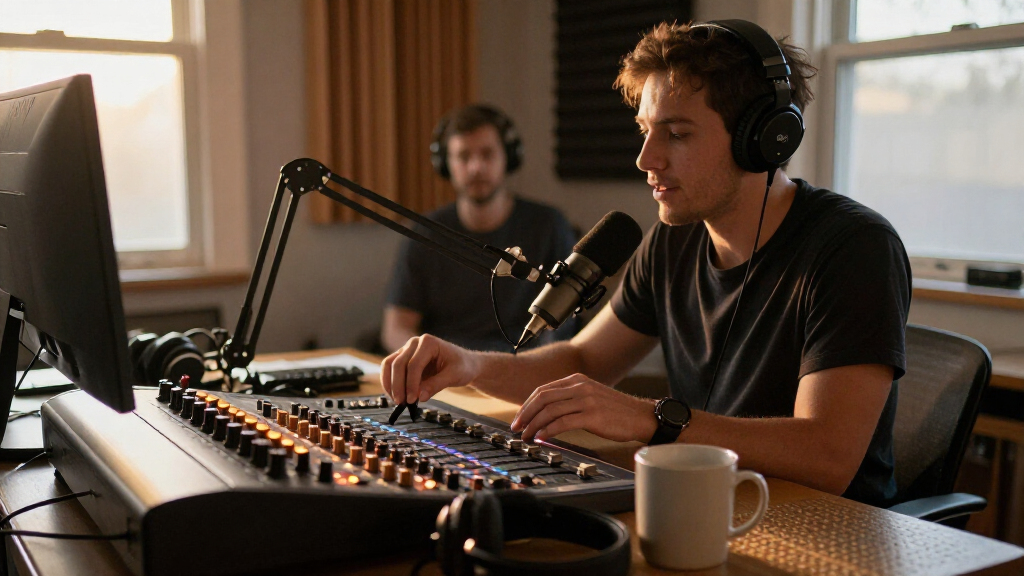
I ranked these podcast recording mixers by how well each setup supports a real recording workflow: connecting the right number of microphones, controlling levels, routing audio to a computer or other source, and getting started without unnecessary complexity. I also weighed the practical value of included microphones and accessories, the usefulness of USB or Bluetooth connections, and whether the product is a dedicated mixer or a broader creator bundle. For a podcast, dependable input and routing options matter more than novelty effects.
The order favors versatility and recording fit over the sheer number of items in a box. Dedicated interfaces and mixers rank ahead when they provide a clearer path to managing a show, while bundles move up when their included gear suits a specific need such as two-person or four-person recording. Compact streaming-focused models and sound-card kits can still make sense for simple setups, but they rank lower for buyers who need flexible microphone connections or room to expand. Because product names alone do not establish exact input capabilities, I recommend checking the current specifications for connector types and simultaneous microphone support before purchase.
Factors to Consider When Choosing Podcast Recording Mixers
Choose around the show you plan to record, not the accessories that make a bundle look complete. These broader checks can help you avoid buying a mixer that cannot support your guests or sending money toward features that will not improve your recordings.
Match the mixer to your maximum number of speakers
Count every person who needs a separate microphone, including a host who may sometimes record alone. A mixer marketed for two people may not support two independent microphone inputs, so check the input list rather than relying on the product title. If your show may grow, a little spare capacity can prevent an early replacement. The tradeoff is that more inputs can add cost, size, and setup complexity. For solo recording, a four-person bundle is usually unnecessary unless you need its other connections. Decide your realistic maximum before comparing effects or bundled accessories.
Check microphone compatibility before choosing a bundle
Bundles may include condenser microphones, dynamic microphones, or compact microphones with different connection requirements. Confirm the mixer accepts the microphone connector and supplies any power the microphone needs; included cables do not guarantee compatibility with every input. Dynamic microphones are often a practical fit for untreated rooms because they can help keep attention on a nearby speaker, while condenser models may suit quieter spaces and more controlled recording. Do not assume the microphone in a kit is the right one for your room. If you already own microphones, verify that the mixer works with them before paying for another set.
Separate sound-card effects from recording essentials
Voice changers, sound pads, and vocal effects can add character to a live show, but they do not replace sound control or reliable routing. Ask whether you need effects during recording, during a livestream, or not at all; each answer points to a different kind of setup. For spoken-word podcasts, predictable microphone levels and a clear computer connection usually matter more than a large effect selection. Extra controls can also make first-time setup harder. Choose effects only when they support a format you already plan to produce, rather than treating them as a substitute for a suitable microphone and recording environment.
Plan how audio will reach your recording device
USB, 3.5 mm, and Bluetooth connections serve different roles, so check which connections are intended for recording rather than playback or phone input. USB can simplify a computer-based workflow, while 3.5 mm connections may suit certain phones or cameras but can require adapters. Bluetooth can be handy for bringing in remote audio or music, though it is not automatically the best path for a primary microphone signal. Check whether the mixer can send the audio you need to your chosen device at the same time. A connection that works for streaming may not provide the separate tracks or routing your editing process expects.
Decide whether an all-in-one bundle saves effort or adds clutter
A bundle is convenient when its mixer, microphones, headphones, and stands match your recording plan. It can be poor value for your workflow if you already own key pieces or need to replace several included items. Compare the quality and quantity of the components you will actually use, not just the total number of accessories. A mixer bought on its own can leave you free to choose a microphone that fits your room and voice, but it takes more research and setup. Beginners may prefer a matched kit; experienced creators often benefit from selecting each component separately.
Leave room for growth without buying capacity you will not use
Think about likely changes over the next few years: adding a co-host, recording guests in person, or moving from livestreams to edited episodes. More inputs and flexible routing can support those changes, but an oversized setup may be harder to carry and operate every week. Compact gaming-oriented mixers can be appealing for a small streaming desk, while larger podcast bundles fit teams that record together. Also check what the mixer can record at once and whether it sends a single combined mix or separate audio sources. Choose the smallest setup that covers your current show and a realistic next step.
Frequently Asked Questions
Can I use a podcast mixer bundle for both recording and livestreaming?
Many bundles are designed to serve both uses, but their connection options and controls vary. Confirm that the mixer sends audio to your computer or streaming device in the way your software expects, and check whether it can accept music or remote callers at the same time. Sound effects may be useful for live shows but are not a substitute for a clean microphone signal. If you plan to edit episodes afterward, find out whether the setup records separate tracks or only a combined mix. That distinction can affect how much control you have in post-production.
Is a bundle with two microphones enough for a two-person podcast?
Two microphones in the box do not prove that the mixer can handle both as separate inputs at once. Check the number and type of microphone inputs, then confirm that both included microphones use compatible connectors. Also check whether each person can adjust their own level, since shared controls can make balancing voices harder. If you expect guests or plan to expand, consider whether the mixer has spare inputs. The safest choice is one whose listed connections clearly match your intended simultaneous setup.
Should I choose a mixer with voice effects for a regular interview podcast?
Only if you expect to use those effects as part of the show or during livestreams. For straightforward interviews, input compatibility, level control, and a dependable connection to your recording device usually affect the finished audio more. Effects can add setup steps and may distract from getting consistent voices. If you want occasional sound cues, check whether they can be triggered without changing microphone settings. Buyers who value a simple editing workflow may prefer to add effects later in software.
Can I connect my existing microphone to one of these podcast recording mixers?
Possibly, but match the microphone’s connector and power requirements to the mixer before buying. A USB microphone generally does not connect to a conventional microphone input in the same way as an XLR or 3.5 mm microphone. Some kits use compact or proprietary-style connections, so the included microphone may be the easiest match for that particular bundle. If you want to keep using existing gear, choose by the mixer’s documented inputs rather than its bundle name. Check whether you need an adapter, and whether an adapter will preserve the features you expect.
Do I need a four-person mixer if I sometimes record guests?
Not necessarily; start with the largest number of people who will speak on separate microphones at the same time. A two-person setup can work for a host and one guest, while occasional remote guests may connect through a different input or software route. Confirm that the mixer supports that arrangement rather than assuming a phone or Bluetooth connection provides a separate microphone channel. A four-person unit makes more sense for regular group conversations or a planned co-host team. Extra capacity is useful only if the controls and routing remain manageable for your show.
Conclusion
For the broadest fit among these options, I recommend the MAONO E2 Gen2 as my best overall direction for buyers seeking a dedicated podcast interface and mixer bundle. The Aveek 4-Channel Audio Mixer is my best value-style pick for creators who want USB recording and Bluetooth flexibility without needing a full microphone kit, while the G10 Podcast Equipment Bundle is a practical beginner choice for someone starting with included gear. For a larger show, choose the 4-Person M100 Bundle; for a two-person setup, compare the Brvomussy kit against other bundles by checking its actual input support. Buyers wanting a more tailored setup should treat the MAONO E2 Gen2 as the premium-leaning option in this lineup, then verify its current specifications against their microphone and recording needs. The right choice comes down to how many people you record, which microphones you already own, and whether you need effects or straightforward routing.