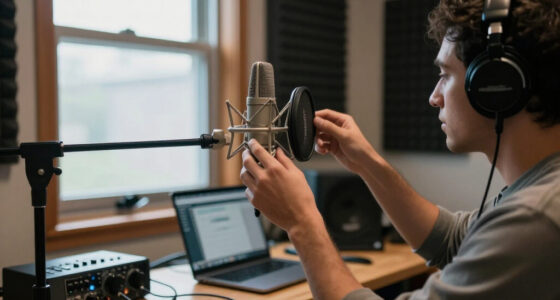
The best USB microphone for streaming is the Blue Yeti, thanks to its four pickup patterns, reliable build, and audio quality that holds up against entry-level XLR setups. If your budget is tighter, the FIFINE AmpliGame AM8 stands out for combining USB convenience with XLR expandability, while the FIFINE AmpliTank K688CT is the strongest all-in-one kit with a boom arm and shock mount included. The main tradeoff in this category is between condenser mics, which capture rich detail but also pick up room noise, and dynamic mics, which reject background sound but demand close positioning and more gain. Kit completeness matters too — some options ship with boom arms and filters while others leave you buying accessories separately. Read on for the full breakdown of all 12 mics and which one fits your setup.

Get audio and creator gear delivered free — and shop member deals
- Fast, free delivery on millions of items
- Access to Prime Big Deal Days deals on October 6–7
- Prime Video, Amazon Music and more included
Complete the kit



Key Takeaways
- Dynamic amazon.com/dp/B0GTZ865L3?tag=beamandbass-20&ascsubtag=dc-1080417″ target=”_blank” rel=”nofollow sponsored noopener”>USB/XLR hybrids (FIFINE AM8, AM8T, K688CT) dominated the mid-range because they reject keyboard and fan noise far better than condensers — the single biggest differentiator for untreated streaming rooms.
- The Blue Yeti remains the strongest pure-USB pick, but only for streamers with a quiet, treated space; its condenser capsule punishes echoey rooms.
- Sub-$50 RGB condenser mics (ZealSound, generic gaming mics) are viable starter options, but their noise cancellation is software-based and their gain knobs introduce handling noise.
- Boom arms and shock mounts turned out to matter almost as much as the capsule — kits that included them (TONOR, K688CT, A6T) delivered better real-world sound than bare mics at similar prices.
- The Amazon Basics mic is the only pick with no growth path, no monitoring, and no mute control — acceptable as a first mic, but most streamers outgrow it within months.




| USB microphones for streaming | Connectivity | Polar pattern | Signal-to-noise ratio |
|---|---|---|---|
| USB Microphone for PC Gaming | USB | Hypercardioid | 96 dB |
| FIFINE AmpliTank K688CT Podcas | USB and XLR | Unidirectional | 80 dB |
| FIFINE AmpliGame A6V USB Gamin | USB | Cardioid | 70 dB |
| FIFINE AmpliGame AM8T XLR/USB | USB and XLR | Cardioid | — |
| FIFINE AmpliGame AM8 USB/XLR D | USB and XLR | Unidirectional | 80 dB |
| ZealSound Podcast Microphone f | USB-C, Lightning adapters included | — | — |
| Amazon Basics Condenser Microp | USB | Unidirectional (Cardioid) | 75dB |
| Gaming Microphone for PC: USB | USB, 3.5mm Jack | Unidirectional (Cardioid) | 78dB |
| USB Microphone with Adjustable | USB Plug & Play | — | — |
| FIFINE AmpliGame A6T USB Gamin | — | Cardioid | — |
| TONOR Gaming Microphone Set wi | USB-A | Unidirectional | 78 dB |
| Logitech Blue Yeti USB Microph | USB | — | — |
More Details on Our Top Picks
USB Microphone for PC Gaming, Streaming & Podcasting with RGB Lighting, One-Touch Mute, Noise Cancellation
The hypercardioid pickup gives this USB desk mic a focused streaming role: it is designed to favor sound in front of the microphone, which can help keep nearby room noise from competing with your voice. One-touch mute and adjustable volume are handy when you need quick control during a live session, while RGB lighting suits a gaming setup. Compared with the FIFINE AmpliGame A6V, this model has a tighter listed pickup pattern rather than a cardioid one, but the product data does not specify an included pop filter or stand accessories. Its USB-A connection keeps setup simple for computers and listed mobile devices, though it needs a wired connection and is not compatible with Xbox. Choose it for a fixed desk setup where focused pickup and quick mute matter more than connection flexibility.
Pros:- Hypercardioid pattern favors sound from the front
- One-touch mute and adjustable volume support quick live control
- Plug-and-play USB-A connection works with listed computers and mobile devices
- Customizable RGB lighting fits a gaming desk
Cons:- Not compatible with Xbox consoles
- Wired USB connection limits movement around the room
- Single hypercardioid pattern offers less pickup flexibility
Best for: PC and laptop streamers who want a focused pickup pattern, quick mute access, and RGB lighting on a permanent desk setup
Not ideal for: Xbox players, mobile creators who need a wireless mic, or streamers who want multiple pickup patterns
- Connectivity:USB
- Connector:USB Type-A
- Polar pattern:Hypercardioid
- Form factor:Table microphone
- Signal-to-noise ratio:96 dB
- Channels:1
- Dimensions:3.93 x 3.93 x 8.97 inches
Our verdict“Pick this for a fixed PC streaming desk where focused pickup and fast mute control matter more than console support or wireless use.”
FIFINE AmpliTank K688CT Podcast Microphone Kit, USB/XLR Dynamic Vocal Mic
USB and XLR connectivity make the K688CT the most upgrade-ready pick in this group: start with direct computer connection, then move to an audio interface or mixer without replacing the microphone. The included boom arm, windscreen, and shock mount help build a more organized desk setup than the tripod-based FIFINE AmpliGame A6V. That flexibility brings extra setup decisions, though, and the listed function keys stop working over XLR, so mute and gain control may need to move to other gear as a setup evolves. Its unidirectional pickup and dynamic design are aimed at voice capture, while the listed 50 Hz–16 kHz range is narrower than some buyers may expect from a general recording mic. I’d choose it for streamers planning to add audio equipment; beginners who want the simplest USB-only setup may prefer the A6V.
Pros:- USB and XLR connections support a future move to mixer or interface use
- Included boom arm frees desk space compared with a tabletop tripod
- Windscreen and shock mount help manage breath and handling noise
- Mute and gain controls support direct USB operation
Cons:- Function keys are disabled when using XLR
- Setup and adjustments may take more effort for new streamers
- Listed frequency range ends at 16 kHz
Best for: Streamers who want to begin over USB and later connect the mic to an audio interface or mixer
Not ideal for: Beginners who want a minimal setup with all controls working regardless of connection type
- Connectivity:USB and XLR
- Polar pattern:Unidirectional
- Form factor:Microphone with arm stand
- Frequency range:50 Hz–16 kHz
- Signal-to-noise ratio:80 dB
- Channels:1
- Enclosure material:Metal
Our verdict“Choose the K688CT if you want a supplied boom arm now and the option to move from USB streaming to XLR gear later.”
FIFINE AmpliGame A6V USB Gaming Microphone with RGB Lighting
The included shock mount, pop filter, tripod, and 6.6-foot USB cable give new streamers a ready-made starting point without requiring a separate boom arm kit. Its cardioid pickup is less narrowly focused than the hypercardioid pattern listed for the USB Microphone for PC Gaming, Streaming & Podcasting, which may suit a typical close, front-facing desk setup. A quick mute and volume control also make common live adjustments straightforward. The 192 kHz sampling-rate listing sounds ambitious, but it does not by itself tell a buyer how the mic will sound in a streaming mix. This is a USB-only choice, so it cannot move into an XLR setup like the FIFINE AmpliGame AM8. Its RGB gradient may distract in a restrained workspace, and the tabletop tripod takes up desk room. I’d pick it for a first gaming stream where included setup pieces matter most.
Pros:- Cardioid pickup suits a close, front-facing streaming position
- Pop filter and shock mount are included
- Quick mute and volume control simplify live adjustments
- 6.6-foot USB cable allows some placement flexibility
Cons:- USB-only connectivity offers no XLR upgrade path
- Tripod stand occupies desk space
- RGB gradient may be distracting in a low-light or minimalist setup
Best for: First-time PC streamers who want a cardioid USB mic with a pop filter and tabletop stand in the box
Not ideal for: Creators planning an XLR upgrade or streamers with very limited desk space
- Connectivity:USB
- Polar pattern:Cardioid
- Sampling rate:192 kHz
- Signal-to-noise ratio:70 dB
- RGB lighting:Gradient RGB with 7 colors
- Cable length:6.6 feet
Our verdict“The A6V is a practical first streaming mic for buyers who want its core desk accessories included and do not need XLR.”
FIFINE AmpliGame AM8T XLR/USB Gaming Microphone Set, Dynamic PC Mic
The AM8T pairs a dynamic cardioid mic with a boom arm, a useful combination for streamers who want to bring the microphone close while keeping the desk surface clear. Its USB and XLR connections offer a path from direct computer use to an audio interface; the USB-only FIFINE AmpliGame A6V cannot make that switch. On the desk, real-time monitoring, a gain knob, and mute give the streamer hands-on control, and customizable RGB adds a gaming-focused look. The supplied clamp fits desks up to 2 inches thick, which rules out some thicker tops, and an XLR cable is not included. Compared with the FIFINE AmpliGame AM8, this set explicitly lists the boom arm and clamp, making it the more complete arm-based package. It suits streamers who value positioning and upgrade flexibility over a smaller, simpler desktop footprint.
Pros:- Included boom arm and clamp allow close positioning while clearing desk space
- USB and XLR connectivity support both simple and advanced setups
- Dynamic cardioid design targets voice from the front
- Mute, gain, and real-time monitoring provide hands-on control
Cons:- XLR cable is not included
- Clamp only fits desks up to 2 inches thick
- Boom arm installation takes more setup than a tabletop mic
Best for: PC streamers who want a boom-mounted dynamic mic with direct USB use and an XLR upgrade path
Not ideal for: Users with desks thicker than 2 inches or buyers who expect the XLR cable to be included
- Connectivity:USB and XLR
- Microphone type:Dynamic
- Polar pattern:Cardioid
- Sensitivity:-50 dB
- RGB lighting:Customizable
- Desk clamp compatibility:Desktop thickness up to 2 inches
- Included accessories:Boom arm stand, C-clamp, USB-C cable, user manual
Our verdict“Choose the AM8T if you want a boom arm in the package and plan to keep the option of XLR recording.”
FIFINE AmpliGame AM8 USB/XLR Dynamic Microphone for Gaming Streaming
The AM8 keeps the dual USB/XLR path in a microphone-focused package, making it a fit for streamers who want to choose their own mounting setup. Like the boom-arm-equipped FIFINE AmpliGame AM8T, it offers a dynamic design, mute control, RGB, and monitoring; the supplied details do not list an arm or stand, so buyers should plan for their preferred support separately. USB use brings the listed headphone jack, monitoring volume, and RGB controls, while some features are inactive over XLR and the XLR cable must be supplied separately. Its 50 Hz–16 kHz response is specified, giving buyers a clearer range to compare than the product data for some other picks. This is a more flexible upgrade choice than the USB-only A6V, but it asks the buyer to handle mounting and XLR accessories independently.
Pros:- USB and XLR connectivity allow a future move to interface-based recording
- Headphone jack and monitoring volume control are listed for USB use
- Mute and volume controls help with live streaming adjustments
- 50 Hz–16 kHz frequency response is specified
Cons:- XLR cable is not included
- RGB features are inactive over XLR
- Product data does not list a stand or boom arm
Best for: Streamers who already own a stand or arm and want USB convenience with an XLR option for later
Not ideal for: Buyers seeking a ready-to-mount kit or who need RGB and onboard controls while using XLR
- Connectivity:USB and XLR
- Polar pattern:Unidirectional
- Frequency response:50 Hz–16 kHz
- Signal-to-noise ratio:80 dB
- Power source:Corded electric
- Enclosure materials:ABS plastic and metal
- Listed features:Headphone jack, monitoring volume control, mute, RGB control, volume control
Our verdict“The AM8 suits streamers who already have mounting gear and want an upgradeable mic without buying the AM8T set.”
ZealSound Podcast Microphone for PC, Noise Cancellation USB Mic with Gain, Volume Adjustment & Mute Button
What sets the ZealSound K66 apart in a crowded field is its mobile-first flexibility. While most picks here, like the Amazon Basics Condenser, lock you into a desktop USB setup, the K66 ships with USB-C and Lightning adapters, so streaming from an iPhone, iPad, or Android device is genuinely plug-and-play. On-desk controls for gain, echo, volume, and muting mean you can fix audio problems mid-broadcast without fumbling through software menus — something the gooseneck pick in this lineup simply can’t offer. The noise reduction mode is a real advantage in untreated rooms. The tradeoff: all those dials and modes create a learning curve that beginners may find frustrating, and the mute button placement isn’t ideal when your hands are busy gaming.
Pros:- Works across PC, Mac, PS4/PS5, iPhone, iPad and Android with included adapters
- On-body gain, volume, echo and mute controls enable live adjustments without software
- Dedicated noise reduction mode helps in untreated, echo-prone rooms
- Zero-latency monitoring so you hear yourself in real time
Cons:- Feature-dense control set is overwhelming for first-time streamers
- Mute button placement can be awkward during fast-paced gaming sessions
- Wired-only design limits portability compared with truly mobile setups
Best for: Streamers and TikTok creators who broadcast from phones or tablets as often as from a PC
Not ideal for: Beginners who want a set-it-and-forget-it mic without learning multiple control modes
- Frequency Response:40Hz–18kHz
- Sampling Rate:46kHz
- Sensitivity:–45dB ±3dB
- Connectivity:USB-C, Lightning adapters included
- Compatibility:Windows, Mac, PS4, PS5, iPhone, iPad, Android
- Key Features:Noise Reduction, Zero-Latency Monitoring, Adjustable Gain, Echo Control, Mute Button
Our verdict“Buy this if your streaming setup spans phone and desktop and you want hands-on audio control without opening software.”
Amazon Basics Condenser Microphone for PC, Cardioid Pickup, USB Mic for Streaming, Recording, and Podcasting
If you just need a dependable mic to start streaming without paying for lighting, boom arms, or DSP tricks, this is the sensible floor. Unlike the FIFINE AmpliGame A6T, which arrives as a full kit with shock mount and boom arm, the Amazon Basics Condenser keeps things deliberately simple: plug it in, position the 360° adjustable stand, and talk. The large diaphragm and cardioid pattern deliver clear vocal pickup for the money, and the built-in mute function is a genuine convenience at this price bracket. Be honest about the tradeoffs, though — there’s no headphone monitoring, no gain control, and the cardioid pattern still lets keyboard clatter and room noise bleed through, so a quiet room matters more here than with the noise-canceling ZealSound.
Pros:- Plug-and-play setup with no drivers or software required
- Adjustable 360° stand allows flexible positioning on any desk
- Built-in mute function for quick silencing mid-stream
- Large-diaphragm condenser captures clear, sensitive vocal detail
Cons:- USB-only connectivity with no headphone jack for monitoring
- Picks up background noise and keyboard sounds despite the cardioid pattern
- No gain or volume controls, so levels depend entirely on software
Best for: First-time streamers on a tight budget who want simple, reliable vocal capture
Not ideal for: Streamers in noisy or echo-prone rooms who need monitoring and gain control
- Polar Pattern:Unidirectional (Cardioid)
- Form Factor:Large Diaphragm
- Connectivity:USB
- Frequency Response:20Hz–20kHz
- Signal-to-Noise Ratio:75dB
- Special Feature:Mute Function
- Weight:0.2 kg (200g)
Our verdict“A no-frills starter mic that gets you audible and clear on stream for minimal investment — just don’t expect broadcast-grade noise handling.”
Gaming Microphone for PC: USB Condenser Mic with RGB Lights, Quick Mute, Pop Filter, and Compatibility with PS4/5 & Computers
This mic occupies a useful middle ground: more console-friendly than the desktop-only gooseneck pick, and less desk-hungry than the FIFINE A6T with its boom arm and C-clamp. The weighted base sits directly on your desk, which matters for console streamers without room for a clamp-mounted arm, and the vibration-resistant build keeps bumps out of your audio during heated matches. The one-touch mute sensor is faster than fumbling for a physical button, and the RGB lighting matches the aesthetic most gaming setups already have. It isn’t flawless — the tri-capsule array still picks up room noise in loud spaces, and setup involves a few more steps than a true plug-and-play model, so complete beginners may hit friction.
Pros:- Quick one-touch mute sensor for instant silencing mid-game
- Weighted, vibration-resistant base suited to intense gaming sessions
- Built-in pop filter and cardioid pattern reduce plosives and off-axis noise
- Works with both PCs and PlayStation consoles
Cons:- Tri-capsule array can capture more room noise than a tight cardioid design
- Setup is more involved than simpler plug-and-play alternatives
- RGB lighting adds nothing for streamers who want a clean, neutral desk
Best for: Console streamers on PS4/PS5 who want a desk-standing mic without a boom arm
Not ideal for: Minimalists who dislike RGB lighting or want a zero-setup first microphone
- Polar Pattern:Unidirectional (Cardioid)
- Capsule Design:Tri-Capsule Array
- Connectivity:USB, 3.5mm Jack
- Signal-to-Noise Ratio:78dB
- Frequency Response:20Hz–2kHz
- Special Features:RGB Lighting, Quick Mute Sensor, Pop Filter, Weighted Base
Our verdict“A solid choice for PlayStation and PC gamers who want desk-standing stability and quick muting without a boom-arm commitment.”
USB Microphone with Adjustable Gooseneck, Mute Button, and Noise-Canceling Technology
Not every streamer wants a boom arm, shock mount, and RGB lighting dominating the desk. This gooseneck mic is the minimalist answer: bend the metal neck into position, plug into USB, and you’re live. Compared with the Amazon Basics Condenser, the 360-degree gooseneck offers far finer positioning control without repositioning a stand, and the LED mute indicator gives you a visual confirmation that’s genuinely useful when you’re tabbed into a game. The built-in noise cancellation handles steady background hum respectably for calls and commentary. The catch is scope: no support for Xbox, Android, or Raspberry Pi, no monitoring jack, and the small capsule won’t match the richness of the FIFINE A6T for music or polished voice work.
Pros:- 360-degree adjustable metal gooseneck for precise positioning
- Built-in noise cancellation reduces steady background noise
- Plug-and-play on Windows and macOS with no drivers
- Mute button with LED indicator gives clear visual confirmation
Cons:- No compatibility with Xbox, Android, or Raspberry Pi
- Small capsule design lacks the richness of larger-diaphragm mics like the FIFINE A6T
- No headphone monitoring or gain controls
Best for: Desktop streamers and commentators who want a small, repositionable mic for voice chat and talking-head streams
Not ideal for: Console or mobile streamers, and anyone producing music or polished vocal recordings
- Design:360 Degree Adjustable Gooseneck
- Connectivity:USB Plug & Play
- Compatibility:Windows 7/8/10/11, macOS
- Mute Button:Yes, with LED indicator
- Noise-Canceling:Yes
- Cable Length:1.8m / 6ft
- Material:Metal pipe, ABS stand
Our verdict“A space-saving pick for PC-only streamers who value positioning flexibility and simplicity over audio depth.”
FIFINE AmpliGame A6T USB Gaming Microphone Kit
This is the pick for streamers who want everything in one box: boom arm, shock mount, pop filter, and C-clamp alongside the mic itself. Compared with the console-friendly RGB mic earlier in this list, the A6T’s boom arm frees your desk surface entirely and lets you position the capsule exactly at mouth height — the single biggest upgrade you can make to streamed vocal quality. The cardioid capsule produces warm, energetic vocals that suit energetic commentary, and the long 2.5m USB-C cable handles awkward desk layouts. The tradeoffs are spatial and practical: you need desk edge space for the clamp, the shock mount can loosen over time and needs occasional tightening, and the RGB gradient, while attractive, will feel pointless if your aesthetic is neutral.
Pros:- Complete kit includes boom arm, shock mount, pop filter and C-clamp
- Boom arm positioning improves vocal quality versus desk-standing mics
- USB-C to USB-A/C cable with 2.5m length accommodates most desk layouts
- Works across Windows, macOS, PS4 and PS5
Cons:- Requires significant desk space and an edge for the C-clamp mount
- Shock mount can loosen over time and needs periodic adjustment
- RGB lighting adds cost and clutter for users who don’t want it
Best for: Dedicated streamers ready to graduate from desk stands to a complete boom-arm setup in one purchase
Not ideal for: Streamers with cramped desks or no edge space for a C-clamp boom arm
- Polar Pattern:Cardioid
- Compatibility:Windows, macOS, PS4, PS5
- Interface:USB-C to USB-A/C
- Cable Length:8.2ft (2.5m)
- Lighting:RGB gradient
- Included Accessories:Shock mount, pop filter, boom arm stand, C-clamp, user manual
Our verdict“The most complete package here for streamers building a permanent setup — just make sure your desk can host a boom arm.”
TONOR Gaming Microphone Set with Boom Arm, USB Condenser Microphone
Most entry-level streaming mics make you buy the arm, clamp, and accessories separately, which quietly doubles the cost. This TONOR kit bundles everything — microphone, boom arm, and clamp — so a first-time streamer can go from unboxing to live in one session. Compared with the FIFINE AmpliGame A6V, which sells the arm separately, this setup makes more sense for anyone building a desk from scratch.
The tradeoff is that the convenience comes at the expense of refinement. The condenser capsule picks up keyboard clacks and room echo more readily than a dynamic mic like the FIFINE AM8, so treat untreated rooms carefully. Gain and mute controls are on the mic itself, which is handy mid-stream, though the listed 78 dB signal-to-noise ratio falls short of what dedicated podcast mics deliver. Setup instructions are vague enough that first-timers may need a video guide.
Pros:- Complete kit includes boom arm and clamp, no separate purchases needed
- RGB lighting with adjustable brightness and modes fits a gaming aesthetic
- On-mic gain control and mute button allow live adjustments without software
- Unidirectional pattern focuses on your voice rather than desk clutter
Cons:- Condenser capsule picks up keyboard noise and room echo in untreated spaces
- Setup instructions are unclear, which frustrates first-time users
- PC-focused compatibility leaves console and mobile streamers behind
Best for: New streamers on a tight budget who need a complete boom-arm setup out of one box
Not ideal for: Streamers in noisy or echoey rooms — the condenser design captures background sound a dynamic mic would reject
- Connectivity:USB-A
- Type:Condenser microphone
- Polar Pattern:Unidirectional
- Signal-to-Noise Ratio:78 dB
- Included Accessories:Metal boom arm and desk clamp
- Platform Compatibility:PC (USB 2.0/3.0)
- Special Features:RGB lighting, gain control, quick mute
Our verdict“Buy this if you want a full desk-ready streaming setup in one affordable box; skip it if your room is loud or echo-prone.”
Logitech Blue Yeti USB Microphone, Blackout
Where most mics in this roundup do one job well, the Blue Yeti’s four pickup patterns — cardioid, omni, bidirectional, and stereo — let one microphone serve solo streams, two-person interviews, and room-style recordings. That flexibility is why it remains the default recommendation for creators who don’t know exactly what they’ll be making in six months. Compared with the FIFINE AmpliTank K688CT, a dynamic mic built mainly for solo voice, the Yeti covers far more recording scenarios, though it demands a quieter room to shine.
Blue VO!CE effects through Logitech G HUB add broadcast-style processing — noise cleanup, EQ presets, voice shaping — that cheaper options like the Amazon Basics condenser simply can’t touch. The catch: you’re tethered to G HUB for the full feature set, and the Yeti’s chunky footprint plus desktop stand eats real desk space. It also lacks any XLR path, unlike the AM8 line, so there’s no upgrade route beyond USB.
Pros:- Four switchable pickup patterns handle solo, interview, and room recording
- Blue VO!CE software adds professional noise reduction and voice effects
- Onboard controls for gain, mute, headphone volume, and pattern selection
- True plug-and-play on both PC and Mac with no drivers needed
Cons:- Full feature set depends on Logitech G HUB software running on your machine
- Large body and fixed desktop stand consume considerable desk space
- USB-only connectivity offers no XLR upgrade path to professional interfaces
Best for: Multi-format creators who stream, podcast, record interviews, and make music with one microphone
Not ideal for: Minimal desk setups and console-only streamers — it’s bulky, desktop-stand-based, and PC/Mac only
- Pickup Patterns:Cardioid, Omni, Bidirectional, Stereo
- Connectivity:USB
- Software:Blue VO!CE via Logitech G HUB
- Onboard Controls:Headphone volume, pattern selection, mute, mic gain
- Stand:Adjustable desktop stand
- Compatibility:PC, Mac
- Color:Blackout
Our verdict“This pick makes the most sense for creators who want one mic to cover streaming, podcasting, and interviews — as long as you have the desk space and a quiet room.”
How We Picked
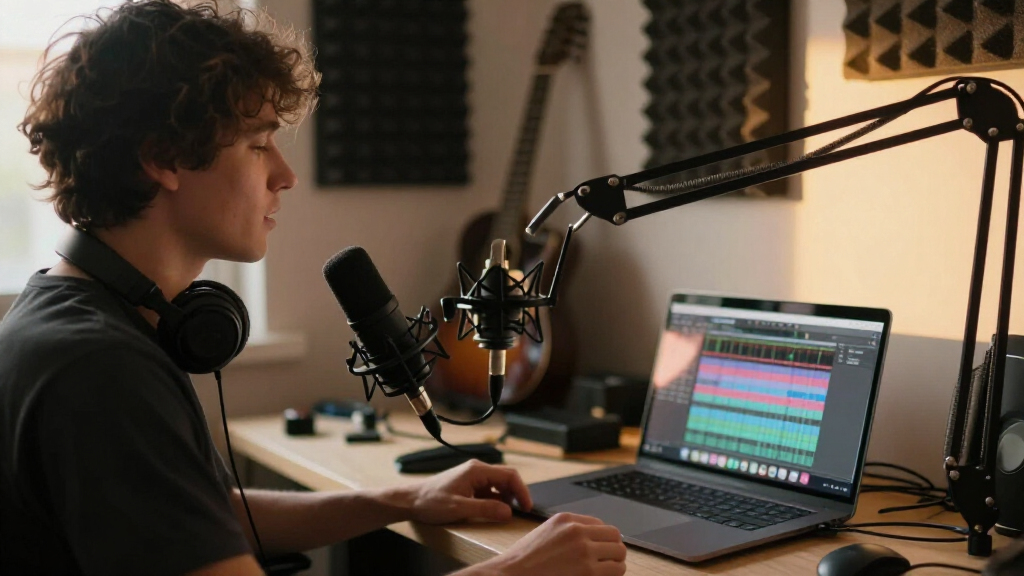
I ranked these microphones on four factors that actually affect a stream: noise rejection, build and kit completeness, on-mic controls, and future-proofing. Noise rejection carried the most weight because most streamers work in untreated rooms with mechanical keyboards, fans, and chairs squeaking in the background — a dynamic capsule with good off-axis rejection simply sounds cleaner in that environment than a detailed condenser. Kit completeness mattered because a microphone is only as usable as its mounting and shock isolation; a boom arm and filter can improve sound more than upgrading the mic itself.
On-mic controls — headphone monitoring, gain adjustment, and a quick-access mute — separated working streamer mics from novelty mics, since mid-broadcast fiddling with software settings breaks flow. Finally, I rewarded models with XLR outputs, because they give you an upgrade path to an audio interface without replacing the mic. That is why the hybrid FIFINE models rank above similarly priced USB-only condensers, and why bare-bones options like the Amazon Basics mic sit near the bottom despite acceptable sound.
| USB microphones for streaming | Connectivity | Polar pattern |
|---|---|---|
| USB Microphone for PC Gaming | USB | Hypercardioid |
| FIFINE AmpliTank K688CT Podcas | USB and XLR | Unidirectional |
| FIFINE AmpliGame A6V USB Gamin | USB | Cardioid |
| FIFINE AmpliGame AM8T XLR/USB | USB and XLR | Cardioid |
| FIFINE AmpliGame AM8 USB/XLR D | USB and XLR | Unidirectional |
| ZealSound Podcast Microphone f | USB-C, Lightning adapters included | — |
| Amazon Basics Condenser Microp | USB | Unidirectional (Cardioid) |
| Gaming Microphone for PC: USB | USB, 3.5mm Jack | Unidirectional (Cardioid) |
| USB Microphone with Adjustable | USB Plug & Play | — |
| FIFINE AmpliGame A6T USB Gamin | — | Cardioid |
| TONOR Gaming Microphone Set wi | USB-A | Unidirectional |
| Logitech Blue Yeti USB Microph | USB | — |
Factors to Consider When Choosing USB Microphones For Streaming
Before locking in a pick, it helps to understand what actually changes your stream audio. These are the factors that separated the top performers from the rest of the lineup.Condenser vs. Dynamic: Match the Capsule to Your Room
This is the decision that shapes everything else. Condenser microphones capture fine detail and make voices sound full and airy, but they hear everything — furnace hum, keyboard clacks, the TV in the next room. Dynamic microphones have a tighter pickup window, so they isolate your voice at the cost of some sparkle. If you stream from a carpeted bedroom with the door closed, a condenser like the Blue Yeti or a FIFINE AmpliGame will reward you. If you stream in an echoey apartment, near an open window, or with a clicky keyboard, a dynamic mic will sound dramatically cleaner even though it costs similar money. A common mistake is assuming the more “sensitive” mic is better — sensitivity is exactly what makes budget condensers sound noisy in real homes.
USB-Only vs. USB/XLR Hybrid: Plan Your Upgrade Path
A USB-only mic plugs in and works, which is exactly what most beginners need. But many streamers eventually want an XLR audio interface for better preamps, hardware processing, and multi-mic setups. Hybrid mics like the FIFINE AM8, AM8T, and AmpliTank K688CT give you both connections, meaning you can start on USB today and add an interface later without rebuying the mic. The honest tradeoff: hybrid mics slightly lag behind dedicated USB models on plug-and-play polish, and dedicated XLR mics beat them on pure audio quality. But for a streamer on a multi-year trajectory, a hybrid is usually the smarter purchase — it converts a disposable starter mic into a permanent part of your kit.
On-Mic Controls: Monitoring and Mute Are Not Optional
Once you start streaming regularly, you will discover that real-time headphone monitoring and a physical mute button are the two features you cannot live without. Monitoring lets you hear exactly what your audience hears, so you catch mic positioning problems and background noise before chat does. A tap-to-mute button saves you during coughs, doorbells, and private conversations — hunting for a mute toggle in streaming software mid-broadcast always takes too long. Budget mics like the Amazon Basics model skip both, which is a large part of why they cost less. Gain control on the mic body is the next-tier convenience, letting you adjust levels without alt-tabbing out of a game.
What Comes in the Box Matters More Than You Think
A desk stand that transmits every keyboard vibration, or a mic that picks up desk bumps, will undo good capsule quality instantly. That is why kits including a boom arm, shock mount, and pop filter — like the TONOR set, the AmpliTank K688CT, and the A6T — punch above their price. If you buy a bare mic, budget for a boom arm and shock isolation separately, because the included desk stands on most budget mics are the weakest part of the package. The pattern across this roundup was clear: a modest mic on a good boom arm beats a better mic on a vibrating desk stand almost every time. RGB lighting is the other box-content factor, and it is purely cosmetic — worth it if your stream has a visual aesthetic, irrelevant to sound.
Noise Cancellation Claims: Read the Fine Print
Several budget mics in this roundup advertise “noise cancellation,” and the phrase means very different things. Cardioid pickup patterns physically reject sound from behind the mic — that is real, hardware-based rejection. Software noise cancellation, by contrast, processes your signal after capture, and cheap implementations can make voices sound robotic or underwater while barely touching keyboard noise. When comparing mics, treat “noise cancellation” as a marketing term unless you can identify the mechanism. A cardioid dynamic mic with no cancellation software will usually beat a cardioid condenser with aggressive software processing in a noisy room. OBS and Discord also have their own noise filters, so paying extra for a mic’s built-in processing is often redundant.
Device Compatibility and Mobile Streaming
Most USB mics here work on PC and Mac out of the box, but console and mobile support varies. If you plan to stream from a PS5, check that the mic is console-compatible — some RGB gaming mics advertise PS4/PS5 support while others do not. For mobile streaming on TikTok or Instagram Live, look for mics with USB-C or Lightning connectivity, like the ZealSound, which is one of the few picks here that connects directly to phones and tablets. Sample rate specs (48kHz/24-bit and similar) are far less important than compatibility and placement — modern streaming platforms compress audio anyway, so chasing bitrate numbers is a common way to overspend.
Frequently Asked Questions
Do I need XLR if I’m just starting to stream?
No, and buying an XLR interface before you need one is a common beginner mistake. A USB microphone delivers 90% of the audio quality streamers actually need, and platforms like Twitch and YouTube compress your audio enough that the difference between a good USB signal and an entry-level XLR chain is subtle to most viewers. The smarter move is choosing a USB/XLR hybrid like the FIFINE AM8 or AmpliTank K688CT, which works over USB today and accepts an interface later. That way you spend nothing extra now but keep the door open. Go pure XLR only when you want multiple microphones, hardware EQ, or professional processing.
Will a better microphone fix my echoey room?
Usually not — and this is where many streamers waste money. A condenser microphone like the Blue Yeti will actually make an untreated room sound worse, because it faithfully captures every wall reflection. The two fixes that work are treating the room (rugs, curtains, foam panels behind you) or switching to a dynamic microphone that only hears sound coming straight at it. Dynamic mics like the AM8 or K688CT let you sound decent in rooms that would embarrass a condenser. If your budget forces a choice between a $100 mic in a bad room and a $60 dynamic mic plus a $40 rug and some panels, the second option wins nearly every time.
Is RGB lighting on a microphone worth paying for?
It depends on whether your camera shows your desk. RGB has zero effect on audio quality — it exists for on-stream aesthetics, and that is a legitimate reason to want it if your branding leans colorful and gaming-focused. If you stream without a face cam or with a tight framing, RGB is money spent on something nobody sees, and you would be better off putting it toward a boom arm or shock mount. The FIFINE AmpliGame line is built around this aesthetic, so it makes sense for visual-first streamers. Just never let lighting influence a ranking decision between two mics whose sound quality differs.
How far away should I sit from my streaming mic?
With a condenser mic, 6 to 10 inches is the sweet spot — close enough for a full, present voice, far enough to avoid plosive pops and breath noise. Dynamic mics demand closer positioning, typically 2 to 5 inches, because their gain-before-noise is lower; if you sit back at condenser distance on a dynamic, you will sound thin and distant. This positioning difference is why boom arms matter so much: a good arm holds the mic in the right spot without crowding your keyboard. A common mistake in this roundup’s budget picks is using the included desk stand, which forces either bad positioning or a hunched posture. Spend your first week streaming adjusting distance by ear through headphones, not by specs.
Can I use one of these mics for podcasting and voice-over work too?
Yes, and several picks here handle dual duty well — but the priorities shift slightly. Streaming rewards noise rejection and convenience, while podcasting and voice-over reward detail and consistency. The Blue Yeti’s multiple pickup patterns make it unusually versatile for podcasting, including its stereo and omnidirectional modes for two-person table recordings. Hybrid mics like the K688CT work well for voice-over because you can later connect them to an interface for cleaner processing. The generic RGB gaming condensers are the weakest crossover options — they are tuned and styled for gaming, with breathy highs that get fatiguing in long-form listening. If voice work is a real part of your plan, buy for the recording use case first and streaming second.
Conclusion
After comparing all twelve, my recommendations map cleanly to buyer types. For best overall, the Blue Yeti earns it with pattern versatility, monitoring, and a track record of sounding professional in a treated room. For best value, the FIFINE AmpliGame AM8 is the standout — a dynamic capsule, USB and XLR outputs, and on-mic controls at a price that undercuts everything with comparable flexibility. For best premium pick, the FIFINE AmpliTank K688CT kit is the most complete package here, pairing an upgradable dynamic mic with a boom arm and shock mount.
Beginners should start with the TONOR gaming microphone set or the AmpliGame A6T, both of which bundle everything a first-time streamer needs without a confusing feature set. For mobile and multi-device streamers, the ZealSound is the clear choice thanks to direct phone and tablet connectivity. And for noisy, untreated rooms, skip every condenser on this list and go dynamic — the AM8T’s combination of a boom arm and tight rejection pattern makes it the safest bet when your environment is the real enemy. Whatever you pick, remember that placement and a boom arm will shape your sound as much as the capsule does.
Fall Picks
fall essentials
As an affiliate, we earn on qualifying purchases.