
TL;DR

Get audio and creator gear delivered free with Prime
- Fast, free delivery on millions of items
- Prime Video, Amazon Music and more included
- Member-only deals all year
XDA Developers reports that narrowing a router’s Wi-Fi channel width may reduce interference and make high-bitrate streaming more stable in crowded wireless environments. The article offers a technical explanation and suggested settings, but provides no measurements from a documented test or evidence that the change will help every home.
XDA Developers reported Oct. 20 that reducing a router’s Wi-Fi channel width from settings such as 80 or 160 MHz to 40 MHz—or, in especially congested areas, 20 MHz—may make streaming more reliable. The advice targets stationary devices such as an Apple TV or Nvidia Shield that stutter during high-bitrate video playback, where consistent delivery can matter more than peak wireless speed.
The article’s explanation is that a wider channel can carry more data under favorable conditions, but it also covers more radio spectrum. In an apartment building or suburban neighborhood with nearby networks, that wider footprint may encounter more competing transmissions. Wi-Fi devices share the air: when a router detects activity on its channel, it may need to wait, while interference can also contribute to retransmissions and uneven throughput. The article argues that these effects can undermine the benefit of a high theoretical link rate.
For demanding video files, the article gives a typical peak bitrate range of 100–150 Mbps for a high-bitrate 4K UHD Blu-ray remux. It says a clean 40 MHz Wi-Fi 6 connection can provide more than 400 Mbps, while a congested 160 MHz connection may fall below 50 Mbps. These are figures presented by XDA Developers, not results accompanied by a described test setup, measurements, or independent verification in the supplied material.
The suggested approach is to use a Wi-Fi analyzer to check nearby network activity, then change the channel-width setting for the router’s 5 GHz network or the access point serving the streaming device. The article suggests trying 40 MHz, or 20 MHz in heavily crowded conditions, and then testing playback with a demanding video file. It does not establish that narrower settings will improve performance in every home or on every router.
Home network field guide · Oct. 20, 2026
Narrower Wi-Fi Channels May Make Streaming More Stable
A smaller channel width can sometimes help a streaming box in a crowded wireless environment. XDA Developers presents it as a troubleshooting option to test, not a fix proven to work in every home.
Stability can beat peak speed
A large advertised link rate does not guarantee smooth delivery. High-bitrate video needs data to arrive consistently, and congestion may lead to waiting or retransmissions that disrupt playback.
Wider can be faster
Settings such as 80 or 160 MHz can raise potential data rates when spectrum is clean and equipment supports them.
More spectrum in use
A wider channel occupies more of the band, increasing the chance of competing with nearby networks in a crowded area.
Steadier usable throughput
Where congestion is the problem, a narrower channel may reduce interruptions—even if its maximum capacity is lower.
More than 400 Mbps is the connection speed XDA says a clean Wi-Fi 6 link can provide.
Below 50 Mbps is the example cited for a congested connection. The supplied material gives no measurement method or test details.
Channel width changes the trade-off
Think of width as spectrum used by a Wi-Fi connection. These bars show relative channel width, not measured performance or a guaranteed ranking.
More potential capacity; may be harder to use reliably in busy spectrum.
Article’s suggested starting point for a stationary streaming device.
Consider testing when nearby wireless activity is especially heavy.
Results depend on your network
The supplied article does not establish that channel width caused any particular playback issue or that narrowing it will fix stuttering for all users.
Other causes remain possible. Weak signal, router placement, same-network traffic, device limits, or other network problems can also affect streaming. A narrower channel can constrain peak capacity for other devices sharing the network.
The evidence is limited. No named test, controlled comparison, device-by-device results, or detailed account of equipment and signal conditions is provided. Treat the throughput figures as claims reported by XDA Developers, not independently verified results.
Test before keeping the change
Change one setting at a time and compare the same demanding video before and after.
Check local activity
Use a Wi-Fi analyzer to inspect nearby network activity.
Adjust the relevant band
Change channel width for the 5 GHz network or access point serving the box.
Compare playback
Try 40 MHz, or 20 MHz in heavy congestion; look for buffering and dropped frames.
Keep or restore
Keep the change only if it helps without reducing performance elsewhere.
What to know before you try it
A practical troubleshooting idea, with outcomes that depend on local wireless conditions.
Why might a narrower channel help?
It uses less spectrum and may encounter less interference in a crowded area, which could make delivery steadier.
Which width should I try?
XDA suggests starting at 40 MHz and considering 20 MHz in especially congested conditions.
Will it make internet faster?
Not necessarily. The maximum potential link rate may fall; the claimed benefit is improved reliability when a wider channel is congested.
How can I tell if it helped?
Compare the same high-bitrate video before and after. Look for fewer interruptions and steadier playback; there is no universal result in the supplied article.
Stability Can Beat Peak Speed
The advice addresses a common mismatch between a router’s advertised capabilities and what a video device experiences in a busy home. A large link-rate figure does not guarantee that data will arrive steadily. Buffering and dropped frames depend on real-time delivery, not simply the highest speed a connection might reach in ideal conditions.
For a stationary streaming box, a lower but steadier wireless rate may be sufficient for high-bitrate playback. If local congestion is the cause of interruptions, narrowing the channel could help by reducing exposure to competing traffic. But it is a troubleshooting option, not a guaranteed fix: weak signal, router placement, device limitations, or other network problems may also cause playback trouble. A narrower channel can also reduce maximum capacity for other devices sharing the network.
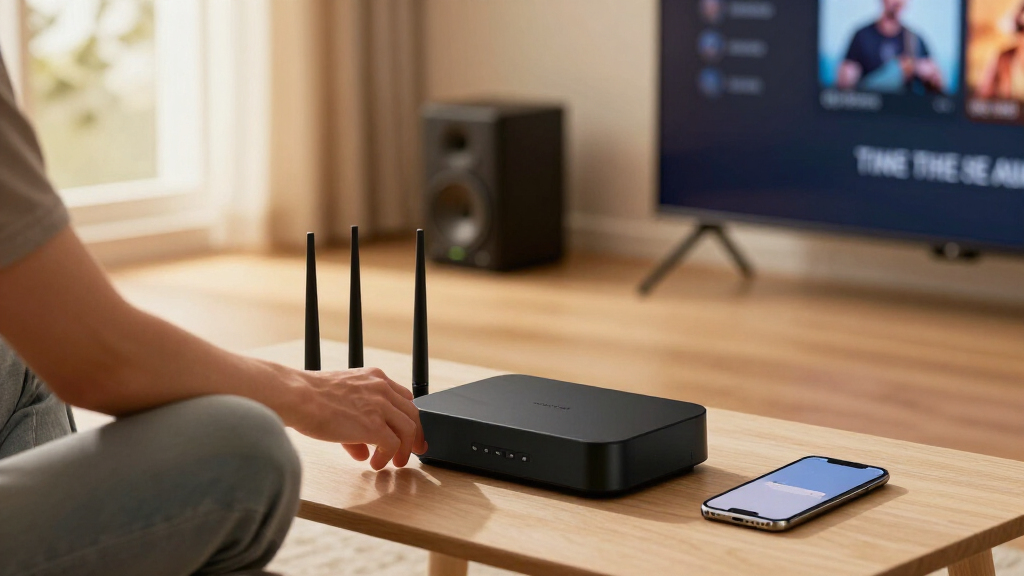
Wi-Fi 6 router with adjustable channel width
As an affiliate, we earn on qualifying purchases.
As an affiliate, we earn on qualifying purchases.
Why Channel Width Matters
Wi-Fi channel width describes how much radio spectrum a connection uses. Wider settings such as 80 or 160 MHz can raise potential data rates when there is enough clean spectrum and compatible equipment. The trade-off is that a wider channel occupies more of the available band, which may be harder to use reliably where neighboring networks are active.
XDA’s guidance focuses on the 5 GHz band, where the article says channel availability is limited and networks can overlap or compete. Its underlying point is conditional: wider is not automatically faster in practice if congestion and retransmissions reduce usable throughput. The article also mentions 6 GHz router settings, but its specific streaming recommendations center on choosing a narrower channel for the network serving fixed media devices.
““Higher speeds don’t always make a difference.””
— XDA Developers
Wi-Fi analyzer tool for network congestion
As an affiliate, we earn on qualifying purchases.
As an affiliate, we earn on qualifying purchases.
Results Depend on Local Congestion
The supplied article does not include a named test, controlled comparison, device-by-device results, or data showing how often narrowing a channel fixes streaming problems. Its throughput figures are presented without a detailed account of the equipment, distance, signal conditions, or measurement method. The claim that a narrower setting will reduce interference enough to eliminate stuttering should therefore be treated as guidance to test, not as a confirmed outcome for all users.
It is also unclear whether channel width is the cause of any particular streaming issue. The article does not rule out weak signal, router placement, wireless congestion from devices on the same home network, or limitations in the streaming box. Narrower settings may improve reliability in some environments but can constrain peak capacity, especially if many devices need high bandwidth at once.
high-bitrate streaming media player
As an affiliate, we earn on qualifying purchases.
As an affiliate, we earn on qualifying purchases.
Test Before Keeping the Change
Users following the advice can first check nearby wireless activity with a Wi-Fi analyzer, then change the channel width for the relevant network or access point. They can compare playback on the same high-bitrate content before and after the adjustment, watching for buffering, dropped frames, and changes in connection performance. Testing one setting at a time can help show whether channel width is making a difference.
The article does not announce a router update, formal study, or follow-up test. The practical next step is for users to assess their own network conditions and restore a wider setting if the narrower channel reduces performance elsewhere or fails to improve streaming.
dual-band Wi-Fi router for streaming
As an affiliate, we earn on qualifying purchases.
As an affiliate, we earn on qualifying purchases.
Key Questions
Why might a narrower Wi-Fi channel improve streaming?
A narrower channel uses less spectrum and may encounter less interference in a crowded area. That can help make data delivery steadier, although results depend on the home network and nearby wireless activity.
What channel width does the article suggest trying?
XDA Developers suggests trying 40 MHz for a streaming device and considering 20 MHz in heavily congested settings. It recommends checking local conditions rather than assuming one setting suits every network.
Will reducing channel width make my internet faster?
Not necessarily. A narrower setting can lower the maximum potential link rate. The article’s claim is that it may improve reliability and usable throughput when a wider channel is badly affected by congestion.
How can I tell whether the change helped?
Check nearby network activity with a Wi-Fi analyzer, then compare playback of the same demanding video before and after changing the router setting. Look for fewer interruptions and steadier playback; the supplied article does not provide a universal test result.
Source: XDA Developers
Halloween Picks
halloween
As an affiliate, we earn on qualifying purchases.