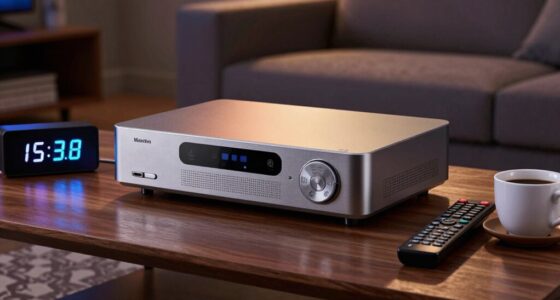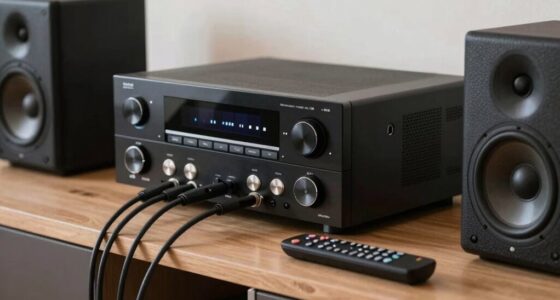
To reduce Bluetooth audio delay on your TV and soundbar, start by pairing your devices properly and keeping them close with minimal obstructions. Check for audio delay or lip-sync settings and adjust gradually for better sync. Using devices with aptX Low Latency support can also help. If the issue persists, try wired or Wi-Fi connections for zero lag. Following these tips can markedly improve your experience—discover more ways to fix this and boost your setup.
Key Takeaways
- Re-pair devices, keep them close, and ensure firmware is updated for better Bluetooth stability.
- Adjust the “Audio Delay” or “Lip Sync” settings on your TV or soundbar gradually.
- Use Bluetooth transmitters with aptX Low Latency support for near-instantaneous audio sync.
- Opt for wired connections like HDMI or optical cables to eliminate Bluetooth delay entirely.
- Disconnect unnecessary Bluetooth devices and restart your TV or soundbar regularly to reduce lag.

Bluetooth audio delay is a common issue that can disrupt your listening experience, especially during watching videos or gaming. When audio and video aren’t perfectly synchronized, it can feel jarring and diminish your enjoyment. The root of this problem often lies in how your devices connect through Bluetooth pairing, which can sometimes introduce latency, causing audio to lag behind the visuals. To fix this, you need to focus on improving audio synchronization, guaranteeing your sound and picture stay in harmony.
The first step is to check your Bluetooth pairing process. Sometimes, simply disconnecting and re-pairing your devices can resolve latency issues. Make sure you’re pairing your TV or soundbar with the latest firmware updates, as manufacturers often release updates that improve Bluetooth performance and reduce delay. When pairing, keep devices close to each other and free from obstructions, which helps establish a stronger, more stable connection. Using the right Bluetooth version—preferably Bluetooth 5.0 or newer—also plays a key role in reducing audio delay, as newer versions support faster data transfer and lower latency.
Once your devices are paired properly, focus on audio synchronization. Some TVs and soundbars offer settings specifically designed to address audio delay. Check your device’s menu for options like “Audio Delay” or “Lip Sync” adjustments. Adjust these settings gradually until the sound matches the on-screen action. If your device lacks built-in options, consider using external tools like Bluetooth transmitters with aptX Low Latency support, which are designed to deliver near-instantaneous audio transmission. These transmitters communicate with compatible Bluetooth headphones or speakers, drastically reducing lag.
Adjust audio delay settings or use aptX Low Latency transmitters for seamless sound synchronization.
Additionally, opting for wired connections can eliminate Bluetooth delay altogether. If feasible, connect your soundbar or headphones directly via an optical, HDMI, or auxiliary cable. This guarantees perfect audio synchronization without latency issues. Alternatively, some smart TVs have proprietary wireless audio solutions or apps that sync audio directly over Wi-Fi, bypassing Bluetooth’s limitations.
Finally, ensure your devices aren’t overcrowded with multiple Bluetooth connections, which can overload the bandwidth and cause delays. Disconnect any unnecessary devices to free up resources. Regularly restarting your TV or soundbar can also clear temporary glitches affecting Bluetooth performance. Also, choosing a high-quality projector or display with good audio support can enhance overall synchronization and reduce latency issues during multimedia use. By paying attention to Bluetooth pairing procedures and making use of available audio delay settings, you’ll greatly improve audio synchronization, making your viewing and gaming sessions more seamless and enjoyable.

Herdio 6.5 Inch 800W Outdoor Bluetooth Speakers Wired Waterproof with Multifunctional Amplifier, Wall Mount Speaker System for Patio Home Poolside Deck Backyard(2 Pairs,Black)
【Full-Range Speakers】The high powered full range indoor outdoor speakers wired waterproof has a maximum power output of 800...
As an affiliate, we earn on qualifying purchases.
Frequently Asked Questions
Can Bluetooth Audio Delay Vary Between Different TV Brands?
Yes, Bluetooth latency can vary between different TV brands, impacting audio synchronization. Some brands optimize their Bluetooth technology better, reducing delays, while others may have higher Bluetooth latency, causing noticeable audio lag. You might notice a difference when pairing your soundbar or headphones with various TVs. To improve audio synchronization, look for models with lower Bluetooth latency or use wired connections if possible.
Does Using a Wired Connection Eliminate Bluetooth Audio Delay?
Did you know that wired connections can reduce audio delay by up to 95%? Using a wired connection almost eliminates Bluetooth audio delay, ensuring better audio synchronization. When you switch from Bluetooth to a wired setup, you experience near-instant audio feedback, which is essential for gaming or watching movies. So, if perfect sync matters to you, opting for a wired connection is a smart choice for seamless audio.
Are There Specific Bluetooth Codecs That Reduce Audio Lag?
Yes, selecting the right Bluetooth codec can markedly reduce audio lag. Opt for codecs like aptX Low Latency or AAC, which are designed for audio lag mitigation. These codecs prioritize faster data transfer, ensuring your audio syncs better with video. Check your device’s Bluetooth settings and compatible headphones or speakers to enable these codecs, which can make a noticeable difference in minimizing delays during playback.
How Does Room Size Affect Bluetooth Audio Synchronization?
Oh, the grandeur of room size! Larger spaces can turn your Bluetooth audio into a delayed symphony, thanks to room acoustics and device placement. As sound waves traverse bigger areas, synchronization suffers unless you cleverly position your device near your ears or in a cozy corner. So, if you crave perfect sync, keep your device close and consider acoustic treatments—because bigger isn’t always better when it comes to audio harmony.
Can Firmware Updates Fix Bluetooth Audio Delay Issues?
Yes, firmware updates can fix Bluetooth audio delay issues by improving device compatibility and reducing wireless interference. When you keep your TV or soundbar updated, it often includes bug fixes and performance enhancements that address latency problems. Regularly check for updates, as they can optimize Bluetooth performance, minimize delay, and guarantee smoother audio synchronization, giving you a better listening experience without frustrating lag.

STUDIOFINIX 6.5 Inch Outdoor Speakers Wall-Mounted 800W - Waterproof and High-Performance Audio Solution for Indoor/Outdoor,Home,Patio,Garden,Backyard(4 Passive Speakers Bundle/Black)
〖Powerful Performance〗: Boasting a peak power handling of 800 watts, it delivers a full range of dynamic sound...
As an affiliate, we earn on qualifying purchases.
Conclusion
By tackling Bluetooth audio delay, you regain harmony between sound and picture, much like a conductor restoring balance to an orchestra. Don’t let latency steal the magic from your viewing experience. With patience and the right tweaks, you can synchronize your audio effortlessly. Remember, in the symphony of technology, it’s your touch that brings everything into perfect tune—reminding us that even small adjustments can create a masterpiece.

Polk Audio Atrium 4 Weatherproof Outdoor Speakers with Powerful Bass (Pair, Black), All-Weather Durability, Broad Sound Coverage, Speed-Lock Mounting System
EASY INSTALLATION - One-click speed-lock mounting bracket offers anti-slip, one-handed installation. Mount these outdoor speakers wired vertically or...
As an affiliate, we earn on qualifying purchases.

6.5 Inch Max 800W Outdoor Bluetooth Speakers Waterproof Wired with Multifunctional Amplifier Wall Mount Outdoor Speaker System for Patio Garden Poolside Home(4 Speakers,Black)
Powerful Acoustics: Unmatched Sound Output,Each speaker pumps out an impressive 200 watts, with a pair delivering a combined...
As an affiliate, we earn on qualifying purchases.