
During movie night, Wi-Fi congestion shows up first because many devices—like tablets, smartphones, and laptops—stream videos at the same time, overwhelming your network. The shared radio frequencies get crowded, causing interference from neighboring networks and electronic gadgets. Without proper device prioritization or switching to less crowded channels, your connection struggles to keep up, leading to buffering and slow speeds. Want to fix this? Keep exploring to uncover effective ways to improve your streaming experience.

Get audio and creator gear delivered free with Prime
- Fast, free delivery on millions of items
- Prime Video, Amazon Music and more included
- Member-only deals all year
Key Takeaways
- Multiple devices simultaneously stream and browse, consuming significant bandwidth and causing congestion during movie night.
- Peak evening hours increase network load, making Wi-Fi more prone to congestion when many users are active.
- Overlapping Wi-Fi channels and interference from neighboring networks degrade signal quality during high usage times.
- Lack of device prioritization means streaming activities compete equally with downloads and updates, leading to buffering.
- Network interference from other electronic devices and crowded radio frequencies exacerbates congestion issues during movie night.
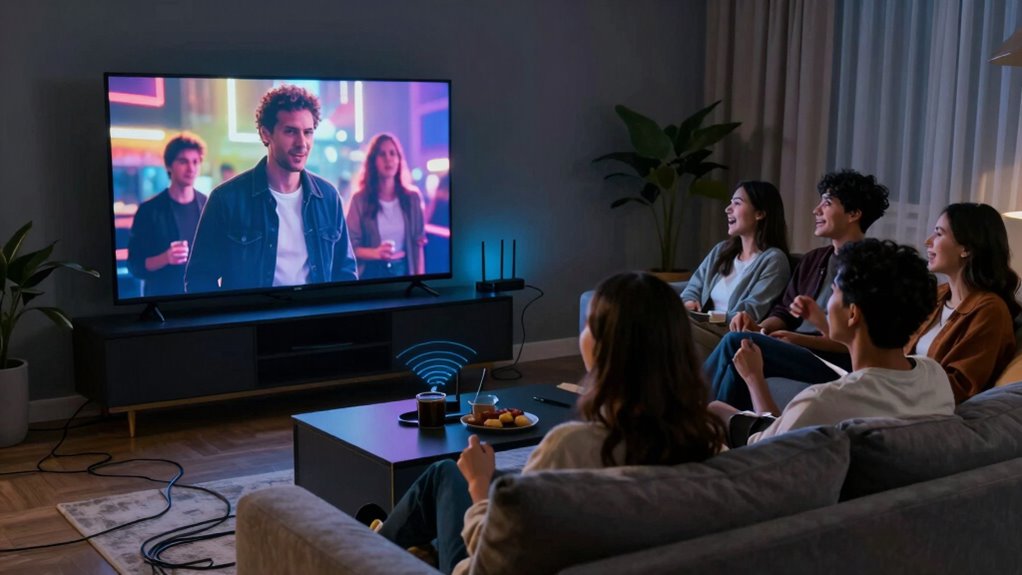
Ever wonder why your streaming suddenly buffers right when the movie gets exciting? It’s frustrating, especially when you’re immersed in a gripping scene, and suddenly, your screen freezes. The culprit often lies in Wi-Fi congestion, which tends to become most noticeable during movie night. During these times, multiple devices—smartphones, tablets, laptops, smart home gadgets—all compete for the same Wi-Fi bandwidth. When everyone’s streaming, gaming, or browsing simultaneously, the network becomes overloaded, causing slowdowns and buffering.
One major reason Wi-Fi congestion hits hardest during movie night is network interference. Your Wi-Fi operates on radio frequencies that are shared with other devices in your home or even nearby networks. If you have neighbors with Wi-Fi routers operating on the same channel, their signals can interfere with yours, creating chaos in the airwaves. This interference reduces the quality of your connection, leading to increased latency and packet loss, which manifests as buffering during your favorite scenes. The more crowded the wireless space, the more your bandwidth gets divided, making it tougher for your streaming service to deliver a smooth experience.
Another factor that impacts Wi-Fi performance during movie night is device prioritization. Many routers include Quality of Service (QoS) settings that let you assign priority to certain devices or activities. Without proper setup, your router might treat all devices equally, leading to congestion when multiple gadgets try to use the internet at once. When you’re watching a movie, you want your streaming device to have higher priority, so it gets the bandwidth it needs to stay smooth. If your router isn’t configured for device prioritization, it can cause your streaming device to get overshadowed by less critical activities like background downloads or automatic updates happening on other devices.
To improve your experience, you need to understand how network interference and device prioritization interact. You can reduce interference by changing your Wi-Fi channel or switching to a less crowded frequency band, such as 5 GHz if your router supports it. Enabling device prioritization ensures your streaming device gets the bandwidth it needs during movie night. This often involves accessing your router’s settings and designating devices or activities that should have priority. By doing so, you ensure that your movie night isn’t derailed by bandwidth hogs or interference, making buffering a thing of the past and letting you enjoy your films without interruption. Additionally, understanding the concept of biodiversity can help you appreciate how diverse elements—like multiple Wi-Fi signals—interact in a shared environment, affecting overall performance. Recognizing network interference as a key factor can help you troubleshoot issues more effectively and optimize your setup.
Being aware of interference sources such as other electronic devices and neighboring networks can further help in maintaining a stable connection. Knowing how bandwidth management works can assist you in distributing your internet resources more effectively, especially during peak usage times. In the end, Wi-Fi congestion during movie night isn’t just about too many devices. It’s about understanding how network interference and device prioritization shape your connection. With a few adjustments, you can optimize your network so your streaming remains smooth, even when everyone’s using the internet at once.
As an affiliate, we earn on qualifying purchases.
Frequently Asked Questions
How Can I Prevent Wi-Fi Congestion During Movie Night?
To prevent Wi-Fi congestion during movie night, you should focus on bandwidth management and signal optimization. Prioritize streaming devices by assigning them higher bandwidth or using Quality of Service (QoS) settings on your router. Reduce interference by placing your router centrally and away from electronics. Limit other device usage during movie time, and consider upgrading your router if congestion persists. These steps help guarantee smooth streaming without interruptions.
What Devices Contribute Most to Wi-Fi Congestion?
Devices like streaming boxes, gaming consoles, and high-bandwidth smartphones contribute most to Wi-Fi congestion because they demand significant network resources. Your network priorities, such as prioritizing streaming or work devices, influence how bandwidth gets allocated. To reduce congestion, make sure these device types are managed properly, possibly by setting quality of service (QoS) rules or limiting their usage during movie night, so that critical devices get the bandwidth they need.
Does the Size of My Home Affect Wi-Fi Congestion?
Your home’s size is like a sprawling city, spreading out the Wi-Fi signal and making it harder to reach every corner. Larger homes with complex layouts can cause more signal interference, leading to congestion. Thick walls, multiple floors, and distant rooms weaken your connection. To improve, position your router centrally, minimize interference, and consider Wi-Fi extenders. This helps your signal travel farther and clearer, reducing congestion.
Can Upgrading My Router Improve Wi-Fi Performance During Movie Night?
Upgrading your router can definitely improve your Wi-Fi performance during movie night. Proper router placement guarantees a stronger signal, reducing congestion, and firmware updates optimize its efficiency and security. Position your router centrally, away from obstructions, and keep its firmware current. These steps help manage network traffic better, providing smoother streaming. An upgraded router with advanced features can handle multiple devices more effectively, giving you a better movie night experience.
Are There Specific Times When Wi-Fi Congestion Is Worse?
Yes, Wi-Fi congestion is worse during peak hours when more people are online, especially in the evening. During these times, network interference increases as multiple devices compete for bandwidth, leading to slower speeds and buffering issues. To improve your experience, try to schedule streaming during off-peak hours or upgrade your router for better handling of network congestion. Managing device usage can also help reduce interference.
As an affiliate, we earn on qualifying purchases.
Conclusion
So, next time your movie night gets choppy, remember that Wi-Fi congestion is often the sneaky culprit, creeping in like a traffic jam on your favorite streaming lane. By understanding how multiple devices compete for bandwidth, you can troubleshoot and clear the way for smooth viewing. Think of your Wi-Fi as a busy highway—when too many cars (devices) hit the road, everything slows down. Keep the traffic flowing, and your movie night will stay crisp and uninterrupted.
As an affiliate, we earn on qualifying purchases.
As an affiliate, we earn on qualifying purchases.
Halloween Picks
halloween
As an affiliate, we earn on qualifying purchases.