
Before movie night, make sure to update your streaming service settings for a better experience. Set up parental controls if kids are watching, adjusting profiles and PINs for safety. Check your streaming quality and switch to auto or lower if your connection is slow. Customize subtitles and audio to suit everyone’s preferences and verify device-specific options. Fine-tuning content discovery helps find great shows easily. Continue exploring these tips to guarantee your movie night goes smoothly.
Key Takeaways
- Enable parental controls to restrict unsuitable content for children.
- Adjust streaming quality to ensure smooth playback based on your internet connection.
- Set preferred subtitles and audio options for better viewing comfort.
- Review device-specific settings to optimize display, audio, and data usage.
- Customize content discovery preferences to find movies and shows aligned with your interests.
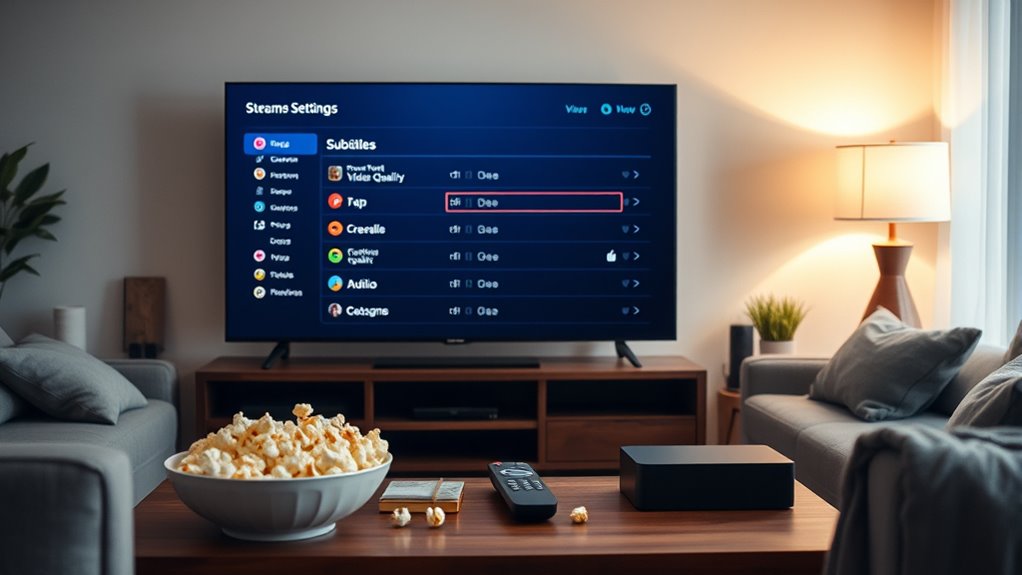
Are you making the most of your streaming service settings? Before settling in for movie night, it’s essential to review and tweak your options to guarantee a smooth, enjoyable experience. One of the first things to consider is parental controls. If you have kids, setting these controls can save you from unwanted surprises or inappropriate content slipping through. Most streaming platforms allow you to create profiles with age restrictions, ensuring your children only access suitable material. You can also set PIN codes to restrict access to certain profiles or content. Taking a few moments to enable these controls not only provides peace of mind but also helps you manage what’s being watched during your family movie night.
Next, pay attention to your streaming quality. Many services default to auto settings, which adapt to your internet connection, but you might want to manually set your preferred quality for a more consistent viewing experience. Higher streaming quality offers better resolution and clarity, but it also demands more bandwidth. If your internet connection is stable and fast enough, bumping up the quality can substantially improve your viewing pleasure, especially for visually stunning movies or shows. Conversely, if your connection tends to be unreliable or slow, lowering the streaming quality can prevent buffering and interruptions, ensuring you don’t miss key scenes. Adjusting this setting before your movie night guarantees that your viewing experience is optimized for your current network conditions, saving you from frustration mid-stream.
Another setting worth reviewing is subtitle and audio options. Sometimes, default settings aren’t ideal for everyone. If you or your family prefer subtitles for clarity or language learning, turn them on beforehand. Similarly, selecting the right audio track, such as Dolby or stereo, can enhance your sound experience. Customizing these settings ahead of time ensures that everyone can enjoy the content comfortably without fiddling with options during the show.
Additionally, explore any device-specific settings. If you’re streaming on multiple devices, verify that each device’s settings are configured correctly—whether it’s adjusting display preferences, enabling picture-in-picture mode, or managing data usage. Preparing these details in advance saves time and avoids disruptions once your movie night begins.
Finally, some streaming services offer content discovery settings that can help tailor recommendations to your taste, making your viewing experience more personalized and enjoyable.

Herdio 6.5 Inch 800W Outdoor Bluetooth Speakers Wired Waterproof with Multifunctional Amplifier, Wall Mount Speaker System for Patio Home Poolside Deck Backyard(2 Pairs,Black)
【Full-Range Speakers】The high powered full range indoor outdoor speakers wired waterproof has a maximum power output of 800...
As an affiliate, we earn on qualifying purchases.
Frequently Asked Questions
How Do I Update My Billing Information on Streaming Platforms?
To update your billing information on streaming platforms, you just need to log into your account. Go to the billing or payment section, then select “Update Payment Methods” or similar. You can add new billing details or change existing ones. Make sure your billing updates are accurate to avoid service interruptions. Save your changes, and you’re all set for smooth streaming and payment processing.
Can I Customize Subtitles for Better Viewing Experience?
Did you know that 85% of viewers prefer customized subtitles for better clarity? Yes, you can personalize subtitles for an improved viewing experience. Most streaming platforms allow you to adjust subtitle appearance, including font size, color, and background. Explore your settings, find the subtitle options, and tailor them to your preferences. This way, you’ll enjoy movies with subtitles that are easier to read and more comfortable for your eyes.
Is There a Way to Set Parental Controls for Specific Content?
Yes, you can set parental controls for specific content by using content filtering and profile restrictions. Most streaming services let you create a kid-friendly profile with filters that block mature content. You simply access the parental controls section, set restrictions based on age or content type, and save your preferences. This way, your children can enjoy age-appropriate movies without accidentally viewing unsuitable material.
How Do I Troubleshoot Streaming Quality Issues?
Your streaming quality is probably dropping because your internet speed isn’t keeping up with the demand, or your device isn’t compatible with the latest updates. First, test your internet speed and restart your router if it’s slow. Make sure your device is compatible and updated. If problems persist, try lowering the video quality or switching to a wired connection. These quick fixes can save your movie night from total chaos!
Can I Change Language Preferences for All Content at Once?
Yes, you can change your language preferences for all content at once. Go to your streaming service’s settings, then find the language options under account or playback preferences. Adjust the content language and language settings to your preferred choice. This way, most of the content will automatically play in your selected language, saving you time and ensuring a consistent viewing experience for movie night.

STUDIOFINIX 6.5 Inch Outdoor Speakers Wall-Mounted 800W - Waterproof and High-Performance Audio Solution for Indoor/Outdoor,Home,Patio,Garden,Backyard(4 Passive Speakers Bundle/Black)
〖Powerful Performance〗: Boasting a peak power handling of 800 watts, it delivers a full range of dynamic sound...
As an affiliate, we earn on qualifying purchases.
Conclusion
Before your next movie night, take a few minutes to tweak your streaming settings. Adjusting video quality and enabling subtitles can enhance your experience, especially if you’re watching with others or on different devices. Did you know that buffering issues decrease by up to 30% when you optimize your connection? Small changes make a big difference, ensuring you get the best possible viewing. So, make those quick adjustments and enjoy a smoother, more enjoyable movie night!

Polk Audio Atrium 4 Weatherproof Outdoor Speakers with Powerful Bass (Pair, Black), All-Weather Durability, Broad Sound Coverage, Speed-Lock Mounting System
EASY INSTALLATION - One-click speed-lock mounting bracket offers anti-slip, one-handed installation. Mount these outdoor speakers wired vertically or...
As an affiliate, we earn on qualifying purchases.

6.5 Inch Max 800W Outdoor Bluetooth Speakers Waterproof Wired with Multifunctional Amplifier Wall Mount Outdoor Speaker System for Patio Garden Poolside Home(4 Speakers,Black)
Powerful Acoustics: Unmatched Sound Output,Each speaker pumps out an impressive 200 watts, with a pair delivering a combined...
As an affiliate, we earn on qualifying purchases.